



Introduction: Why This One Belongs on the Watchlist
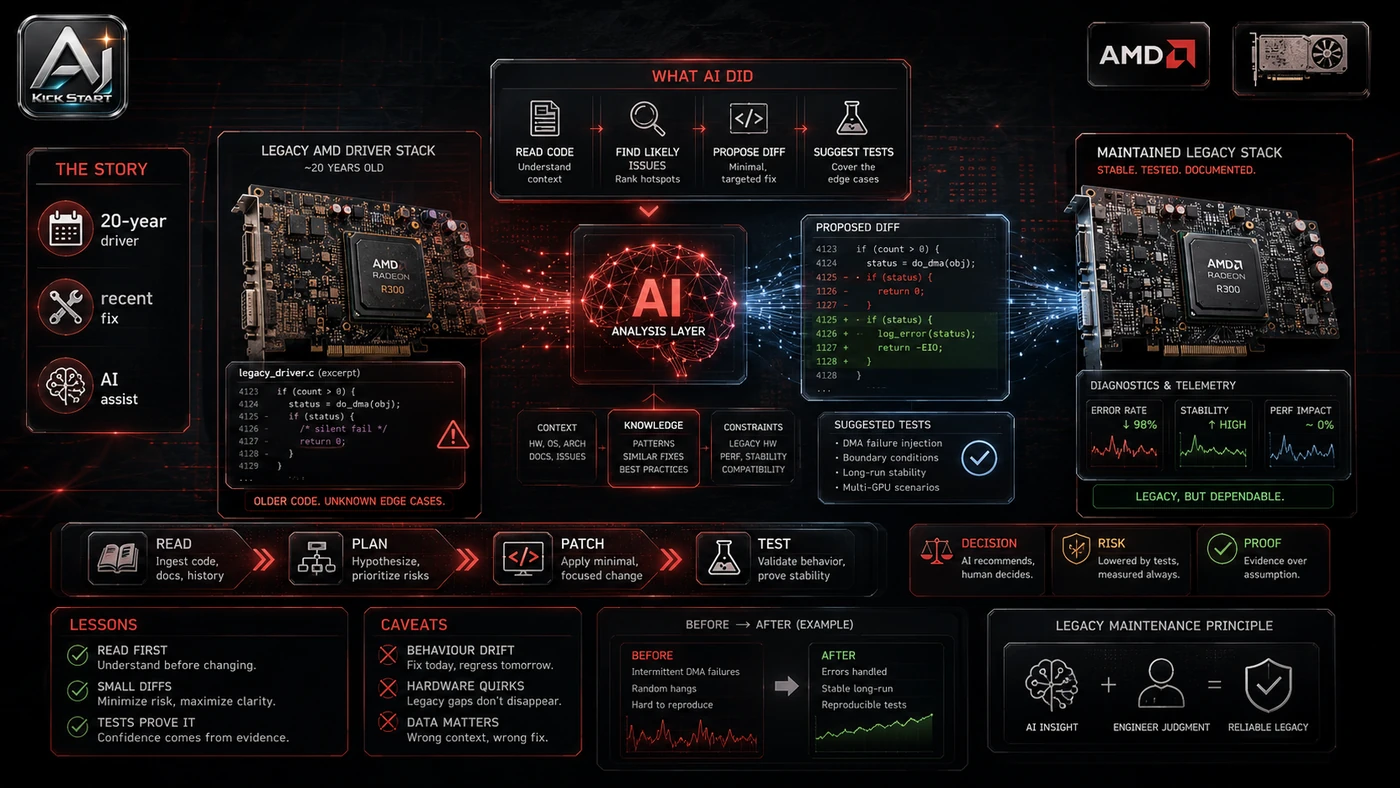
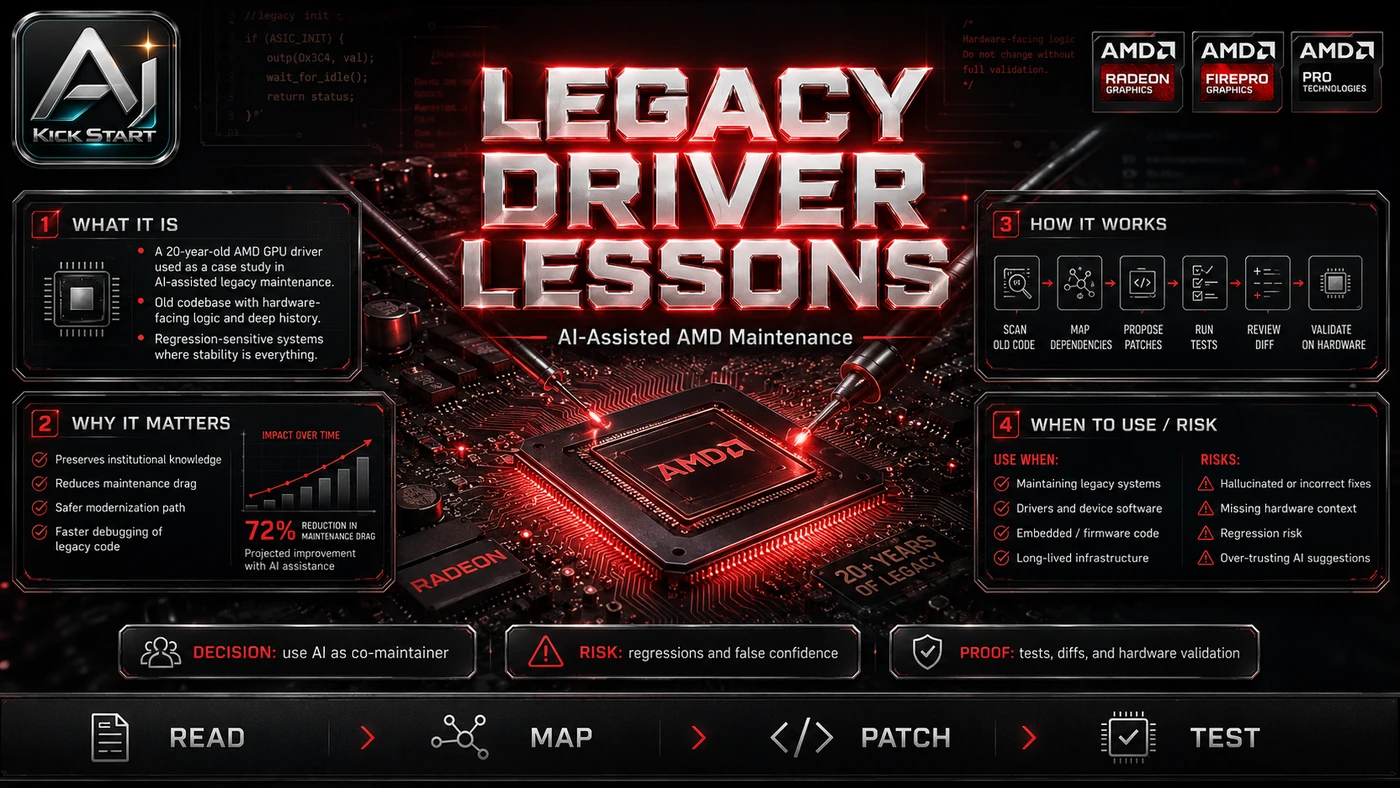
Most AI coverage leads with benchmark worship or "vibe coding" stunts; this one shows a bounded, real-world maintenance task: 59 commits of refactoring and cleanup in the AMD R600 Gallium3D driver, with the maintainer noting Copilot did the tedious parts. The reason it matters for AI Kick Start readers is practical: this is not just another launch to admire from a distance. It changes how founders, operators, and technical teams should think about legacy maintenance over the next few months. The source transcript repeatedly centres on GitHub Copilot, the R600 driver and legacy refactoring, with the video framing the topic as a practical workflow rather than a detached product announcement. That is the useful lens. The video is worth treating as implementation intelligence: what should be tested, what should be ignored for now, and what should become part of a repeatable operating system. For Australian small businesses and technical teams, the right question is not "is this impressive?" The right question is "where does this reduce friction without creating a larger governance, security, or maintenance problem?"
What the Video Actually Shows
The core pattern is simple: use an AI assistant as a pair programmer for narrow, repetitive, low-risk refactoring on legacy code. The video has three segments: AMD executive commentary on memory supply and socket support, the central aside about the R600 driver cleanup, and EPYC benchmark leaks. In practice, that means the update sits inside a broader shift from isolated AI prompts to managed systems. A tool, model, or method only becomes valuable when it has clear inputs, a measurable output, a review path, and a way to repeat the result next week. The video's most useful signal is the workflow shape. The moving parts can be summarised as: legacy codebase narrow refactor human review repeatable process. That is the level at which teams should evaluate it. A demo can be entertaining, but a workflow must survive messy source files, staff handoff, data boundaries, and real deadlines.
The Implementation Pattern
The first implementation lesson is to narrow the scope. Start with one stale module that compiles, has a reproducible build, and is painful to touch but not business-critical. Broad adoption is usually where AI systems fail first because nobody knows which decision the tool is allowed to make and which decision still belongs to a human. The second lesson is to create a test harness. Keep the assistant's tool permissions small; good first tasks are renaming, deduplication, dead-code removal, or formatting, while bad first tasks are rewriting core algorithms or modifying security-sensitive paths. A useful harness does not have to be complicated. It can be a short brief, a fixed sample dataset, a few expected outputs, and one person responsible for judging whether the result is good enough. The third lesson is to capture the process. Document start, stop, and review steps; use a commit trailer such as Assisted-By: GitHub Copilot for audit, and update comments or runbooks when the AI uncovers context. When the process is documented, it can become a reusable skill, checklist, prompt pack, repo pattern, or operating procedure. When it is not documented, the team is back to improvising in chat.
Research Update: What To Correct
This update adds a current-source pass rather than treating the original video summary as enough. The important corrections are the product surface, plan or pricing constraints, and what should be verified before a team depends on the workflow. The AMD R600 Gallium3D driver supports Radeon HD 2000–6000 series GPUs; developer Gert Wollny landed 59 Mesa 26.2 commits that refactor the shader compiler, noted as "done with the help of Copilot (auto mode)." That was cleanup, not a rewrite; Copilot assisted but did not invent the architecture. "Copilot (auto mode)" is not an official GitHub product tier, so treat it as usage description, not a feature name. David McAfee's remarks about memory supply (around two years to balance) and socket longevity (until DDR6 or PCIe) are directional guidance, not a fixed roadmap. The Zen 6 numbers are early, pre-release EPYC "Venice" Zen 6C leaks claiming roughly 50 percent integer throughput uplift over "Turin" parts, though they are dense-core variants, and are not consumer Ryzen benchmarks. GitHub Copilot Free, Pro, and Pro+ individual accounts may use prompts and outputs to train models unless opted out, while Business and Enterprise seats do not use customer data for model training.
Practical Setup and How-To
The useful next step is a controlled pilot with a named owner, fixed inputs, a measurable output, and a review point. Use the sequence below as the first implementation path before expanding the workflow. Pick one stale module that compiles and has a reproducible build. Set guardrails first by creating branch protection, enabling CI, and agreeing on a review policy before anyone opens Copilot. Choose Copilot Business or Enterprise so you can set organisation-wide policies, block public-code matching, and prevent data from being used for training. Define the scope in writing, work in small prompts, ask Copilot to refactor one function or file at a time, and review the diff immediately. Run the test harness so every accepted suggestion passes the existing build and tests, adding tests where behaviour changes, and attribute the assistance with a commit trailer such as Assisted-By: GitHub Copilot.
Pricing, Access, and Comparison Notes
Pricing and access should be checked at implementation time because AI products change quickly. The safer decision is to compare the tool against the job-to-be-done, not against launch hype. GitHub Copilot's individual tiers are Free ($0, 2,000 completions and 50 chats per month), Pro ($10 per user per month, unlimited completions and $15 AI credits), Pro+ ($39 per user per month, $70 AI credits and premium models), and Max ($100 per user per month, $200 AI credits). Teams should look at Business or Enterprise for central licence management, policy controls, IP indemnity, and no prompt/output training. Cursor, Codeium, Amazon Q Developer, JetBrains AI Assistant, and Tabnine offer similar help; Copilot's advantage is GitHub integration and broad public-repo training, which helps open-source-adjacent code such as Linux/Mesa drivers, while for proprietary legacy stacks the biggest variable is how well your own codebase is documented and tested. Access Plan, preview status, region, account type, admin controls, and rate limits. Cost Subscription, credits, API tokens, retries, hardware, review time, and support burden. Fit Workflow reliability, data handling, output quality, observability, and human approval needs.
Implementation Notes for Teams
For AI Kick Start readers, this is the production filter: keep the first rollout narrow, make the evidence visible, and do not let the tool cross a business boundary until the review model is clear. Assign licences through GitHub Organisations; if your code is closed-source or licensed differently, block public-code matches and ensure individual users on Free or Pro plans opt out of training data use. Do not paste credentials, API keys, or customer data into Copilot chat; treat the chat window like a public channel until your contract says otherwise. Require human review for every AI-assisted change, keep permissions narrow until the assistant passes a repeatable grading run, use source-controlled skills and examples so the workflow can be relaunched, and add review gates before external messages, customer data access, or write actions.
Screenshot and Visual Guidance
The second inline image for this article should make the implementation concrete: . A useful screenshot would show the legacy source file, a Copilot chat panel proposing a small refactor, and a diff view. If the team is documenting a real rollout, capture setup screens, before/after outputs, permission settings, cost meters, and review evidence rather than decorative screenshots.
Where It Fits for Real Teams
For founders, the opportunity is speed with evidence. For operators, the value is consistency. For technical teams, the value is leverage. A strong setup lets agents, models, or creative systems take on repeatable work while engineers keep control over architecture, security, deployment, and final judgement. The practical fit is strongest when the task has clear source material, a known output format, and a low-cost way to verify quality. It is weaker when the task is vague, politically sensitive, legally risky, or dependent on facts that cannot be checked. This pattern fits anywhere you are paying a "maintenance tax" on code that still works but is becoming harder to change: internal tools, monolithic backends, open-source dependencies, and firmware. It does not replace a deliberate platform migration; if the system is fundamentally wrong for the business, cleaning it up with AI is just polishing the deck chairs, so use Copilot to buy time and reduce risk, not to avoid hard decisions.
Trade-offs and Risks
The main risk is subtle correctness bugs. That risk can be managed, but only if it is named before the workflow becomes normal. A second risk is licence contamination. AI systems often look better in a screen recording than they feel inside a production workflow. The test is whether the result is repeatable when the source material changes, the operator changes, and the deadline is real. A third risk is deskilling. This is why AI Kick Start generally recommends a staged rollout: sandbox first, internal use second, customer-facing deployment last. Also name privacy and data residency, because there is no Australian-specific guarantee and traffic leaves your network even on Business and Enterprise plans, and hidden costs, because agent mode and chat requests consume AI credits and a small team can burn through a Pro allowance quickly if it is not budgeted.
The Next Sensible Test
The next sensible test is a small controlled implementation. Pick one workflow, one owner, one expected output, and one acceptance check. Run it twice. If the second run is easier than the first, the pattern is worth keeping. Do not judge the workflow by the best possible demo. Judge it by the worst acceptable production case. Ask: what happens when the source file is incomplete, the tool is unavailable, the output is wrong, or a staff member needs to explain the result to a customer? If those answers are clear, this belongs in the roadmap. If they are not, it belongs in the lab until the operating model catches up.