

Introduction: Why This One Belongs on the Watchlist
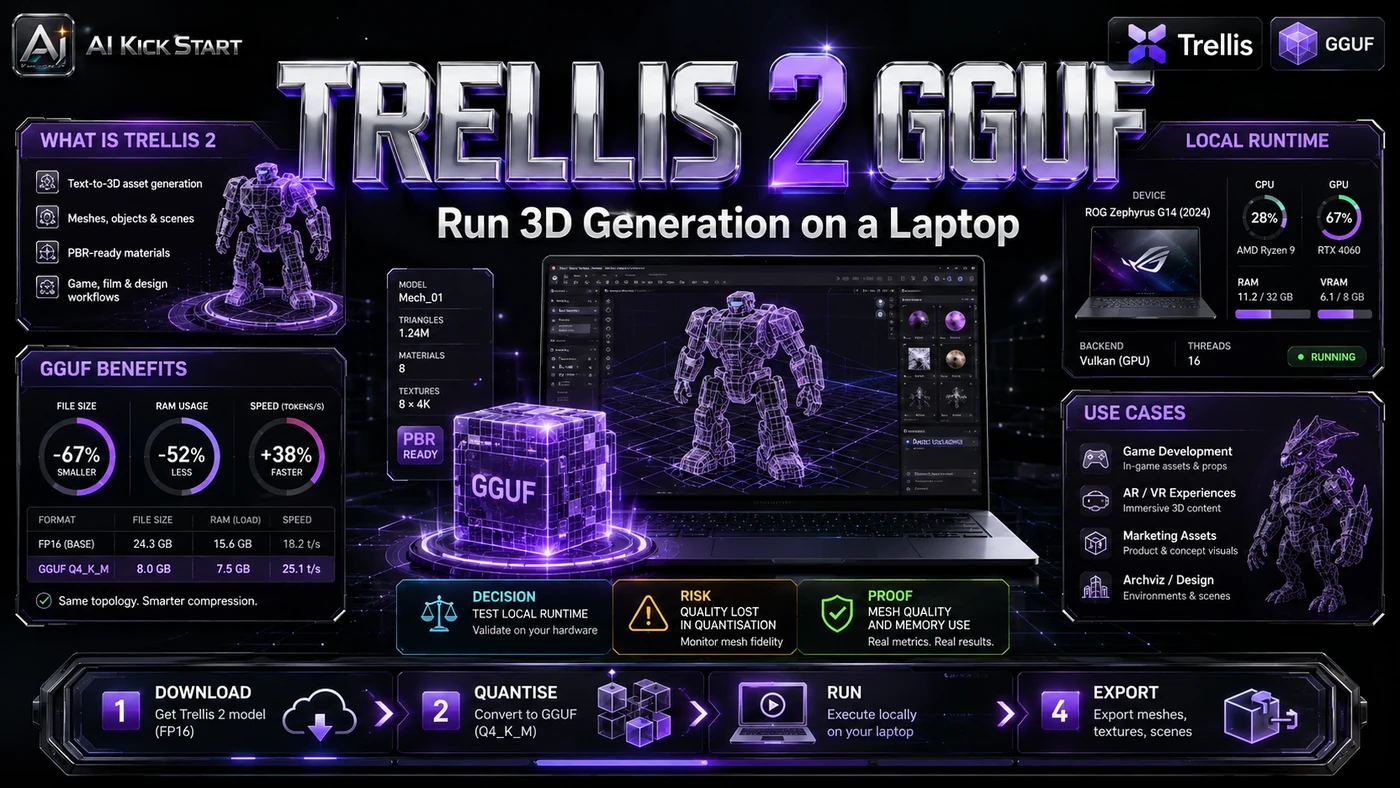
Trellis 2 - a 4-billion-parameter image-to-3D model from Microsoft Research - has been a strong open option, but its VRAM needs have largely excluded cards below 12 GB. A new ComfyUI wrapper packages Trellis 2 as GGUF quantisations, reportedly cutting peak VRAM to around 6 GB and sometimes outperforming the full model. For Australian teams, that changes 3D economics enough to pilot on hardware many already own. The reason it matters for AI Kick Start readers is practical: this is not just another launch to admire from a distance. It changes how founders, operators, and technical teams should think about 3D generation work over the next few months. The source transcript repeatedly centres on Trellis 2, GGUF and ComfyUI, with the video framing the topic as a practical workflow rather than a detached product announcement. That is the useful lens. The video is worth treating as implementation intelligence: what should be tested, what should be ignored for now, and what should become part of a repeatable operating system. For Australian small businesses and technical teams, the right question is not "is this impressive?" The right question is "where does this reduce friction without creating a larger governance, security, or maintenance problem?"
What the Video Actually Shows
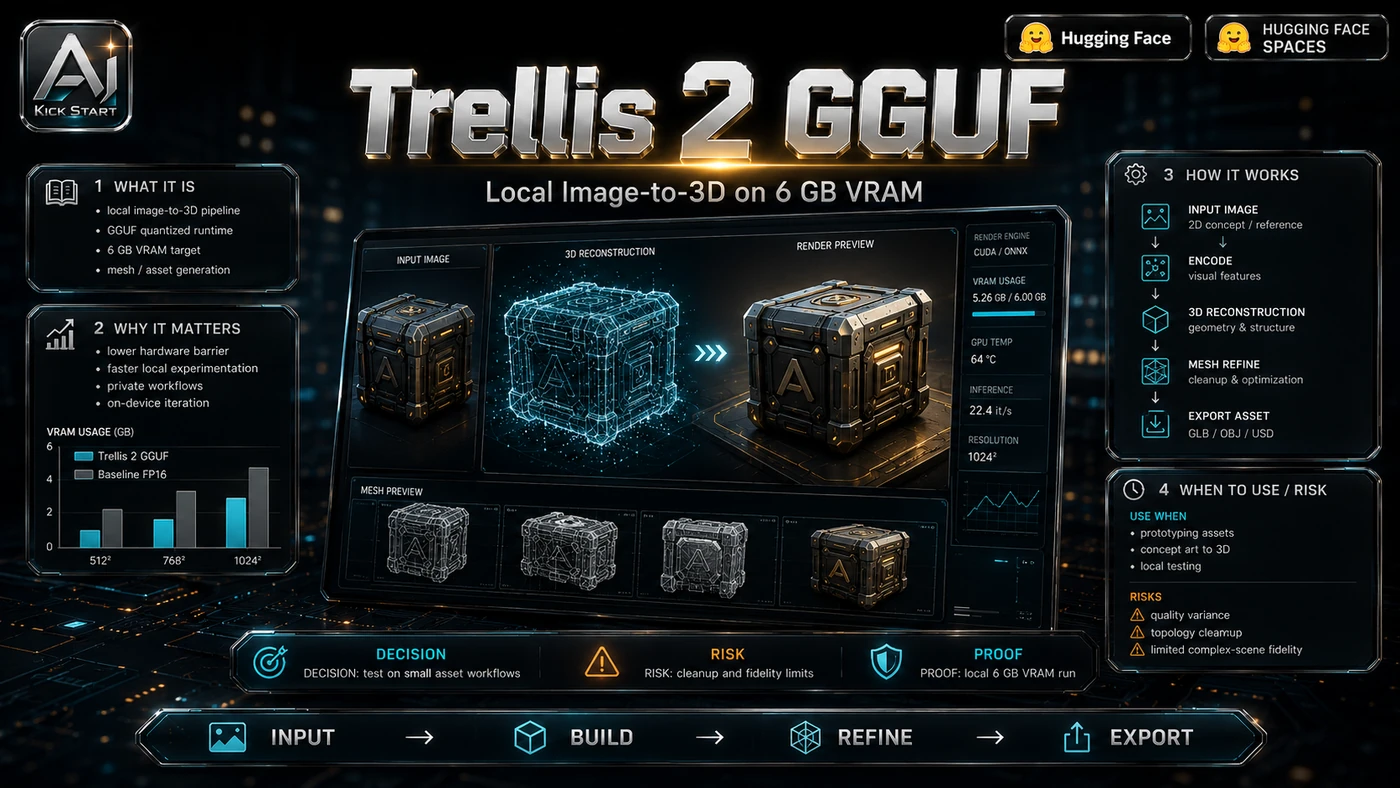
The core pattern is simple: install ComfyUI with the Trellis 2 nodes, swap the standard loader for a quantised GGUF loader, and run the image-to-mesh pipeline before exporting to a DCC tool. The presenter installs a forked ComfyUI environment, loads Q4–Q8 weights, generates textured meshes near 6 GB VRAM, and shows exports in Blender. The headline claim is that Q4 peaks near 6.1 GB and finishes faster than the full model on an RTX 5080 - a specific result, not a universal guarantee. In practice, that means the update sits inside a broader shift from isolated AI prompts to managed systems. A tool, model, or method only becomes valuable when it has clear inputs, a measurable output, a review path, and a way to repeat the result next week. The video's most useful signal is the workflow shape. The moving parts can be summarised as: ComfyUI environment Trellis 2 wrapper nodes GGUF quantised weights Review and export step That is the level at which teams should evaluate it. A demo can be entertaining, but a workflow must survive messy source files, staff handoff, data boundaries, and real deadlines.
The Implementation Pattern
The first implementation lesson is to narrow the scope. Start with one asset class, one quantisation level, and one output format. Broad adoption is usually where AI systems fail first because nobody knows which decision the tool is allowed to make and which decision still belongs to a human. The second lesson is to create a test harness. Fix reference images, lock resolution and seed, generate Q4, Q6, and Q8 outputs, and score each mesh for usefulness and repeatability. A useful harness does not have to be complicated. It can be a short brief, a fixed sample dataset, a few expected outputs, and one person responsible for judging whether the result is good enough. The third lesson is to capture the process. Document ComfyUI, Torch, CUDA, model files, and settings. When the process is documented, it can become a reusable skill, checklist, prompt pack, repo pattern, or operating procedure. When it is not documented, the team is back to improvising in chat.
Research Update: What To Correct
This update adds a current-source pass rather than treating the original video summary as enough. The important corrections are the product surface, plan or pricing constraints, and what should be verified before a team depends on the workflow. "Best open-source image-to-3D generator" is subjective: "best" depends on input, topology, and output format. "Faster than the full model" needs context: Q4 ran in 8m 6s versus 10m 8s for the full model, and Q8 in 7m 9s, likely due to reduced memory movement in this implementation rather than quantisation being universally faster. "Quality difference is basically invisible" holds for the shown examples, but is less safe for thin geometry, transparency, fine text, or asymmetry. "Runs on 6 GB VRAM" is technically true yet tight: Q4 peaked near 6.1 GB. The official Microsoft numbers in the TRELLIS.2 repo - ~3s at 512³, ~17s at 1024³, ~60s at 1536³ on an H100 - are full-model, data-centre figures not directly comparable to the local GGUF walkthrough.
Practical Setup and How-To
The useful next step is a controlled pilot with a named owner, fixed inputs, a measurable output, and a review point. Use the sequence below as the first implementation path before expanding the workflow. Check hardware: NVIDIA GPU with 6 GB+ VRAM, Windows 10/11, and several gigabytes per quantisation level. Install ComfyUI Easy-Install via the PixelArtistry guide, then add the GGUF wrapper. Run the installers in order: base installer requiring Torch 2.8.0+cu128, GGUF installer, and model downloader script, which fixes a Hugging Face auto-download mismatch. Launch ComfyUI, load the workflow, select a quantisation, and ignore first-start loader warnings if the models are found. Use Q4 on 6 GB cards with other workloads closed, Q6 or Q8 on 8–12 GB cards, and Q8 on 16 GB+ cards. If memory errors occur, drop resolution or lower texture resolution.
Pricing, Access, and Comparison Notes
Pricing and access should be checked at implementation time because AI products change quickly. The safer decision is to compare the tool against the job-to-be-done, not against launch hype. The GGUF route is free in licence terms - Trellis 2 is MIT-licensed and wrappers are free - but the real cost is hardware, time, and maintenance. For a team with a 6–12 GB NVIDIA workstation, the path removes per-generation costs and keeps source images local. Without suitable hardware, buying or renting a GPU may cost more than a managed API for low-volume work. Compare Tripo AI, Meshy AI, and 3DAI Studio or Hitem3D. Access Plan, preview status, region, account type, admin controls, and rate limits. Cost Subscription, credits, API tokens, retries, hardware, review time, and support burden. Fit Workflow reliability, data handling, output quality, observability, and human approval needs.
Implementation Notes for Teams
For AI Kick Start readers, this is the production filter: keep the first rollout narrow, make the evidence visible, and do not let the tool cross a business boundary until the review model is clear. Treat this as an internal pilot. Isolate the environment, pin Torch 2.8.0+cu128, document quantisation, resolution, seed, and node settings, and add a review gate before meshes enter a game engine, render, or configurator. Plan for retopology; output topology is dense and not game-engine ready. Local execution keeps data on premises if the machine is secured.
Screenshot and Visual Guidance
The second inline image for this article should make the implementation concrete: a ComfyUI graph centred on the GGUF Load Model node with Q4_K_M through full safetensor options visible, inputs feeding the Trellis 2 generation nodes, and outputs for mesh, texture, and GLB export. If the team is documenting a real rollout, capture setup screens, before/after outputs, permission settings, cost meters, and review evidence rather than decorative screenshots. On a 6 GB card, monitor Task Manager or nvidia-smi during the first run; if memory is exceeded, step down the resolution.
Where It Fits for Real Teams
For founders, the opportunity is speed with evidence. This kind of workflow can reduce the time between idea and first useful output, but it should still produce artefacts that a customer, manager, or developer can inspect. For operators, the value is consistency. If the same task is done slightly differently every time, AI can either make the inconsistency worse or help standardise the path. The difference is whether the workflow has rules, examples, and review checkpoints. For technical teams, the value is leverage. A strong setup lets agents, models, or creative systems take on repeatable work while engineers keep control over architecture, security, deployment, and final judgement. The practical fit is strongest when the task has clear source material, a known output format, and a low-cost way to verify quality. It is weaker when the task is vague, politically sensitive, legally risky, or dependent on facts that cannot be checked. Strong fits include e-commerce visualisation, game asset blocking, architecture exploration, and agency concept work with sensitive imagery. It is least useful for instant results, a web-native workflow, or production-ready topology.
Trade-offs and Risks
The main risk is tight VRAM at the claimed 6 GB compatibility level. That risk can be managed, but only if it is named before the workflow becomes normal. A second risk is dependency fragility and platform unevenness. AI systems often look better in a screen recording than they feel inside a production workflow. The test is whether the result is repeatable when the source material changes, the operator changes, and the deadline is real. The auto-download path can fail due to Hugging Face mismatches, Windows gets easy-install scripts while Linux users must install manually, and teams should expect wheel and CUDA troubleshooting. A third risk is quantisation artefacts combined with dense output topology. This is why AI Kick Start generally recommends a staged rollout: sandbox first, internal use second, customer-facing deployment last. Q4 may lose fine detail and the mesh needs retopology, UV cleanup, and possibly remeshing.
The Next Sensible Test
The next sensible test is a small controlled implementation. Pick one workflow, one owner, one expected output, and one acceptance check. Run it twice. If the second run is easier than the first, the pattern is worth keeping. Do not judge the workflow by the best possible demo. Judge it by the worst acceptable production case. Ask: what happens when the source file is incomplete, the tool is unavailable, the output is wrong, or a staff member needs to explain the result to a customer? If those answers are clear, this belongs in the roadmap. If they are not, it belongs in the lab until the operating model catches up.