




Introduction: Why This One Belongs on the Watchlist
Multi-agent demos fall apart when ownership is unclear. Asad Tinkers starts from infrastructure: a VPS you control, SQLite state, Telegram for the orchestrator, and Discord for the specialists. The reason it matters for AI Kick Start readers is practical: this is not just another launch to admire from a distance. It changes how founders, operators, and technical teams should think about AI Implementation work over the next few months. The source transcript repeatedly centres on Hermes Agent, Telegram and Discord, and a self-hosted dashboard, with the video framing the topic as a practical workflow rather than a detached product announcement. That is the useful lens. The video is worth treating as implementation intelligence: what should be tested, what should be ignored for now, and what should become part of a repeatable operating system. For Australian small businesses and technical teams, the right question is not "is this impressive?" The right question is "where does this reduce friction without creating a larger governance, security, or maintenance problem?"
What the Video Actually Shows
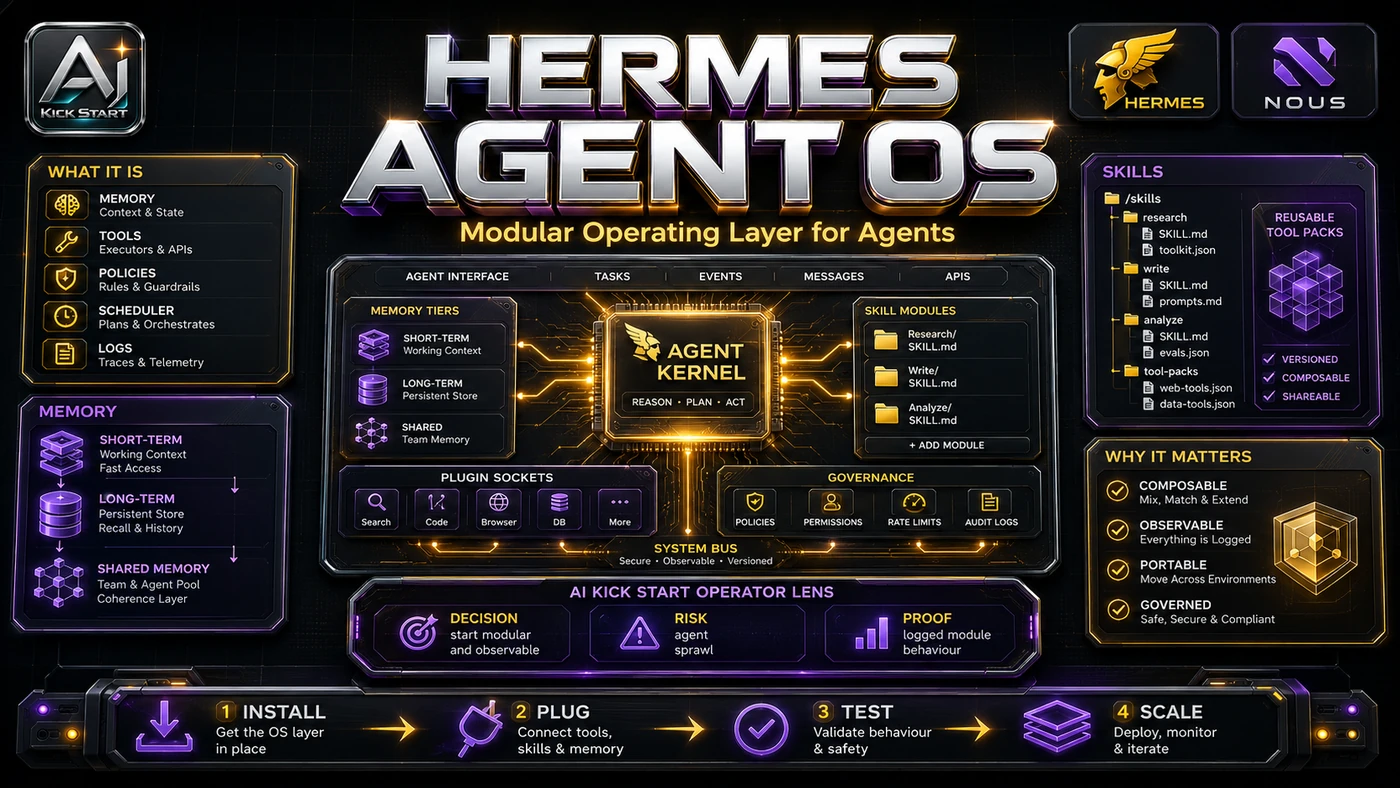
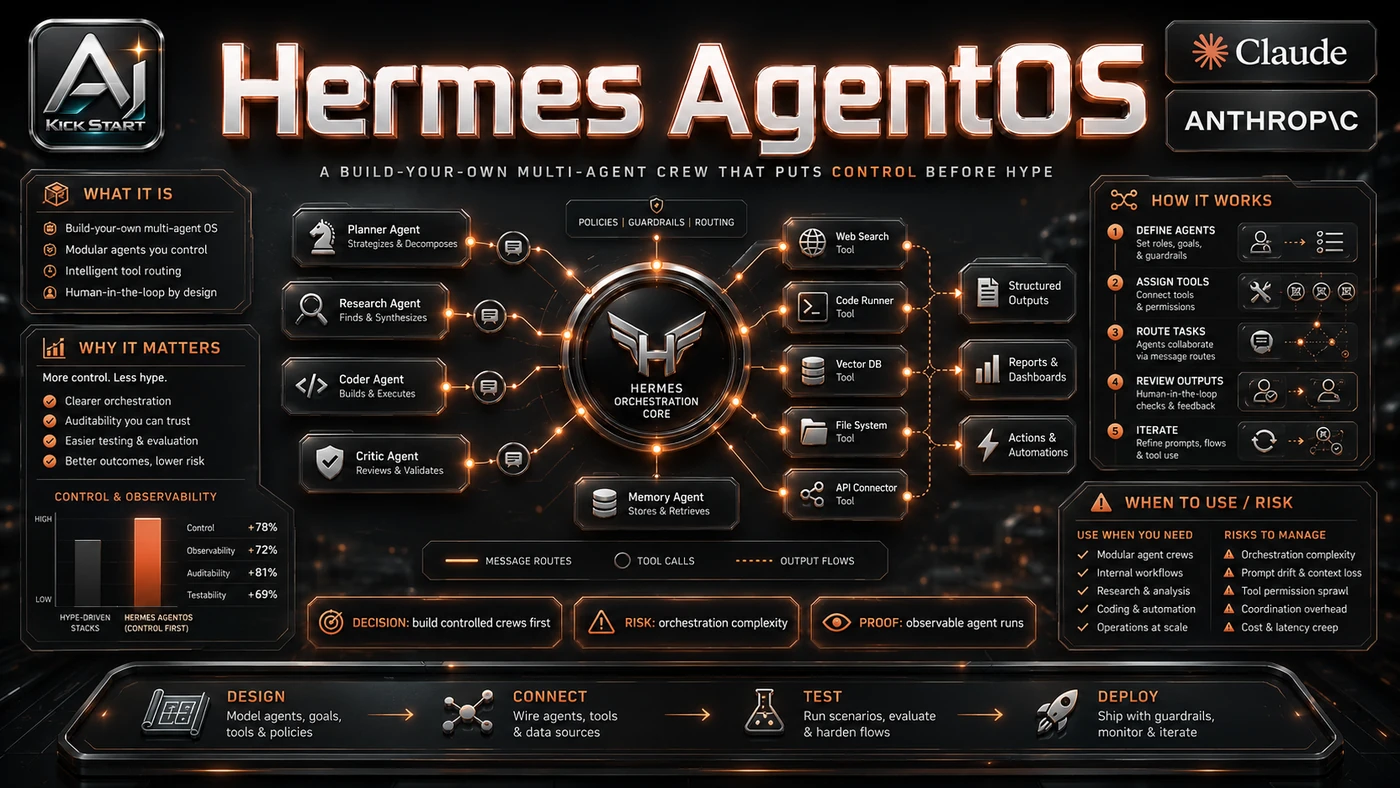
The core pattern is simple: Telegram commands the orchestrator, Discord hosts the specialists, SQLite stores state, and a Python dashboard with Tailscale surfaces everything. The video builds Tinkers' AgentOS using Hermes Agent, the open-source Nous Research framework. The finished system has one Telegram orchestrator, four Discord specialists - Analyst, Writer, Marketer, and Coder - a research-to-content pipeline, a live VPS dashboard, and persistent per-agent memory on the VPS. In practice, that means the update sits inside a broader shift from isolated AI prompts to managed systems. A tool, model, or method only becomes valuable when it has clear inputs, a measurable output, a review path, and a way to repeat the result next week. The video's most useful signal is the workflow shape. The moving parts can be summarised as: Telegram orchestrator Discord crew SQLite dashboard Review loop. That is the level at which teams should evaluate it. A demo can be entertaining, but a workflow must survive messy source files, staff handoff, data boundaries, and real deadlines.
The Implementation Pattern
The first implementation lesson is to narrow the scope. Pick one repeatable task before adding four agents. Broad adoption is usually where AI systems fail first because nobody knows which decision the tool is allowed to make and which decision still belongs to a human. The second lesson is to create a test harness. Keep the agent's tool permissions small. A useful harness does not have to be complicated. It can be a short brief, a fixed sample dataset, a few expected outputs, and one person responsible for judging whether the result is good enough. The third lesson is to capture the process. Document how the agent is started, stopped, and reviewed. When the process is documented, it can become a reusable skill, checklist, prompt pack, repo pattern, or operating procedure. When it is not documented, the team is back to improvising in chat.
Research Update: What To Correct
This update adds a current-source pass rather than treating the original video summary as enough. The important corrections are the product surface, plan or pricing constraints, and what should be verified before a team depends on the workflow. Tinkers references Hermes Agent v0.15+, but the project moves quickly - v0.15.2 already added a native desktop app - so verify gateway setup against the latest docs. Profiles cannot switch at runtime; each needs its own bot token and gateway process, so use named profiles for separate projects but do not model the four agents as profiles the orchestrator swaps between. Tinkers uses DeepSeek Pro and reports a build cost of roughly US$2; weaker models introduce bugs, so budget for the model, not just the VPS. Hermes is MIT-licensed and free if you bring your own keys, while Nous Portal offers paid tiers, so do not confuse self-hosted with free once inference bills arrive. The curl | bash installer supports macOS, Linux, and WSL2, but native Windows support is still beta, so most Australian teams should use Ubuntu 22.04 or 24.04 LTS.
Practical Setup and How-To
The useful next step is a controlled pilot with a named owner, fixed inputs, a measurable output, and a review point. Use the sequence below as the first implementation path before expanding the workflow. Treat this as a weekend proof of concept, not a production rollout. You need a VPS with at least 4GB RAM running Ubuntu 22.04 or 24.04 LTS, Telegram and Discord accounts, a capable frontier model API key, and basic comfort with SSH and Linux paths. Provision and update the VPS, install Hermes, run hermes setup, select a model provider, and configure Telegram through BotFather and @userinfobot. Start a Telegram session with /new, paste the orchestrator identity prompt, add operating rules, and create the four specialists as personas within the same profile - not as separate Hermes profiles. Build a routing table; create a Discord server and application with all three intents enabled; bind each specialist to its own channel; add SQLite logging with a 30-day retention policy; and build the dashboard tabs - Overview, Crew, Tasks, Schedule, and Content. Set up SSH keys and a desktop launcher for the tunnel. The video supplies 29 prompts as scaffolding; expect a few dashboard prompts to need iteration.
Pricing, Access, and Comparison Notes
Pricing and access should be checked at implementation time because AI products change quickly. The safer decision is to compare the tool against the job-to-be-done, not against launch hype. A VPS runs about $4-12 AUD per month for a 4-8GB instance from Contabo, Racknerd, Hetzner, DigitalOcean, or Vultr. Hermes Agent is free under MIT licence if you bring your own API keys. Model inference is the dominant variable cost: Tinkers spent roughly US$2 using DeepSeek Pro, but ongoing use scales with message volume and model choice. Nous Portal offers paid tiers. Compared with managed alternatives like OpenClaw or MindStudio, this build trades convenience for control - you own the data, credentials, logs, and maintenance. Access Plan, preview status, region, account type, admin controls, and rate limits. Cost Subscription, credits, API tokens, retries, hardware, review time, and support burden. Fit Workflow reliability, data handling, output quality, observability, and human approval needs.
Implementation Notes for Teams
For AI Kick Start readers, this is the production filter: keep the first rollout narrow, make the evidence visible, and do not let the tool cross a business boundary until the review model is clear. Run a single-purpose pilot rather than letting five agents loose on live systems. Build the crew in a sandbox Discord server and test Telegram bot before connecting production channels; a second VPS is cheaper than a mistaken public message. Version-control every prompt and config change. Add a review gate so the writer or marketer cannot publish without human approval. Snapshot index.html and server.py before every frontend prompt. Scope API keys tightly: the Discord bot should not have administrator rights on a server with sensitive conversations. Plan for observability because SQLite logs are useful but not a SIEM; ship logs to your monitoring stack if this becomes operational.
Screenshot and Visual Guidance
The second inline image for this article should make the implementation concrete: a clean project bench showing the five dashboard tabs - Overview, Crew, Tasks, Schedule, and Content - with activity radar, per-agent metrics, a kanban board, cron schedules, and an editable markdown library, plus the CSS token layer that lets you fix a mis-coloured component by changing one variable. If the team is documenting a real rollout, capture setup screens, before/after outputs, permission settings, cost meters, and review evidence rather than decorative screenshots.
Where It Fits for Real Teams
For founders, the opportunity is speed with evidence. For operators, the value is consistency. For technical teams, the value is leverage. A strong setup lets agents take on repeatable work while engineers keep control over architecture, security, and final judgement. Use cases include research and content pipelines, dev-ops triage, and founder-operator dashboards. The practical fit is strongest when the task has clear source material, a known output format, and a low-cost way to verify quality. It is weaker when the task is vague, politically sensitive, legally risky, or dependent on facts that cannot be checked. It is not a replacement for managed support bots, regulated processes, or uptime SLAs; think of it as a programmable second brain with a dashboard, not a platform.
Trade-offs and Risks
The main risk is maintenance burden. Hermes updates, Discord bot permissions, model API changes, and Tailscale keys are now your problem, and that risk can be managed, but only if it is named before the workflow becomes normal. A second risk is security surface. A VPS running a Telegram bot, Discord bot, and web dashboard with broad permissions is not low-risk, so restrict allowed user lists, use SSH keys, keep the OS patched, and firewall everything except required ports. AI systems often look better in a screen recording than they feel inside a production workflow. The test is whether the result is repeatable when the source material changes, the operator changes, and the deadline is real. A third risk is model dependency, runtime fragility, and the lack of an immutable audit trail. Budget models cost more in debugging time than they save, and SQLite logs are not an immutable audit log, so do not use this for regulated decisions without additional controls. This is why AI Kick Start generally recommends a staged rollout: sandbox first, internal use second, customer-facing deployment last.
The Next Sensible Test
The next sensible test is a small controlled implementation. Pick one workflow, one owner, one expected output, and one acceptance check. Run it twice. If the second run is easier than the first, the pattern is worth keeping. Do not judge the workflow by the best possible demo. Judge it by the worst acceptable production case. Ask: what happens when the source file is incomplete, the tool is unavailable, the output is wrong, or a staff member needs to explain the result to a customer? If those answers are clear, this belongs in the roadmap. If they are not, it belongs in the lab until the operating model catches up.