

Introduction: Why This One Belongs on the Watchlist
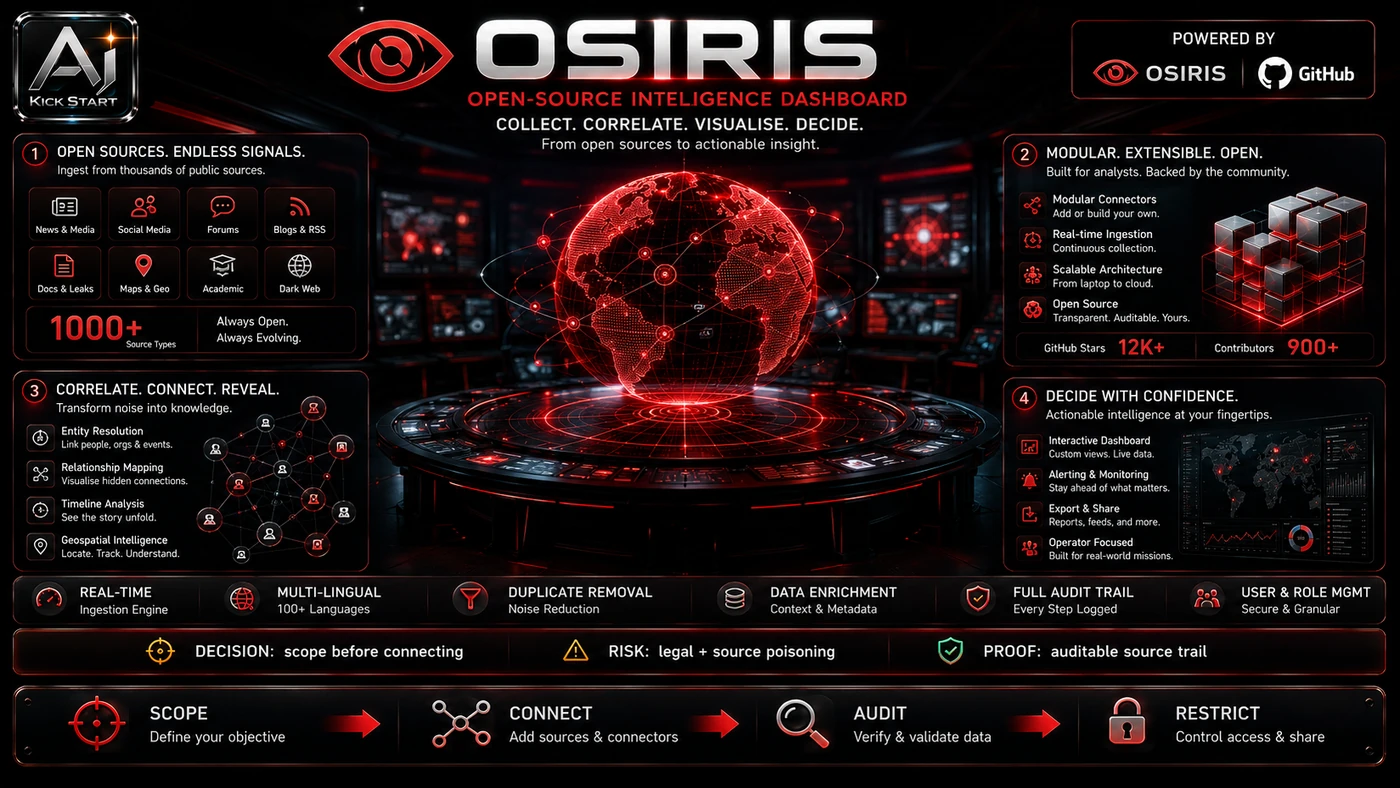
OSIRIS (osirisai.live) went viral as an “open-source Palantir,” a useful, free situational-awareness dashboard whose Palantir framing is misleading on procurement, governance, and legal risk. The reason it matters for AI Kick Start readers is practical: this is not just another launch to admire from a distance. It changes how founders, operators, and technical teams should think about Security & OSINT work over the next few months. The source transcript repeatedly centres on OSIRIS, OSINT dashboards and the Palantir comparison, with the video framing the topic as a practical workflow rather than a detached product announcement. That is the useful lens. The video is worth treating as implementation intelligence: what should be tested, what should be ignored for now, and what should become part of a repeatable operating system. For Australian small businesses and technical teams, the right question is not "is this impressive?" The right question is "where does this reduce friction without creating a larger governance, security, or maintenance problem?"
What the Video Actually Shows
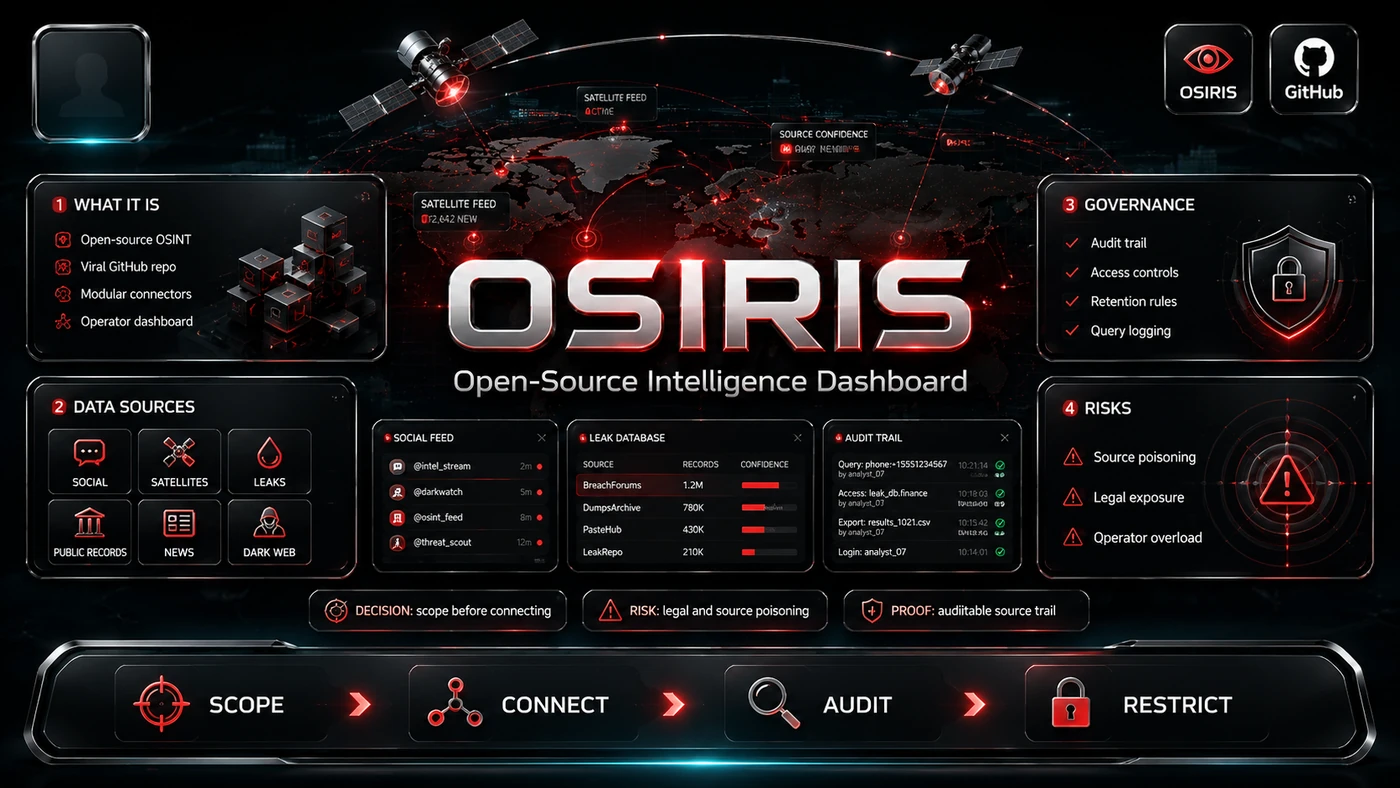
The video from stuffy24 walks through OSIRIS’s web interface and GitHub repo, treating it as an OSINT dashboard built around a MapLibre world map with situational-awareness layers and a Recon Toolkit. The presenter stresses that default public feeds are patchy. The core pattern is simple: Treat OSIRIS as a self-hosted OSINT workbook rather than a Palantir replacement. Turn off layers the team does not need. Replace default public feeds with curated internal or threat-intel sources. Gate the Recon Toolkit behind a clear policy. In practice, that means the update sits inside a broader shift from isolated AI prompts to managed systems. A tool, model, or method only becomes valuable when it has clear inputs, a measurable output, a review path, and a way to repeat the result next week. The video's most useful signal is the workflow shape. The moving parts can be summarised as: Self-hosted dashboard Feed curation Recon policy Review loop. That is the level at which teams should evaluate it. A demo can be entertaining, but a workflow must survive messy source files, staff handoff, data boundaries, and real deadlines.
The Implementation Pattern
The first implementation lesson is to narrow the scope. Pick one narrow question and do not enable every map layer by default. Broad adoption is usually where AI systems fail first because nobody knows which decision the tool is allowed to make and which decision still belongs to a human. The second lesson is to create a test harness. Keep the Recon Toolkit and external feeds tightly scoped, and use synthetic or public data until the team understands network behaviour. A useful harness does not have to be complicated. It can be a short brief, a fixed sample dataset, a few expected outputs, and one person responsible for judging whether the result is good enough. The third lesson is to capture the process. Document how the dashboard is deployed, which feeds are active, who can run scans, and how results are reviewed. When the process is documented, it can become a reusable skill, checklist, prompt pack, repo pattern, or operating procedure. When it is not documented, the team is back to improvising in chat.
Research Update: What To Correct
This update adds a current-source pass rather than treating the original video summary as enough. The important corrections are the product surface, plan or pricing constraints, and what should be verified before a team depends on the workflow. OSIRIS is an OSINT dashboard, not an enterprise AI data-fusion platform. Palantir Foundry and AIP are built around ontology modelling, private-data integration, and governed AI agents, while OSIRIS has none of those. The GitHub repo calls it a “real-time global intelligence dashboard,” which is fairer, but “real-time” and “AI-powered” deserve scrutiny: most feeds are public, polled sources with 15–30 minute intervals, and the only visible AI is alert summarisation; there are no reasoning agents or enterprise guardrails. CCTV coverage is patchy and concentrated in the US, UK, and a few Australian sources such as VicRoads. Palantir pricing is negotiated; UK G-Cloud documents list discovery packages from about £50,000 and core licences around £66,000 per core per year. Finally, the Recon Toolkit scans run from OSIRIS’s backend, but that does not absolve the operator; scanning systems without authorisation can breach the Cybercrime Act 2001 (Cth) and state computer-misuse laws, so enforce the project’s “defensive use only” policy inside your team.
Practical Setup and How-To
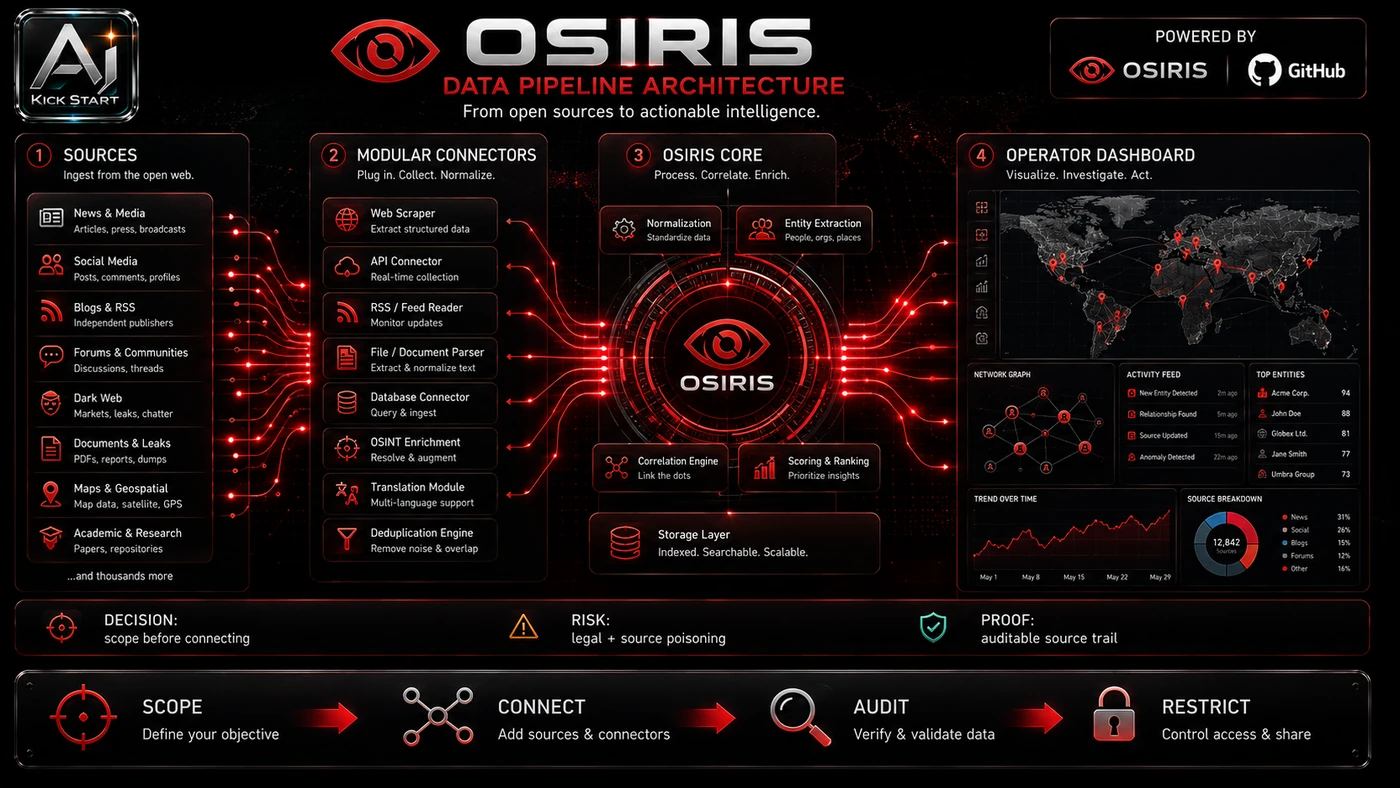
The useful next step is a controlled pilot with a named owner, fixed inputs, a measurable output, and a review point. Use the sequence below as the first implementation path before expanding the workflow. OSIRIS is a Next.js 16 app with a Docker path, so the fastest safe setup is local or in a sandboxed VM: clone the repository with git clone https://github.com/simplifaisoul/osiris.git, change into the directory, copy .env.template to .env, and run docker compose up -d. Most map layers work without API keys; the Recon Toolkit needs SCANNER_URL and SCANNER_KEY, which you can generate with openssl rand -hex 32. Optional keys include NASA FIRMS, OpenSky OAuth2, N2YO, AIS Stream, and Telegram channels. To make the dashboard genuinely useful, add an ETL script that pulls from Feodo Tracker, AbuseIPDB, or MISP and plots a custom layer; without that, OSIRIS remains mostly a curiosity.
Pricing, Access, and Comparison Notes
Pricing and access should be checked at implementation time because AI products change quickly. The safer decision is to compare the tool against the job-to-be-done, not against launch hype. OSIRIS is MIT-licensed and free, but there is no support contract, SLA, or vendor to call when a feed breaks. Palantir Foundry and AIP are negotiated enterprise platforms; UK G-Cloud pricing shows discovery packages and core licences running into the hundreds of thousands of pounds. That comparison only explains why OSIRIS is not a substitute. Access Plan, preview status, region, account type, admin controls, and rate limits. Cost Subscription, credits, API tokens, retries, hardware, review time, and support burden. Fit Workflow reliability, data handling, output quality, observability, and human approval needs.
Implementation Notes for Teams
For AI Kick Start readers, this is the production filter: keep the first rollout narrow, make the evidence visible, and do not let the tool cross a business boundary until the review model is clear. Decide on scope and data classification first: pick one or two use cases such as travel safety or analyst training, and do not point OSIRIS at customer data or production systems in the first pass. Review network egress and access control, because the app calls many external public APIs; OSIRIS has no built-in RBAC, so put it behind an identity-aware proxy such as Cloudflare Access or your existing SSO gateway. Write a one-page Recon Toolkit policy on who can scan what, with written approval, and add a 30-day review gate.
Screenshot and Visual Guidance
The second inline image for this article should make the implementation concrete: a dark MapLibre globe with a left panel that toggles situational-awareness layers, a right-hand Recon Toolkit panel, and a bottom HUD showing feed status and CVE tickers. The useful first workflow is to zoom to a region preset, enable one layer at a time, click a dot to check the source and timestamp, and treat stale data as background context only. Use the Recon Toolkit only on assets you own or have written permission to test. If the team is documenting a real rollout, capture setup screens, before/after outputs, permission settings, cost meters, and review evidence rather than decorative screenshots.
Where It Fits for Real Teams
For founders, the opportunity is speed with evidence. OSIRIS can reduce the time between idea and first useful situational-awareness output, but it should still produce artefacts that a customer, manager, or developer can inspect. For operators, the value is consistency. If the same task is done slightly differently every time, AI can either make the inconsistency worse or help standardise the path. The difference is whether the workflow has rules, examples, and review checkpoints. For technical teams, the value is leverage. A strong setup lets agents, models, or creative systems take on repeatable work while engineers keep control over architecture, security, deployment, and final judgement. OSIRIS fits narrow, low-stakes use cases such as travel briefings, analyst training, and OSINT research; it is not an enterprise SOC tool or a replacement for Mandiant, Recorded Future, or a well-curated MISP community. The practical fit is strongest when the task has clear source material, a known output format, and a low-cost way to verify quality. It is weaker when the task is vague, politically sensitive, legally risky, or dependent on facts that cannot be checked.
Trade-offs and Risks
The main risk is over-broad Recon Toolkit use and the legal exposure it creates. That risk can be managed, but only if it is named before the workflow becomes normal. A second risk is patchy public feeds and the misleading Palantir comparison. AI systems often look better in a screen recording than they feel inside a production workflow. The test is whether the result is repeatable when the source material changes, the operator changes, and the deadline is real. A third risk is the absence of built-in governance, RBAC, audit logging, or compliance certification. This is why AI Kick Start generally recommends a staged rollout: sandbox first, internal use second, customer-facing deployment last.
The Next Sensible Test
The next sensible test is a small controlled implementation. Pick one workflow, one owner, one expected output, and one acceptance check. Run it twice. If the second run is easier than the first, the pattern is worth keeping. Do not judge the workflow by the best possible demo. Judge it by the worst acceptable production case. Ask: what happens when the source file is incomplete, the tool is unavailable, the output is wrong, or a staff member needs to explain the result to a customer? If those answers are clear, this belongs in the roadmap. If they are not, it belongs in the lab until the operating model catches up.