

Introduction: Why This One Belongs on the Watchlist
The Gamer Meld video bundles three infrastructure signals that sit underneath AI/ML workstations and security posture: a security feature was silently removed and then restored, an ML-driven GPU feature was back-ported to older hardware, and a next-generation CPU leak points to a large core-count jump. The reason it matters for AI Kick Start readers is practical: this is not just another launch to admire from a distance. It changes how founders, operators, and technical teams should think about hardware infrastructure and AI workstation work over the next few months. The source transcript repeatedly centres on Transparent Secure Memory Encryption (TSME), FSR 4.1 upscaling and Zen 6 desktop CPUs, with the video framing the topic as a practical workflow rather than a detached product announcement. That is the useful lens. The video is worth treating as implementation intelligence: what should be tested, what should be ignored for now, and what should become part of a repeatable operating system. For Australian small businesses and technical teams, the right question is not "is this impressive?" The right question is "where does this reduce friction without creating a larger governance, security, or maintenance problem?"
What the Video Actually Shows
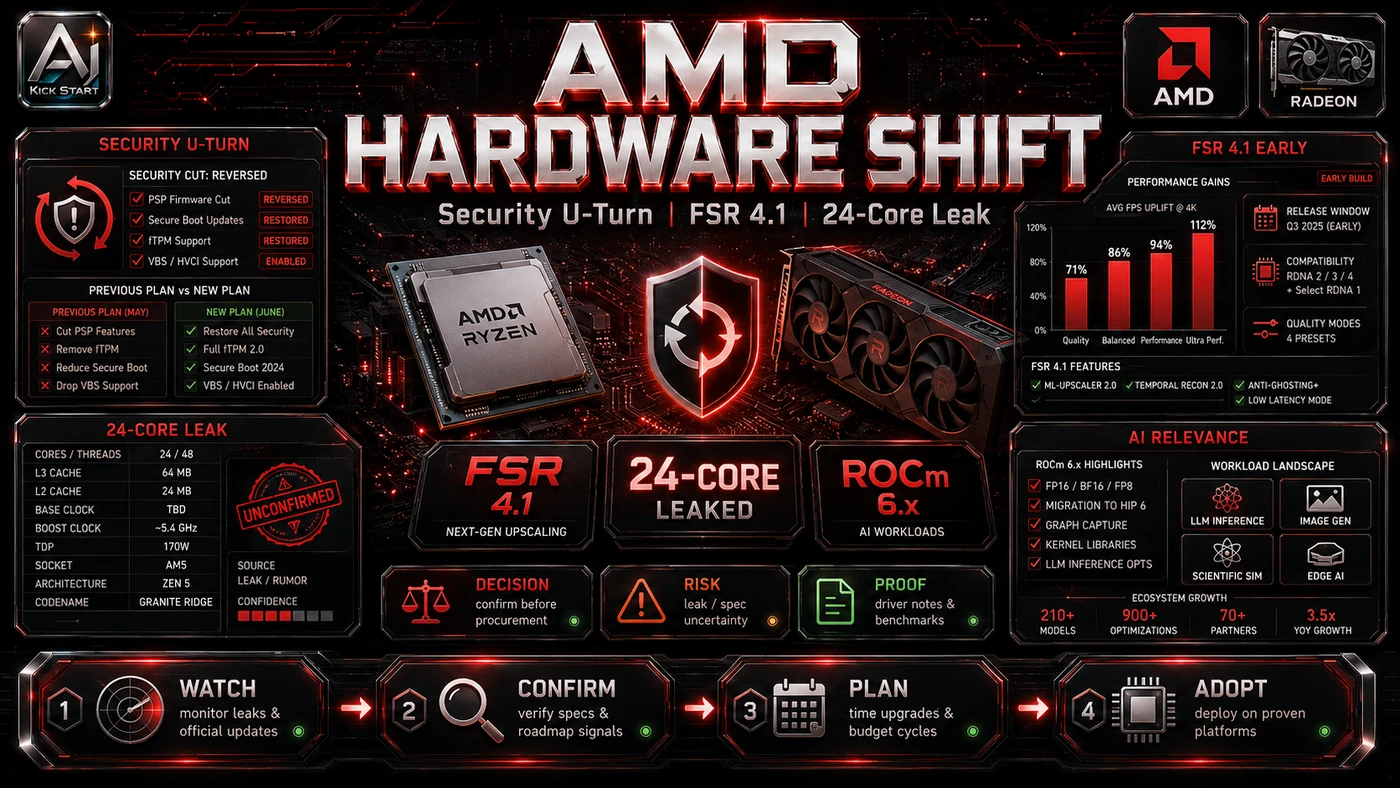
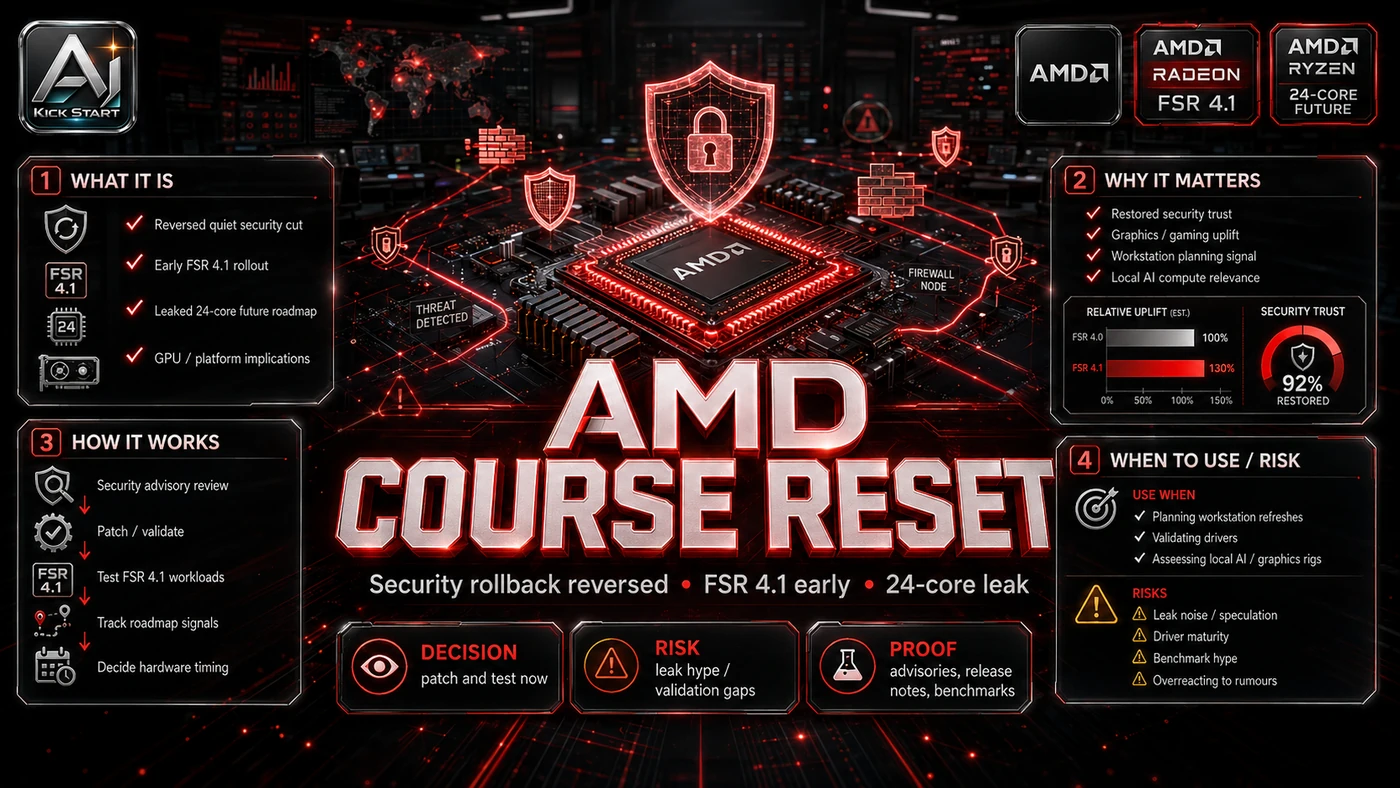
The core pattern is simple: treat updates as governed changes, not background chores. The video covers three AMD stories: TSME, or Memory Guard, was quietly disabled on non-PRO Ryzen 9000 CPUs and will be restored in a July 2026 BIOS update; Adrenalin Edition 26.6.2 enables FSR 4.1 upscaling on RX 7000 cards months early; and a leak suggests Zen 6 chiplets could jump from 16 to 24 cores on TSMC's 2 nm node; the UGREEN segment is sponsored. In practice, that means the update sits inside a broader shift from isolated AI prompts to managed systems. A tool, model, or method only becomes valuable when it has clear inputs, a measurable output, a review path, and a way to repeat the result next week. The video's most useful signal is the workflow shape. The moving parts can be summarised as: baseline capture pilot rollout review gate rollback path. That is the level at which teams should evaluate it. A demo can be entertaining, but a workflow must survive messy source files, staff handoff, data boundaries, and real deadlines.
The Implementation Pattern
The first implementation lesson is to narrow the scope. Start with one or two non-critical workstations rather than the whole fleet, because broad adoption is usually where AI systems fail first because nobody knows which decision the tool is allowed to make and which decision still belongs to a human. The second lesson is to create a test harness. Define what you will measure and what good enough looks like. A useful harness does not have to be complicated. It can be a short brief, a fixed sample dataset, a few expected outputs, and one person responsible for judging whether the result is good enough. The third lesson is to capture the process. Record driver and BIOS versions, benchmarks, and security flags, and document how an update is reviewed. When the process is documented, it can become a reusable skill, checklist, prompt pack, repo pattern, or operating procedure. When it is not documented, the team is back to improvising in chat. The TSME episode shows why this matters: a firmware update can silently change your security posture in ways that do not show up in Windows at all.
Research Update: What To Correct
This update adds a current-source pass rather than treating the original video summary as enough. The important corrections are the product surface, plan or pricing constraints, and what should be verified before a team depends on the workflow. FSR 4.1 is not identical across GPU generations: RDNA 4 runs it with FP8 precision, while RDNA 3 uses an INT8-quantised model. APU support is still on the roadmap. TSME restoration is narrower than it sounds: AMD says "certain non-PRO Ryzen 9000-series desktop processors," so do not assume every board will get the toggle back. Ryzen 10000 details are leaks, not specifications, so treat clock targets, core counts, and node names as unconfirmed until AMD announces the product.
Practical Setup and How-To
The useful next step is a controlled pilot with a named owner, fixed inputs, a measurable output, and a review point. Use the sequence below as the first implementation path before expanding the workflow. To test FSR 4.1, confirm the card is a Radeon RX 7000, download Adrenalin 26.6.2, use DDU or AMD's Cleanup Utility if needed, install, reboot, enable FSR 4.1, and benchmark against FSR 3.1 or native rendering. To audit TSME on Linux, run fwupdmgr security or sudo dmesg | grep -i sme; on Windows there is no first-party verification tool, so boot a Linux live USB if TSME status matters. Do not delay CPU procurement for Ryzen 10000 leaks: Zen 6 is rumoured for late 2026 or early 2027 with no confirmed pricing.
Pricing, Access, and Comparison Notes
Pricing and access should be checked at implementation time because AI products change quickly. The safer decision is to compare the tool against the job-to-be-done, not against launch hype. FSR 4.1 is a free driver update; TSME is free on supported silicon but needs a compatible CPU, BIOS, and firmware; Ryzen 10000 has no pricing or availability. FSR 4.1 competes with NVIDIA DLSS and Intel XeSS, with openness as its main advantage. For local LLMs or render farms, compare cost-per-frame on existing RX 7000 hardware against new cards; FSR 4.1 does not change ML training performance, but it shows AMD will back-port ML features rather than force a refresh. Access Plan, preview status, region, account type, admin controls, and rate limits. Cost Subscription, credits, API tokens, retries, hardware, review time, and support burden. Fit Workflow reliability, data handling, output quality, observability, and human approval needs.
Implementation Notes for Teams
For AI Kick Start readers, this is the production filter: keep the first rollout narrow, make the evidence visible, and do not let the tool cross a business boundary until the review model is clear. Treat GPU drivers like a dependency update: Adrenalin 26.6.2 fixes some issues, but its known issues include Blender instability on RX 7000 and AI Bundle installation failures, so read the release notes before rolling out. Do not auto-approve July BIOS updates; verify AGESA and the Memory Guard toggle before pushing fleet-wide. Record TSME, TPM, Secure Boot, and memory-encryption status per machine so a silent regression is detectable. Segregate creative or gaming workloads from AI training workloads, because FSR 4.1 is for real-time rendering and games, not a substitute for ROCm, CUDA, or an ML inference stack.
Screenshot and Visual Guidance
The second inline image for this article should make the implementation concrete: show the Adrenalin 26.6.2 driver version, a game's FSR 4.1 upscaling menu on a quality preset, and a Linux terminal running fwupdmgr security with the Encrypted RAM line highlighted. If the team is documenting a real rollout, capture setup screens, before/after outputs, permission settings, cost meters, and review evidence rather than decorative screenshots. FSR 4.1 appears with quality, balanced, performance, and ultra-performance presets; for TSME, "Not Supported" with the toggle on means affected firmware.
Where It Fits for Real Teams
For founders, the opportunity is speed with evidence. Free driver updates that extend hardware life are welcome, but they should still produce inspectable artefacts rather than blind trust in unconfirmed roadmaps. For operators, the value is consistency. AI and firmware changes can either worsen inconsistency or standardise the path, depending on rules, examples, and review checkpoints. For technical teams, the value is leverage. A strong setup lets RX 7000 hardware take on more visualisation and preview rendering while engineers keep control over architecture, security, deployment, and final judgement. The practical fit is strongest when the task has clear source material, a known output format, and a low-cost way to verify quality. It is weaker when the task is vague, politically sensitive, legally risky, or dependent on facts that cannot be checked. AI/ML workstations gain a visualisation boost and security-conscious organisations get a firmware-audit reminder.
Trade-offs and Risks
The main risk is driver churn. Adrenalin 26.6.2 has known issues affecting Blender, Cinema 4D, and the AI Bundle, plus Windows 10 code 43 reports, so Windows 11 is the safer target. That risk can be managed, but only if it is named before the workflow becomes normal. A second risk is firmware segmentation. AMD initially removed TSME to push buyers toward Ryzen PRO, Threadripper, or EPYC, and even though the feature is returning, firmware can still redraw product tiers after purchase. AI systems often look better in a screen recording than they feel inside a production workflow. The test is whether the result is repeatable when the source material changes, the operator changes, and the deadline is real. A third risk is leak-based planning. The Ryzen 10000 leak cycle is fun for enthusiasts, but it is a poor basis for business decisions because node names, core counts, and clock targets change. This is why AI Kick Start generally recommends a staged rollout: sandbox first, internal use second, customer-facing deployment last.
The Next Sensible Test
The next sensible test is a small controlled implementation. Pick one workflow, one owner, one expected output, and one acceptance check. Run it twice. If the second run is easier than the first, the pattern is worth keeping. Do not judge the workflow by the best possible demo. Judge it by the worst acceptable production case. Ask: what happens when the source file is incomplete, the tool is unavailable, the output is wrong, or a staff member needs to explain the result to a customer? If those answers are clear, this belongs in the roadmap. If they are not, it belongs in the lab until the operating model catches up.