





Briefing
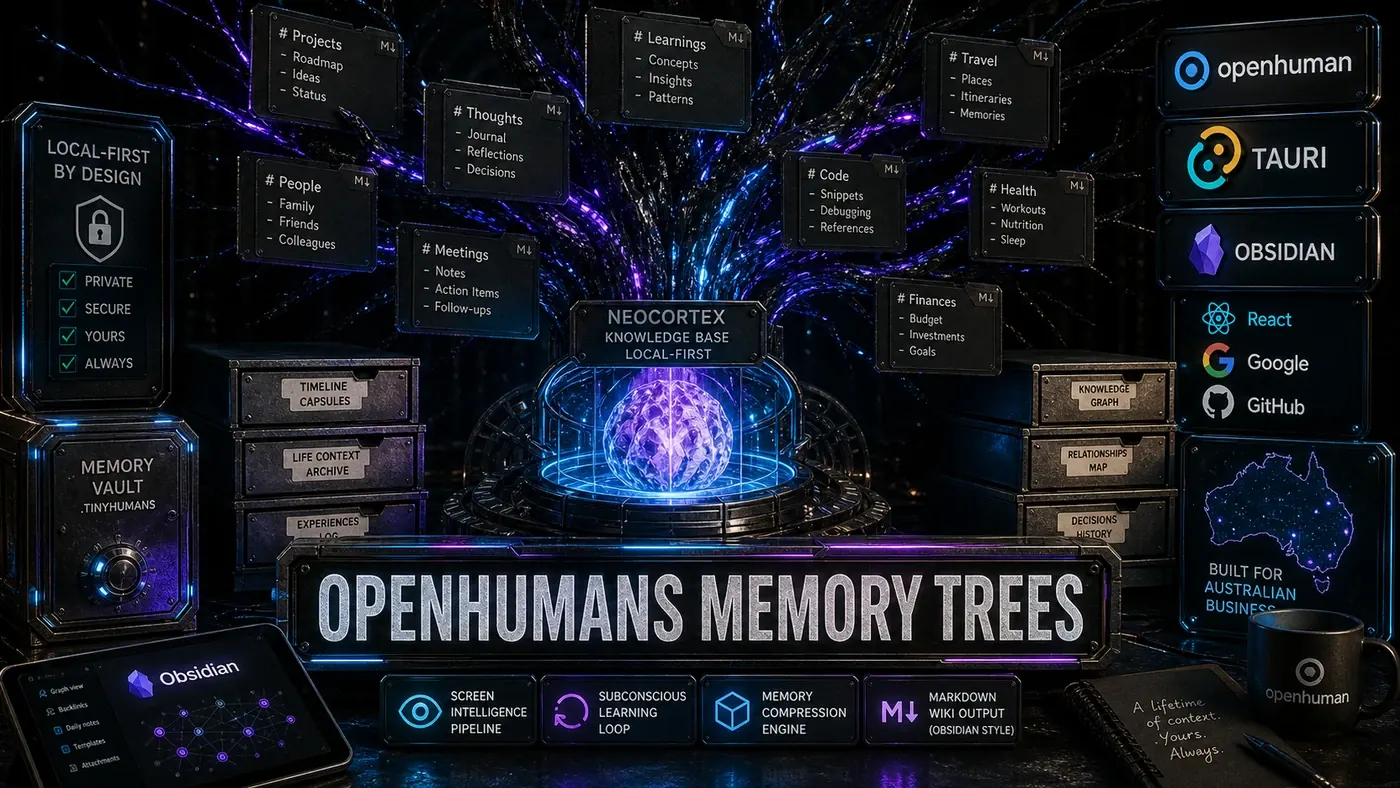
OpenHuman, the desktop AI agent from TinyHumans.ai (opens in a new tab), is reportedly built around one of the more unusual memory systems in any consumer AI tool. Its Memory Trees architecture takes everything you do, read, write, and say and folds it into an Obsidian-style Markdown wiki (opens in a new tab) you can actually open and read yourself, while the agent queries it underneath. It pairs 118+ third-party integrations (opens in a new tab) that pull fresh data every 20 minutes with a local knowledge base, Neocortex, that the maker says scales to a billion tokens (opens in a new tab) on your own machine. The release said to carry all this, version 0.53.43, is reportedly dated 13 May 2026, though that specific version and date could not be confirmed against the project's public release history (opens in a new tab).
Most AI assistants forget you the moment a chat window closes. You explain your project, your preferences, the thing you tried last week that didn't work, and then next session you start over. OpenHuman's pitch is the opposite: an agent that quietly keeps a running record of your working life so you never have to brief it from scratch again.
The twist is where that record lives. Instead of locking your history inside a database you can't inspect, OpenHuman writes it to plain Markdown files on your computer. You can read them. You can edit them. If you ever want to walk away, you take the files with you. That design choice is the whole point, and it's what makes the system worth a closer look.
For a business team, the stakes are practical. An agent that remembers your codebase, your tickets, your meetings, and your half-finished decisions is genuinely useful. An agent that watches your screen and syncs more than a hundred services is also a privacy question you have to answer before you turn it on. OpenHuman's answer is to do as much as possible on-device. Here's how the pieces fit together.
The Memory Pipeline
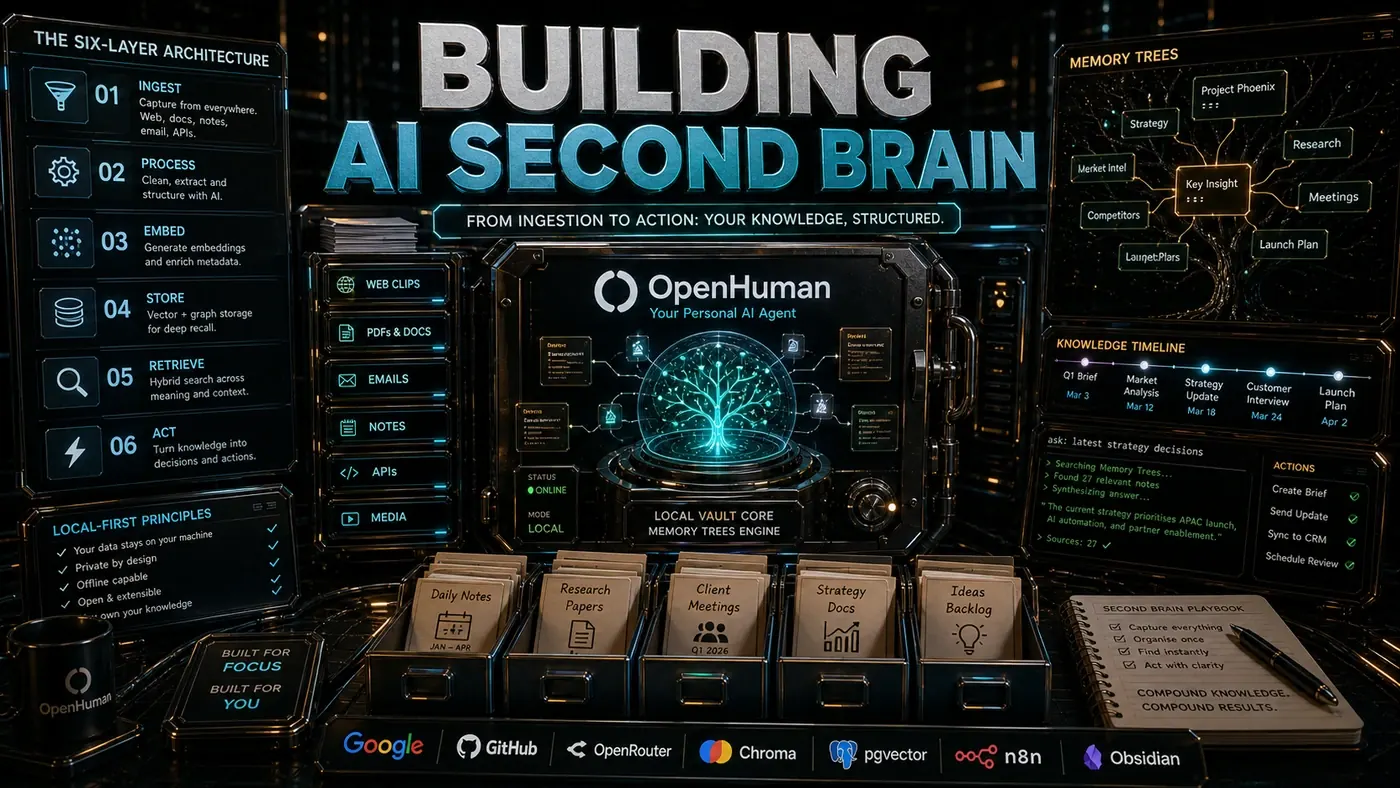
Data reaches the Memory Tree through three routes: active input (what you type or say to the agent), passive observation (screen activity, browser history, file changes), and synced integrations (the 118+ outside services).
Active Input
Every conversation with OpenHuman gets transcribed, summarised, and sorted. Voice input runs through an on-device Whisper-derived speech-to-text model (opens in a new tab) tuned for the Tauri runtime before anything else happens. The agent doesn't just keep the transcript. It pulls out entities, relationships, and action items and writes them as structured frontmatter inside the Markdown files.
---
date: 2026-06-12T14:33:00Z
type: conversation
entities: ["postgres", "migration", "v2.3.1"]
projects: ["billing-rewrite"]
sentiment: concerned
follow_up: true
---

Discussed database migration strategy for billing-rewrite. User is worried about
data integrity during the cutover. Suggested blue-green deployment pattern.
User prefers rolling migration with rollback capability.
(The exact frontmatter fields above are illustrative; the official docs confirm scored Markdown memory chunks and summary trees, but not this precise schema.)
Passive Observation: Screen Intelligence
Screen Intelligence is the feature that sets OpenHuman apart. A small animated mascot sits on your screen, takes periodic screenshots, and runs them through a local vision model. It picks out applications, code, documents, and interface elements. Write code in VS Code and it reads the file names, function signatures, and error messages. Review a pull request on GitHub and it reads the diff and the comments.
That feed drives inline autocomplete that reacts to context, and not only code completion. Task completion too. If you've been reading up on something across a few browser tabs and then jump to your terminal, OpenHuman might offer a relevant command based on what it just watched you read.
Privacy here is local-first. All screen processing happens on the device (opens in a new tab), reportedly using an on-device Gemma 3 vision model. No screenshots leave your machine. Neocortex keeps the extracted text and metadata, not the raw images.
Synced Integrations
OpenHuman's 118+ integrations refresh every 20 minutes (opens in a new tab). The list covers GitHub, GitLab, Linear, Notion, Slack, Discord, Gmail, Google Calendar, and a long tail beyond those. Each integration maps its external data onto a shared schema in the Memory Tree format, so a GitHub issue, a Linear ticket, and a Notion task all land as the same underlying entity type, just with source-specific metadata attached.
interface MemoryNode {
 id: string;
 source: 'github' | 'linear' | 'notion' | 'conversation' | 'screen' | ...;
 type: 'task' | 'note' | 'entity' | 'relationship' | 'code_snippet';
 content: string; // Markdown body
 metadata: Record<string, unknown>;
 embeddings: Float32Array; // For semantic search
 created: Date;
 modified: Date;
 parent?: string; // Tree reference
 children?: string[];
}
Compression and the Subconscious Loop
Raw context piles up fast, and left alone it would bury any knowledge base. OpenHuman's Subconscious is a background self-learning loop that keeps compressing the Memory Trees. According to the maker and early reviews, it runs on a few time horizons:
- Hourly: Merge duplicate entities, resolve aliases, update relationship graphs.
- Daily: Generate daily summaries, prune low-signal observations, promote high-signal patterns.
- Weekly: Produce weekly reflection documents that surface recurring themes, forgotten commitments, and emerging priorities.
(The Subconscious loop and daily summarisation are documented; the exact hourly/daily/weekly cadence above is described by the article rather than confirmed verbatim in the docs.)
Compression leans on a stack of summarisation models. Small local models do the routine merging. Larger models, routed through the multi-model subscription, take on the harder synthesis. What you end up with is a tree where the recent leaves stay detailed and older branches get folded down into summarised trunk documents.
Neocortex: Local Knowledge Base
Neocortex is the storage and search engine behind the Memory Tree. It supports up to a billion tokens locally (opens in a new tab) and runs a hybrid search (opens in a new tab): BM25 for exact matches, dense embeddings for semantic similarity, and graph traversal for relationship queries. You ask in plain language and it translates the question into a structured graph query:
"What did I say about the billing migration last week?"That resolves to a filtered walk through conversation nodes, restricted by date, matching the entities "billing" and "migration," then ranked by recency and how strongly the relationships connect.
Tauri and Distribution
OpenHuman ships as a Tauri desktop app (opens in a new tab) with native builds for macOS (DMG) and Windows (the GitHub docs list an MSI installer rather than a plain EXE). Picking Tauri over Electron reportedly keeps the binary under 15 MB and idle memory under 200 MB, though those specific figures aren't confirmed in the official release notes or docs. The Rust backend handles screen capture, file system watching, and the Neocortex search engine. The React frontend draws the Memory Tree UI and the desktop mascot.
One Subscription, Multi-Model Routing
Plenty of competitors bill per model or per token. OpenHuman uses a single subscription that covers multi-model routing (opens in a new tab) instead. The system picks the cheapest model that can do the job: local models for simple classification, cloud models for harder synthesis, premium models only when the task earns it. The auto-fetching integrations and the Subconscious loop keep running in the background, so the Memory Tree stays current without you prompting it.
If you want to look under the hood yourself, the GitBook getting-started guide (opens in a new tab) and the project releases (opens in a new tab) are the places to start.
OpenHuman's Memory Trees: answer-first summary
OpenHuman's Memory Trees matters because it can change how Australian business teams plan, build, or govern an agent workflow. How TinyHumans.ai packs a lifetime of digital context into an Obsidian-style Markdown wiki, with its Neocortex base and screen intelligence pipeline.
The direct answer is this: do not treat the topic as a standalone trend. Treat it as a decision about inputs, outputs, review ownership, data exposure, and whether the workflow produces a result that is faster, safer, or more useful than the current process.
OpenHuman's Memory Trees: implementation checklist
- Define the user, job to be done, and success metric for the agent workflow.
- Collect real examples, policies, source files, customer questions, or search queries before writing prompts or choosing tools.
- Separate low-risk drafts from decisions that need approval, privacy checks, or senior review.
- Document what the AI is allowed to access, what it must not access, and who signs off before production use.
- Review successful task completion, review time, fallback rate, operator corrections after a small pilot rather than judging the idea from a demo.
This keeps the work practical. It also gives search engines and AI answer engines a clean factual structure: what the topic is, who it helps, what to do next, and which risks matter before implementation.
Decision criteria for OpenHuman's Memory Trees
| Decision area | What to check | Production signal |
|---|---|---|
| Intent | Does OpenHuman's Memory Trees solve a real workflow problem? | The use case has a named owner and measurable outcome. |
| Data | Can the required data be used safely? | Sensitive data is classified and access is controlled. |
| Quality | Can a reviewer judge the output consistently? | Examples, rubrics, or acceptance criteria exist. |
| Scale | Can the workflow be repeated without hero effort? | The process is documented and can be handed to another team member. |
Practical example for OpenHuman's Memory Trees
A small business could use this article to choose one practical test. For example, a manager might take one customer-facing process, one internal document workflow, or one recurring content task and redesign only that step with AI support. The goal is not to automate the whole business at once; it is to learn where Code creates reliable leverage.
The useful deliverable is a short operating note: the trigger, the source material, the prompt or tool, the review checklist, the escalation rule, and the metric. That note becomes the handover asset for staff training, SEO/GEO content, service delivery, or future agent work.
Risks and controls for OpenHuman's Memory Trees
The common failure pattern is moving too quickly from a promising idea into an unmanaged workflow. For OpenHuman's Memory Trees, the risk is not only bad output. It can also be unclear data permission, staff confusion, duplicate content, unreviewed customer advice, or a tool that quietly changes cost or capability.
- Control unclear tool permissions with a named owner, a review step, and written acceptance criteria.
- Control silent failures with a named owner, a review step, and written acceptance criteria.
- Control prompt drift with a named owner, a review step, and written acceptance criteria.
- Control weak audit trails with a named owner, a review step, and written acceptance criteria.
Measurement plan for OpenHuman's Memory Trees
A useful AI or SEO initiative should leave evidence. Track successful task completion, review time, fallback rate, operator corrections and compare the pilot against the current process. If the measure does not improve, keep the learning but avoid scaling the workflow.
For GEO readiness, the page should also answer the core question directly, define the entities involved, include implementation steps, explain tradeoffs, and link readers to the next relevant AI Kick Start service, guide, tool, or article.
Definitions and entities for OpenHuman's Memory Trees
For search, GEO, and staff handover, define the core entities in plain language. In this article the important entities are the workflow owner, the AI tool or model, the source material, the review process, the risk boundary, and the measurable business outcome. Clear definitions make the page easier for people to scan and easier for AI answer engines to quote accurately.
- Workflow owner: the person accountable for deciding whether OpenHuman's Memory Trees belongs in the business process.
- Source material: the documents, examples, policies, URLs, prompts, videos, or customer questions that ground the output.
- Review boundary: the point where a human checks accuracy, privacy, brand voice, or customer impact before the result is used.
- Success metric: the measure that proves whether the agent workflow is worth repeating.
OpenHuman's Memory Trees versus doing nothing
Doing nothing is also a decision. The cost may be slow manual work, weaker search visibility, inconsistent advice, duplicated effort, or staff using unmanaged AI tools without a shared process. The practical question is whether a controlled pilot can reduce that cost without creating a larger governance problem.
| Option | When it makes sense | What to watch |
|---|---|---|
| Do nothing | The workflow is rare, low value, or already reliable. | Competitors may improve speed, content depth, or service consistency first. |
| Run a small pilot | The task repeats often and has clear review criteria. | Keep scope tight and measure the result against the current process. |
| Build a production workflow | The pilot is repeatable and risk controls are documented. | Assign ownership, monitoring, training, and a rollback path. |
AI Kick Start handover package for OpenHuman's Memory Trees
A production handover should be concrete enough that another person can run it. For OpenHuman's Memory Trees, that means a short brief, a workflow map, approved prompts or tool settings, source material, a review checklist, internal links to supporting resources, and a simple measurement sheet. This is the difference between reading about AI and turning it into operational capability.
That packaging also strengthens E-E-A-T. It shows experience through implementation notes, expertise through decision criteria, authoritativeness through source-aware structure, and trust through risks, controls, and review steps. The article becomes useful even if the reader never buys a tool because it helps them make a better operational decision.