




Briefing
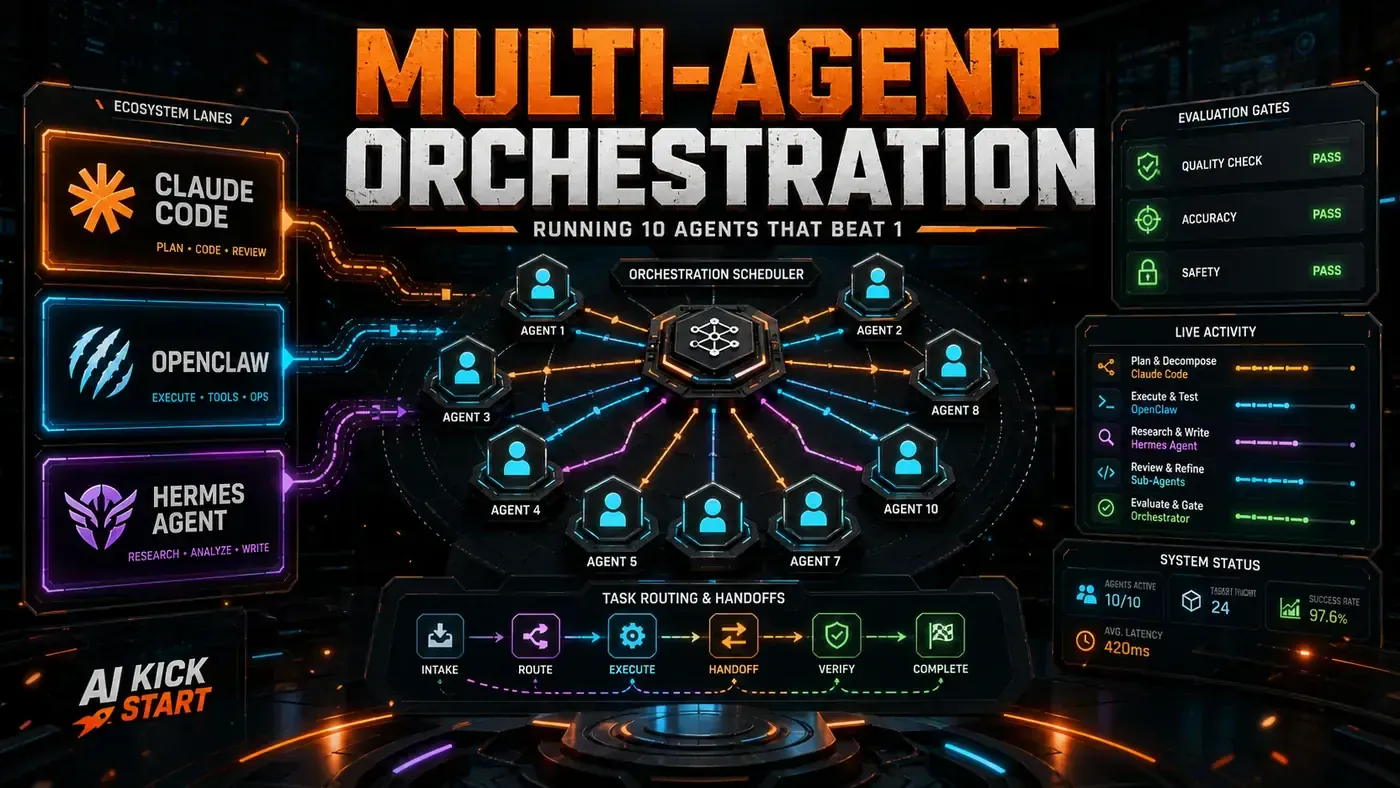
Walk into a sharp engineering team in mid-2026 and you might notice something odd on a developer's screen: not one AI assistant running, but three. It looks like overkill until you see what each one is actually doing. One watches what the person is reading and working on. One does the actual tasks and gets better at them over time. One keeps the whole team talking, across whatever chat app they happen to live in.
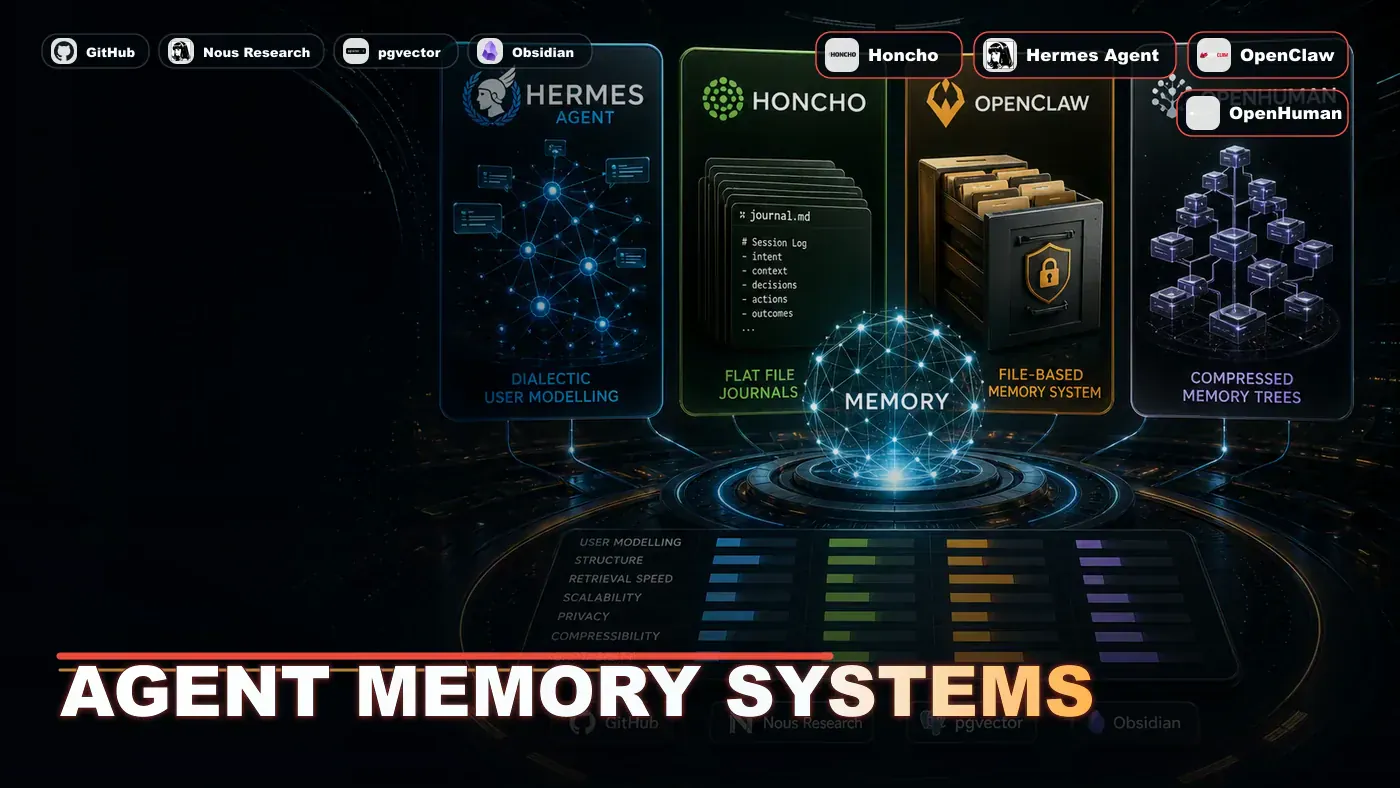
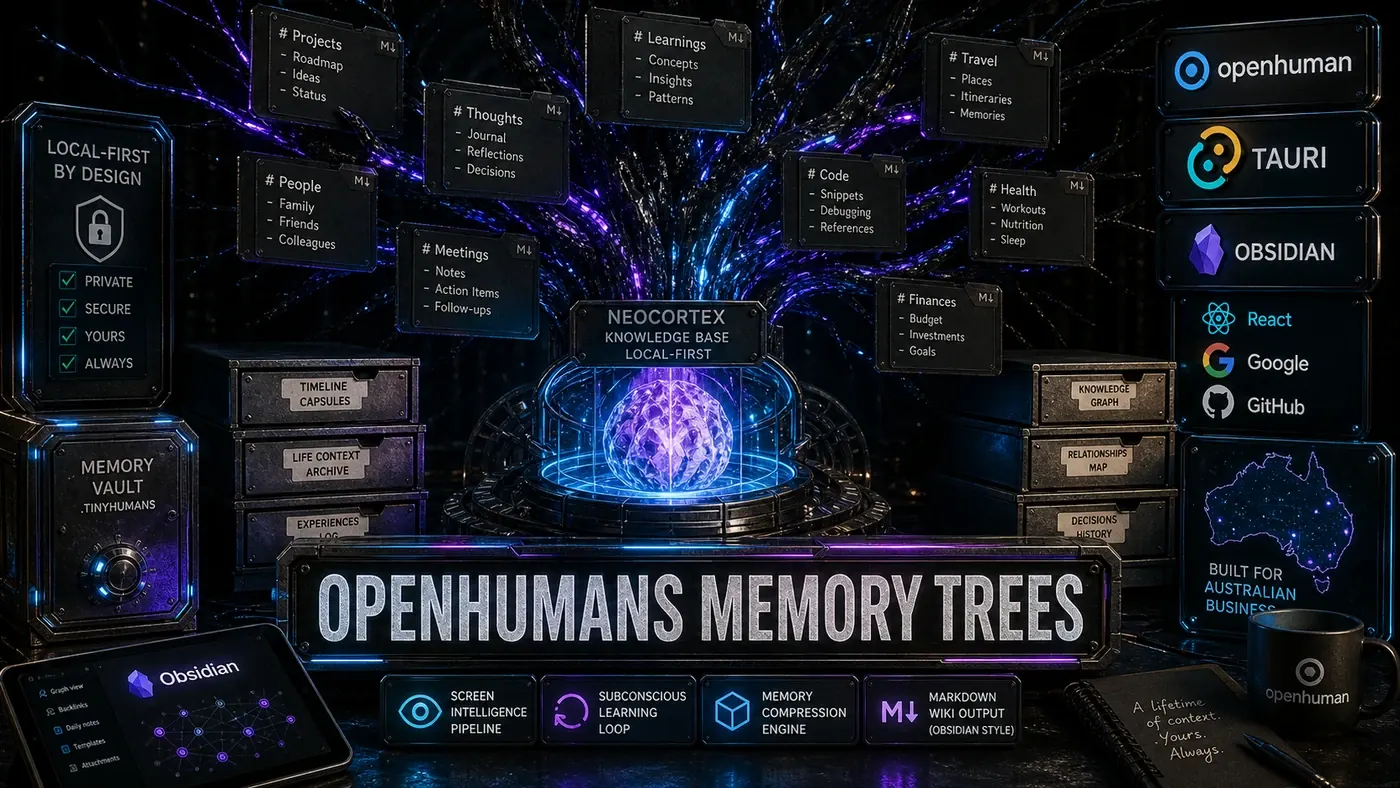
The three tools are real and open source. OpenClaw (opens in a new tab) plugs your team into a long list of messaging platforms. Hermes (opens in a new tab), built by Nous Research, is a learning agent runtime that improves with every task it runs. OpenHuman (opens in a new tab), from tinyhumansai, sits on your desktop and pulls together your personal context across the apps you use all day.
Here is the catch worth saying up front. There is no product called "the 3-agent stack." Nobody ships it as one bundle. It is a way of wiring three separate tools together so each covers a gap the others leave open. The article you are reading lays out that design and the commands to glue it together, but the cross-tool bridges below are illustrative rather than official, documented features. Treat them as a blueprint, not a download.
That distinction matters for an Australian business team weighing this up. Individually these are strong tools. Wired together, they start to feel like one nervous system for how a team thinks, builds, and talks. Whether that is worth the setup is the real question, and the cost section near the end gives you the numbers to decide.
The Architecture
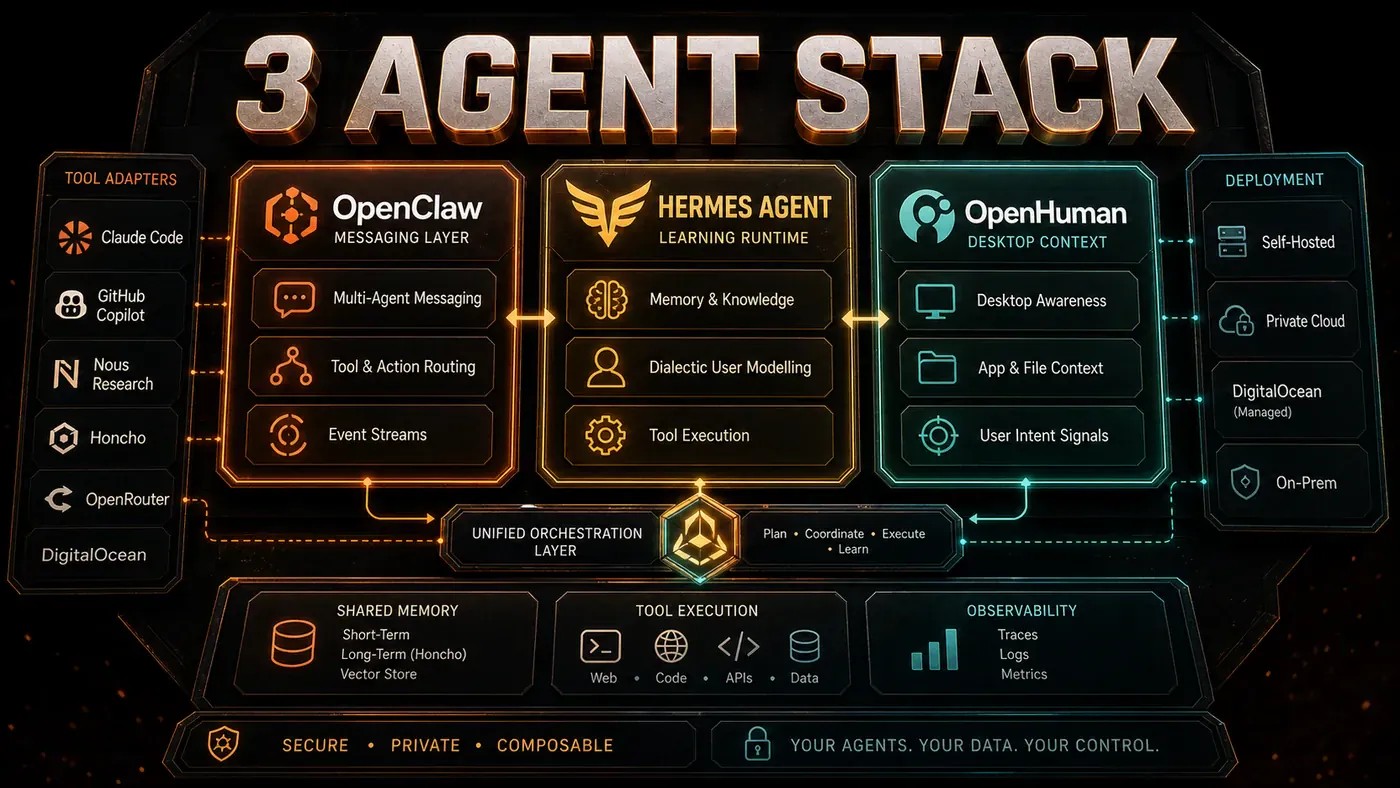
The stack splits the work three ways:
┌─────────────────────────────────────────────────────────────┐
│ OpenHuman (Desktop) │
│ Screen Intelligence │ Memory Trees │ Neocortex │ Mascot │
│ Personal context aggregation + knowledge management │
└──────────────────────┬──────────────────────────────────────┘
 │ Desktop events, context queries
 ▼
┌─────────────────────────────────────────────────────────────┐
│ Hermes (Agent Runtime) │
│ Learning Loop │ Honcho Memory │ 40+ Tools │ agentskills.io │
│ Task execution + learning + self-improvement │
└──────────────────────┬──────────────────────────────────────┘
 │ Task results, learned skills
 ▼
┌─────────────────────────────────────────────────────────────┐
│ OpenClaw (Messaging) │
│ Discord │ Telegram │ Slack │ WhatsApp │ iMessage │ Signal │
│ Team communication + channel orchestration │
└─────────────────────────────────────────────────────────────┘
OpenHuman watches your desktop and passes context down to Hermes. Hermes does the work, learns from it, and reports back through OpenClaw's channels. OpenClaw handles the team chatter and routes incoming requests to Hermes. The loop keeps running, and each pass feeds the next.
Integration Patterns
Pattern 1: Context Bridge (OpenHuman → Hermes)
Say OpenHuman's desktop mascot notices you have spent twenty minutes deep in the PostgreSQL docs. It pulls the key topics off your screen and pushes a context update to Hermes:
# OpenHuman pushes context to Hermes
openhuman context push --to hermes --summary "User researching PostgreSQL partitioning strategies" --entities "[postgres, table partitioning, sharding]" --urgency low
Hermes files that away as a Honcho memory entry. So when you later ask it to "help with the database setup," it already knows to bring up partitioning without you spelling it out. (The bridge command shown here is illustrative. It is not a documented Hermes feature.)
Pattern 2: Task Results (Hermes → OpenClaw)
Hermes finishes a gnarly refactor and posts the result to your team's OpenClaw-managed Slack channel:
# Hermes reports task completion to OpenClaw
hermes notify --via openclaw --channel "#engineering" --message "Refactored auth module. 14 files changed, 23 tests added.
Summary: extracted JWT handling to auth-service, updated middleware chain.
No breaking changes."
OpenClaw takes that as a structured message and can kick off its own sub-agents from it: one to update the wiki, another to ping the right stakeholders.
Pattern 3: Team Request (OpenClaw → Hermes)
A teammate drops a line in Discord: "Can someone check why the staging build is failing?" OpenClaw's natural language routing reads that as a job for Hermes:
{
 "source": "discord",
 "channel": "#engineering",
 "message": "Can someone check why the staging build is failing?",
 "routed_to": "hermes",
 "confidence": 0.94,
 "extracted_task": "investigate staging build failure"
}
Hermes runs the investigation with its 40+ built-in tools (opens in a new tab), pulls the CI logs, finds the failing test, and sends the answer back through OpenClaw to the channel it came from.
The Memory Triangle
Each agent holds a different kind of memory, and the three fit together:
- OpenHuman holds *personal* memory: what you read, what you write, what you keep coming back to
- Hermes holds *procedural* memory, stored via Honcho (opens in a new tab): how to solve problems, what worked, what did not
- OpenClaw holds *social* memory: what the team decided, who is on what, what got discussed
Put the three together and you get the full picture. OpenHuman knows you spent the morning reading about partitioning. Hermes knows how to build it. OpenClaw knows the team agreed to push sharding to Q3. No single agent carries all three.
It is worth flagging that the bigger OpenHuman numbers you will see quoted, such as up to a billion tokens of local memory and roughly 80% compression, come from the vendor and its coverage rather than independent benchmarks. Useful context, but not battle-tested figures.
Cost Analysis
Running all three is not free, but it undercuts most enterprise software:
| Component | Cost | Notes |
|---|---|---|
| Hermes VPS | ~$5/mo | 2 vCPU / 4 GB RAM |
| OpenClaw self-hosted | $0 | On same VPS or separate |
| OpenClaw managed | $24/mo | DigitalOcean option |
| OpenHuman subscription | ~$20/mo | Multi-model routing included |
| OpenRouter tokens | Variable | Depends on usage |
| Total (self-hosted) | ~$25-45/mo | Plus token costs |
| Total (managed) | ~$49/mo | Plus token costs |
A couple of these figures need an asterisk. Hermes does run on cheap hardware: its docs mention a $5 VPS (opens in a new tab), though the exact 2 vCPU / 4 GB pairing at that price is a typical low-end spec rather than a quoted bundle. DigitalOcean's recommended OpenClaw droplet for multi-channel use is indeed $24/month (opens in a new tab). The OpenHuman price is shakier: the multi-model routing (opens in a new tab) under one subscription is documented, but the ~$20/mo figure could not be confirmed in any source, so treat it as a reported estimate.
For comparison, Anthropic's Claude Code sits on Team Premium seats at $100 per seat per month (minimum five seats), so the often-quoted "$100 per team" is really $100 per seat. GitHub Copilot Business was $19 per user per month, though that flat rate is now outdated: Copilot moved to usage-based billing on 1 June 2026. So the headline still holds, with caveats: the 3-agent stack gives you more capability for less money, in exchange for more setup and more upkeep.
When Not to Run All Three
The full stack is overkill for a solo developer on a small project. If you are one person with one chat channel, Hermes on its own does the job. If you are a knowledge worker who does not write code, OpenHuman alone delivers most of the value. The three together earn their keep for engineering teams of roughly 3-30 people, where communication, execution, and personal context all pull weight at once.
Setup Script
Getting all three to talk takes some configuration. Here is a minimal setup. Note that the package names and download paths below were not confirmed against the official install docs, so check each tool's current instructions before you run anything:
# 1. Install Hermes
pip install hermes-agent
hermes init --with-honcho

# 2. Install OpenClaw
npm install -g openclaw
openclaw init --enable-sandbox

# 3. Download OpenHuman
# macOS
curl -sL https://tinyhumans.ai/download | sh
# Windows
# Download installer from https://tinyhumans.ai/download

# 4. Configure bridges
hermes config set openclaw.enabled true
hermes config set openclaw.webhook http://localhost:3001/openclaw
openclaw config set hermes.enabled true
openclaw config set hermes.endpoint http://localhost:8080
openhuman config set hermes.endpoint http://localhost:8080

# 5. Run
hermes start &
openclaw start &
openhuman &
The 3-agent stack is not a product. It is an architecture. And going by mid-2026, it is how a growing number of engineering teams are choosing to work.
The 3-Agent Stack: answer-first summary
The 3-Agent Stack matters because it can change how Australian business teams plan, build, or govern an agent workflow. The best engineers don't pick one agent framework, they run all three.
The direct answer is this: do not treat the topic as a standalone trend. Treat it as a decision about inputs, outputs, review ownership, data exposure, and whether the workflow produces a result that is faster, safer, or more useful than the current process.
The 3-Agent Stack: implementation checklist
- Define the user, job to be done, and success metric for the agent workflow.
- Collect real examples, policies, source files, customer questions, or search queries before writing prompts or choosing tools.
- Separate low-risk drafts from decisions that need approval, privacy checks, or senior review.
- Document what the AI is allowed to access, what it must not access, and who signs off before production use.
- Review successful task completion, review time, fallback rate, operator corrections after a small pilot rather than judging the idea from a demo.
This keeps the work practical. It also gives search engines and AI answer engines a clean factual structure: what the topic is, who it helps, what to do next, and which risks matter before implementation.
Decision criteria for The 3-Agent Stack
| Decision area | What to check | Production signal |
|---|---|---|
| Intent | Does The 3-Agent Stack solve a real workflow problem? | The use case has a named owner and measurable outcome. |
| Data | Can the required data be used safely? | Sensitive data is classified and access is controlled. |
| Quality | Can a reviewer judge the output consistently? | Examples, rubrics, or acceptance criteria exist. |
| Scale | Can the workflow be repeated without hero effort? | The process is documented and can be handed to another team member. |
Practical example for The 3-Agent Stack
A small business could use this article to choose one practical test. For example, a manager might take one customer-facing process, one internal document workflow, or one recurring content task and redesign only that step with AI support. The goal is not to automate the whole business at once; it is to learn where Code creates reliable leverage.
The useful deliverable is a short operating note: the trigger, the source material, the prompt or tool, the review checklist, the escalation rule, and the metric. That note becomes the handover asset for staff training, SEO/GEO content, service delivery, or future agent work.
Risks and controls for The 3-Agent Stack
The common failure pattern is moving too quickly from a promising idea into an unmanaged workflow. For The 3-Agent Stack, the risk is not only bad output. It can also be unclear data permission, staff confusion, duplicate content, unreviewed customer advice, or a tool that quietly changes cost or capability.
- Control unclear tool permissions with a named owner, a review step, and written acceptance criteria.
- Control silent failures with a named owner, a review step, and written acceptance criteria.
- Control prompt drift with a named owner, a review step, and written acceptance criteria.
- Control weak audit trails with a named owner, a review step, and written acceptance criteria.
Measurement plan for The 3-Agent Stack
A useful AI or SEO initiative should leave evidence. Track successful task completion, review time, fallback rate, operator corrections and compare the pilot against the current process. If the measure does not improve, keep the learning but avoid scaling the workflow.
For GEO readiness, the page should also answer the core question directly, define the entities involved, include implementation steps, explain tradeoffs, and link readers to the next relevant AI Kick Start service, guide, tool, or article.
Definitions and entities for The 3-Agent Stack
For search, GEO, and staff handover, define the core entities in plain language. In this article the important entities are the workflow owner, the AI tool or model, the source material, the review process, the risk boundary, and the measurable business outcome. Clear definitions make the page easier for people to scan and easier for AI answer engines to quote accurately.
- Workflow owner: the person accountable for deciding whether The 3-Agent Stack belongs in the business process.
- Source material: the documents, examples, policies, URLs, prompts, videos, or customer questions that ground the output.
- Review boundary: the point where a human checks accuracy, privacy, brand voice, or customer impact before the result is used.
- Success metric: the measure that proves whether the agent workflow is worth repeating.
The 3-Agent Stack versus doing nothing
Doing nothing is also a decision. The cost may be slow manual work, weaker search visibility, inconsistent advice, duplicated effort, or staff using unmanaged AI tools without a shared process. The practical question is whether a controlled pilot can reduce that cost without creating a larger governance problem.
| Option | When it makes sense | What to watch |
|---|---|---|
| Do nothing | The workflow is rare, low value, or already reliable. | Competitors may improve speed, content depth, or service consistency first. |
| Run a small pilot | The task repeats often and has clear review criteria. | Keep scope tight and measure the result against the current process. |
| Build a production workflow | The pilot is repeatable and risk controls are documented. | Assign ownership, monitoring, training, and a rollback path. |
AI Kick Start handover package for The 3-Agent Stack
A production handover should be concrete enough that another person can run it. For The 3-Agent Stack, that means a short brief, a workflow map, approved prompts or tool settings, source material, a review checklist, internal links to supporting resources, and a simple measurement sheet. This is the difference between reading about AI and turning it into operational capability.
That packaging also strengthens E-E-A-T. It shows experience through implementation notes, expertise through decision criteria, authoritativeness through source-aware structure, and trust through risks, controls, and review steps. The article becomes useful even if the reader never buys a tool because it helps them make a better operational decision.