






Briefing
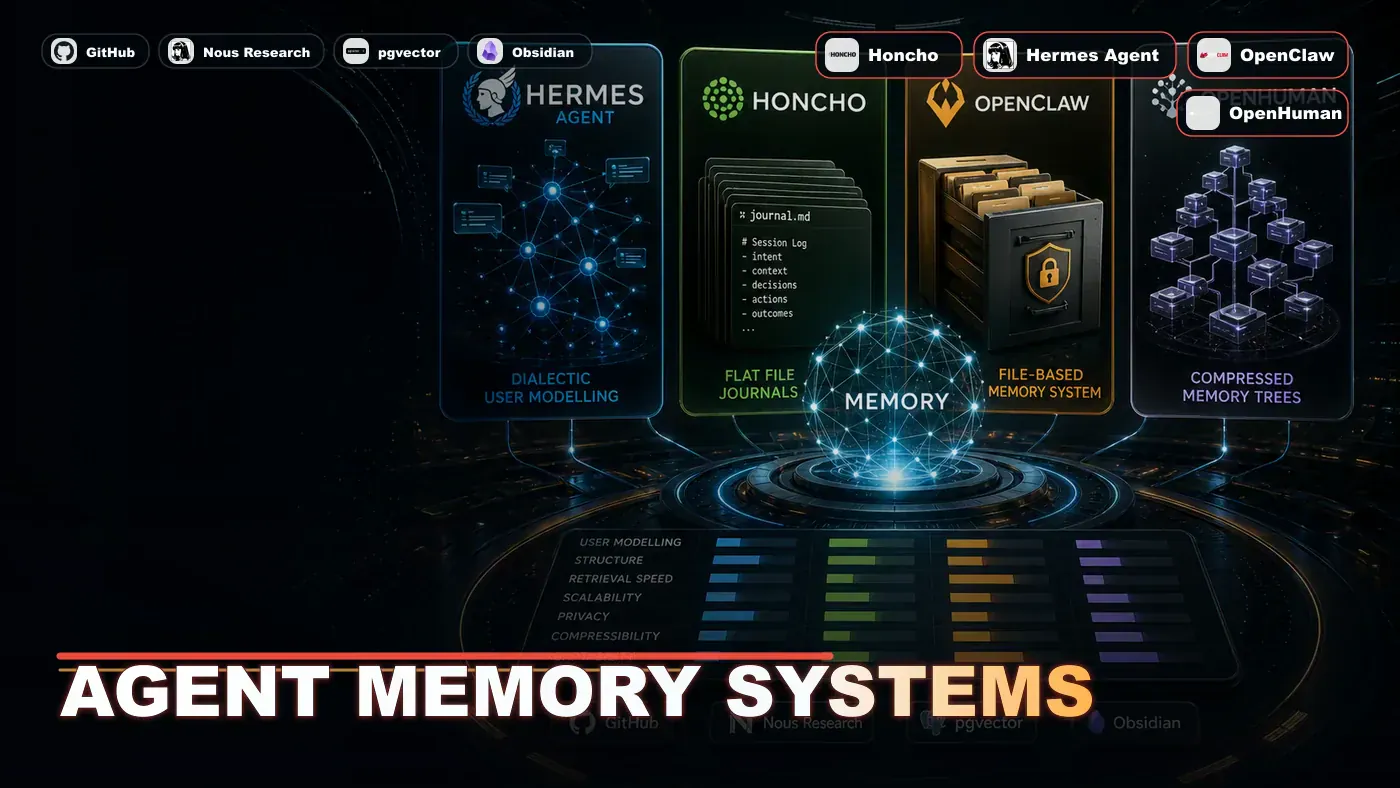
Every AI agent can answer questions. Only agents with memory can remember that you prefer functional programming, that your team has banned any types, or that last month's migration fell over because of a timezone bug. Memory is what separates a tool from a teammate. In 2026, three memory architectures are doing most of the work: Honcho's dialectic user model, OpenClaw's file-based journals, and OpenHuman's Memory Trees.
If you have used an AI coding assistant for more than a week, you have probably felt the frustration. It is brilliant on Monday and a stranger on Tuesday. You explain the same conventions, the same gotchas, the same "no, we do it this way here" over and over, because the thing has the recall of a goldfish.
That gap is what the agent memory race is trying to close. The promise is simple to say and hard to build: an assistant that actually remembers your business, your codebase, and your habits, so you stop re-teaching it every session.
Three approaches have pulled ahead, and they could not be more different in philosophy. One tries to model how you think. One keeps a plain text diary you can read and edit yourself. One quietly hoovers up a lifetime of your digital context and files it into a giant local wiki. None of them is the obvious winner, and the right pick depends a lot on who is going to look after it.
Here is how each one works, what it is good at, and where it falls down.
Hermes Honcho: Dialectic User Modelling
Honcho (opens in a new tab) is not a database. It is a user model: a living picture of how you think, work, and decide. It uses a dialectic process, which means it tracks your preferences, occasionally pushes back when you contradict yourself, and folds your decision patterns into biases that shape what the agent does next.
A note on who built it. Honcho is made and maintained by Plastic Labs (opens in a new tab). It is reportedly integrated with the Hermes agent stack from Nous Research as an optional memory provider, but Hermes did not build it. (Some write-ups conflate the integrator with the creator, so it is worth keeping straight.)
The dialectic idea, as Plastic Labs describes it, is that Honcho derives conclusions about your preferences, habits, and goals from your conversations rather than just storing flat facts. In practice that means it builds up a structured view of what you tend to want. Coverage of the system describes confidence- or trust-style weighting on those conclusions, so a preference you reject again and again carries more weight than a one-off. The article's tidy version of this (per-preference numeric scores that auto-increment on rejection and explicitly "flag contradictions") is best read as an illustration rather than a documented mechanism. Either way, the point stands: most systems store facts, Honcho stores reasoning.
# Honcho preference extraction example
honcho.record_decision(
 context="refactoring",
 choice="functional over imperative",
 confidence=0.91,
 trigger="user rejected for-loop in favour of map/filter"
)

# Query the user model
preferences = honcho.get_preferences(
 context="refactoring",
 threshold=0.85
)
# Returns: ["prefer functional patterns", "avoid mutable state", "use type guards"]
Treat that snippet as pseudocode, not the real SDK. Honcho's actual documented API is built around peers, sessions, and dialectic queries; a record_decision/get_preferences interface with confidence and threshold floats does not appear in the published docs. It is a clean way to picture what the system does, not a copy-paste against the live library.
On storage, the article claims SQLite with FTS5 indexing. Honcho's documented backend is actually PostgreSQL with pgvector, and it advertises hybrid search (BM25 plus vector), so treat the SQLite detail as inaccurate. The broader behaviour, that session summaries feed the user model and that detailed recent observations get generalised into longer-term preferences over time, is consistent with how Honcho works. The specifics the article attaches to that (a named "Reflect phase" and a "power-law decay schedule") are not in the official docs, so read them as embellishment rather than spec.
OpenClaw: MEMORY.md and Daily Journals
OpenClaw's memory system is deliberately plain: a MEMORY.md file in the project root, plus daily journal files in a .openclaw/journal/ directory. The agent reads MEMORY.md at the start of each session and appends to the current day's journal as it works. Per the OpenClaw memory docs (opens in a new tab), MEMORY.md is the durable long-term memory loaded each session, with dated daily notes carrying running context.
# MEMORY.md - Project Context

## Architecture Decisions
- Using Fastify instead of Express (decided 2026-01-15)
- PostgreSQL with Prisma ORM
- No raw SQL in controllers (enforced by lint rule)

## Team Preferences
- Functional programming preferred but not mandatory
- All public APIs must have OpenAPI specs
- Error handling: use neverthrow pattern

## Current Focus
- Billing module rewrite (ETA: 2026-07-01)
- Migration from v1 API to v2 (in progress)
The simplicity cuts both ways. MEMORY.md is human-readable, human-editable, and version-controllable. Any team member can open it and fix it. The cost is that it needs hands-on curation: the agent does not automatically compress or summarise, and journals just keep growing unless someone prunes them.
One correction worth making. The original framing says there is "no search, no relevance scoring, no semantic retrieval, grep only." That understates the base system. OpenClaw's docs describe a memory_search that uses hybrid retrieval (vector similarity plus keyword) over older daily notes, so retrieval is more capable than plain grep. The manual-curation point is fair; the "no search at all" point is not.
There is a migration path too. The hermes claw migrate command is real and pulls an OpenClaw setup (SOUL.md, MEMORY.md, custom skills) into the Hermes agent, as the Hermes migration guide (opens in a new tab) lays out. One caveat the original glosses over: external memory providers like Honcho are recorded as archive or manual-review items during that migration, not auto-converted into Honcho entries. So "converts journals into Honcho entries" overstates what the tool actually does.
OpenHuman: Memory Trees
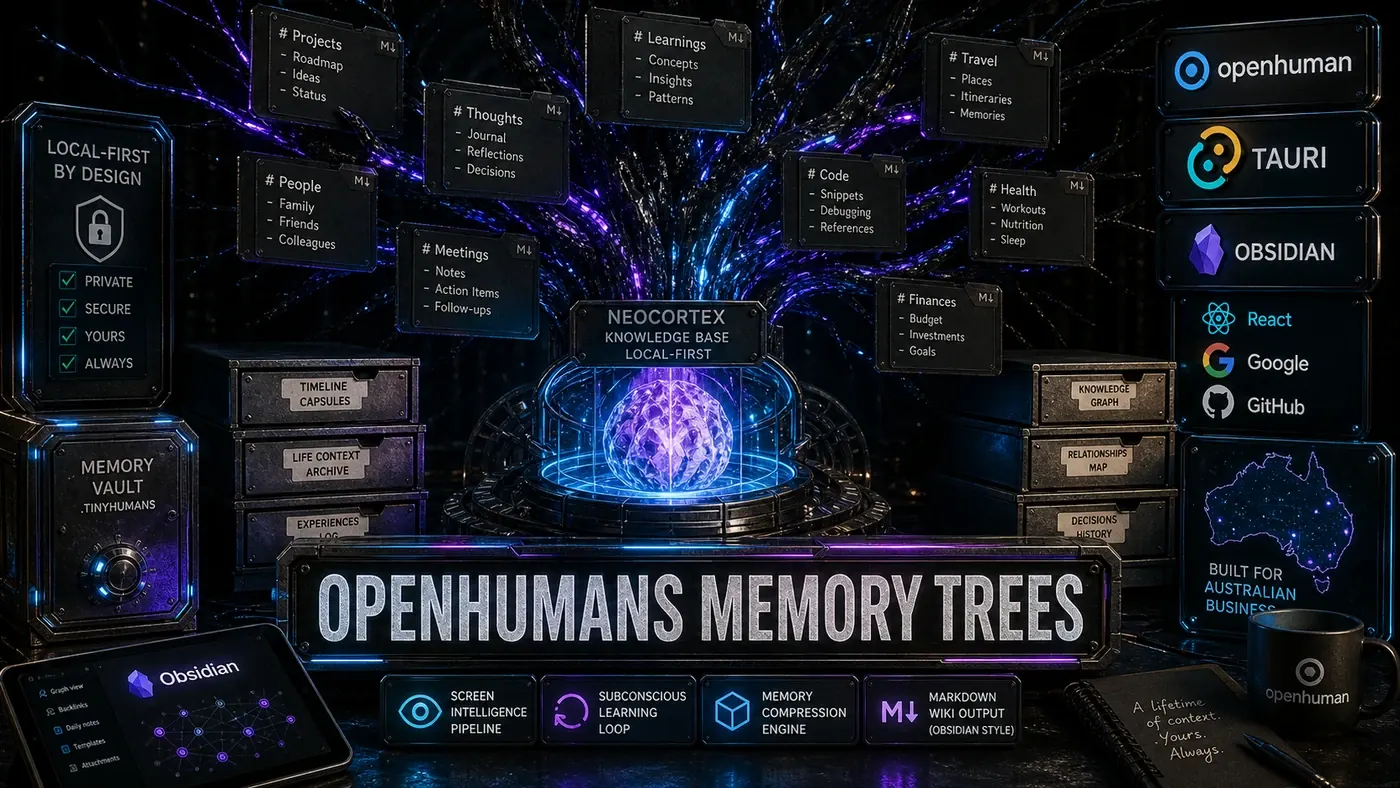
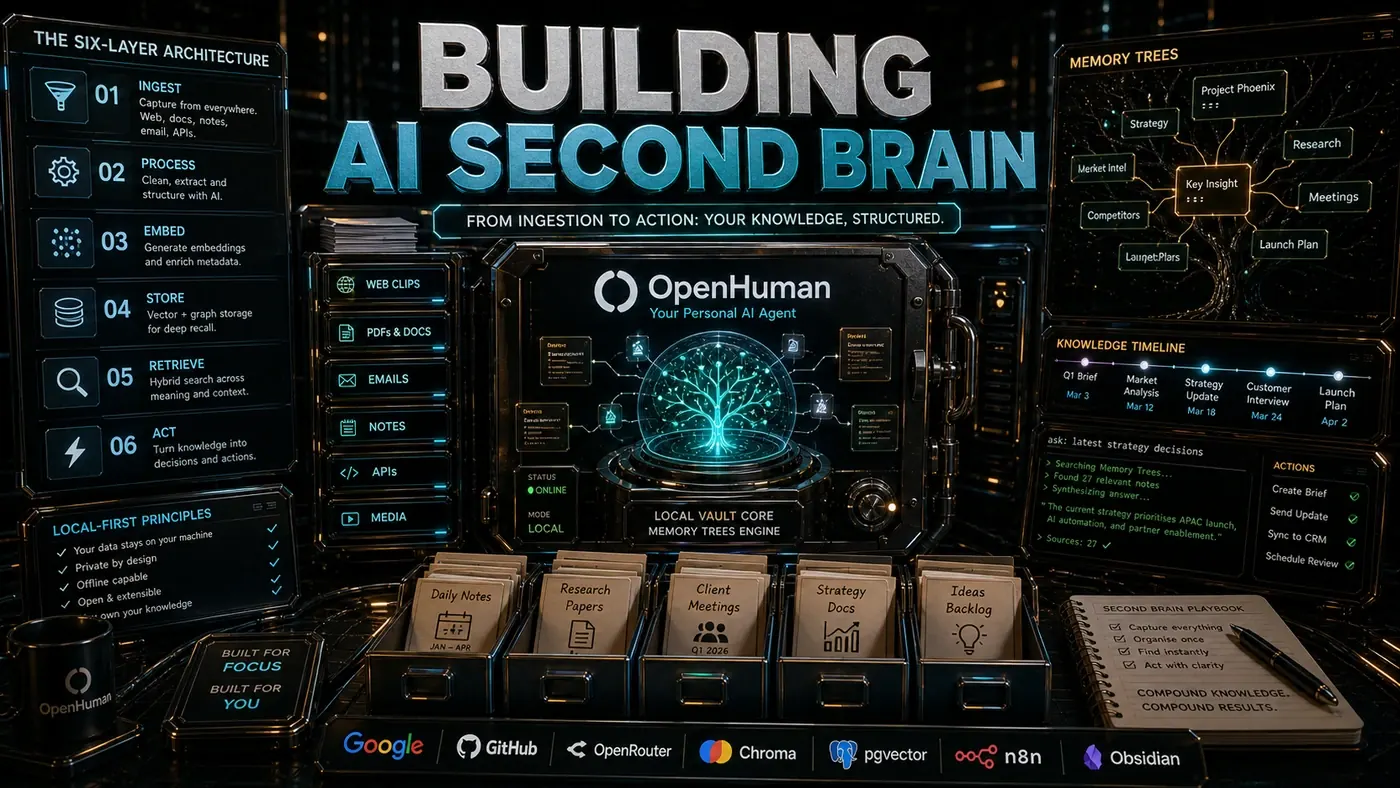
OpenHuman's Memory Trees (covered in article 4) take a different route entirely. Instead of modelling the user or keeping flat files, they compress a lifetime of digital context into a hierarchical, Obsidian-style Markdown wiki. As the OpenHuman repo (opens in a new tab) describes it, the Memory Tree is a hierarchical graph of Markdown files compatible with Obsidian, paired with a local SQLite database, and explicitly inspired by the "LLM wiki" idea Andrej Karpathy floated. The Neocortex knowledge base supports up to 1 billion tokens locally (opens in a new tab), and a Subconscious background loop keeps compressing and reorganising the tree.
The clever bit is the compression hierarchy. Recent observations live as detailed leaf nodes. Older ones get progressively summarised into branch nodes, which roll up again into trunk documents. So a question like "what did I learn about Postgres last year" can traverse the tree efficiently, pulling detailed notes for recent context and summaries for older context. That subconscious loop does more than tidy up, too: it reads the tree, spots pending tasks, drafts email replies, summarises Slack threads, and can run on-device.
Comparative Analysis
A quick note before the table: the Honcho storage and search row below reflects the original article's framing, which the fact-check flags as inaccurate. Honcho's real backend is PostgreSQL with pgvector and hybrid BM25-plus-vector search, not SQLite with FTS5. Read that row with the correction in mind.
| Dimension | Honcho | OpenClaw Files | Memory Trees |
|---|---|---|---|
| Model type | User reasoning model | Flat notes | Knowledge hierarchy |
| Storage | SQLite + FTS5 | Markdown files | Local vector DB + Markdown |
| Compression | Automatic, dialectic | Manual only | Automatic, subconscious loop |
| Search | FTS5 + semantic | None (grep only) | Hybrid: BM25 + vector + graph |
| Human readable | No (binary SQLite) | Yes (Markdown) | Yes (Markdown export) |
| Capacity | Millions of sessions | Unlimited (files) | 1B tokens (Neocortex) |
| Multi-user | Per-user models | Shared MEMORY.md | Single-user only |
| Integration | Hermes native | OpenClaw native | Desktop mascot |
Choosing a Memory System
Pick Honcho if you want an agent that learns your preferences and gets better over time. The dialectic model asks for some trust, since it is literally modelling how you think, but it produces the most personalised results.
Pick OpenClaw files if your team values transparency and is happy to curate by hand. MEMORY.md is the most accessible format for non-technical stakeholders, and it works best when someone owns keeping it current.
Pick Memory Trees if you need to pull personal context together across all your apps and data. The desktop integration, screen intelligence, and 118-plus integrations (opens in a new tab) give it a memory density no project-scoped system can match.
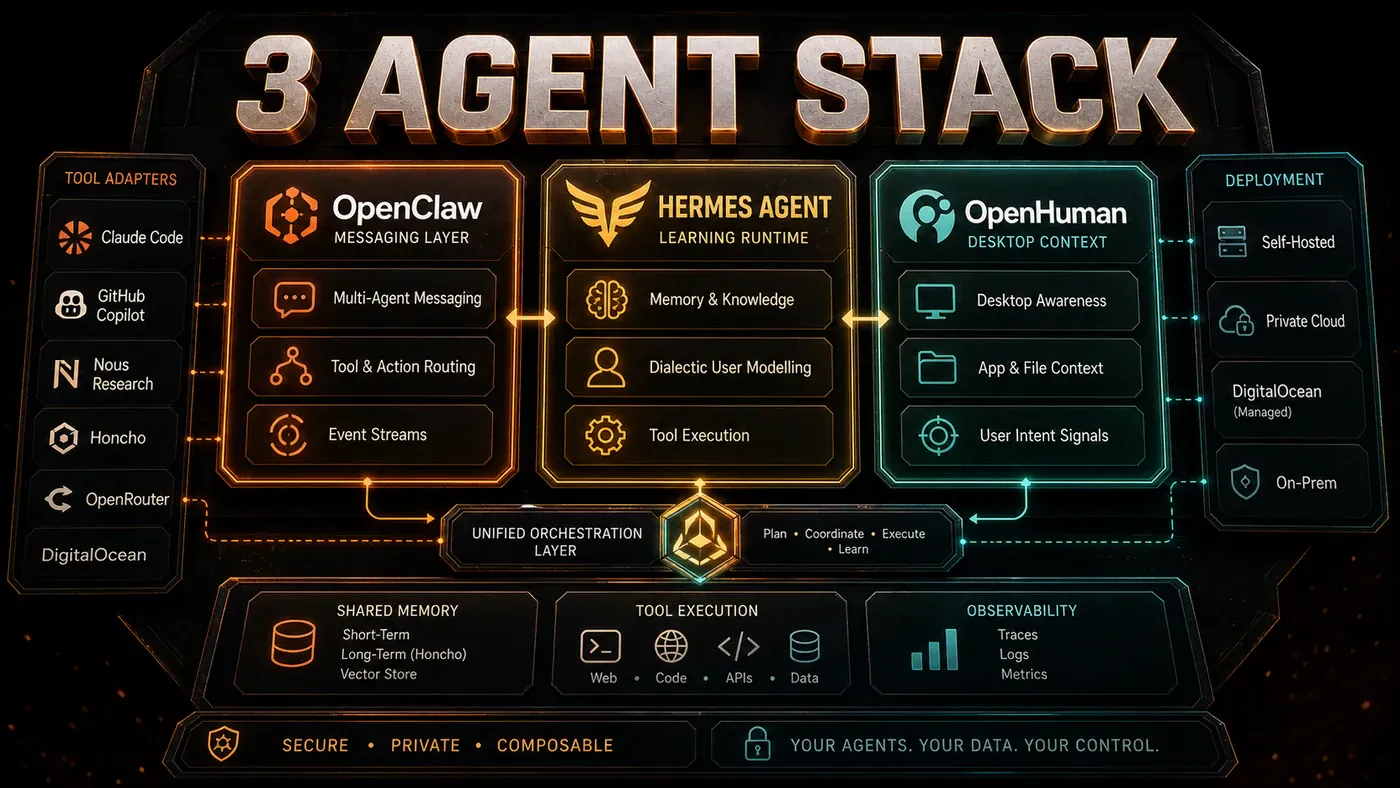
The three-agent stack (article 12) puts all three to work: Honcho for agent learning, OpenClaw files for team coordination, Memory Trees for personal knowledge. As it turns out, memory is not one problem with one answer.
Agent Memory: answer-first summary
Agent Memory matters because it can change how Australian business teams plan, build, or govern an agent workflow. Compare three agent memory architectures shaping 2026: Honcho dialectic user modelling, OpenClaw file journals, and OpenHuman knowledge trees.
The direct answer is this: do not treat the topic as a standalone trend. Treat it as a decision about inputs, outputs, review ownership, data exposure, and whether the workflow produces a result that is faster, safer, or more useful than the current process.
Agent Memory: implementation checklist
- Define the user, job to be done, and success metric for the agent workflow.
- Collect real examples, policies, source files, customer questions, or search queries before writing prompts or choosing tools.
- Separate low-risk drafts from decisions that need approval, privacy checks, or senior review.
- Document what the AI is allowed to access, what it must not access, and who signs off before production use.
- Review successful task completion, review time, fallback rate, operator corrections after a small pilot rather than judging the idea from a demo.
This keeps the work practical. It also gives search engines and AI answer engines a clean factual structure: what the topic is, who it helps, what to do next, and which risks matter before implementation.
Decision criteria for Agent Memory
| Decision area | What to check | Production signal |
|---|---|---|
| Intent | Does Agent Memory solve a real workflow problem? | The use case has a named owner and measurable outcome. |
| Data | Can the required data be used safely? | Sensitive data is classified and access is controlled. |
| Quality | Can a reviewer judge the output consistently? | Examples, rubrics, or acceptance criteria exist. |
| Scale | Can the workflow be repeated without hero effort? | The process is documented and can be handed to another team member. |
Practical example for Agent Memory
A small business could use this article to choose one practical test. For example, a manager might take one customer-facing process, one internal document workflow, or one recurring content task and redesign only that step with AI support. The goal is not to automate the whole business at once; it is to learn where Code creates reliable leverage.
The useful deliverable is a short operating note: the trigger, the source material, the prompt or tool, the review checklist, the escalation rule, and the metric. That note becomes the handover asset for staff training, SEO/GEO content, service delivery, or future agent work.
Risks and controls for Agent Memory
The common failure pattern is moving too quickly from a promising idea into an unmanaged workflow. For Agent Memory, the risk is not only bad output. It can also be unclear data permission, staff confusion, duplicate content, unreviewed customer advice, or a tool that quietly changes cost or capability.
- Control unclear tool permissions with a named owner, a review step, and written acceptance criteria.
- Control silent failures with a named owner, a review step, and written acceptance criteria.
- Control prompt drift with a named owner, a review step, and written acceptance criteria.
- Control weak audit trails with a named owner, a review step, and written acceptance criteria.
Measurement plan for Agent Memory
A useful AI or SEO initiative should leave evidence. Track successful task completion, review time, fallback rate, operator corrections and compare the pilot against the current process. If the measure does not improve, keep the learning but avoid scaling the workflow.
For GEO readiness, the page should also answer the core question directly, define the entities involved, include implementation steps, explain tradeoffs, and link readers to the next relevant AI Kick Start service, guide, tool, or article.
Definitions and entities for Agent Memory
For search, GEO, and staff handover, define the core entities in plain language. In this article the important entities are the workflow owner, the AI tool or model, the source material, the review process, the risk boundary, and the measurable business outcome. Clear definitions make the page easier for people to scan and easier for AI answer engines to quote accurately.
- Workflow owner: the person accountable for deciding whether Agent Memory belongs in the business process.
- Source material: the documents, examples, policies, URLs, prompts, videos, or customer questions that ground the output.
- Review boundary: the point where a human checks accuracy, privacy, brand voice, or customer impact before the result is used.
- Success metric: the measure that proves whether the agent workflow is worth repeating.
Agent Memory versus doing nothing
Doing nothing is also a decision. The cost may be slow manual work, weaker search visibility, inconsistent advice, duplicated effort, or staff using unmanaged AI tools without a shared process. The practical question is whether a controlled pilot can reduce that cost without creating a larger governance problem.
| Option | When it makes sense | What to watch |
|---|---|---|
| Do nothing | The workflow is rare, low value, or already reliable. | Competitors may improve speed, content depth, or service consistency first. |
| Run a small pilot | The task repeats often and has clear review criteria. | Keep scope tight and measure the result against the current process. |
| Build a production workflow | The pilot is repeatable and risk controls are documented. | Assign ownership, monitoring, training, and a rollback path. |
AI Kick Start handover package for Agent Memory
A production handover should be concrete enough that another person can run it. For Agent Memory, that means a short brief, a workflow map, approved prompts or tool settings, source material, a review checklist, internal links to supporting resources, and a simple measurement sheet. This is the difference between reading about AI and turning it into operational capability.
That packaging also strengthens E-E-A-T. It shows experience through implementation notes, expertise through decision criteria, authoritativeness through source-aware structure, and trust through risks, controls, and review steps. The article becomes useful even if the reader never buys a tool because it helps them make a better operational decision.