









Briefing
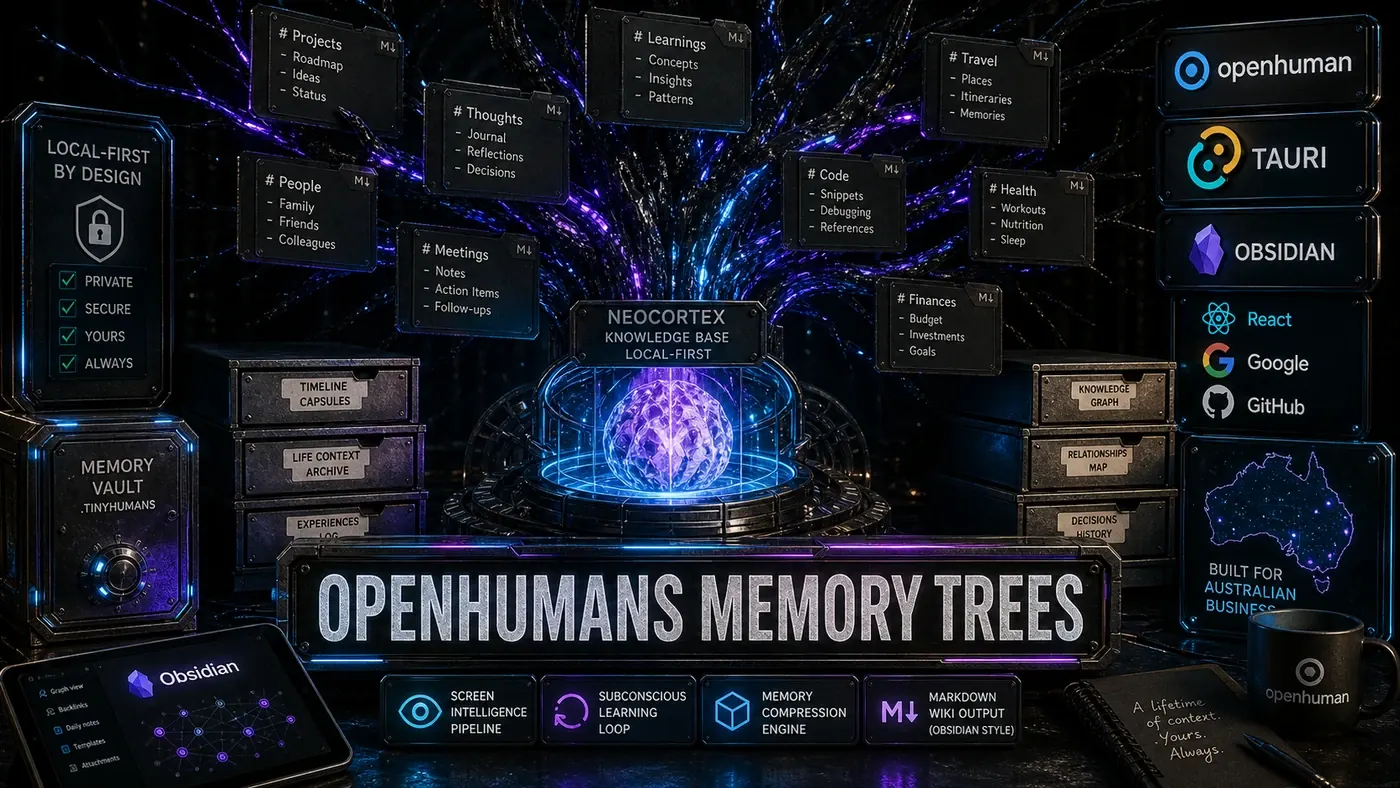
An AI second brain is not a chatbot that remembers things. It is a system that captures, structures, compresses, and retrieves your digital life at scale. OpenHuman (opens in a new tab) and its Memory Trees are, by the maker's own framing, one of the most complete consumer attempts at this so far, but the underlying ideas work in any knowledge management setup.
Analysis
Picture the part of your job that nobody pays you for: remembering where the decision was made. Which Slack thread, which email, whose meeting note, which pull request. You know the answer existed. You just cannot find it when it matters. That gap is what a second brain is built to close.
The pitch is simple to say and hard to do. Pull in everything you touch across your tools, give it structure, and let software hand the right piece back to you at the right moment. Less digging, fewer dropped commitments, and a running picture of where your week actually went.
OpenHuman, an open-source local-first project from TinyHumans AI, is the version of this you can run right now. It connects to your accounts, watches what is on your screen if you let it, and keeps a memory file you can open and read yourself. The thing worth understanding is not the product. It is the shape underneath it, because once you see the six layers, you can spot a real second brain from a glorified note-taker.
The Architecture
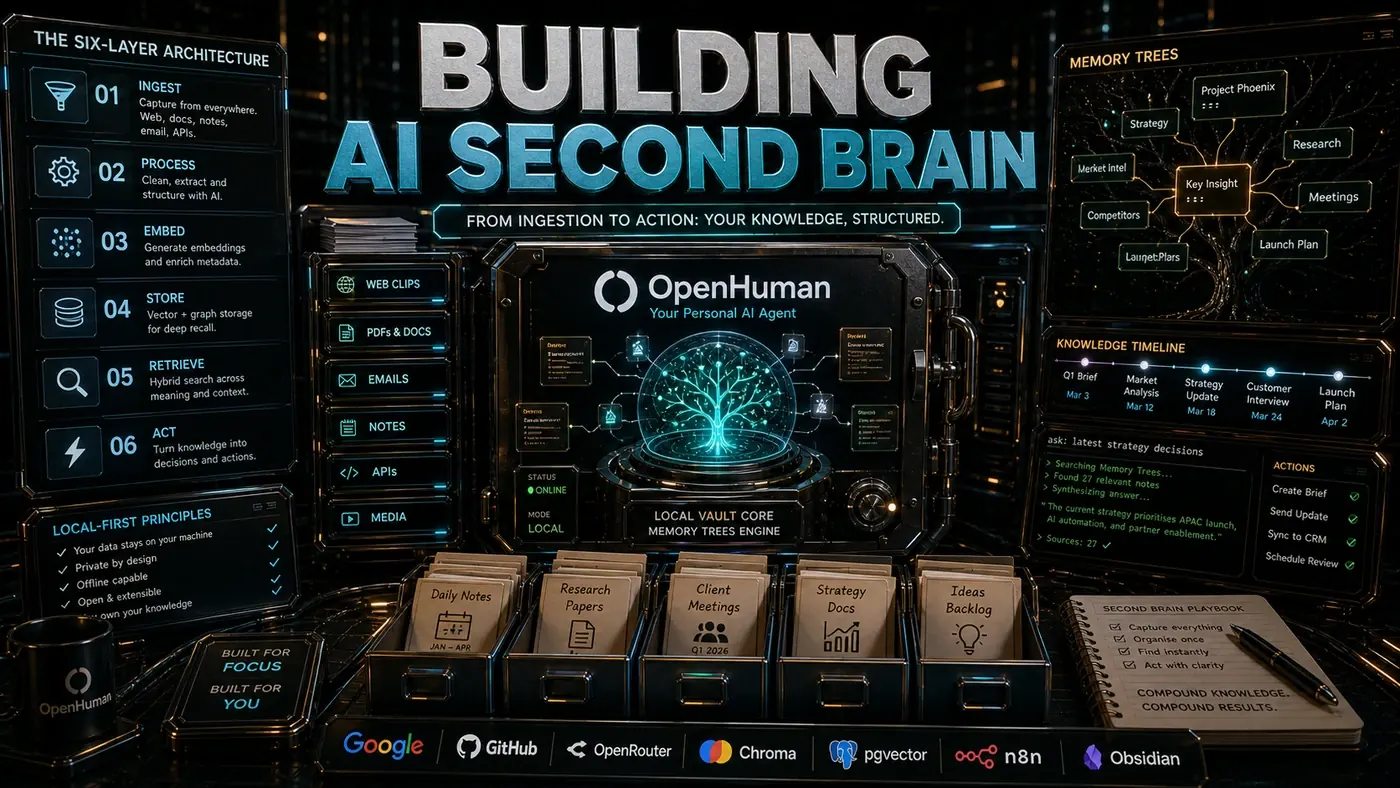
A second brain has six layers:
Ingestion -> Processing -> Storage -> Retrieval -> Synthesis -> ActionLayer 1: Ingestion
Ingestion captures data from every source you care about. OpenHuman ships with 118+ third-party integrations that auto-fetch every 20 minutes (opens in a new tab), covering GitHub, GitLab, Linear, Notion, Slack, Discord, Gmail, Google Calendar, and more. The desktop mascot adds screen intelligence (opens in a new tab): what you are reading, what code you are writing, what documents you have open.
Ingestion has to be:
- Comprehensive: Missing sources create blind spots
- Real-time: Stale data is less useful than fresh data
- Non-intrusive: It must not get in the way of your work
- Respectful: You control what gets captured and what does not
Layer 2: Processing
Raw data is useless without structure. Processing normalises, enriches, and connects:
- Normalisation: GitHub issues, Linear tickets, and Notion tasks become the same fundamental entity type
- Entity extraction: People, projects, technologies, and deadlines are identified and linked
- Relationship mapping: "This email references that GitHub issue which relates to this Linear ticket"
- Sentiment analysis: Flagging urgency, frustration, and excitement
interface ProcessedEntity {
 id: string;
 source: IntegrationSource;
 type: EntityType;
 content: string; // Markdown
 entities: ExtractedEntity[];
 relationships: Relationship[];
 sentiment: SentimentScore;
 embeddings: Float32Array;
 timestamp: Date;
}
Layer 3: Storage
OpenHuman's Neocortex (opens in a new tab) is marketed as storing up to 1 billion tokens locally, though the Neocortex repo's own spec cites accurate handling of over 10 million tokens, so treat the billion-token headline as a marketing figure rather than a benchmarked one. The author describes the storage as a hybrid approach:
- BM25: Exact text matching for precise retrieval
- Dense embeddings: Semantic similarity for conceptual search
- Graph traversal: Relationship queries ("what did Sarah say about the API?")
- Hierarchical compression: Recent data is detailed; old data is summarised
Worth a caveat here: OpenHuman's docs confirm the hierarchical summary trees and on-device embeddings (opens in a new tab), but the BM25 and graph-traversal mechanisms are this article's characterisation rather than documented features. The Memory Trees format itself is an Obsidian-style Markdown wiki: human-readable, version-controllable, and portable. You own your data. It lives on your machine, not in someone else's cloud.
Layer 4: Retrieval
Retrieval has to be fast, relevant, and contextual. The query "what was the decision about authentication?" should return:
- The decision document from DECISIONS.md
- Related Slack discussions
- The GitHub PR that implemented it
- Follow-up Linear tickets
- Your own notes from the meeting
Retrieval quality is measured by MRR (Mean Reciprocal Rank) (opens in a new tab) and NDCG (Normalised Discounted Cumulative Gain). As an illustrative benchmark, a well-tuned second brain might aim for MRR > 0.7 on common queries, though that threshold is an author's figure rather than a published OpenHuman or industry number.
Layer 5: Synthesis
Synthesis is the part that earns its keep. The second brain does not just find information, it generates insights:
- Weekly reflections: "You spent 40% of your time on billing this week"
- Connection surfacing: "This problem resembles one you solved three months ago"
- Priority triage: "Three deadlines are approaching; here is the optimal order"
- Knowledge gaps: "You have been mentioned in 12 threads but have not responded to 5"
OpenHuman's Subconscious loop (opens in a new tab) handles synthesis continuously in the background, working away while you stop typing. The cadence is reportedly hourly merges, daily summaries, and weekly reflections, though that exact schedule was not confirmed verbatim in the documentation, and it runs without you having to ask.
Layer 6: Action
The whole point of a second brain is action. Information that does not change what you do is just trivia:
- Inline autocomplete: Suggesting relevant code based on your research
- Meeting preparation: Summarising context before a Google Meet
- Follow-up reminders: Surfacing commitments you have forgotten
- Cross-reference linking: Automatically linking related documents
Building Your Own
You do not need OpenHuman to build a second brain. The architecture can be implemented with open-source tools:
Ingestion: n8n or Huginn for integrations
Processing: Python scripts with spaCy/Transformers
Storage: SQLite + FTS5 + pgvector (or Chroma for embeddings)
Retrieval: Custom search with hybrid ranking
Synthesis: Periodic LLM calls (Claude API, OpenRouter)
Action: Webhooks to your tools
These are all real, widely used tools, so the stack is sound. But the integration effort is substantial. OpenHuman's value is not the architecture, it is the execution: 118+ integrations working out of the box, a polished desktop app, and the Subconscious loop running continuously without configuration.
Privacy Considerations
A second brain knows everything. That is its power and its risk:
- OpenHuman stores everything locally. No cloud required.
- Screen intelligence processes on-device. Screenshots never leave your machine.
- Third-party integrations use OAuth, and the tokens are reportedly held in the macOS/Windows keychain, though that specific storage detail was not confirmed in the documentation.
- Markdown exports let you inspect exactly what is stored.
The local-first model is a deliberate privacy choice. A cloud-based second brain would be more powerful (unlimited storage, always available, team sharing) but would mean trusting a third party with your entire digital life. OpenHuman bets that most users will pick privacy over convenience.
The second brain is not a settled product category yet. It is an aspiration. OpenHuman is the closest implementation I have seen, and it ships updates often, with the project moving past v0.57 by mid-2026. The author predicts that within 12 months "second brain" will be as common a term as "code editor", which is a forecast worth noting rather than a sure thing.
Building an AI Second Brain: answer-first summary
Building an AI Second Brain matters because it can change how Australian business teams plan, build, or govern an agent workflow. The six-layer architecture that turns raw digital exhaust into retrievable, actionable knowledge.
The direct answer is this: do not treat the topic as a standalone trend. Treat it as a decision about inputs, outputs, review ownership, data exposure, and whether the workflow produces a result that is faster, safer, or more useful than the current process.
Building an AI Second Brain: implementation checklist
- Define the user, job to be done, and success metric for the agent workflow.
- Collect real examples, policies, source files, customer questions, or search queries before writing prompts or choosing tools.
- Separate low-risk drafts from decisions that need approval, privacy checks, or senior review.
- Document what the AI is allowed to access, what it must not access, and who signs off before production use.
- Review successful task completion, review time, fallback rate, operator corrections after a small pilot rather than judging the idea from a demo.
This keeps the work practical. It also gives search engines and AI answer engines a clean factual structure: what the topic is, who it helps, what to do next, and which risks matter before implementation.
Decision criteria for Building an AI Second Brain
| Decision area | What to check | Production signal |
|---|---|---|
| Intent | Does Building an AI Second Brain solve a real workflow problem? | The use case has a named owner and measurable outcome. |
| Data | Can the required data be used safely? | Sensitive data is classified and access is controlled. |
| Quality | Can a reviewer judge the output consistently? | Examples, rubrics, or acceptance criteria exist. |
| Scale | Can the workflow be repeated without hero effort? | The process is documented and can be handed to another team member. |
Practical example for Building an AI Second Brain
A small business could use this article to choose one practical test. For example, a manager might take one customer-facing process, one internal document workflow, or one recurring content task and redesign only that step with AI support. The goal is not to automate the whole business at once; it is to learn where Code creates reliable leverage.
The useful deliverable is a short operating note: the trigger, the source material, the prompt or tool, the review checklist, the escalation rule, and the metric. That note becomes the handover asset for staff training, SEO/GEO content, service delivery, or future agent work.
Risks and controls for Building an AI Second Brain
The common failure pattern is moving too quickly from a promising idea into an unmanaged workflow. For Building an AI Second Brain, the risk is not only bad output. It can also be unclear data permission, staff confusion, duplicate content, unreviewed customer advice, or a tool that quietly changes cost or capability.
- Control unclear tool permissions with a named owner, a review step, and written acceptance criteria.
- Control silent failures with a named owner, a review step, and written acceptance criteria.
- Control prompt drift with a named owner, a review step, and written acceptance criteria.
- Control weak audit trails with a named owner, a review step, and written acceptance criteria.
Measurement plan for Building an AI Second Brain
A useful AI or SEO initiative should leave evidence. Track successful task completion, review time, fallback rate, operator corrections and compare the pilot against the current process. If the measure does not improve, keep the learning but avoid scaling the workflow.
For GEO readiness, the page should also answer the core question directly, define the entities involved, include implementation steps, explain tradeoffs, and link readers to the next relevant AI Kick Start service, guide, tool, or article.
Definitions and entities for Building an AI Second Brain
For search, GEO, and staff handover, define the core entities in plain language. In this article the important entities are the workflow owner, the AI tool or model, the source material, the review process, the risk boundary, and the measurable business outcome. Clear definitions make the page easier for people to scan and easier for AI answer engines to quote accurately.
- Workflow owner: the person accountable for deciding whether Building an AI Second Brain belongs in the business process.
- Source material: the documents, examples, policies, URLs, prompts, videos, or customer questions that ground the output.
- Review boundary: the point where a human checks accuracy, privacy, brand voice, or customer impact before the result is used.
- Success metric: the measure that proves whether the agent workflow is worth repeating.
Building an AI Second Brain versus doing nothing
Doing nothing is also a decision. The cost may be slow manual work, weaker search visibility, inconsistent advice, duplicated effort, or staff using unmanaged AI tools without a shared process. The practical question is whether a controlled pilot can reduce that cost without creating a larger governance problem.
| Option | When it makes sense | What to watch |
|---|---|---|
| Do nothing | The workflow is rare, low value, or already reliable. | Competitors may improve speed, content depth, or service consistency first. |
| Run a small pilot | The task repeats often and has clear review criteria. | Keep scope tight and measure the result against the current process. |
| Build a production workflow | The pilot is repeatable and risk controls are documented. | Assign ownership, monitoring, training, and a rollback path. |
AI Kick Start handover package for Building an AI Second Brain
A production handover should be concrete enough that another person can run it. For Building an AI Second Brain, that means a short brief, a workflow map, approved prompts or tool settings, source material, a review checklist, internal links to supporting resources, and a simple measurement sheet. This is the difference between reading about AI and turning it into operational capability.
That packaging also strengthens E-E-A-T. It shows experience through implementation notes, expertise through decision criteria, authoritativeness through source-aware structure, and trust through risks, controls, and review steps. The article becomes useful even if the reader never buys a tool because it helps them make a better operational decision.