




Analysis
Two agent frameworks. Two languages. Two ways of thinking about how an AI assistant gets work done. If your team built on OpenClaw and you're now eyeing Nous Research's Hermes Agent, the gap between them is bigger than the marketing suggests.
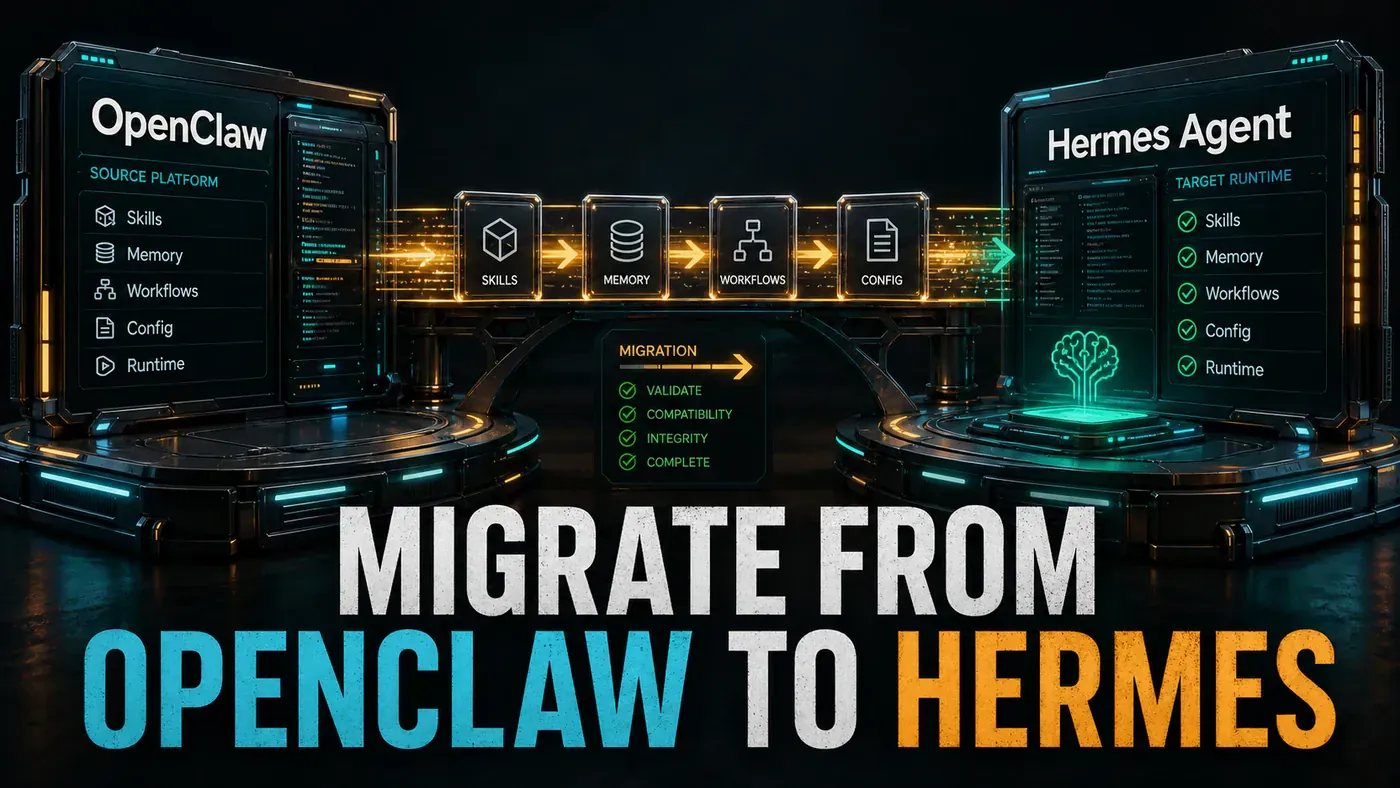
OpenClaw is a TypeScript project that runs on Node.js, it's MIT-licensed, and it's grown a huge following on GitHub (OpenClaw GitHub guide (opens in a new tab)). Hermes Agent comes from Nous Research, is written mostly in Python, and ships with its own memory layer and tool set (NousResearch/hermes-agent (opens in a new tab)). Switching between them means rewriting your custom skills in a new language, splitting one config file into two, and getting used to a different model for how the agent reasons.
Here's the practical worry for a business team: a rushed cutover breaks things people rely on every day. So the smart move is boring on purpose. Stand up Hermes next to OpenClaw, send it a trickle of traffic, watch what breaks, and only then turn up the dial. Keep the old system warm until you're sure. The rest of this guide is the mechanics of doing exactly that.
Analysis
Prerequisites
- Running OpenClaw deployment (documented)
- Hermes Agent installed (see guide ht-002)
- Python 3.11+, Node.js 20+
- Git for version control
- Test suite for validation
Step-by-Step Framework
Step 1: Audit Your OpenClaw Deployment
Before you touch anything, find out what you actually have. Skills accumulate quietly, and the config file rarely matches what the team thinks is running. This script dumps the lot:
# Inventory script
#!/bin/bash
echo "=== OpenClaw Inventory ==="
echo "Version: $(openclaw --version)"
echo "Skills:"
ls -la ~/.openclaw/skills/ 2>/dev/null || echo "Using default skills"

echo ""
echo "Custom Skills:"
find . -name "*.skill.js" -o -name "*.skill.ts" 2>/dev/null

echo ""
echo "Configuration:"
cat ~/.openclaw/config.json 2>/dev/null | head -50

echo ""
echo "Active integrations:"
grep -r "integration" ~/.openclaw/ 2>/dev/null | head -20

echo ""
echo "Environment variables:"
env | grep -i "OPENCLAW\|ANTHROPIC\|OPENAI" | cut -d= -f1
Step 2: Map Concepts
The two systems use different words for similar ideas, and a few of the differences run deeper than naming. One thing to flag up front: the mapping below treats an OpenClaw "skill" as a Hermes "tool," but that's a simplification. Hermes actually keeps "skills" and "tools" as separate concepts, tools are its fixed built-in capabilities, while skills are the procedural, self-improving kind (NousResearch/hermes-agent (opens in a new tab)). Most OpenClaw skills land on the tool side, so the table is a fair starting point, just not the whole story.
| OpenClaw | Hermes Agent | Notes |
|---|---|---|
| Skill | Tool | Same concept, different naming |
.skill.js | tool.py | JS → Python |
config.json | .env + config.yaml | Split config |
npx openclaw deploy | hermes serve | Different commands |
| 100+ built-in skills | 40+ built-in tools | Fewer but deeper tools |
| Node.js runtime | Python runtime | Different ecosystem |
| MIT license | Open source | Check specific license |
| Sub-agent model | Single agent + tool calls | Architectural difference |
defineSkill() | class BaseTool | Different API |
(Hermes ships with 40+ built-in tools covering things like web search and code execution, per its repository (opens in a new tab). The exact API names in the snippets below, defineSkill, BaseTool, ToolResult, are illustrative of each project's pattern rather than copied line-for-line from current docs, so check them against your installed version.)
Step 3: Port a Simple Skill
Start with something low-risk. A weather lookup is a good first port: it's self-contained, easy to test, and shows the shape of the rewrite without dragging in your business logic.
OpenClaw skill:
// skills/weather-check.skill.js
import { defineSkill } from 'openclaw';

export default defineSkill({
 name: 'weather-check',
 description: 'Get current weather for a location',
 parameters: {
 location: { type: 'string', required: true },
 units: { type: 'string', enum: ['metric', 'imperial'], default: 'metric' }
 },
 async execute({ location, units }) {
 const apiKey = process.env.WEATHER_API_KEY;
 const response = await fetch(
 `https://api.weather.com/v1/current?location=${location}&units=${units}&apiKey=${apiKey}`
 );
 return response.json();
 }
});
Hermes tool:
# hermes_tools/weather_check.py
from hermes.tools import BaseTool, ToolResult
import os
import requests

class WeatherCheckTool(BaseTool):
 name = "weather_check"
 description = "Get current weather for a location"
 inputs = {
 "location": "City name or coordinates",
 "units": "metric or imperial (default: metric)"
 }

 async def run(self, location: str, units: str = "metric") -> ToolResult:
 api_key = os.environ["WEATHER_API_KEY"]

 try:
 response = requests.get(
 "https://api.weather.com/v1/current",
 params={"location": location, "units": units, "apiKey": api_key},
 timeout=10
 )
 response.raise_for_status()
 data = response.json()

 return ToolResult(
 success=True,
 output=f"{data['temperature']}°{'C' if units == 'metric' else 'F'}, {data['condition']} in {location}"
 )
 except Exception as e:
 return ToolResult(success=False, output=f"Weather lookup failed: {str(e)}")
Note what changed beyond the language. The Python version adds a timeout and a try/except block, and it returns a structured ToolResult instead of raw JSON. That's worth doing on every port, the JavaScript original quietly assumes the fetch always works.
Step 4: Port Configuration
OpenClaw keeps everything in one config.json. Hermes splits it: secrets and runtime settings go in .env, and the rest goes in config.yaml. The split is a small annoyance during migration but keeps your keys out of the file you commit.
OpenClaw config.json:
{
 "llm": {
 "provider": "anthropic",
 "model": "claude-sonnet-4.6",
 "maxTokens": 4096
 },
 "skills": {
 "enabled": ["core", "git", "github", "web-search"],
 "customPath": "./custom-skills"
 },
 "memory": {
 "provider": "sqlite",
 "path": "./memory.db"
 },
 "server": {
 "port": 3000,
 "host": "0.0.0.0"
 }
}
Hermes .env + config.yaml:
# .env
LLM_PROVIDER=anthropic
ANTHROPIC_API_KEY=sk-ant-your-key
ANTHROPIC_MODEL=claude-sonnet-4.6

HONCHO_API_KEY=honcho-your-key
HONCHO_APP_ID=your-app-id

WEATHER_API_KEY=your-weather-key

PORT=3000
HOST=0.0.0.0
LOG_LEVEL=INFO
# config.yaml
model:
default: claude-sonnet-4.6
max_tokens: 4096
tools:
enabled:
- core
- git
- github
- web-search
custom_path: "./hermes_tools"
memory:
provider: honcho
server:
port: 3000
host: "0.0.0.0"Two things to watch here. First, the model id claude-sonnet-4.6 is a real, current Anthropic model, it launched in February 2026 with a 1M-token context window (Introducing Sonnet 4.6 (opens in a new tab)), so it carries over cleanly. Second, the memory layer changes. OpenClaw used a local SQLite file; Hermes defaults to Honcho, a hosted memory and user-modelling layer (Hermes Agent Honcho Memory docs (opens in a new tab)). Your stored memory does not move across automatically, and you'll need a Honcho API key.
Step 5: Parallel Deployment Strategy
This is the heart of a safe migration. Run both systems at once, put OpenClaw in read-only mode so it stops taking on new work, and use a splitter to send a slice of traffic to Hermes.
# docker-compose.migration.yml
version: '3.8'

services:
 # Legacy OpenClaw (read-only mode)
 openclaw:
 image: openclaw:latest
 ports:
 - "3000:3000" # Primary port
 environment:
 - READ_ONLY=true # Prevent new executions
 volumes:
 - openclaw_data:/data
 restart: unless-stopped

 # New Hermes Agent (on different port)
 hermes:
 image: hermes-agent:latest
 ports:
 - "3001:3000" # New port during migration
 environment:
 - LLM_PROVIDER=anthropic
 - ANTHROPIC_API_KEY=${ANTHROPIC_API_KEY}
 volumes:
 - ./hermes_tools:/app/tools
 - ./config.yaml:/app/config.yaml
 restart: unless-stopped

 # Traffic splitter (for gradual cutover)
 splitter:
 image: nginx:alpine
 ports:
 - "80:80"
 volumes:
 - ./nginx.conf:/etc/nginx/nginx.conf
 depends_on:
 - openclaw
 - hermes

volumes:
 openclaw_data:
# nginx.conf, traffic splitter
upstream backend {
server openclaw:3000 weight=80; # 80% to legacy
server hermes:3000 weight=20; # 20% to new
}
server {
listen 80;
location / {
proxy_pass http://backend;
}
}Step 6: Gradual Cutover Plan
With the splitter in place, you turn the dial over a couple of weeks rather than all at once. The schedule below is a planning estimate, not a fixed rule, adjust the pace to whatever your error rates tell you.
| Day | Action | Weight (Old/New) |
|---|---|---|
| 1-3 | Deploy in parallel, monitor errors | 90/10 |
| 4-7 | Increase Hermes traffic | 70/30 |
| 8-10 | Majority on Hermes | 40/60 |
| 11-12 | Near complete cutover | 10/90 |
| 13-14 | Full cutover, OpenClaw on standby | 0/100 |
| 15+ | Decommission OpenClaw if stable | , |
Step 7: Validation Checklist
Don't trust the cutover schedule on its own. Hit every tool with a real request before you raise its traffic weight. This script checks health, a couple of tools, and memory persistence:
# validation.sh
#!/bin/bash

HERMES_URL="http://localhost:3001"

# Test 1: Health check
echo "Test 1: Health"
curl -f $HERMES_URL/health || exit 1

# Test 2: Tool execution
echo "Test 2: Weather tool"
curl -X POST $HERMES_URL/api/tools/weather_check \
 -H "Content-Type: application/json" \
 -d '{"location": "London", "units": "metric"}' || exit 1

# Test 3: Git tool
echo "Test 3: Git tool"
curl -X POST $HERMES_URL/api/tools/git_status \
 -H "Content-Type: application/json" \
 -d '{}' || exit 1

# Test 4: Memory persistence
echo "Test 4: Memory"
curl -X POST $HERMES_URL/api/memory/store \
 -d '{"key": "test", "value": "migration_test"}' || exit 1
curl $HERMES_URL/api/memory/get?key=test || exit 1

echo "All validation tests passed!"
Step 8: Rollback Plan
Have the escape hatch ready before you need it, not after. If something goes wrong, the fastest fix is to shove the traffic weights back toward OpenClaw and reload nginx:
# Instant rollback: switch traffic back to OpenClaw
# Update nginx weights and reload
sed -i 's/weight=20/weight=80/' nginx.conf
sed -i 's/weight=80/weight=20/' nginx.conf
nginx -s reload

# Or: switch DNS/port mapping
docker stop hermes
docker start openclaw
# Point load balancer back to :3000
Do/Don't
| Do | Don't |
|---|---|
| Run parallel systems during migration | Cut over in a single day |
| Start with 10% traffic to new system | Send 100% traffic to unproven deployment |
| Have automated rollback ready | Plan to rollback manually under pressure |
| Validate every tool before cutover | Assume tools work without testing |
| Document configuration mappings | Guess at equivalent settings |
Conclusion
Treat this as a platform change. The Node.js to Python shift, the different skill APIs, and the move to Honcho memory all need real planning, and none of them migrate themselves. Run both systems in parallel, test every tool before you trust it, shift traffic in stages, and keep OpenClaw on hot standby until Hermes has earned the load. Done patiently, the switch takes a couple of weeks. Done in a hurry, it takes a couple of days, to fall over.
A note on the headline numbers you'll see quoted around these projects: GitHub star counts for both move fast and shouldn't drive your decision. OpenClaw's count is genuinely large but volatile, ranging across the hundreds of thousands through early-to-mid 2026 (OpenClaw GitHub growth (opens in a new tab)). Hermes Agent is sometimes cited at around 22k stars, but that figure looks badly out of date, the official repo (opens in a new tab) sat closer to 197k by mid-2026. Pick the framework on architecture and fit, not on a number that changes by the week.