




Analysis
Every business with a website has the same problem hiding in plain sight: most of the content is old, nobody is checking it, and Google notices. A pricing page that lists last year's numbers. A "how-to" guide that points to a tool that's since changed its interface. A blog post that used to rank on page one and has quietly slid to page three. None of it is broken enough to set off alarms, which is exactly why it sits there rotting.
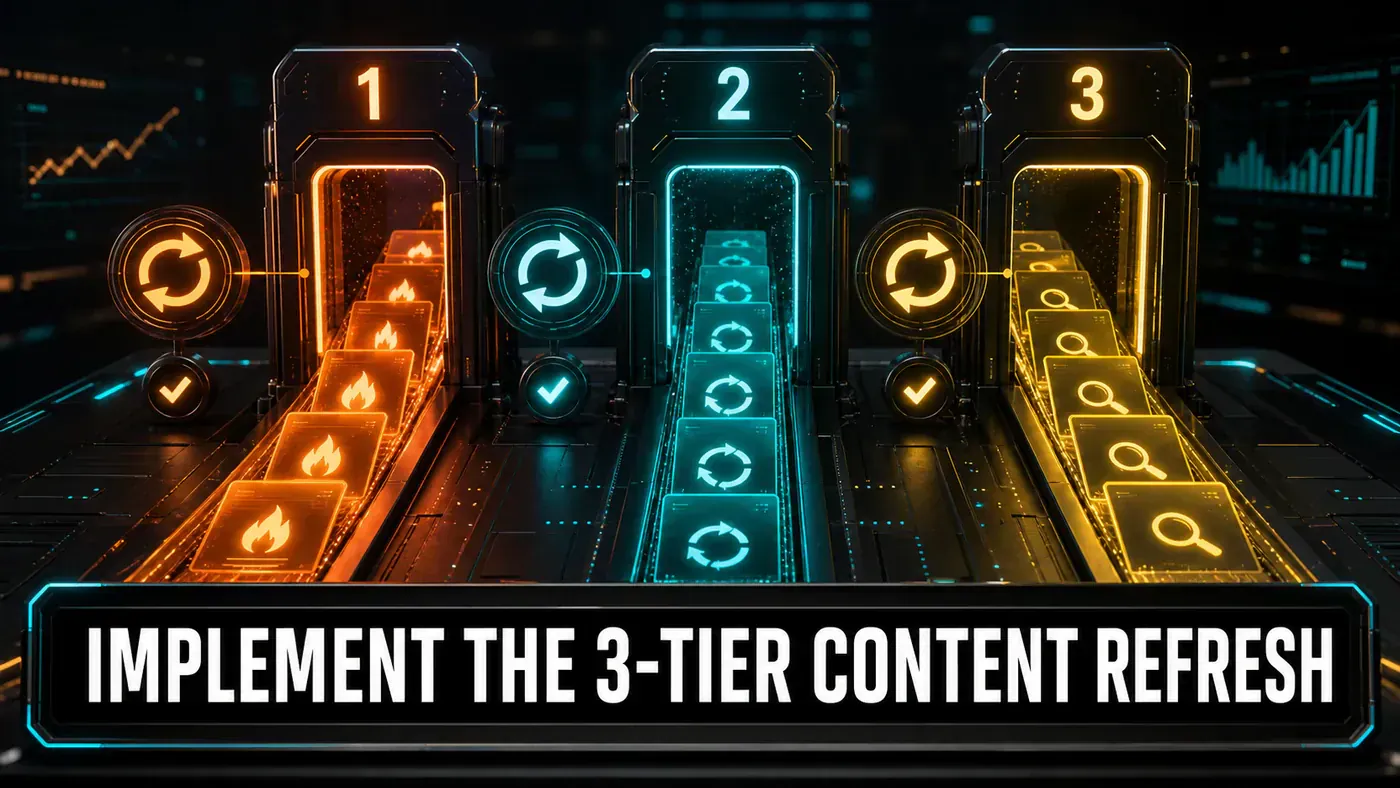
The idea behind a tiered refresh system is simple. Not every page deserves the same attention. Your top earners need watching closely; the page three pieces don't. So instead of trying to keep an entire site evergreen by hand, you sort pages into three buckets by how much they matter, then update each bucket on its own clock. The busy pages get checked constantly. The middle gets a weekly pass. The rest gets a proper review four times a year.
What makes this practical now is that the boring parts can be handed to automation. Pulling traffic numbers, ranking pages, deciding which bucket each one falls into, and running the actual updates can run on a schedule with tools like n8n (n8n workflow automation (opens in a new tab)) doing the orchestration and an AI agent doing the writing. You set the rules once and the system keeps your site honest in the background.
The rest of this guide is the build. Fair warning before you copy anything: the tier percentages, the refresh intervals, and the scoring weights below are a recommended setup, not gospel. An hourly refresh on hot content in particular is aggressive, and most teams won't need it that often. Start with the structure, then dial the numbers to your own site.
Analysis
Prerequisites
- Google Analytics 4 or similar analytics
- Content management system (any)
- n8n or similar automation tool
- Claude Code for content generation
- Airtable or database for tracking
Step-by-Step Framework
Step 1: Content Inventory and Scoring
Start by building a full inventory of your pages with the metrics attached. You can't sort pages into tiers until you know how each one actually performs. This script pulls the numbers straight from GA4 and assigns a tier to every page:
# content_inventory.py
import pandas as pd
from google.analytics.data_v1beta import BetaAnalyticsDataClient
from google.analytics.data_v1beta.types import RunReportRequest

PROPERTY_ID = "YOUR_GA_PROPERTY_ID"

def fetch_content_metrics():
 client = BetaAnalyticsDataClient()

 request = RunReportRequest(
 property=f"properties/{PROPERTY_ID}",
 dimensions=[
 {"name": "pagePath"},
 {"name": "pageTitle"}
 ],
 metrics=[
 {"name": "sessions"},
 {"name": "activeUsers"},
 {"name": "averageEngagementTimePerSession"},
 {"name": "bounceRate"},
 {"name": "conversions"}
 ],
 date_ranges=[{"start_date": "30daysAgo", "end_date": "today"}]
 )

 response = client.run_report(request)

 rows = []
 for row in response.rows:
 rows.append({
 'url': row.dimension_values[0].value,
 'title': row.dimension_values[1].value,
 'sessions': int(row.metric_values[0].value),
 'users': int(row.metric_values[1].value),
 'avg_engagement': float(row.metric_values[2].value),
 'bounce_rate': float(row.metric_values[3].value),
 'conversions': int(row.metric_values[4].value)
 })

 return pd.DataFrame(rows)

def assign_tiers(df):
 """Assign tiers based on percentile rankings."""
 df['session_score'] = df['sessions'].rank(pct=True)
 df['conversion_score'] = df['conversions'].rank(pct=True)
 df['engagement_score'] = df['avg_engagement'].rank(pct=True)

 # Composite score
 df['composite_score'] = (
 df['session_score'] * 0.5 +
 df['conversion_score'] * 0.3 +
 df['engagement_score'] * 0.2
 )

 # Assign tiers
 df['tier'] = pd.cut(
 df['composite_score'],
 bins=[0, 0.5, 0.9, 1.0],
 labels=['cold', 'warm', 'hot']
 )

 return df

# Run
metrics = fetch_content_metrics()
tiered = assign_tiers(metrics)
tiered.to_csv('content_inventory.csv', index=False)

print(tiered['tier'].value_counts())
# hot 45
# warm 180
# cold 225
The GA4 calls here are accurate: BetaAnalyticsDataClient and RunReportRequest live in the google.analytics.data_v1beta package and run exactly as shown (Google Analytics python-docs-samples quickstart.py (opens in a new tab)). The dimensions (pagePath, pageTitle) and metrics (sessions, activeUsers, averageEngagementTimePerSession, bounceRate, conversions) are all valid GA4 names too (GA4 Dimensions and Metrics Complete Reference (opens in a new tab)). If you need to set up the API itself, Google's Analytics Data API quickstart (opens in a new tab) covers the auth.
The scoring weights (sessions at 0.5, conversions at 0.3, engagement at 0.2) and the bin cutoffs are my call, not a standard. On a 450-page site those bins land you at roughly 45 hot, 180 warm, and 225 cold, which is where the comment numbers come from. Change the weights if conversions matter more to you than raw traffic.
Step 2: Define Refresh Rules per Tier
With pages sorted, decide what "refresh" actually means for each tier. A hot page needs its prices and stats checked; a cold page needs someone to ask whether it should still exist. Spelling that out in a config keeps the automation honest:
# refresh_rules.yaml
tiers:
 hot:
 refresh_interval: "1h"
 max_age_hours: 2
 actions:
 - check_price_accuracy
 - update_statistics
 - verify_links
 - refresh_related_content
 agent: "content-refresher-v2"
 approval_required: false

 warm:
 refresh_interval: "1w"
 max_age_days: 14
 actions:
 - update_outdated_facts
 - refresh_images
 - optimise_for_new_keywords
 - add_related_articles
 agent: "content-optimiser"
 approval_required: false

 cold:
 refresh_interval: "3M"
 max_age_days: 120
 actions:
 - full_content_audit
 - seo_analysis
 - merge_or_redirect_recommendation
 - archive_if_irrelevant
 agent: "content-auditor"
 approval_required: true

signals:
 freshness_degradation:
 - bounce_rate_increase: 10
 - ranking_drop: 5
 - traffic_drop_percent: 20

escalation:
 cold_to_warm: "traffic increases 300% over 7 days"
 warm_to_hot: "traffic increases 200% over 3 days"
 any_tier_refresh: "on manual editor request"
Two things worth flagging. The escalation rules matter as much as the schedule: a cold page that suddenly catches fire should jump tiers automatically rather than wait for its quarterly slot. And note that cold-tier actions carry approval_required: true, because "archive this page" or "redirect it" is the kind of call you want a human signing off on. The thresholds themselves are starting points, not numbers handed down from anywhere.
Step 3: Build the Refresh Agent (Claude Code)
This is where you wire up the agent that does the actual rewriting. One correction before you build on this code: the snippet below uses an export default defineSkill({...}) pattern in a .ts file, but that isn't how Claude Code skills actually work. Real Claude Code skills are SKILL.md markdown files inside a directory under .claude/skills/, with a description that drives when the skill runs (Extend Claude with skills - Claude Code Docs (opens in a new tab)). There's no documented defineSkill TypeScript helper. Likewise, the claude.generate({prompt: ...}) call is pseudocode, not a real Anthropic SDK surface. Treat the code below as a structural sketch of a generic refresh agent or script rather than a Claude Code skill you can drop in as-is.
// .claude/skills/content-refresh.ts
export default defineSkill({
 name: 'content-refresh',
 description: 'Refresh content based on tier rules',

 input: z.object({
 url: z.string(),
 tier: z.enum(['hot', 'warm', 'cold']),
 currentContent: z.string(),
 lastRefreshed: z.string().datetime(),
 metrics: z.object({
 sessions: z.number(),
 bounceRate: z.number(),
 avgTimeOnPage: z.number()
 })
 }),

 async execute({ url, tier, currentContent, lastRefreshed, metrics }) {
 // Fetch latest data for hot content
 const latestData = tier === 'hot'
 ? await fetchLatestData(url)
 : null;

 // Generate refreshed content
 const refresh = await claude.generate({
 prompt: `Refresh this ${tier}-tier content.
 Last refreshed: ${lastRefreshed}
 Current metrics: bounce ${metrics.bounceRate}%, avg time ${metrics.avgTimeOnPage}s

 Current content:
 ${currentContent.slice(0, 3000)}

 ${latestData ?
How to implement the 3-tier content refresh system: answer-first summary
How to implement the 3-tier content refresh system matters because it can change how Founders and operators plan, build, or govern an search and AI-answer workflow. A systematic approach to keeping AI-generated and human-written content fresh: Tier 1 (hot) updates hourly, Tier 2 (warm) refreshes weekly, Tier 3 (cold) audits quarterly.
The direct answer is this: do not treat the topic as a standalone trend. Treat it as a decision about inputs, outputs, review ownership, data exposure, and whether the workflow produces a result that is faster, safer, or more useful than the current process.
How to implement the 3-tier content refresh system: implementation checklist
- Define the user, job to be done, and success metric for the search and AI-answer workflow.
- Collect real examples, policies, source files, customer questions, or search queries before writing prompts or choosing tools.
- Separate low-risk drafts from decisions that need approval, privacy checks, or senior review.
- Document what the AI is allowed to access, what it must not access, and who signs off before production use.
- Review indexed pages, qualified clicks, AI citation visibility, conversion paths after a small pilot rather than judging the idea from a demo.
This keeps the work practical. It also gives search engines and AI answer engines a clean factual structure: what the topic is, who it helps, what to do next, and which risks matter before implementation.
Decision criteria for How to implement the 3-tier content refresh system
| Decision area | What to check | Production signal |
|---|---|---|
| Intent | Does How to implement the 3-tier content refresh system solve a real workflow problem? | The use case has a named owner and measurable outcome. |
| Data | Can the required data be used safely? | Sensitive data is classified and access is controlled. |
| Quality | Can a reviewer judge the output consistently? | Examples, rubrics, or acceptance criteria exist. |
| Scale | Can the workflow be repeated without hero effort? | The process is documented and can be handed to another team member. |
Practical example for How to implement the 3-tier content refresh system
A small business could use this article to choose one practical test. For example, a manager might take one customer-facing process, one internal document workflow, or one recurring content task and redesign only that step with AI support. The goal is not to automate the whole business at once; it is to learn where How-to Guide creates reliable leverage.
The useful deliverable is a short operating note: the trigger, the source material, the prompt or tool, the review checklist, the escalation rule, and the metric. That note becomes the handover asset for staff training, SEO/GEO content, service delivery, or future agent work.
Risks and controls for How to implement the 3-tier content refresh system
The common failure pattern is moving too quickly from a promising idea into an unmanaged workflow. For How to implement the 3-tier content refresh system, the risk is not only bad output. It can also be unclear data permission, staff confusion, duplicate content, unreviewed customer advice, or a tool that quietly changes cost or capability.
- Control thin summaries with a named owner, a review step, and written acceptance criteria.
- Control duplicate intent with a named owner, a review step, and written acceptance criteria.
- Control weak entity coverage with a named owner, a review step, and written acceptance criteria.
- Control missing internal links with a named owner, a review step, and written acceptance criteria.
Measurement plan for How to implement the 3-tier content refresh system
A useful AI or SEO initiative should leave evidence. Track indexed pages, qualified clicks, AI citation visibility, conversion paths and compare the pilot against the current process. If the measure does not improve, keep the learning but avoid scaling the workflow.
For GEO readiness, the page should also answer the core question directly, define the entities involved, include implementation steps, explain tradeoffs, and link readers to the next relevant AI Kick Start service, guide, tool, or article.
Definitions and entities for How to implement the 3-tier content refresh system
For search, GEO, and staff handover, define the core entities in plain language. In this article the important entities are the workflow owner, the AI tool or model, the source material, the review process, the risk boundary, and the measurable business outcome. Clear definitions make the page easier for people to scan and easier for AI answer engines to quote accurately.
- Workflow owner: the person accountable for deciding whether How to implement the 3-tier content refresh system belongs in the business process.
- Source material: the documents, examples, policies, URLs, prompts, videos, or customer questions that ground the output.
- Review boundary: the point where a human checks accuracy, privacy, brand voice, or customer impact before the result is used.
- Success metric: the measure that proves whether the search and AI-answer workflow is worth repeating.
How to implement the 3-tier content refresh system versus doing nothing
Doing nothing is also a decision. The cost may be slow manual work, weaker search visibility, inconsistent advice, duplicated effort, or staff using unmanaged AI tools without a shared process. The practical question is whether a controlled pilot can reduce that cost without creating a larger governance problem.
| Option | When it makes sense | What to watch |
|---|---|---|
| Do nothing | The workflow is rare, low value, or already reliable. | Competitors may improve speed, content depth, or service consistency first. |
| Run a small pilot | The task repeats often and has clear review criteria. | Keep scope tight and measure the result against the current process. |
| Build a production workflow | The pilot is repeatable and risk controls are documented. | Assign ownership, monitoring, training, and a rollback path. |
AI Kick Start handover package for How to implement the 3-tier content refresh system
A production handover should be concrete enough that another person can run it. For How to implement the 3-tier content refresh system, that means a short brief, a workflow map, approved prompts or tool settings, source material, a review checklist, internal links to supporting resources, and a simple measurement sheet. This is the difference between reading about AI and turning it into operational capability.
That packaging also strengthens E-E-A-T. It shows experience through implementation notes, expertise through decision criteria, authoritativeness through source-aware structure, and trust through risks, controls, and review steps. The article becomes useful even if the reader never buys a tool because it helps them make a better operational decision.