





Briefing
Anyone who has worked alongside an AI assistant knows the catch. It can be sharp, helpful, almost colleague-like for an hour. Then you close the tab, come back the next morning, and it has forgotten everything. The project you described, the way you like answers written, the decision you talked through yesterday: gone.
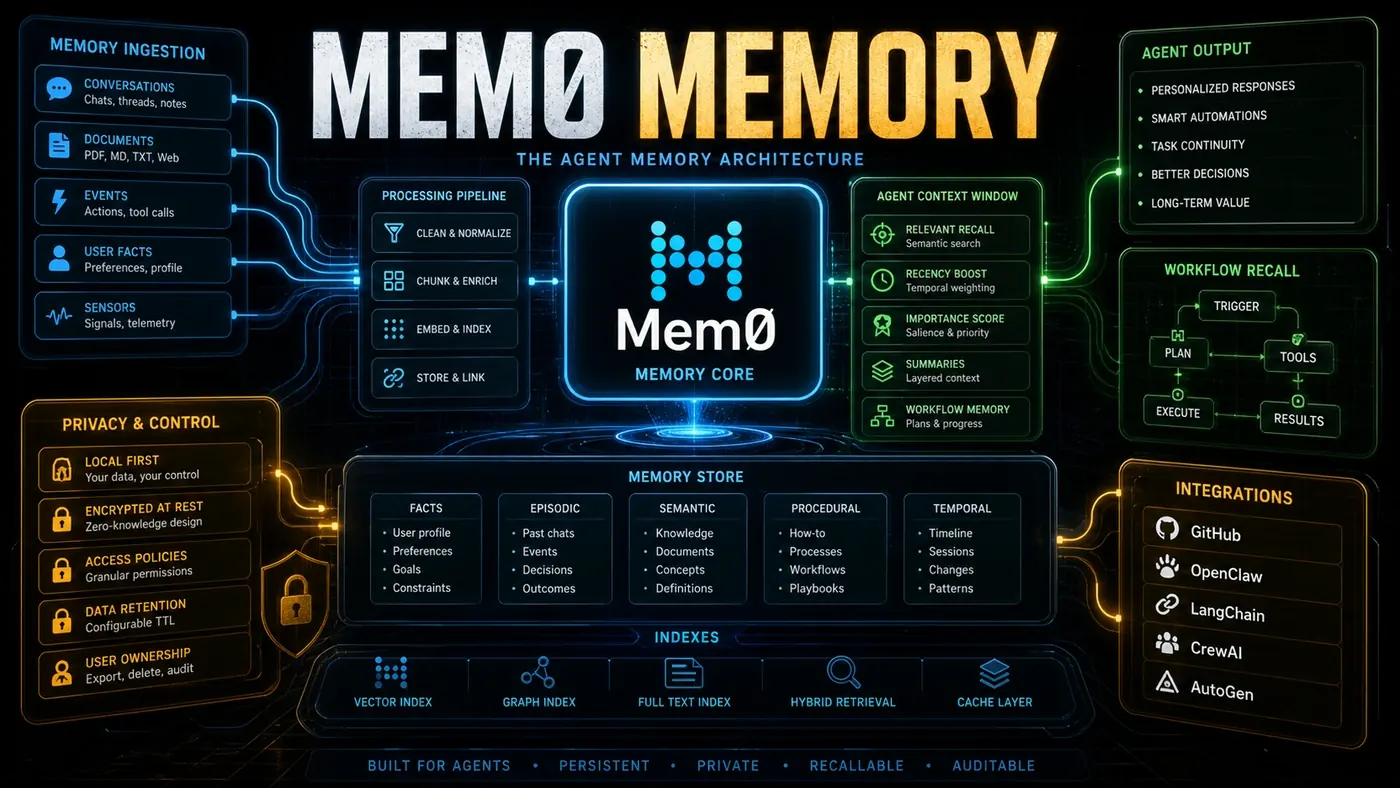
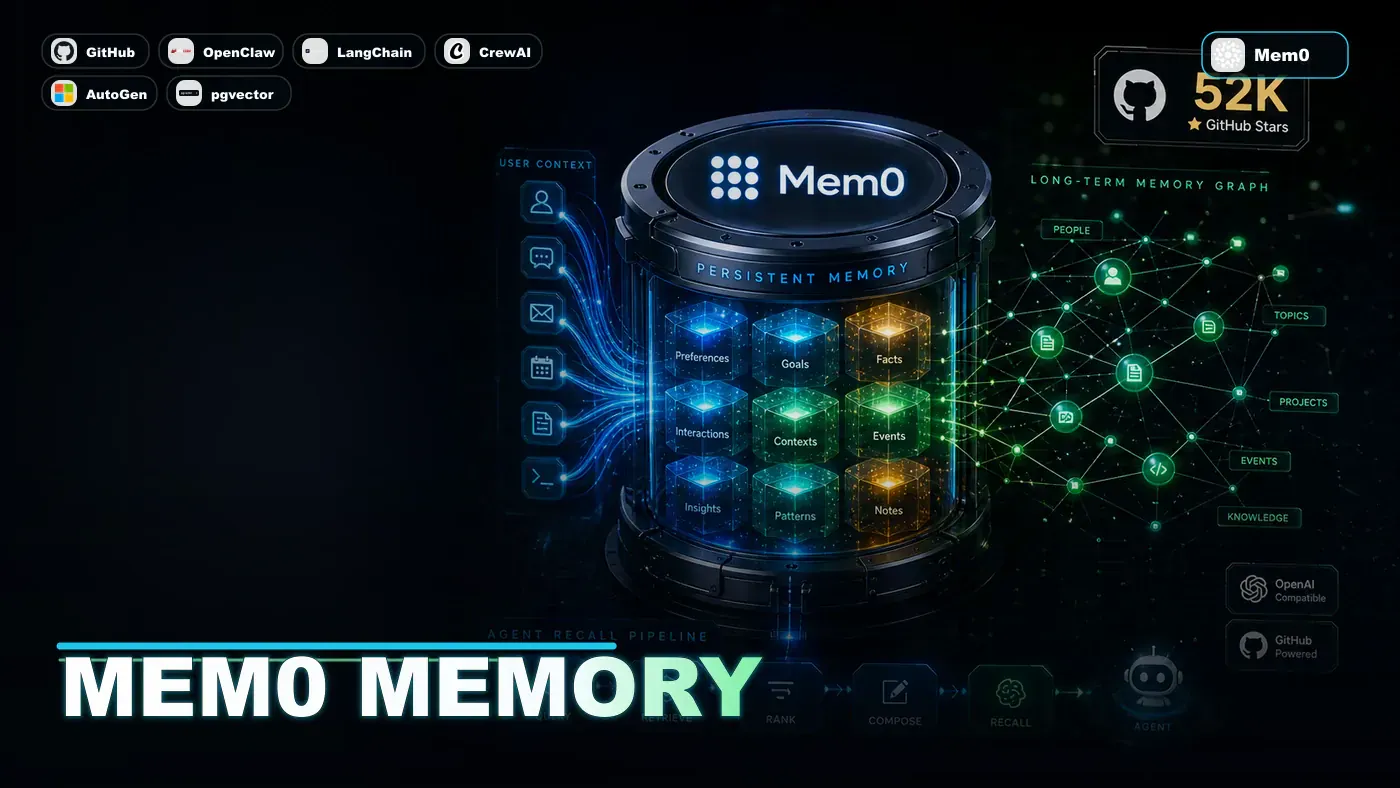
That gap between a tool that resets every session and an assistant that actually knows your context is the problem Mem0 (opens in a new tab) is trying to close. It bills itself as a memory layer for AI agents, a separate service that hands them something they normally lack: a way to remember across conversations. The open-source project on GitHub (opens in a new tab) has gathered roughly 52,000 stars (Source: mem0ai/mem0 GitHub repository (opens in a new tab); the live count is higher, around 59,000 as of mid-2026), which tells you a lot of developers have run into the same wall and wanted a fix.
For business teams, the "so what" is plain. An agent that forgets is fine for one-off questions. An agent that remembers your account history, your preferences, and what it did for you last week starts to feel like staff rather than a search box. That continuity is the thing most AI deployments are still missing.
The Memory Problem
Most chatbots treat every session as a clean slate. The context window gives them a kind of short-term memory, but it's small and it disappears the moment the conversation ends. For an agent to be genuinely useful over time, it has to hold on to who you are, what you've worked on, and what the two of you have figured out together.
Mem0 supplies that persistence as a standalone service any agent can plug into. By its own description it is model-agnostic and framework-agnostic, built for production use (opens in a new tab) (Source: Mem0 arXiv paper 2504.19413), so it isn't tied to a particular LLM or agent stack.
How Mem0 Works
Mem0 runs as a memory server behind a small API:
from mem0 import MemoryClient

client = MemoryClient()

# Store a memory
client.add("User prefers Python over JavaScript", user_id="alice")

# Retrieve relevant memories
memories = client.search("What language should I use?", user_id="alice")
# Returns: ["User prefers Python over JavaScript"]
The add() and search() methods shown here match Mem0's actual API (Source: mem0ai/mem0 GitHub repository (opens in a new tab)). Worth noting: MemoryClient is the hosted-platform client, while the open-source package uses a Memory() class in its repo examples.
The author's framing below describes the storage in four tiers. Mem0's own docs don't carve it up exactly this way (they talk about multi-level memory across User, Session, and Agent state), so treat the labels as a useful mental model rather than the official taxonomy:
Short-term Memory: Recent conversations kept in a fast cache for quick retrieval.
Long-term Memory: Important facts and relationships stored in a vector database with semantic search.
Episodic Memory: Full conversation histories preserved so context can be rebuilt later.
Working Memory: Active goals, pending tasks, and the current focus, essentially what the agent is paying attention to right now.
Architecture Deep Dive
The Mem0 architecture is built for reliability and scale:
Ingestion Pipeline: Incoming memories pass through importance scoring, deduplication, and relationship extraction. Only what matters gets promoted to long-term storage.
Retrieval Engine: A hybrid of vector similarity, keyword matching, and temporal relevance. Recent and frequently-used memories get priority.
Conflict Resolution: When new information clashes with something already stored, Mem0 keeps both versions, each with a confidence score and a timestamp.
Privacy Controls: The hosted platform reportedly offers granular access controls, encryption at rest, and data retention policies, with GDPR compliance and audit trails. These enterprise features are marketed by Mem0 but weren't confirmed against primary documentation in our review, so take them as claimed rather than verified.
Integration Ecosystem
Mem0 plugs into the major agent frameworks (opens in a new tab) (Source: Mem0 Integrations page (opens in a new tab)):
- LangChain: Native integration. (The exact class name was sometimes given as
Mem0Memory, but that naming couldn't be confirmed in the current docs and integration details have shifted over time.) - CrewAI: Automatic memory sharing between crew members
- AutoGen: Persistent memory across multi-agent conversations
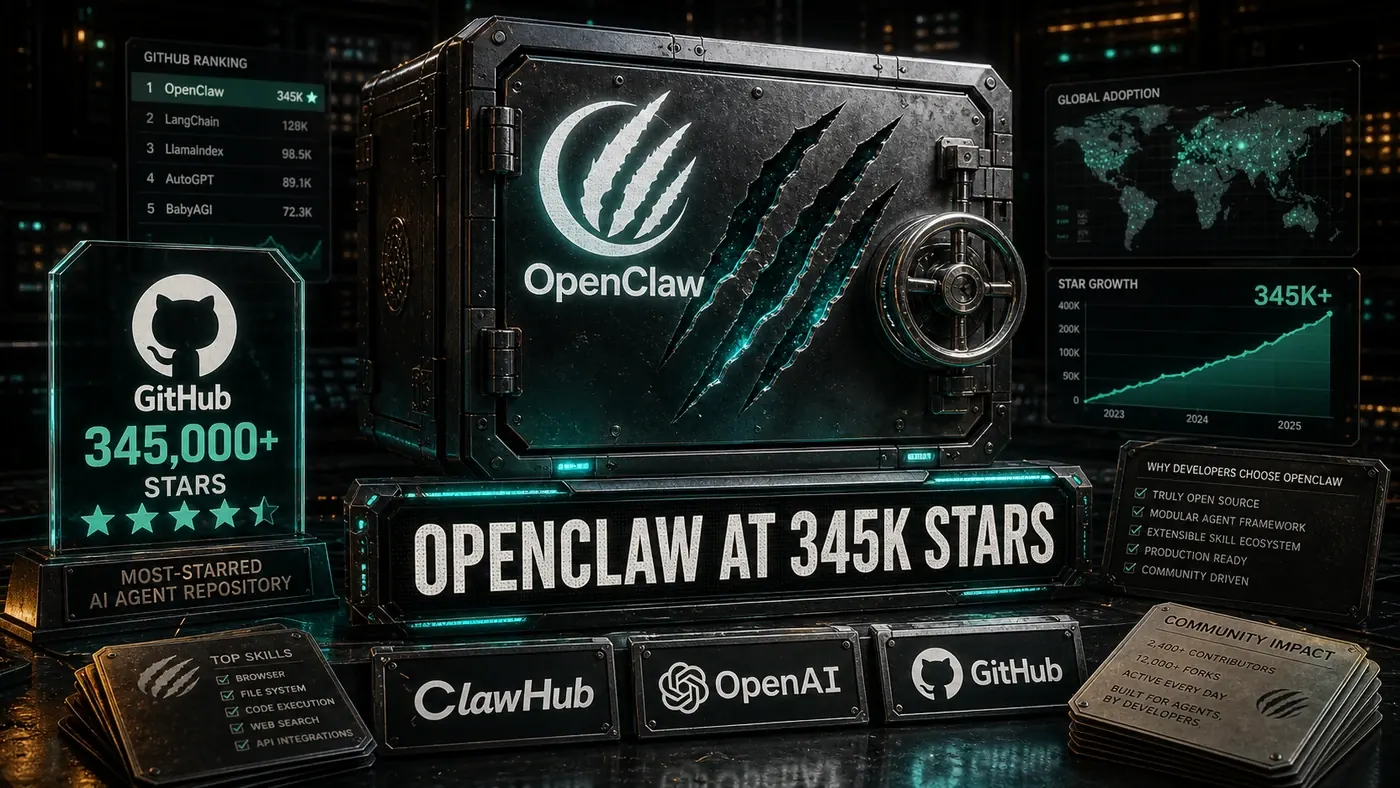
- OpenClaw: A "built-in Mem0 connector for skill state persistence" has been claimed, but no OpenClaw framework or such connector appears in Mem0's integration list or in any search, so this is unconfirmed and likely doesn't exist.
- Custom agents: REST API plus SDKs. Python (
mem0aion pip) and JavaScript/TypeScript (mem0aion npm) are confirmed; a first-party Go SDK has been mentioned but wasn't confirmed in the materials reviewed.
By The Numbers
- ~52,000 GitHub stars (Source: mem0ai/mem0 GitHub repository (opens in a new tab); approximate, with the live count nearer 59,000 as of mid-2026)
- [Apache 2.0 License](https://github.com/mem0ai/mem0/blob/main/LICENSE) (Source: mem0 LICENSE)
- Retrieval latency: Mem0's own published benchmarks report total median latency around 0.7 seconds and p95 around 1.4 seconds on LOCOMO (Source: Mem0 arXiv paper 2504.19413 (opens in a new tab)). An earlier claim of "sub-50ms retrieval at scale" doesn't hold up; it's roughly 15 to 20 times faster than Mem0's documented figures and isn't supported.
- Storage backends: vector databases and graph/key-value storage, with PostgreSQL (via pgvector) and various vector stores configurable. Redis as a documented short-term cache layer was reported but not confirmed.
- Production scale: Mem0 is positioned as production-grade and reports enterprise adoption; a specific "millions of memories" deployment figure was claimed but not directly verified.
Why It Matters
Memory is what moves an agent from tool to something closer to a working assistant. An agent with Mem0 can remember that you like short answers, that you're mid-way through a particular project, that you settled on a design decision last week. That thread of continuity is the difference between AI that helps and AI that just responds.
As agent setups mature, this kind of memory layer is starting to look like plumbing rather than a feature: the part every serious deployment quietly needs. The 52,000 stars suggest plenty of teams have already reached that conclusion.
Mem0: answer-first summary
Mem0 matters because it can change how Founders and operators plan, build, or govern an tool evaluation workflow. Mem0 fixes the amnesia problem in AI agents with a memory layer that persists across sessions.
The direct answer is this: do not treat the topic as a standalone trend. Treat it as a decision about inputs, outputs, review ownership, data exposure, and whether the workflow produces a result that is faster, safer, or more useful than the current process.
Mem0: implementation checklist
- Define the user, job to be done, and success metric for the tool evaluation workflow.
- Collect real examples, policies, source files, customer questions, or search queries before writing prompts or choosing tools.
- Separate low-risk drafts from decisions that need approval, privacy checks, or senior review.
- Document what the AI is allowed to access, what it must not access, and who signs off before production use.
- Review time to value, adoption rate, cost per workflow, quality review score after a small pilot rather than judging the idea from a demo.
This keeps the work practical. It also gives search engines and AI answer engines a clean factual structure: what the topic is, who it helps, what to do next, and which risks matter before implementation.
Decision criteria for Mem0
| Decision area | What to check | Production signal |
|---|---|---|
| Intent | Does Mem0 solve a real workflow problem? | The use case has a named owner and measurable outcome. |
| Data | Can the required data be used safely? | Sensitive data is classified and access is controlled. |
| Quality | Can a reviewer judge the output consistently? | Examples, rubrics, or acceptance criteria exist. |
| Scale | Can the workflow be repeated without hero effort? | The process is documented and can be handed to another team member. |
Practical example for Mem0
A small business could use this article to choose one practical test. For example, a manager might take one customer-facing process, one internal document workflow, or one recurring content task and redesign only that step with AI support. The goal is not to automate the whole business at once; it is to learn where AI Tools creates reliable leverage.
The useful deliverable is a short operating note: the trigger, the source material, the prompt or tool, the review checklist, the escalation rule, and the metric. That note becomes the handover asset for staff training, SEO/GEO content, service delivery, or future agent work.
Risks and controls for Mem0
The common failure pattern is moving too quickly from a promising idea into an unmanaged workflow. For Mem0, the risk is not only bad output. It can also be unclear data permission, staff confusion, duplicate content, unreviewed customer advice, or a tool that quietly changes cost or capability.
- Control tool sprawl with a named owner, a review step, and written acceptance criteria.
- Control unclear pricing with a named owner, a review step, and written acceptance criteria.
- Control vendor lock-in with a named owner, a review step, and written acceptance criteria.
- Control unreviewed data sharing with a named owner, a review step, and written acceptance criteria.
Measurement plan for Mem0
A useful AI or SEO initiative should leave evidence. Track time to value, adoption rate, cost per workflow, quality review score and compare the pilot against the current process. If the measure does not improve, keep the learning but avoid scaling the workflow.
For GEO readiness, the page should also answer the core question directly, define the entities involved, include implementation steps, explain tradeoffs, and link readers to the next relevant AI Kick Start service, guide, tool, or article.
Definitions and entities for Mem0
For search, GEO, and staff handover, define the core entities in plain language. In this article the important entities are the workflow owner, the AI tool or model, the source material, the review process, the risk boundary, and the measurable business outcome. Clear definitions make the page easier for people to scan and easier for AI answer engines to quote accurately.
- Workflow owner: the person accountable for deciding whether Mem0 belongs in the business process.
- Source material: the documents, examples, policies, URLs, prompts, videos, or customer questions that ground the output.
- Review boundary: the point where a human checks accuracy, privacy, brand voice, or customer impact before the result is used.
- Success metric: the measure that proves whether the tool evaluation workflow is worth repeating.
Mem0 versus doing nothing
Doing nothing is also a decision. The cost may be slow manual work, weaker search visibility, inconsistent advice, duplicated effort, or staff using unmanaged AI tools without a shared process. The practical question is whether a controlled pilot can reduce that cost without creating a larger governance problem.
| Option | When it makes sense | What to watch |
|---|---|---|
| Do nothing | The workflow is rare, low value, or already reliable. | Competitors may improve speed, content depth, or service consistency first. |
| Run a small pilot | The task repeats often and has clear review criteria. | Keep scope tight and measure the result against the current process. |
| Build a production workflow | The pilot is repeatable and risk controls are documented. | Assign ownership, monitoring, training, and a rollback path. |
AI Kick Start handover package for Mem0
A production handover should be concrete enough that another person can run it. For Mem0, that means a short brief, a workflow map, approved prompts or tool settings, source material, a review checklist, internal links to supporting resources, and a simple measurement sheet. This is the difference between reading about AI and turning it into operational capability.
That packaging also strengthens E-E-A-T. It shows experience through implementation notes, expertise through decision criteria, authoritativeness through source-aware structure, and trust through risks, controls, and review steps. The article becomes useful even if the reader never buys a tool because it helps them make a better operational decision.