






Briefing
Ask a chatbot what you discussed last week and you'll usually get a blank stare. It has no idea who you are. Every conversation starts from zero. That's the gap between a clever demo and something you'd actually trust to run part of your business: an assistant that remembers.
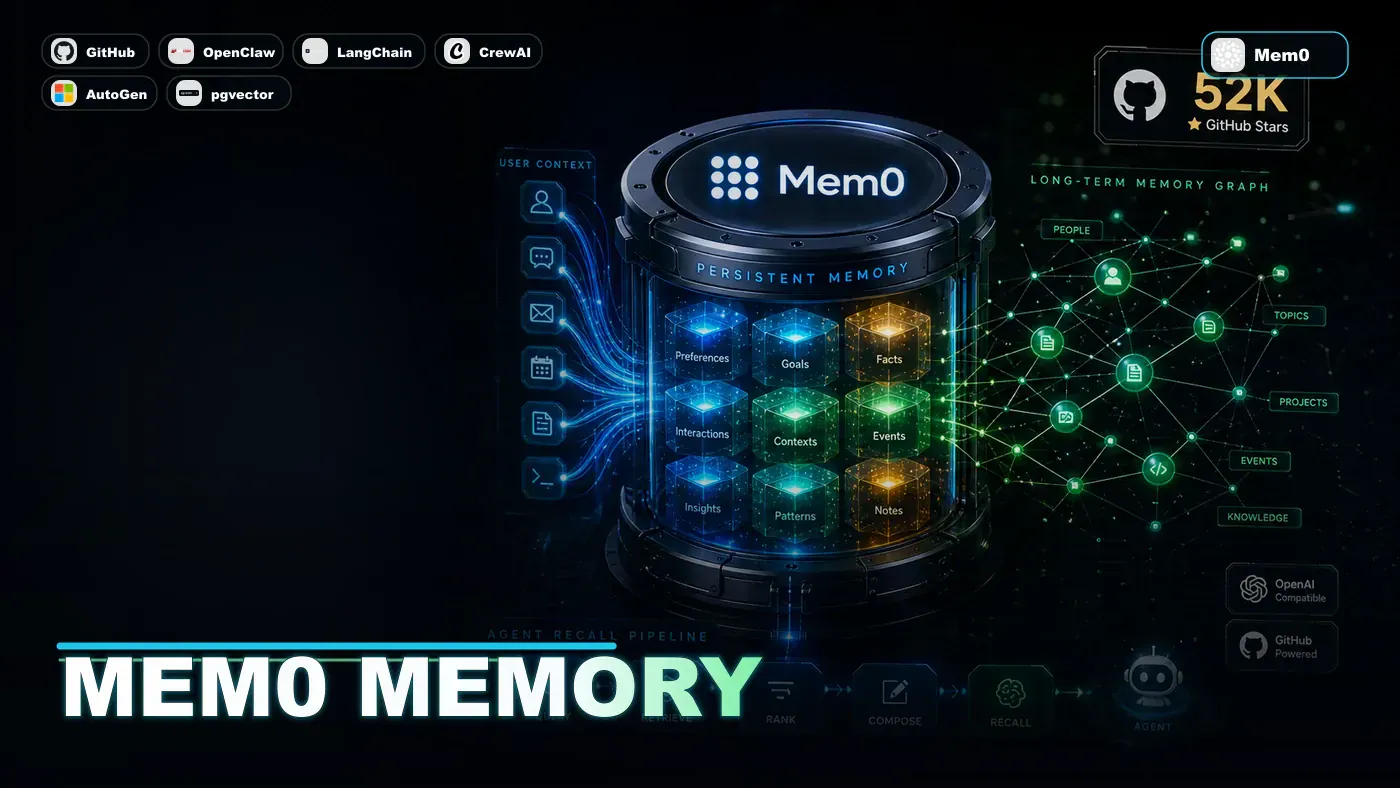
That gap is what memory systems try to close, and Mem0 (opens in a new tab) is the open-source project most people reach for when they want to add it. It sits between your AI agent and a database, deciding what's worth keeping, what to throw away, and how to find the right detail again three weeks later. It's reportedly the most widely used memory layer in the open-source agent world, and its GitHub repo has somewhere around 50,000 to 60,000 stars depending on when you check.
What follows is a look at how a system like this works underneath. A note before we go further: Mem0's own documentation (opens in a new tab) describes its architecture differently from the four-layer model laid out below, organising memory by scope (conversation, session, user, organisation) and backing it with a vector store, a graph store, and a key-value store. The four-tier breakdown here is a useful mental model for how agent memory tends to work in general, but treat the specific database mappings and performance numbers as illustrative rather than as Mem0's published spec. The verified pieces are flagged as we reach them.
The Memory Hierarchy
One way to think about agent memory is as four layers, each tuned for a different job. (This tiered model is a common pattern in the field; it does not map one-to-one onto Mem0's documented layout.)
Short-Term Memory (Redis)
Purpose: Immediate context. The last few turns of the conversation, who's being talked about, what task is still open.
Implementation: Reportedly Redis with TTL (time-to-live) expiry, so data ages out on its own after a set window (described as defaulting to 24 hours, though that figure isn't confirmed in Mem0's public docs).
Access Pattern: O(1) lookups by conversation ID. Sub-millisecond retrieval, by these accounts.
Size: Roughly 10-100KB per active conversation, going by the same unconfirmed figures.
Long-Term Memory (Vector Store)
Purpose: Facts and relationships worth keeping. The stuff pulled out of conversations that should stick around indefinitely.
Implementation: A vector database with embedding-based retrieval. Mem0 does genuinely support pluggable vector stores here, including pgvector, Pinecone, and Weaviate (opens in a new tab) (plus Qdrant and Chroma). Each memory is embedded and stored alongside its metadata.
Access Pattern: Semantic similarity search, so it finds memories related to whatever's being discussed. Retrieval in the 10-50ms range, though that latency figure is illustrative rather than an official benchmark.
Size: Grows with use. Deployments storing anywhere from 100K to 10M memories are cited, again as ballpark rather than published numbers.
Episodic Memory (PostgreSQL)
Purpose: Full conversation histories, kept word-for-word so context can be rebuilt later or audited.
Implementation: Reportedly PostgreSQL using JSONB columns for a flexible schema, partitioned by date to keep queries fast. Mem0's docs describe episodic memory as a memory *type* (summaries of past interactions) rather than confirming this specific Postgres setup, so take the implementation detail as unverified.
Access Pattern: Time-range queries and full-text search, used when the agent needs to dig up a specific past conversation.
Size: The biggest layer of the lot. Deployments in the 1GB-100GB range are cited, depending on how much talking happens. Unverified.
Working Memory (In-Memory)
Purpose: What the agent is focused on right now. Active goals, its read on what the user actually wants, the state of the conversation.
Implementation: In-memory data structures held per conversation. They vanish when the conversation ends, but can be rebuilt from the other layers on restart.
Access Pattern: Direct memory access. Microsecond retrieval.
Size: Tiny, usually 1-10KB per conversation.
The Memory Lifecycle
When a user sends a message, it moves through a few stages before anything gets remembered. Mem0's published architecture (described in its arXiv paper (opens in a new tab) on production-ready long-term memory) does use LLM-based extraction, deduplication, and a graph layer for relationships, so the broad shape below is a fair paraphrase. The exact named steps and an explicit scoring threshold aren't verbatim from the docs.
1. Ingestion
The raw message goes into short-term and episodic memory, and working memory updates with the new context.
2. Importance Scoring
An LLM weighs up whether the message holds anything worth keeping for the long haul. It looks at things like:
- Direct cues ("remember that...", "my preference is...")
- Implicit signals (a schedule change, a stated preference)
- Contradictions with what's already stored
- New people, projects, or relationships
Only what clears a threshold gets promoted to long-term memory.
3. Deduplication
Before anything lands in long-term memory, Mem0 checks for duplicates and near-duplicates. If something similar already exists, the new detail gets merged in rather than spawning a second copy.
4. Relationship Extraction
Names, concepts, and the links between them get pulled out and connected. Mention "the Alpha project" and "John," and a relationship gets drawn between the two. This part lines up with Mem0's documented Graph Memory (opens in a new tab), which is built to capture relationships between entities rather than relying on similarity alone.
5. Embedding and Storage
Memories that make the cut get embedded with the configured model and written to the vector database with their full metadata.
The Retrieval Pipeline
When the agent needs context back, it doesn't just run one search. The memories come through several stages.
Stage 1: Short-Term Context
Recent turns are pulled straight from Redis. Immediate context, effectively no wait.
Stage 2: Semantic Search
The current query gets embedded and used to search long-term memory, returning the top handful of closest matches.
Stage 3: Entity Expansion
The system spots the people and projects mentioned in the conversation and pulls every memory tied to them, even ones that wouldn't surface on similarity alone.
Stage 4: Temporal Relevance
Memories that were used recently get a boost, which keeps whatever's currently on the table near the top.
Stage 5: Deduplication and Ranking
Everything retrieved is deduplicated, ranked by a combined relevance score, and trimmed to fit the agent's context window.
Conflict Resolution
When new information clashes with something already stored, Mem0 doesn't just paint over the old version. The reported behaviour is to:
- Keep both versions with timestamps
- Track a confidence score for each
- Note where each claim came from
- Flag the contradiction so the agent can sort it out
It's a sensible way to handle the fact that "facts" don't sit still. A meeting gets moved, a preference shifts, a project changes shape.
Privacy Architecture
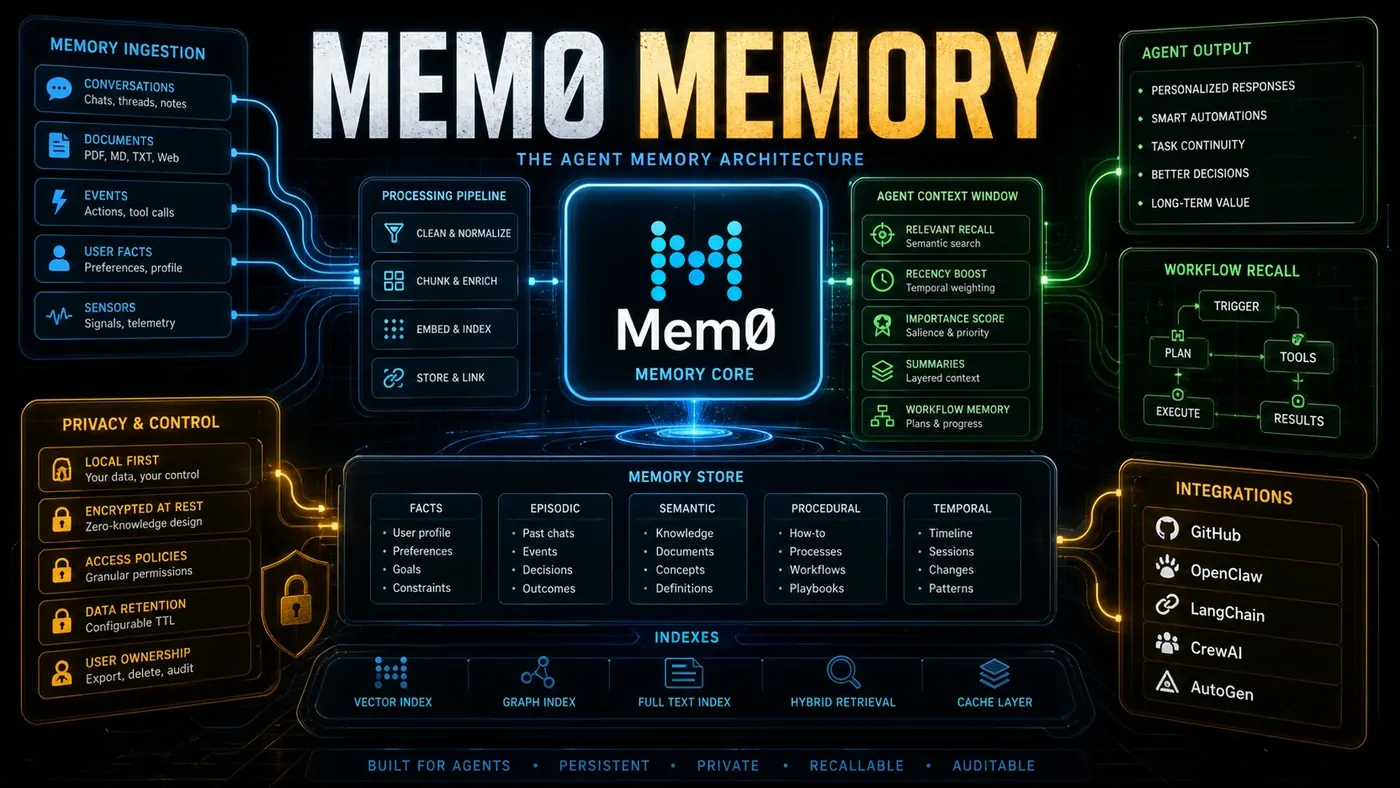
Per-user scoping is a real Mem0 feature: memories are tied to individual users rather than pooled. The fuller list below reads more like a generic enterprise wishlist, and most of it could not be confirmed against Mem0's public sources, so treat these as reported rather than established:
- Per-user isolation: All memories scoped to individual users (this one checks out)
- Encryption at rest: AES-256 on stored data (unconfirmed)
- Access controls: Granular read/write permissions (unconfirmed)
- Retention policies: Configurable lifetimes with automatic deletion (unconfirmed)
- Audit trails: Full logs of memory operations (unconfirmed)
- GDPR compliance: Full data export and deletion (unconfirmed)
Scalability
On paper, Mem0 scales the way most production data systems do:
- Horizontal scaling: API servers behind a load balancer
- Read replicas: PostgreSQL and vector store replicas for query load
- Caching: Layered caching (in-memory, then Redis, then disk)
- Batch processing: Memory ingestion batched for efficiency
- Archival: Old episodic memory pushed to cold storage
Production deployments are said to handle millions of memories at sub-50ms retrieval. Mem0 does market scalable long-term memory, and its paper reports latency and accuracy gains over baselines, but that specific "sub-50ms at millions of memories" production figure isn't something I could find in its official sources.
Integration Patterns
This is where it gets practical for most teams. Mem0 plugs into the common agent frameworks:
- LangChain: drop-in integration (the article cites a
Mem0Memoryclass; the exact class name wasn't confirmed) - CrewAI: memory shared between crew members
- AutoGen: persistent memory across multi-agent conversations (Microsoft's AutoGen docs do include a Mem0 page)
- OpenClaw: a Mem0 connector that reportedly handles skill state, available as a plugin (opens in a new tab) rather than a built-in feature
- REST API: direct HTTP for custom work
- SDKs: Python and JavaScript/TypeScript are confirmed; a first-party Go SDK is mentioned but unconfirmed
The LangChain, CrewAI, and AutoGen integrations are documented and real. A few of the specifics around them are softer than the original article suggested.
Why It Works
The reason a layered approach makes sense is that it borrows from how people actually remember. We don't hold everything at the same weight. Some things stay top of mind, some fade within the day, some we carry for years. Splitting memory into tiers with different retention and retrieval behaviour gives an agent something closer to that, which is why it tends to feel natural and hold up in use.
The popularity is the easier part to verify: tens of thousands of GitHub stars say plenty of developers have found it worth building on. If you're running agents that need to remember between sessions, Mem0 is a strong starting point, with the caveat that you should read its own docs for the architecture rather than relying on the tidy four-layer story above.