




Analysis
If you've ever watched a job sit in a queue while one process grinds through it one step at a time, you already understand the problem Anthropic is going after.
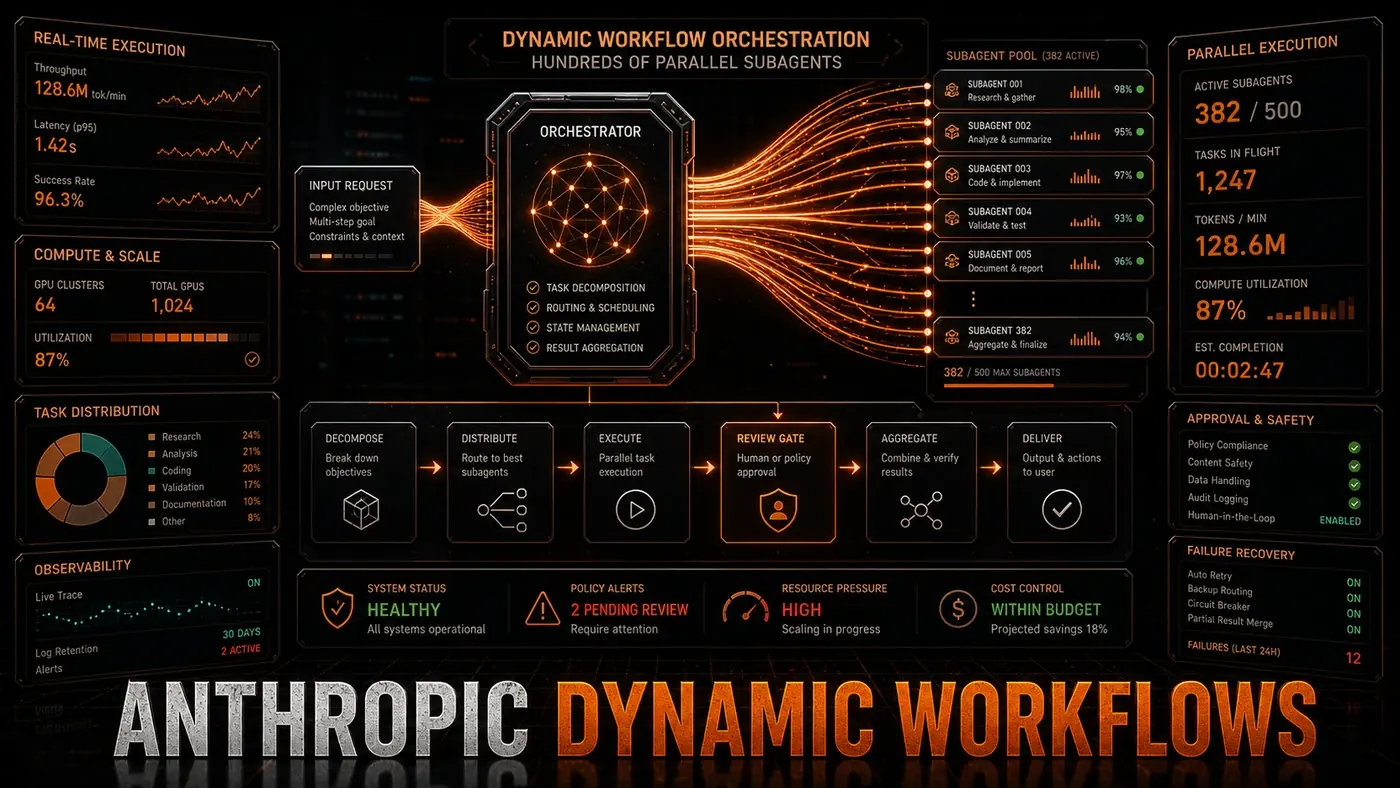
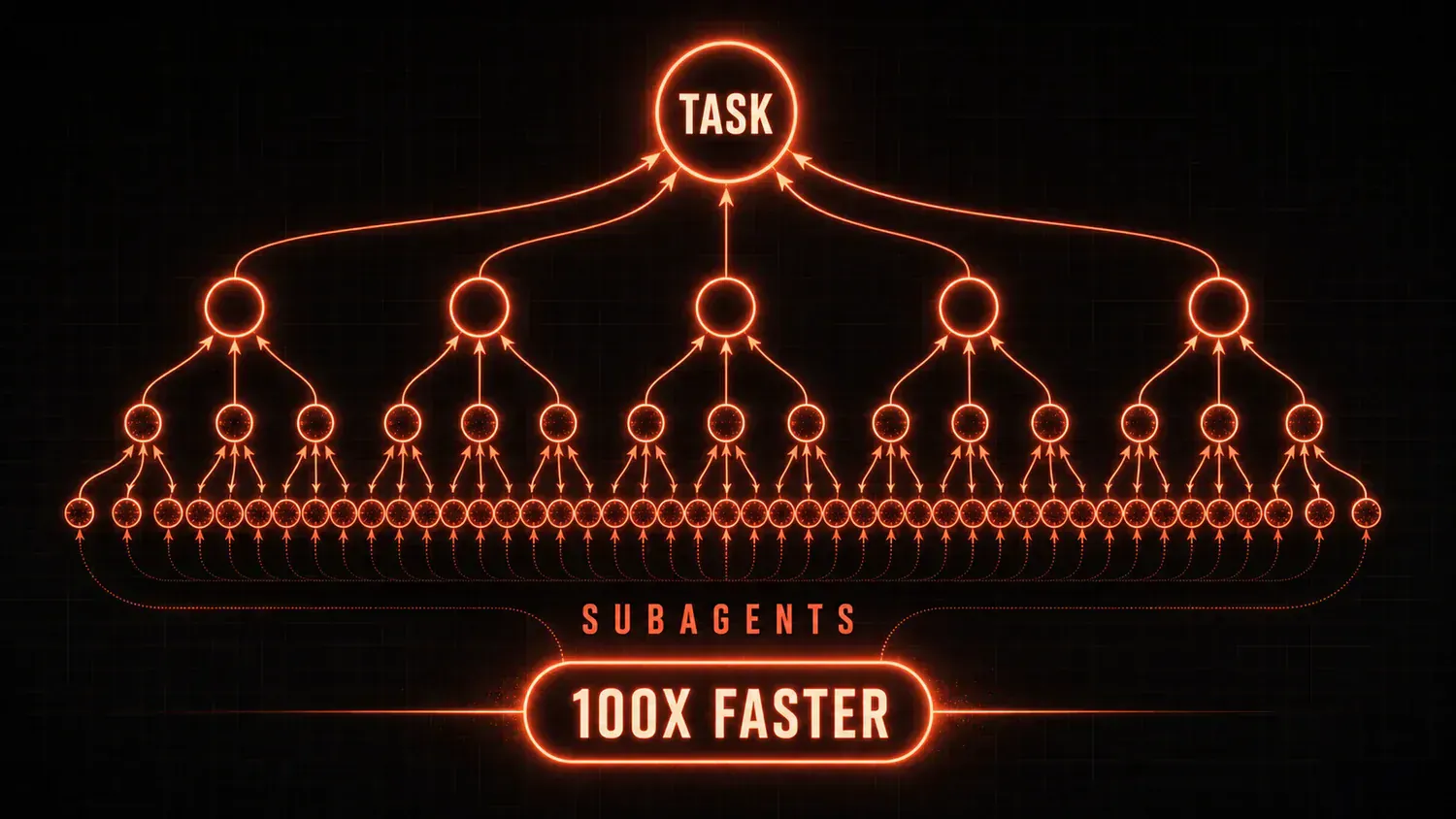
On 28 May 2026, alongside Claude Opus 4.8, Anthropic shipped a Claude Code feature called Dynamic Workflows (Anthropic, Introducing dynamic workflows in Claude Code (opens in a new tab)). The pitch is straightforward. Hand Claude a large, messy task, and instead of working through it alone, it writes a short program that splits the work up, hands each piece to a separate Claude "subagent," and runs them at the same time. Then it checks the pieces and combines them into one answer.
The headline demo Anthropic put forward wasn't a slide of benchmarks. It was a real port of the Bun JavaScript runtime's code from Zig to Rust: roughly 750,000 lines, a 99.8% pass rate against the existing test suite, and eleven days from first commit to merge (MarkTechPost, Bun's Zig-to-Rust port (opens in a new tab)). That's the kind of job that would normally tie up a senior team for weeks.
For Australian business teams, the "so what" is this: work that used to be done one slow step at a time can now be fanned out across many workers at once. That can turn an afternoon into a coffee break. It can also burn through a lot more tokens than a normal session, so it's worth understanding before you point it at your codebase.
How It Works
Dynamic Workflows runs in three rough stages: breaking the task down, doing the work, and pulling it back together.
First, the breakdown. Claude reads the task and splits it into smaller subtasks. You can do this yourself by spelling out what each subagent should handle, or you can let Claude plan it. The automatic mode earns its keep on open-ended work, where you don't know the best way to carve up the job until you've started (MarkTechPost, Dynamic Workflows activation and behaviour (opens in a new tab)). It kicks in when you put "workflow" in a prompt, switch on the "ultracode" setting, or run the bundled /deep-research workflow.
Worth being clear on the mechanics, because the framing matters: this isn't a generic developer API you call from your own app. It's a Claude Code feature. Claude writes a JavaScript script that orchestrates the subagents, and that script runs inside Claude Code on the CLI, Desktop, or VS Code. The script itself can't touch the filesystem or shell; only the agents can.
Second, the work. Each subtask goes to a Claude instance with the right tools for the job, and the subagents run side by side rather than one after another. Anthropic caps this: up to 16 agents running concurrently, and up to 1,000 agents in total across a single run (MarkTechPost, concurrency limits (opens in a new tab)). Reports also describe subagents being able to assign work to a model that suits the subtask, though the exact per-subagent model logic isn't documented. One detail floated in early write-ups, but not confirmed by Anthropic, is a shared store where subagents drop and pick up intermediate results; treat that as unconfirmed for now.
Third, the synthesis. The outputs from all the subagents get combined into the final result. Anthropic's account also describes a refutation-and-iteration step and a verification pass before anything is returned, so the system isn't just gluing fragments together; it's checking them. How the merge happens depends on the task and the output you need.
Use Cases and Performance
Dynamic Workflows shines on work that splits cleanly. Reviewing a large codebase divides by file or module, with a subagent on each piece. Research synthesis splits by source or topic. Data analysis splits by partition. Support triage splits by ticket type. If a task naturally breaks into chunks that don't depend on each other, this is where it fits.
On speed, the honest version is hedged. Anthropic hasn't published a tidy benchmark table for these scenarios. Early secondary coverage offered an illustrative estimate that a research-and-synthesis job might drop from roughly 40 minutes to somewhere around 8 to 12 minutes (MarkTechPost, research/synthesis estimate (opens in a new tab)). Specific figures that circulated for other tasks (for example, a 45-minute security audit finishing in under 3 minutes, or a 2-hour synthesis finishing in 8) aren't backed by any Anthropic source, so don't bank on them. As a rule of thumb, more agents means more speed on parallel work, up to the point where coordinating them starts eating the gains.
Cost is the part to watch. Anthropic's own warning is blunt: a dynamic workflow can chew through far more tokens than a typical Claude Code session. You're paying for every subagent's work. There's a tempting line of reasoning that running 50 agents in parallel costs the same as 50 sequential requests, no discount and no penalty, but Anthropic hasn't confirmed that pricing, so it's better read as plausible than settled. The trade is speed for spend. If you need the answer fast and the budget can wear it, parallel is the move. If cost is the binding constraint, doing it sequentially is cheaper.
The New Compute Paradigm
There's a real shift in how AI work gets done here. For most of the short history of these tools, inference has been sequential: one prompt, one response. Even a long back-and-forth is still a chain, each turn waiting on the last. Dynamic Workflows runs many inference jobs at once and combines what comes back.
That changes a few things downstream. Providers have to support a lot of concurrent inference without latency falling apart. Pricing starts to think in terms of a whole "workflow" rather than a single request, with the bill driven by how many subagents you run, how long they take, and what the merge costs. And capability-wise, a team of agents can chew through problems that won't fit in one model's context window or that strain a single model's reasoning.
Anthropic Dynamic Workflows: answer-first summary
Anthropic Dynamic Workflows matters because it can change how Founders and operators plan, build, or govern an AI implementation workflow. Anthropic's Dynamic Workflows lets developers run hundreds of parallel subagents.
The direct answer is this: do not treat the topic as a standalone trend. Treat it as a decision about inputs, outputs, review ownership, data exposure, and whether the workflow produces a result that is faster, safer, or more useful than the current process.
Anthropic Dynamic Workflows: implementation checklist
- Define the user, job to be done, and success metric for the AI implementation workflow.
- Collect real examples, policies, source files, customer questions, or search queries before writing prompts or choosing tools.
- Separate low-risk drafts from decisions that need approval, privacy checks, or senior review.
- Document what the AI is allowed to access, what it must not access, and who signs off before production use.
- Review time saved, quality score, review effort, business outcome after a small pilot rather than judging the idea from a demo.
This keeps the work practical. It also gives search engines and AI answer engines a clean factual structure: what the topic is, who it helps, what to do next, and which risks matter before implementation.
Decision criteria for Anthropic Dynamic Workflows
| Decision area | What to check | Production signal |
|---|---|---|
| Intent | Does Anthropic Dynamic Workflows solve a real workflow problem? | The use case has a named owner and measurable outcome. |
| Data | Can the required data be used safely? | Sensitive data is classified and access is controlled. |
| Quality | Can a reviewer judge the output consistently? | Examples, rubrics, or acceptance criteria exist. |
| Scale | Can the workflow be repeated without hero effort? | The process is documented and can be handed to another team member. |
Practical example for Anthropic Dynamic Workflows
A small business could use this article to choose one practical test. For example, a manager might take one customer-facing process, one internal document workflow, or one recurring content task and redesign only that step with AI support. The goal is not to automate the whole business at once; it is to learn where AI News creates reliable leverage.
The useful deliverable is a short operating note: the trigger, the source material, the prompt or tool, the review checklist, the escalation rule, and the metric. That note becomes the handover asset for staff training, SEO/GEO content, service delivery, or future agent work.
Risks and controls for Anthropic Dynamic Workflows
The common failure pattern is moving too quickly from a promising idea into an unmanaged workflow. For Anthropic Dynamic Workflows, the risk is not only bad output. It can also be unclear data permission, staff confusion, duplicate content, unreviewed customer advice, or a tool that quietly changes cost or capability.
- Control unclear use case with a named owner, a review step, and written acceptance criteria.
- Control weak data quality with a named owner, a review step, and written acceptance criteria.
- Control missing governance with a named owner, a review step, and written acceptance criteria.
- Control no measurement with a named owner, a review step, and written acceptance criteria.
Measurement plan for Anthropic Dynamic Workflows
A useful AI or SEO initiative should leave evidence. Track time saved, quality score, review effort, business outcome and compare the pilot against the current process. If the measure does not improve, keep the learning but avoid scaling the workflow.
For GEO readiness, the page should also answer the core question directly, define the entities involved, include implementation steps, explain tradeoffs, and link readers to the next relevant AI Kick Start service, guide, tool, or article.
Definitions and entities for Anthropic Dynamic Workflows
For search, GEO, and staff handover, define the core entities in plain language. In this article the important entities are the workflow owner, the AI tool or model, the source material, the review process, the risk boundary, and the measurable business outcome. Clear definitions make the page easier for people to scan and easier for AI answer engines to quote accurately.
- Workflow owner: the person accountable for deciding whether Anthropic Dynamic Workflows belongs in the business process.
- Source material: the documents, examples, policies, URLs, prompts, videos, or customer questions that ground the output.
- Review boundary: the point where a human checks accuracy, privacy, brand voice, or customer impact before the result is used.
- Success metric: the measure that proves whether the AI implementation workflow is worth repeating.
Anthropic Dynamic Workflows versus doing nothing
Doing nothing is also a decision. The cost may be slow manual work, weaker search visibility, inconsistent advice, duplicated effort, or staff using unmanaged AI tools without a shared process. The practical question is whether a controlled pilot can reduce that cost without creating a larger governance problem.
| Option | When it makes sense | What to watch |
|---|---|---|
| Do nothing | The workflow is rare, low value, or already reliable. | Competitors may improve speed, content depth, or service consistency first. |
| Run a small pilot | The task repeats often and has clear review criteria. | Keep scope tight and measure the result against the current process. |
| Build a production workflow | The pilot is repeatable and risk controls are documented. | Assign ownership, monitoring, training, and a rollback path. |
AI Kick Start handover package for Anthropic Dynamic Workflows
A production handover should be concrete enough that another person can run it. For Anthropic Dynamic Workflows, that means a short brief, a workflow map, approved prompts or tool settings, source material, a review checklist, internal links to supporting resources, and a simple measurement sheet. This is the difference between reading about AI and turning it into operational capability.
That packaging also strengthens E-E-A-T. It shows experience through implementation notes, expertise through decision criteria, authoritativeness through source-aware structure, and trust through risks, controls, and review steps. The article becomes useful even if the reader never buys a tool because it helps them make a better operational decision.