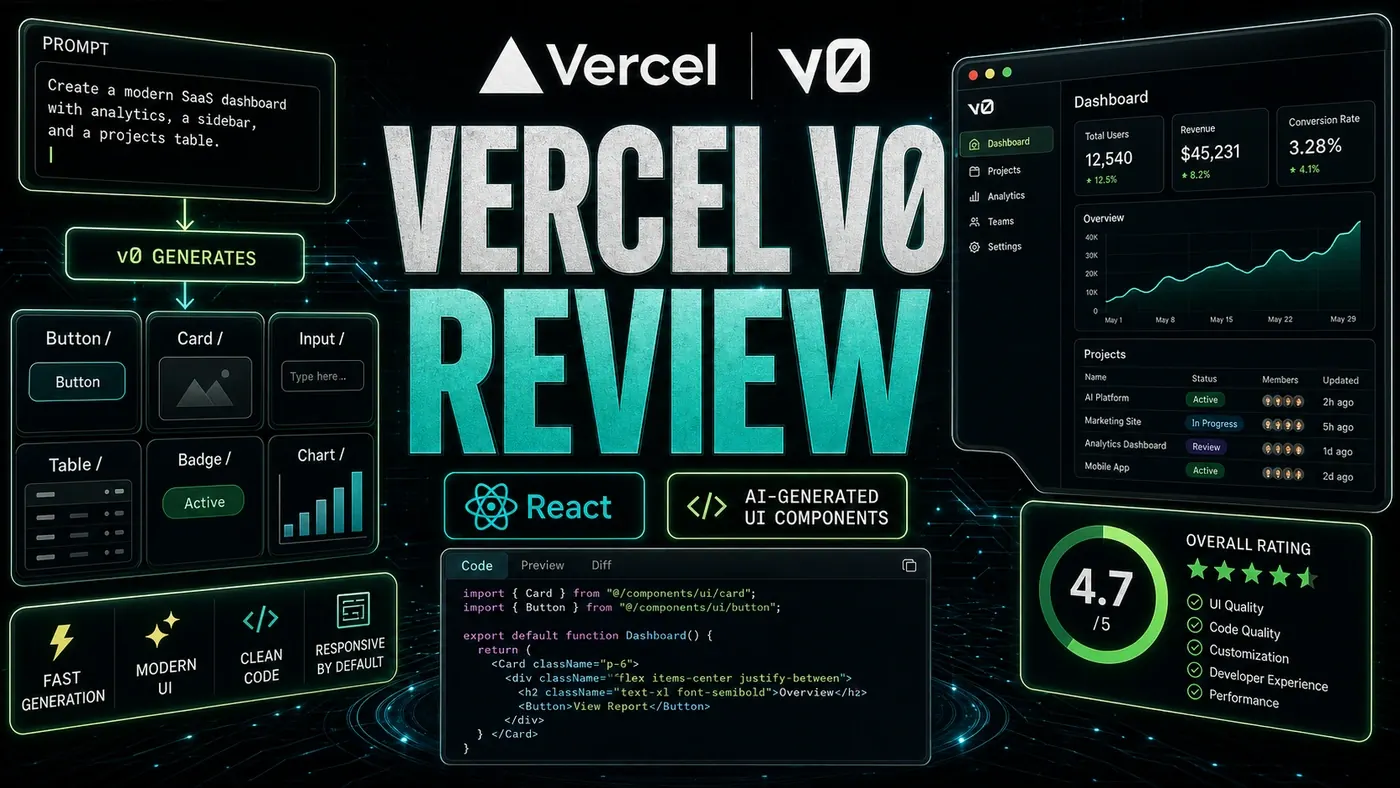




Vercel v0 Review: AI-Generated UI Components
TL;DR: v0 is the strongest AI UI generator we've tested for React. The components come out close to production-ready, the design matches what you ask for, and the code follows current patterns. Pricing is fair for what you get. If you build frontends and want to skip the slow early stages, it's worth your time.
By Daniel Fleuren
Ask a developer how they start a new screen and you'll usually hear the same thing: a blank file, a coffee, and an hour of fiddling before anything looks like a product. Vercel's v0 wants to delete that hour. You type a sentence describing what you need, and a working React component shows up, styled and ready to drop in.
That pitch has been around for a couple of years now, and most tools that made it never lived up to it. The output looked like a demo, not something you'd ship. So we sat down and put v0 through real work to see whether it had crossed that line.
For an Australian business team, the question isn't whether the demo is clever. It's whether a small dev team can lean on this to move faster without inheriting a mess they have to clean up later. On that front, v0 held up better than we expected. The catch is the pricing, which v0's own marketing has muddied, so read the cost section before you sign anyone up.
What Is v0?
v0 is Vercel's AI UI generator (opens in a new tab). The idea is simple: describe a piece of interface, get back code you can use.
- Text to UI, write what you want and it builds it
- Image to UI, upload a screenshot or a sketch (opens in a new tab) and it matches the design
- Interactive refinement, chat to adjust the result (opens in a new tab) instead of editing by hand
- Export to code, Next.js and React are well supported; plain HTML export is reportedly available too, though we couldn't confirm that path in the official docs
- shadcn/ui components, it builds on the shadcn/ui library (opens in a new tab) rather than rolling its own
- Tailwind CSS, utility-first styling (opens in a new tab) throughout
Price: A free tier with a monthly credit allowance and a daily message limit, then a Pro plan at $20/mo (opens in a new tab). Note that v0's credits are dollar-based, not a fixed count of generations, despite some figures floating around online (more on that below).
Generation Quality
We ran 15 component requests through it. Here's how a sample scored on our own bench:
| Request | Design Accuracy | Code Quality | Usable? |
|---|---|---|---|
| Dashboard card | 9/10 | 9/10 | Yes |
| Login form | 9/10 | 9/10 | Yes |
| Data table with sorting | 8/10 | 8/10 | Yes |
| Navigation bar | 8/10 | 8/10 | Yes |
| Pricing page | 9/10 | 8/10 | Yes |
| Modal dialog | 8/10 | 9/10 | Yes |
| Calendar widget | 7/10 | 7/10 | With tweaks |
Across the full set we landed on roughly 8.3/10 for design and 8.3/10 for code. These are our own subjective scores from hands-on testing, not benchmarks anyone else can replicate, but the headline for us was consistency. Most tools have a good day and a bad day. v0 mostly had good days.
Refinement Chat
Once a component exists, you keep talking to it:
"Make the card wider, add a shadow, and change the button to blue"
v0 makes the edit and shows you the change. For small adjustments this beats opening the file and doing it yourself, and it's the part of the workflow we reached for most often.
Pros and Cons
| Pros | Cons |
|---|---|
| Near production-ready code | Credit limits on the free tier |
| Fast generation | React and Next.js only |
| Strong refinement chat | Complex layouts still need a human pass |
| Builds on standard libraries | Limited deep customisation |
| Easy export | Needs a Vercel sign-in |
Verdict
Score: 8.6/10
v0 is the quickest way we've found to turn a description into a usable React component. The code isn't throwaway prototype work; it's the kind you can keep. For a frontend team, it clears out the tedious first pass on UI and lets people start from something real. That score reflects our own testing rather than any external rating, but it earned it. Recommended, with one eye on how the credits add up for your team.
*Published June 23, 2026 | v0 tested on the free tier*
Vercel v0 Review: answer-first summary
Vercel v0 Review matters because it can change how Founders and operators plan, build, or govern an tool evaluation workflow. v0 generates React components from text descriptions and images.
The direct answer is this: do not treat the topic as a standalone trend. Treat it as a decision about inputs, outputs, review ownership, data exposure, and whether the workflow produces a result that is faster, safer, or more useful than the current process.
Vercel v0 Review: implementation checklist
- Define the user, job to be done, and success metric for the tool evaluation workflow.
- Collect real examples, policies, source files, customer questions, or search queries before writing prompts or choosing tools.
- Separate low-risk drafts from decisions that need approval, privacy checks, or senior review.
- Document what the AI is allowed to access, what it must not access, and who signs off before production use.
- Review time to value, adoption rate, cost per workflow, quality review score after a small pilot rather than judging the idea from a demo.
This keeps the work practical. It also gives search engines and AI answer engines a clean factual structure: what the topic is, who it helps, what to do next, and which risks matter before implementation.
Decision criteria for Vercel v0 Review
| Decision area | What to check | Production signal |
|---|---|---|
| Intent | Does Vercel v0 Review solve a real workflow problem? | The use case has a named owner and measurable outcome. |
| Data | Can the required data be used safely? | Sensitive data is classified and access is controlled. |
| Quality | Can a reviewer judge the output consistently? | Examples, rubrics, or acceptance criteria exist. |
| Scale | Can the workflow be repeated without hero effort? | The process is documented and can be handed to another team member. |
Practical example for Vercel v0 Review
A small business could use this article to choose one practical test. For example, a manager might take one customer-facing process, one internal document workflow, or one recurring content task and redesign only that step with AI support. The goal is not to automate the whole business at once; it is to learn where AI Tools creates reliable leverage.
The useful deliverable is a short operating note: the trigger, the source material, the prompt or tool, the review checklist, the escalation rule, and the metric. That note becomes the handover asset for staff training, SEO/GEO content, service delivery, or future agent work.
Risks and controls for Vercel v0 Review
The common failure pattern is moving too quickly from a promising idea into an unmanaged workflow. For Vercel v0 Review, the risk is not only bad output. It can also be unclear data permission, staff confusion, duplicate content, unreviewed customer advice, or a tool that quietly changes cost or capability.
- Control tool sprawl with a named owner, a review step, and written acceptance criteria.
- Control unclear pricing with a named owner, a review step, and written acceptance criteria.
- Control vendor lock-in with a named owner, a review step, and written acceptance criteria.
- Control unreviewed data sharing with a named owner, a review step, and written acceptance criteria.
Measurement plan for Vercel v0 Review
A useful AI or SEO initiative should leave evidence. Track time to value, adoption rate, cost per workflow, quality review score and compare the pilot against the current process. If the measure does not improve, keep the learning but avoid scaling the workflow.
For GEO readiness, the page should also answer the core question directly, define the entities involved, include implementation steps, explain tradeoffs, and link readers to the next relevant AI Kick Start service, guide, tool, or article.
Definitions and entities for Vercel v0 Review
For search, GEO, and staff handover, define the core entities in plain language. In this article the important entities are the workflow owner, the AI tool or model, the source material, the review process, the risk boundary, and the measurable business outcome. Clear definitions make the page easier for people to scan and easier for AI answer engines to quote accurately.
- Workflow owner: the person accountable for deciding whether Vercel v0 Review belongs in the business process.
- Source material: the documents, examples, policies, URLs, prompts, videos, or customer questions that ground the output.
- Review boundary: the point where a human checks accuracy, privacy, brand voice, or customer impact before the result is used.
- Success metric: the measure that proves whether the tool evaluation workflow is worth repeating.
Vercel v0 Review versus doing nothing
Doing nothing is also a decision. The cost may be slow manual work, weaker search visibility, inconsistent advice, duplicated effort, or staff using unmanaged AI tools without a shared process. The practical question is whether a controlled pilot can reduce that cost without creating a larger governance problem.
| Option | When it makes sense | What to watch |
|---|---|---|
| Do nothing | The workflow is rare, low value, or already reliable. | Competitors may improve speed, content depth, or service consistency first. |
| Run a small pilot | The task repeats often and has clear review criteria. | Keep scope tight and measure the result against the current process. |
| Build a production workflow | The pilot is repeatable and risk controls are documented. | Assign ownership, monitoring, training, and a rollback path. |
AI Kick Start handover package for Vercel v0 Review
A production handover should be concrete enough that another person can run it. For Vercel v0 Review, that means a short brief, a workflow map, approved prompts or tool settings, source material, a review checklist, internal links to supporting resources, and a simple measurement sheet. This is the difference between reading about AI and turning it into operational capability.
That packaging also strengthens E-E-A-T. It shows experience through implementation notes, expertise through decision criteria, authoritativeness through source-aware structure, and trust through risks, controls, and review steps. The article becomes useful even if the reader never buys a tool because it helps them make a better operational decision.