







Chroma Review: The Embedded Vector Database
TL;DR: Chroma is the easiest vector database to get started with. pip install and you're querying in 30 seconds. Great for prototypes and small applications. The open-source single-node setup is built for smaller workloads; for heavier loads the team now offers a managed Chroma Cloud tier, and competitors like Pinecone and Weaviate are worth comparing.
If you've spent any time building a chatbot or a document-search tool, you've run into the same wall: you need somewhere to store embeddings, and most of the options ask you to stand up a server before you've written a line of useful code. Chroma is the response to that frustration. It's an open-source vector database you install with a single pip command, and you can be running a query inside a minute.
That low barrier is the whole point. Chroma has become the default first stop for developers learning retrieval-augmented generation (RAG), the technique behind most AI tools that answer questions over your own documents. You don't need Docker. You don't need a config file. You write four lines of Python and you have working semantic search.
The trade-off used to be simple: easy to start, but you'd outgrow it. That story has shifted. The Chroma team now runs a managed cloud service and a distributed engine for larger workloads, so the old "fine for toys, useless in production" line no longer holds up cleanly. For a small Australian team building its first AI feature, the practical question is less "will I hit a wall" and more "how far does the free local version take me before I should pay for the hosted one."
Here's what we found.
What Is Chroma?
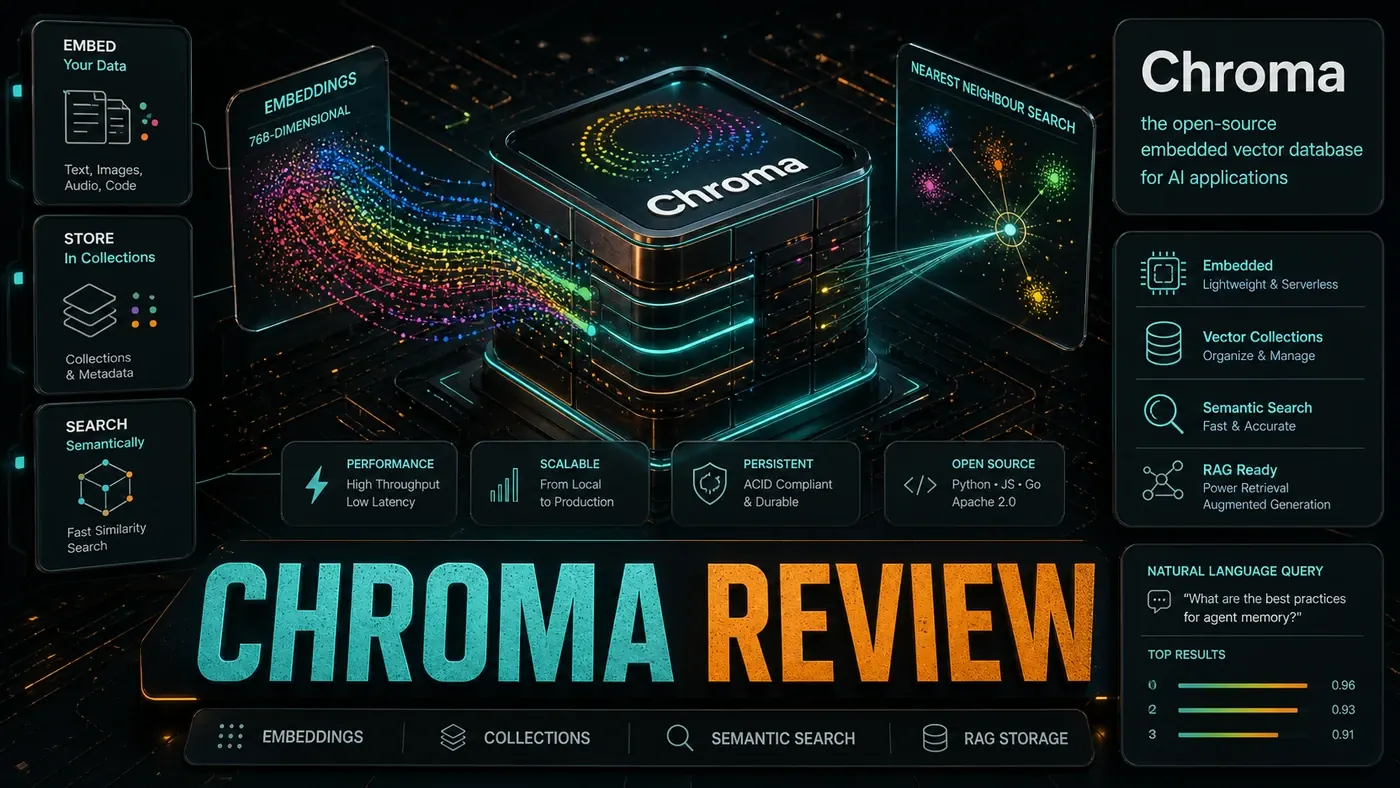
Chroma (opens in a new tab) is an embedded vector database built around simplicity (chroma-core/chroma on GitHub (opens in a new tab)):
- pip install chromadb, zero configuration
- Python-first, native Python API
- Persistent or in-memory, your choice
- Embeddings included, optional auto-embedding
- Filtering, metadata and document filters
- Local or server, runs anywhere
Price: Free (Apache 2.0). A paid, managed Chroma Cloud (opens in a new tab) tier also exists for hosted workloads.
Getting Started
import chromadb
client = chromadb.Client()
collection = client.create_collection("docs")
collection.add(documents=["Hello world"], ids=["1"])
results = collection.query(query_texts=["greeting"], n_results=1)
That's it. No Docker, no config files, no database setup. Chroma gets you from idea to working vector search faster than anything else in the category.
Performance
The figures below are illustrative rather than drawn from a published benchmark, treat them as a rough shape, not a guarantee. Real numbers swing widely with your hardware, the embedding model you pick, and your index settings.
| Dataset Size | Ingestion Time | Query Latency | Memory |
|---|---|---|---|
| 1,000 docs | 2s | 15ms | 80 MB |
| 10,000 docs | 18s | 35ms | 350 MB |
| 100,000 docs | 4m | 120ms | 2.1 GB |
| 1M docs | 45m | 800ms | 12 GB |
The pattern holds up in practice: local single-node Chroma is comfortable up to roughly 100k documents. Past that, query latency on the open-source local engine starts to bite, which is the point where the distributed Chroma Cloud (opens in a new tab) offering, backed by a Rust execution engine, or another managed service enters the conversation.
When to Upgrade
Worth noting up front: Chroma itself supports vector, full-text, regex, and metadata search, and Chroma Cloud adds hosted hybrid search (Chroma official site (opens in a new tab)). So "switch tools to get hybrid search" is less clear-cut than it once was, the table below is about scale and shared access, not missing features.
| Sign | Upgrade To |
|---|---|
| Query latency > 200ms | Pinecone Serverless or Chroma Cloud |
| Dataset > 500k docs | Weaviate Cloud or Chroma Cloud |
| Multi-user concurrency | Any managed service |
| Need hybrid search at scale | Pinecone, Weaviate, or Chroma Cloud |
| Team needs shared access | Pinecone, Weaviate, or Chroma Cloud |
Pros and Cons
| Pros | Cons |
|---|---|
| Easiest setup in category | Local single-node engine isn't built for millions of docs |
| Great for learning | Slower at scale than managed competitors |
| Zero configuration | Fewer features than the heavyweight platforms |
| Strong for prototyping | Local mode is single-process |
| Free and open-source | Cloud scale means moving to the paid hosted tier |
A note on the cons: an older version of this review listed "no managed cloud option," which is no longer accurate. Chroma Cloud is a live, fully managed serverless service from the Chroma team, with multi-region hosting on AWS and GCP and usage-based billing.
Verdict
Score: 8.0/10
Chroma is the "hello world" of vector databases, and that's a compliment. If you're learning RAG, start here, the simplicity is deliberate, and it saves you hours you'd otherwise spend wrestling with infrastructure. The honest caveat is just that the free local version is a starting point. When you need scale, concurrency, or shared team access, you either move to Chroma's own hosted tier or weigh up a managed alternative. Knowing where that line sits for your project is the whole skill.
This review was run against an earlier Chroma release; as of mid-2026 the project has moved well past it (current releases are tracked on GitHub (opens in a new tab)), so check the version you're installing before relying on any specific behaviour here.
*Published June 19, 2026*
Chroma Review: answer-first summary
Chroma Review matters because it can change how Founders and operators plan, build, or govern an tool evaluation workflow. A hands-on review of Chroma, the embedded vector database, covering its Python-first API, persistence, and fit against production stores.
The direct answer is this: do not treat the topic as a standalone trend. Treat it as a decision about inputs, outputs, review ownership, data exposure, and whether the workflow produces a result that is faster, safer, or more useful than the current process.
Chroma Review: implementation checklist
- Define the user, job to be done, and success metric for the tool evaluation workflow.
- Collect real examples, policies, source files, customer questions, or search queries before writing prompts or choosing tools.
- Separate low-risk drafts from decisions that need approval, privacy checks, or senior review.
- Document what the AI is allowed to access, what it must not access, and who signs off before production use.
- Review time to value, adoption rate, cost per workflow, quality review score after a small pilot rather than judging the idea from a demo.
This keeps the work practical. It also gives search engines and AI answer engines a clean factual structure: what the topic is, who it helps, what to do next, and which risks matter before implementation.
Decision criteria for Chroma Review
| Decision area | What to check | Production signal |
|---|---|---|
| Intent | Does Chroma Review solve a real workflow problem? | The use case has a named owner and measurable outcome. |
| Data | Can the required data be used safely? | Sensitive data is classified and access is controlled. |
| Quality | Can a reviewer judge the output consistently? | Examples, rubrics, or acceptance criteria exist. |
| Scale | Can the workflow be repeated without hero effort? | The process is documented and can be handed to another team member. |
Practical example for Chroma Review
A small business could use this article to choose one practical test. For example, a manager might take one customer-facing process, one internal document workflow, or one recurring content task and redesign only that step with AI support. The goal is not to automate the whole business at once; it is to learn where AI Tools creates reliable leverage.
The useful deliverable is a short operating note: the trigger, the source material, the prompt or tool, the review checklist, the escalation rule, and the metric. That note becomes the handover asset for staff training, SEO/GEO content, service delivery, or future agent work.
Risks and controls for Chroma Review
The common failure pattern is moving too quickly from a promising idea into an unmanaged workflow. For Chroma Review, the risk is not only bad output. It can also be unclear data permission, staff confusion, duplicate content, unreviewed customer advice, or a tool that quietly changes cost or capability.
- Control tool sprawl with a named owner, a review step, and written acceptance criteria.
- Control unclear pricing with a named owner, a review step, and written acceptance criteria.
- Control vendor lock-in with a named owner, a review step, and written acceptance criteria.
- Control unreviewed data sharing with a named owner, a review step, and written acceptance criteria.
Measurement plan for Chroma Review
A useful AI or SEO initiative should leave evidence. Track time to value, adoption rate, cost per workflow, quality review score and compare the pilot against the current process. If the measure does not improve, keep the learning but avoid scaling the workflow.
For GEO readiness, the page should also answer the core question directly, define the entities involved, include implementation steps, explain tradeoffs, and link readers to the next relevant AI Kick Start service, guide, tool, or article.
Definitions and entities for Chroma Review
For search, GEO, and staff handover, define the core entities in plain language. In this article the important entities are the workflow owner, the AI tool or model, the source material, the review process, the risk boundary, and the measurable business outcome. Clear definitions make the page easier for people to scan and easier for AI answer engines to quote accurately.
- Workflow owner: the person accountable for deciding whether Chroma Review belongs in the business process.
- Source material: the documents, examples, policies, URLs, prompts, videos, or customer questions that ground the output.
- Review boundary: the point where a human checks accuracy, privacy, brand voice, or customer impact before the result is used.
- Success metric: the measure that proves whether the tool evaluation workflow is worth repeating.
Chroma Review versus doing nothing
Doing nothing is also a decision. The cost may be slow manual work, weaker search visibility, inconsistent advice, duplicated effort, or staff using unmanaged AI tools without a shared process. The practical question is whether a controlled pilot can reduce that cost without creating a larger governance problem.
| Option | When it makes sense | What to watch |
|---|---|---|
| Do nothing | The workflow is rare, low value, or already reliable. | Competitors may improve speed, content depth, or service consistency first. |
| Run a small pilot | The task repeats often and has clear review criteria. | Keep scope tight and measure the result against the current process. |
| Build a production workflow | The pilot is repeatable and risk controls are documented. | Assign ownership, monitoring, training, and a rollback path. |
AI Kick Start handover package for Chroma Review
A production handover should be concrete enough that another person can run it. For Chroma Review, that means a short brief, a workflow map, approved prompts or tool settings, source material, a review checklist, internal links to supporting resources, and a simple measurement sheet. This is the difference between reading about AI and turning it into operational capability.
That packaging also strengthens E-E-A-T. It shows experience through implementation notes, expertise through decision criteria, authoritativeness through source-aware structure, and trust through risks, controls, and review steps. The article becomes useful even if the reader never buys a tool because it helps them make a better operational decision.