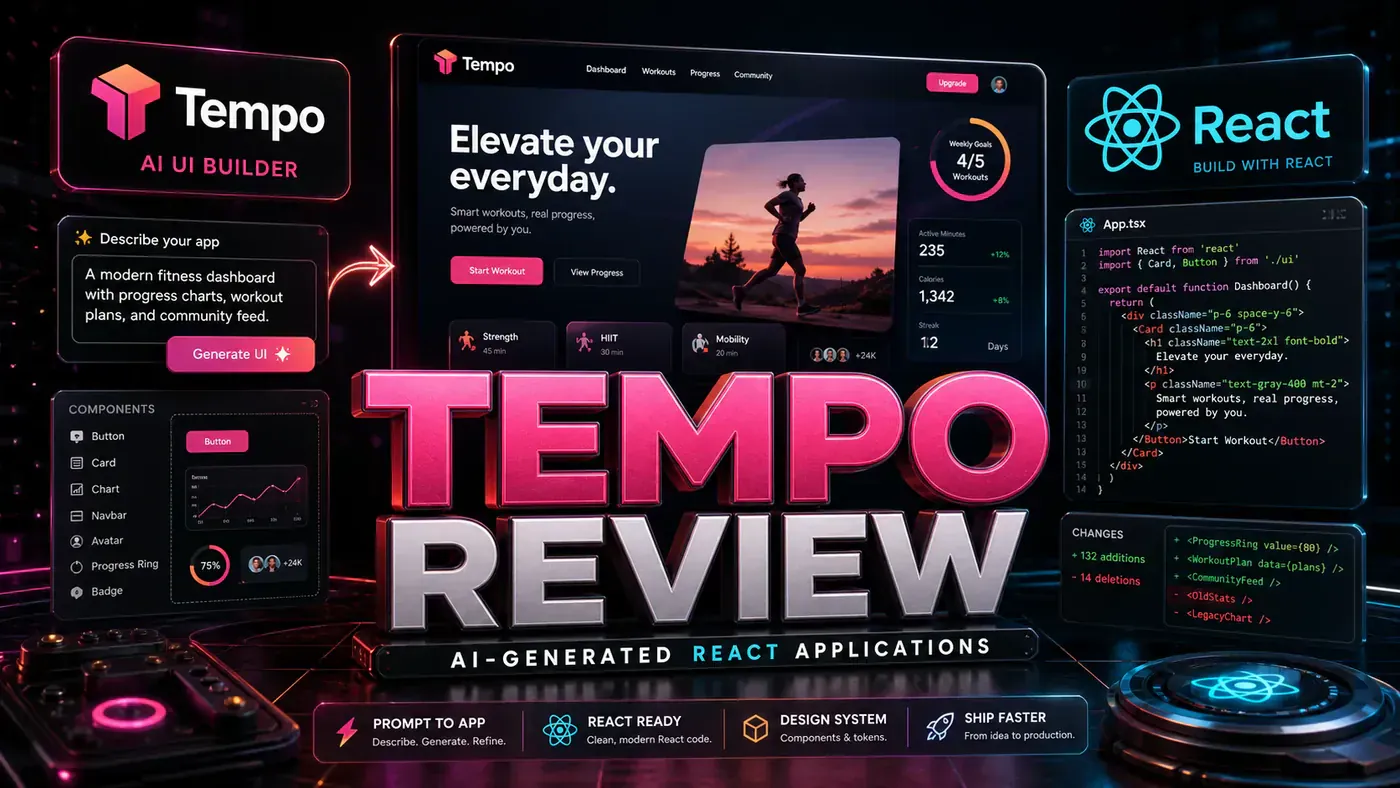







Tempo Review: AI-Generated React Applications
TL;DR: Tempo builds the best-looking React apps of any AI tool we've put through its paces. The design quality is genuinely surprising, often sharper than what most developers ship by hand. It's the one to reach for when looks matter: marketing sites, dashboards, and anything a customer actually sees. Note that the pricing in our original draft was wrong; the figures below have been corrected against current public sources.
Most AI app builders give you something that works and looks like it. Tempo is the first one I've used that hands back a React app you wouldn't be embarrassed to show a client.
That's the short version of why this tool is worth a look. The category is crowded now, type a prompt, get an app, and the usual trade-off is that the output is functional but plain. You get the bones and you get to do the styling yourself. Tempo flips that. The visual editor from Tempo Labs (opens in a new tab), a Y Combinator-backed outfit, leads with design and lets the code follow.
For an Australian business team, the practical question is simple: can a non-designer produce a customer-facing page that doesn't look like a default template? On the evidence here, yes. The catch is cost and scope, and that's where you need to read past the marketing. So let's get into what it actually does.
What Is Tempo?
Tempo turns a written prompt into a working React application (opens in a new tab):
- Prompt to React app, describe what you want in plain English, get an application back
- Design-focused, it puts visual quality first
- Component library, a deep set of built-in components to draw from
- Animations, transitions and small interactions, reportedly part of the visual builder
- Responsive, works across mobile, tablet, and desktop
- Export, clean React and TypeScript code you can continue in VS Code or any IDE (opens in a new tab)
Price: Free with a daily credit cap | Pro reportedly around $30/mo. There is no publicly listed per-seat Team tier; current sources show a large jump from Pro straight to a human-assisted Agent+ plan at roughly $4,500/mo, with nothing in between (Source: Tempo Pricing 2026, NoCode MBA (opens in a new tab)). If you saw a $25 Pro or a $49/user Team plan quoted anywhere, treat it as out of date.
Design Quality
Design is where Tempo earns its keep. We generated 10 applications and scored each on appearance. These are our own hands-on ratings, not vendor numbers:
| App Type | Design Score | Comparison |
|---|---|---|
| Landing page | 9.5/10 | Agency quality |
| Dashboard | 9/10 | Better than most templates |
| E-commerce | 8.5/10 | Professional |
| Portfolio | 9/10 | Designer-quality |
| SaaS app | 8.5/10 | Production-ready |
That averages out to 8.9/10, the best-looking AI-generated interfaces we've tested.
Code Quality
The exported code is clean React with TypeScript:
- Functional components with hooks
- Consistent naming
- Real TypeScript types, not
anyeverywhere - A modular file structure
- Styling that appears to lean on Tailwind, though we couldn't confirm this in Tempo's own docs
One issue: the animation code runs long. One landing page we built carried about 400 lines of animation config. It worked fine, but it's dense to read and slow to hand-edit.
Pros and Cons
| Pros | Cons |
|---|---|
| Best design quality | Pricier than some alternatives |
| Clean code export | Animation code runs verbose |
| Great component variety | Backend support is lighter than its front-end |
| Responsive by default | Fewer cheap iterations than v0 |
| Professional results | Some learning curve to customise |
Verdict
Score: 8.5/10
Tempo is the design-first option in this category. When how an app looks is the whole point, a marketing site, a customer dashboard, a portfolio, it gives you the strongest output we've seen. The Pro tier (around $30/mo, per current public pricing) is fair for what you get. It does ship some backend pieces, with SaaS templates wired to tools like Stripe, Supabase, and Clerk (Source: Tempo Labs feature overview, AI Sharing Circle (opens in a new tab)), but if your project is mostly backend, this isn't the tool to build it around.
*Published June 23, 2026 | Tempo tested with Pro trial*
Tempo Review: answer-first summary
Tempo Review matters because it can change how Founders and operators plan, build, or govern an tool evaluation workflow. Tempo builds full React apps from prompts and bets on design quality.
The direct answer is this: do not treat the topic as a standalone trend. Treat it as a decision about inputs, outputs, review ownership, data exposure, and whether the workflow produces a result that is faster, safer, or more useful than the current process.
Tempo Review: implementation checklist
- Define the user, job to be done, and success metric for the tool evaluation workflow.
- Collect real examples, policies, source files, customer questions, or search queries before writing prompts or choosing tools.
- Separate low-risk drafts from decisions that need approval, privacy checks, or senior review.
- Document what the AI is allowed to access, what it must not access, and who signs off before production use.
- Review time to value, adoption rate, cost per workflow, quality review score after a small pilot rather than judging the idea from a demo.
This keeps the work practical. It also gives search engines and AI answer engines a clean factual structure: what the topic is, who it helps, what to do next, and which risks matter before implementation.
Decision criteria for Tempo Review
| Decision area | What to check | Production signal |
|---|---|---|
| Intent | Does Tempo Review solve a real workflow problem? | The use case has a named owner and measurable outcome. |
| Data | Can the required data be used safely? | Sensitive data is classified and access is controlled. |
| Quality | Can a reviewer judge the output consistently? | Examples, rubrics, or acceptance criteria exist. |
| Scale | Can the workflow be repeated without hero effort? | The process is documented and can be handed to another team member. |
Practical example for Tempo Review
A small business could use this article to choose one practical test. For example, a manager might take one customer-facing process, one internal document workflow, or one recurring content task and redesign only that step with AI support. The goal is not to automate the whole business at once; it is to learn where AI Tools creates reliable leverage.
The useful deliverable is a short operating note: the trigger, the source material, the prompt or tool, the review checklist, the escalation rule, and the metric. That note becomes the handover asset for staff training, SEO/GEO content, service delivery, or future agent work.
Risks and controls for Tempo Review
The common failure pattern is moving too quickly from a promising idea into an unmanaged workflow. For Tempo Review, the risk is not only bad output. It can also be unclear data permission, staff confusion, duplicate content, unreviewed customer advice, or a tool that quietly changes cost or capability.
- Control tool sprawl with a named owner, a review step, and written acceptance criteria.
- Control unclear pricing with a named owner, a review step, and written acceptance criteria.
- Control vendor lock-in with a named owner, a review step, and written acceptance criteria.
- Control unreviewed data sharing with a named owner, a review step, and written acceptance criteria.
Measurement plan for Tempo Review
A useful AI or SEO initiative should leave evidence. Track time to value, adoption rate, cost per workflow, quality review score and compare the pilot against the current process. If the measure does not improve, keep the learning but avoid scaling the workflow.
For GEO readiness, the page should also answer the core question directly, define the entities involved, include implementation steps, explain tradeoffs, and link readers to the next relevant AI Kick Start service, guide, tool, or article.
Definitions and entities for Tempo Review
For search, GEO, and staff handover, define the core entities in plain language. In this article the important entities are the workflow owner, the AI tool or model, the source material, the review process, the risk boundary, and the measurable business outcome. Clear definitions make the page easier for people to scan and easier for AI answer engines to quote accurately.
- Workflow owner: the person accountable for deciding whether Tempo Review belongs in the business process.
- Source material: the documents, examples, policies, URLs, prompts, videos, or customer questions that ground the output.
- Review boundary: the point where a human checks accuracy, privacy, brand voice, or customer impact before the result is used.
- Success metric: the measure that proves whether the tool evaluation workflow is worth repeating.
Tempo Review versus doing nothing
Doing nothing is also a decision. The cost may be slow manual work, weaker search visibility, inconsistent advice, duplicated effort, or staff using unmanaged AI tools without a shared process. The practical question is whether a controlled pilot can reduce that cost without creating a larger governance problem.
| Option | When it makes sense | What to watch |
|---|---|---|
| Do nothing | The workflow is rare, low value, or already reliable. | Competitors may improve speed, content depth, or service consistency first. |
| Run a small pilot | The task repeats often and has clear review criteria. | Keep scope tight and measure the result against the current process. |
| Build a production workflow | The pilot is repeatable and risk controls are documented. | Assign ownership, monitoring, training, and a rollback path. |
AI Kick Start handover package for Tempo Review
A production handover should be concrete enough that another person can run it. For Tempo Review, that means a short brief, a workflow map, approved prompts or tool settings, source material, a review checklist, internal links to supporting resources, and a simple measurement sheet. This is the difference between reading about AI and turning it into operational capability.
That packaging also strengthens E-E-A-T. It shows experience through implementation notes, expertise through decision criteria, authoritativeness through source-aware structure, and trust through risks, controls, and review steps. The article becomes useful even if the reader never buys a tool because it helps them make a better operational decision.