

Analysis
When OpenAI shipped GPT-5.5 on 23 April 2026 under the internal codename "Spud", the headline numbers were the usual fare: a new model, fresh pricing at $5 input and $30 output per million tokens (opens in a new tab), and the predictable round of benchmark bragging (Axios (opens in a new tab)). For most business teams that reads as noise. The part that actually changes what you can build is quieter: how the model calls your tools.
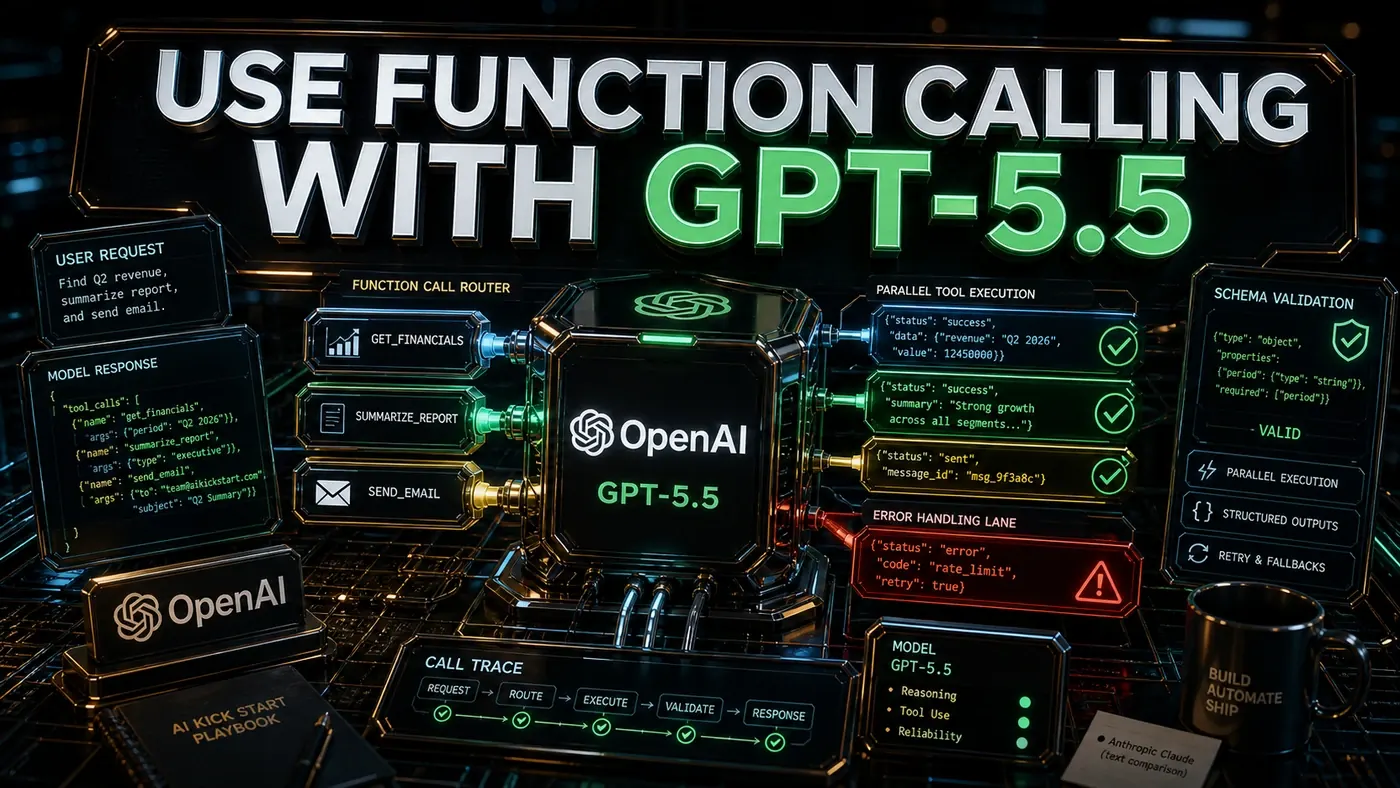
Function calling is the plumbing behind nearly every useful AI agent. It is how a model stops talking and starts doing, checking a calendar, pulling a customer record, running a calculation, booking a flight. If that plumbing is flaky, your agent hallucinates parameters, calls the wrong function, or quietly fails in ways nobody notices until a customer does. GPT-5.5 tightens three things here: it can fire off several tool calls at once, it can be forced to stick to your exact data schema, and it can read back its own errors and try again.
None of that is magic, and some of it is marketing. Below is the working code for each piece, plus the caveats the launch posts skipped, including one compatibility gotcha that bites people who try to use two of these features together.
Analysis
Prerequisites
- OpenAI API key with GPT-5.5 access
- OpenAI Python SDK (a recent version; 1.40 or later is a safe floor, though OpenAI does not pin an exact minimum for GPT-5.5)
- Python 3.10+
Step-by-Step Framework
Step 1: Basic Function Calling
# gpt55_function_calling.py
from openai import OpenAI
import json

client = OpenAI()

# Define tools
tools = [
 {
 "type": "function",
 "function": {
 "name": "get_weather",
 "description": "Get current weather for a location",
 "parameters": {
 "type": "object",
 "properties": {
 "location": {
 "type": "string",
 "description": "City name, e.g. 'London'"
 },
 "units": {
 "type": "string",
 "enum": ["celsius", "fahrenheit"],
 "default": "celsius"
 }
 },
 "required": ["location"]
 }
 }
 },
 {
 "type": "function",
 "function": {
 "name": "search_flights",
 "description": "Search for flights between two cities",
 "parameters": {
 "type": "object",
 "properties": {
 "origin": {"type": "string"},
 "destination": {"type": "string"},
 "date": {"type": "string", "format": "date"},
 "passengers": {"type": "integer", "minimum": 1, "maximum": 9}
 },
 "required": ["origin", "destination", "date"]
 }
 }
 }
]

# Call with tools
response = client.chat.completions.create(
 model="gpt-5.5",
 messages=[{
 "role": "user",
 "content": "What's the weather in Tokyo and are there flights from London to Tokyo on August 15th?"
 }],
 tools=tools,
 tool_choice="auto"
)

# Handle tool calls
for tool_call in response.choices[0].message.tool_calls or []:
 function_name = tool_call.function.name
 arguments = json.loads(tool_call.function.arguments)
 print(f"Called: {function_name}({arguments})")
The model does not run your functions. It tells you which ones to run and with what arguments. You do the running, then hand the results back. The pattern in OpenAI's function calling guide (opens in a new tab) has not changed for GPT-5.5; what has changed is how reliably the model picks the right tool and fills in the right fields.
Step 2: Parallel Execution
Ask GPT-5.5 a question that needs two unrelated lookups and it will request both tool calls in one turn. That is parallel function calling, on by default in recent OpenAI models, and it saves you a round trip:
# parallel_execution.py
import asyncio

async def execute_tool(tool_call):
 name = tool_call.function.name
 args = json.loads(tool_call.function.arguments)

 if name == "get_weather":
 return await get_weather(**args)
 elif name == "search_flights":
 return await search_flights(**args)
 # ... more tools

# Execute all tool calls in parallel
tool_calls = response.choices[0].message.tool_calls
results = await asyncio.gather(*[execute_tool(tc) for tc in tool_calls])

# Send results back
for tool_call, result in zip(tool_calls, results):
 messages.append({
 "role": "tool",
 "tool_call_id": tool_call.id,
 "content": json.dumps(result)
 })

# Get final response
final = client.chat.completions.create(
 model="gpt-5.5",
 messages=messages
)
The model returns the calls; asyncio.gather runs your implementations at the same time. For a weather check and a flight search that touch different APIs, that is the difference between two sequential waits and one.
Step 3: Strict Schema Mode
Setting strict: True forces the model's tool calls to match your schema exactly. Per OpenAI's docs, it needs additionalProperties: False and every property marked required, and in return you stop getting calls with invented fields or wrong types:
# strict_mode.py
response = client.chat.completions.create(
 model="gpt-5.5",
 messages=[{"role": "user", "content": "Get weather in Paris"}],
 tools=[{
 "type": "function",
 "function": {
 "name": "get_weather",
 "description": "Get weather",
 "parameters": {
 "type": "object",
 "properties": {
 "location": {"type": "string"},
 "include_forecast": {"type": "boolean"}
 },
 "required": ["location"],
 "additionalProperties": False # Reject extra fields
 },
 "strict": True # GPT-5.5 strict mode
 }
 }],
 tool_choice={"type": "function", "function": {"name": "get_weather"}}
)
In production this is the setting that stops a malformed argument from crashing your downstream code. Turn it on.
Step 4: Build an Agent Loop
A single tool call is rarely the whole job. An agent loop keeps the conversation going: the model calls a tool, you return the result, the model decides what to do next, and so on until it has an answer or hits a ceiling you set.
# agent_loop.py
class GPT55Agent:
 def __init__(self):
 self.client = OpenAI()
 self.tools = self._register_tools()
 self.messages = []

 def _register_tools(self):
 return [get_weather_tool, search_flights_tool, calculate_tool]

 def run(self, user_input: str, max_iterations=10):
 self.messages.append({"role": "user", "content": user_input})

 for _ in range(max_iterations):
 response = self.client.chat.completions.create(
 model="gpt-5.5",
 messages=self.messages,
 tools=self.tools
 )

 message = response.choices[0].message

 # If no tool calls, return the response
 if not message.tool_calls:
 return message.content

 # Add assistant message with tool calls
 self.messages.append(message)

 # Execute tool calls
 for tool_call in message.tool_calls:
 result = self.execute_tool(tool_call)
 self.messages.append({
 "role": "tool",
 "tool_call_id": tool_call.id,
 "content": json.dumps(result)
 })

 return "Max iterations reached"

 def execute_tool(self, tool_call):
 name = tool_call.function.name
 args = json.loads(tool_call.function.arguments)

 try:
 if name == "get_weather":
 return get_weather(**args)
 elif name == "search_flights":
 return search_flights(**args)
 elif name == "calculate":
 return {"result": eval(args["expression"])}
 else:
 return {"error": f"Unknown tool: {name}"}
 except Exception as e:
 return {"error": str(e)} # Model will see error and retry
Two things to notice. The max_iterations cap is your circuit breaker, without it a confused agent can loop indefinitely and burn through tokens. And the try/except returns the error text back to the model instead of swallowing it. OpenAI documents this tool-result-handling pattern, and GPT-5.5 generally reads the error and adjusts on the next pass. OpenAI describes recovery as improved in this release; treat that as a reasonable claim rather than a benchmarked one, and test it against your own tools.
One caution on the example: eval(args["expression"]) runs arbitrary code from whatever the model passes in. It is fine for a demo. Do not ship it. Use a real expression parser if you need a calculator tool.
Step 5: Structured Outputs
When you want the final answer back as typed data rather than prose, response_format with a JSON schema gives you output that conforms to the schema you define. OpenAI's Structured Outputs (opens in a new tab) feature pairs nicely with Pydantic:
# structured_outputs.py
from pydantic import BaseModel

class FlightSearchResult(BaseModel):
 flights: list
 cheapest_price: float
 fastest_duration: int
 recommendations: list[str]

response = client.chat.completions.create(
 model="gpt-5.5",
 messages=[{
 "role": "user",
 "content": "Search flights NYC to LA tomorrow and summarise"
 }],
 response_format={
 "type": "json_schema",
 "json_schema": {
 "name": "flight_result",
 "schema": FlightSearchResult.model_json_schema()
 }
 }
)

result = FlightSearchResult.model_validate_json(
 response.choices[0].message.content
)
print(result.cheapest_price) # Typed access
One constraint the launch coverage glossed over: OpenAI's docs state Structured Outputs via response_format is not compatible with parallel function calls. So you cannot have the model fire several tools at once and also force the final message into a JSON schema in the same call. Plan your agent so the parallel tool phase and the structured-output phase happen in separate steps.
Do/Don't
| Do | Don't |
|---|---|
| Define clear descriptions for each tool parameter | Leave parameters without descriptions |
| Handle tool errors and return them to the model | Swallow errors silently |
| Use strict mode for production | Skip strict mode and get schema violations |
| Set max_iterations to prevent infinite loops | Let agents run without iteration limits |
| Validate all tool outputs before sending to model | Pass raw exception traces directly |
Cost Comparison
| Feature | GPT-5.5 | GPT-5.5 Instant | Claude Sonnet 4.6 |
|---|---|---|---|
| Function calling | Native parallel | Basic | Good |
| Cost per 1M input | $5.00 | see note | $3.00 |
| Context | ~1M (400K in Codex) | ~1M | 1M |
| Strict mode | Yes | No | See note |
A few corrections to numbers that get repeated without checking. GPT-5.5 Instant (opens in a new tab) is real, it became the default ChatGPT model on 5 May 2026, but the often-quoted $0.50 input price does not hold up: llm-stats lists Instant at the same $5/$30 as GPT-5.5, so treat any cheaper figure as unconfirmed. On context, the 400K number is the limit when GPT-5.5 runs inside Codex; the general API window is closer to 1M (llm-stats (opens in a new tab)). And the "strict mode: No" mark against Claude Sonnet 4.6 (opens in a new tab) is an oversimplification, Anthropic's tool use supports structured, schema-style output even if it does not carry the exact strict: true flag, so don't read that column as a hard capability gap. Sonnet 4.6 is confirmed at $3 input per million with a 1M-token context.
Conclusion
GPT-5.5's function calling is genuinely strong, and for tool-heavy agent work it is a sensible default. Parallel calls cut round trips, strict mode keeps malformed arguments out of your code, and returning errors into the loop lets the model recover instead of stalling. Whether it is the single most capable model for function calling is the kind of claim every vendor makes at launch; Anthropic's Sonnet and Opus models rate highly on the same workloads, so benchmark it against your own use case before committing. The $5/$30 pricing earns its keep when tool-calling accuracy is what your users feel. Turn on strict mode, always hand errors back to the model, cap your iterations, and remember that structured outputs and parallel calls do not mix in a single request.