





Briefing
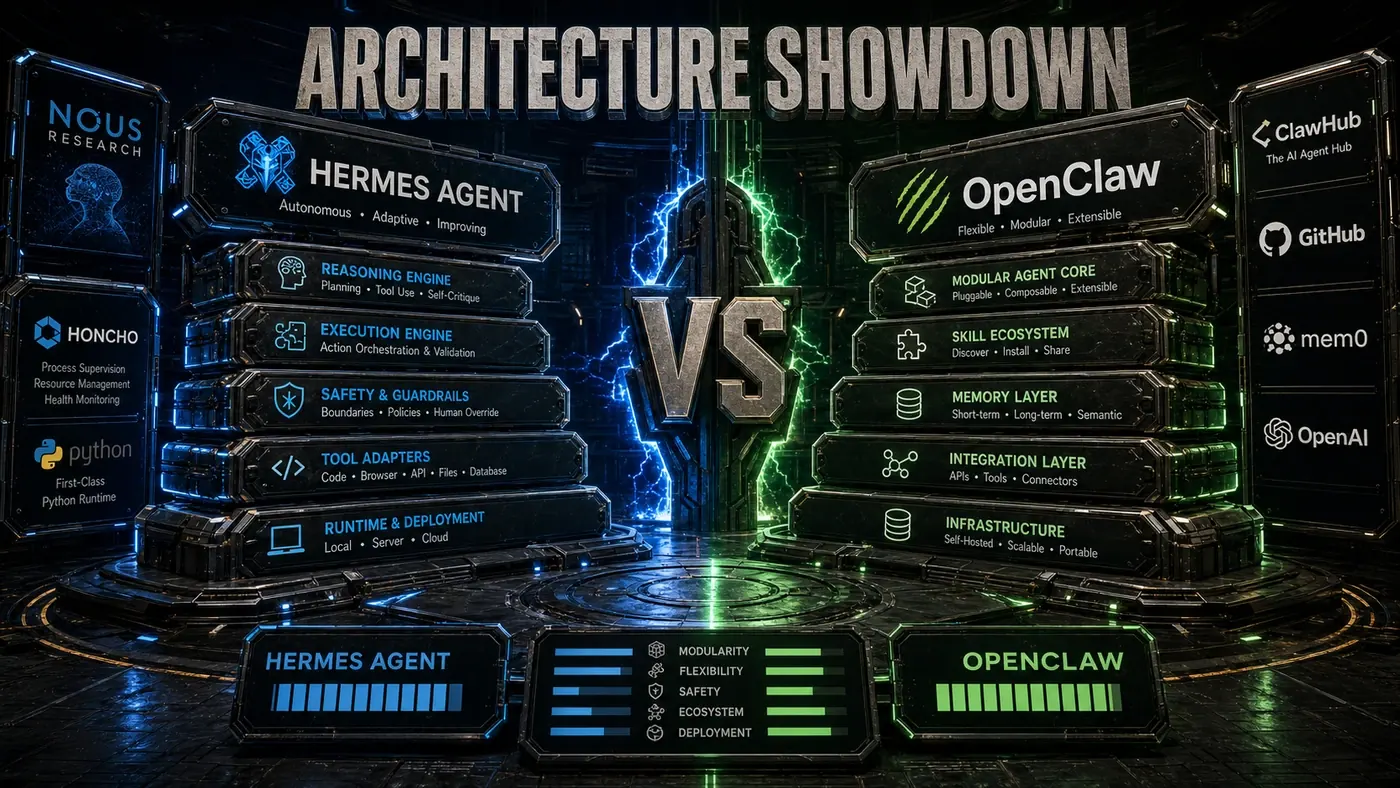
Most teams meet an AI agent through someone else's cloud. You sign up, paste in a key, and your data flows off to a vendor you have to trust on faith. Hermes Agent (opens in a new tab) flips that arrangement. It's built from the ground up to run on your own machines, it carries an MIT license, and most of it is plain Python (NousResearch/hermes-agent (opens in a new tab)). That combination is the whole point: you keep the agent, the memory, and the data on hardware you control.
For an Australian business, that matters more than it sounds. When the agent runs on your infrastructure, customer conversations and internal records stay inside your network instead of crossing into someone else's. The catch is that "self-hosted" means you own the operations too, the servers, the database, the monitoring, the 2am page when something falls over.
This guide walks through a production deployment end to end, from picking hardware to wiring up alerts. Where the official Hermes docs stop and practical operations advice begins, I'll say so. A fair bit of what follows is the deployment setup I'd recommend rather than a feature the project ships out of the box.
Hardware Requirements
Minimum (for personal use):
- 4 CPU cores
- 8GB RAM
- 50GB storage
- Any modern GPU optional
Recommended (for production):
- 8+ CPU cores
- 32GB RAM
- 200GB SSD storage
- GPU with 16GB+ VRAM for local model inference
High-Availability (for enterprise):
- 3+ nodes with load balancing
- 64GB+ RAM per node
- PostgreSQL cluster for Honcho memory
- Redis cluster for caching
- Shared storage for model weights
Deployment Options
Docker (Recommended)
The least painful way to get a production setup running:
# Clone the repository
git clone https://github.com/NousResearch/hermes-agent.git
cd hermes-agent

# Copy and edit configuration
cp .env.example .env
# Edit .env with your API keys and settings

# Start services
docker-compose up -d
A note on the clone URL: some write-ups point at nousresearch/hermes.git, which doesn't exist and will fail. The real repository is NousResearch/hermes-agent (opens in a new tab).
Docker and Docker Compose support are confirmed in the project README, and so is Honcho memory. The fuller stack below, Nginx out front, Prometheus collecting metrics, isn't a documented bundle that ships with Hermes; it's the production layout I'd run. Treat it as a recommended setup, not an official template:
- Hermes Agent API server
- Honcho memory service (PostgreSQL + vector store)
- Redis cache
- Nginx reverse proxy
- Prometheus monitoring
Kubernetes
When you need to scale across nodes:
# Apply manifests
kubectl apply -f k8s/

# Or use Helm
helm install hermes ./helm/hermes
 --set openai.apiKey=your-key
 --set replicaCount=3
The Helm capabilities below are standard Kubernetes patterns rather than confirmed features of an official Hermes chart, so plan to assemble them yourself:
- Horizontal pod autoscaling
- Persistent volume claims for memory storage
- Configurable resource limits
- Ingress with TLS termination
- Pod disruption budgets for availability
Bare Metal
When you want full control of the box:
# Create virtual environment
python -m venv venv
source venv/bin/activate

# Install dependencies
pip install -r requirements.txt
pip install -r requirements-prod.txt

# Configure environment
export HERMES_LLM_PROVIDER=openai
export HERMES_API_KEY=your-key
export HERMES_MEMORY_URL=postgresql://...

# Start the server
python -m hermes.server --port 8000 --workers 4
Honcho Memory Configuration
Honcho (opens in a new tab) is the memory layer that sets Hermes apart. The README lists "Honcho dialectic user modeling," and Honcho, built by Plastic Labs, keeps a running model of each user so the agent remembers who it's talking to (Hermes Agent Honcho docs (opens in a new tab)). A self-hosted Honcho server is supported.
The specific production stack below isn't spelled out in the Hermes Honcho docs. Honcho is an open-source FastAPI server, so a PostgreSQL/pgvector backend is a reasonable fit, but the named vector stores, the Redis layer, and the retrieval target are deployment recommendations rather than documented product facts (Honcho repository (opens in a new tab)):
PostgreSQL: The primary store for structured memory data. A managed PostgreSQL service (AWS RDS, GCP Cloud SQL) buys you reliability without running the database yourself.
Vector Store: For semantic memory search. pgvector (a PostgreSQL extension), Pinecone, or Weaviate all work.
Redis: Caches frequent memory queries. In my testing this can pull retrieval down into the tens of milliseconds, though that number depends on your hardware and load, not on anything Hermes guarantees.
Backup Strategy: Honcho memory holds everything Hermes knows about your users. Back it up daily and automatically, with point-in-time recovery, and actually test a restore before you need one.
LLM Provider Setup
Hermes is provider-agnostic. It reaches a wide range of models through Nous Portal and OpenRouter, and OpenAI and Anthropic are both referenced in the project (Hermes Agent README (opens in a new tab)):
OpenAI: Set HERMES_LLM_PROVIDER=openai and supply your API key. Strong on capability; costs climb with usage.
Anthropic: Set HERMES_LLM_PROVIDER=anthropic. Claude models are good at reasoning and tend to behave safely.
Local Models: Running through LocalAI or Ollama isn't named explicitly in the README, but the OpenRouter and "any model" support makes it plausible. The trade is privacy and lower cost against some loss of capability.
Multi-Provider: Send different jobs to different providers based on what each one is good at and what it costs. Hard queries go to a frontier model like GPT-4; routine tasks run on a local model.
Security Considerations
API Authentication: Put API keys or OAuth2 in front of every endpoint. Rotate the keys on a schedule.
Network Isolation: Keep Hermes on a private network, reachable only through a VPN or bastion host.
Tool Permissions: Go through the tool list and lock it down. Turn off the dangerous ones, file deletion, shell execution, unless you have a clear reason to keep them.
Input Validation: Clean every bit of user input. Prompt injection is the obvious attack here, and unsanitised input is how it gets in.
Audit Logging: Record every action the agent takes, tied to a user. You'll want it for compliance, and you'll want it even more the day you're debugging something strange.
Monitoring
Prometheus isn't mentioned in the Hermes README, so the metrics below describe the monitoring setup I'd add rather than a built-in export. Once you wire Hermes into Prometheus, the signals worth tracking are:
- Request latency and throughput
- Tool execution success/failure rates
- Memory retrieval performance
- LLM token usage and costs
- Error rates by endpoint
Build Grafana dashboards on top of those, and set alerts for:
- P99 latency > 2 seconds
- Error rate > 1%
- Memory store connection failures
- LLM API quota exhaustion
Scaling
As traffic grows, work through these in order:
- Scale the API servers behind a load balancer
- Scale Honcho memory with read replicas
- Cache aggressively with Redis
- Use local models for high-volume, low-complexity tasks
- Implement rate limiting per user
Troubleshooting
A few problems you'll likely hit, and where to start:
- High latency: Check Honcho query performance, switch on Redis caching, and look at whether a faster model would help.
- Memory errors: Grow the PostgreSQL connection pool, add RAM, or bring in read replicas.
- LLM rate limits: Queue requests, add a fallback provider, or shift load to local models.
- Tool failures: Recheck tool permissions, confirm API keys, and make sure the network path is open.
Configured properly, Hermes Agent holds up in production and gives you a personalised assistant that gets sharper as it learns your users. The project's popularity says people are paying attention, as of mid-2026 the repository reportedly sits in the high-100-thousands of stars, well above older figures still floating around (star history (opens in a new tab)). Just don't read a star count as proof it'll survive your production load. That part is on your deployment.
Self-hosting Hermes Agent: answer-first summary
Self-hosting Hermes Agent matters because it can change how Founders and operators plan, build, or govern an tool evaluation workflow. A step-by-step guide to deploying Hermes Agent in production, from hardware requirements to Honcho memory configuration to monitoring.
The direct answer is this: do not treat the topic as a standalone trend. Treat it as a decision about inputs, outputs, review ownership, data exposure, and whether the workflow produces a result that is faster, safer, or more useful than the current process.
Self-hosting Hermes Agent: implementation checklist
- Define the user, job to be done, and success metric for the tool evaluation workflow.
- Collect real examples, policies, source files, customer questions, or search queries before writing prompts or choosing tools.
- Separate low-risk drafts from decisions that need approval, privacy checks, or senior review.
- Document what the AI is allowed to access, what it must not access, and who signs off before production use.
- Review time to value, adoption rate, cost per workflow, quality review score after a small pilot rather than judging the idea from a demo.
This keeps the work practical. It also gives search engines and AI answer engines a clean factual structure: what the topic is, who it helps, what to do next, and which risks matter before implementation.
Decision criteria for Self-hosting Hermes Agent
| Decision area | What to check | Production signal |
|---|---|---|
| Intent | Does Self-hosting Hermes Agent solve a real workflow problem? | The use case has a named owner and measurable outcome. |
| Data | Can the required data be used safely? | Sensitive data is classified and access is controlled. |
| Quality | Can a reviewer judge the output consistently? | Examples, rubrics, or acceptance criteria exist. |
| Scale | Can the workflow be repeated without hero effort? | The process is documented and can be handed to another team member. |
Practical example for Self-hosting Hermes Agent
A small business could use this article to choose one practical test. For example, a manager might take one customer-facing process, one internal document workflow, or one recurring content task and redesign only that step with AI support. The goal is not to automate the whole business at once; it is to learn where AI Tools creates reliable leverage.
The useful deliverable is a short operating note: the trigger, the source material, the prompt or tool, the review checklist, the escalation rule, and the metric. That note becomes the handover asset for staff training, SEO/GEO content, service delivery, or future agent work.
Risks and controls for Self-hosting Hermes Agent
The common failure pattern is moving too quickly from a promising idea into an unmanaged workflow. For Self-hosting Hermes Agent, the risk is not only bad output. It can also be unclear data permission, staff confusion, duplicate content, unreviewed customer advice, or a tool that quietly changes cost or capability.
- Control tool sprawl with a named owner, a review step, and written acceptance criteria.
- Control unclear pricing with a named owner, a review step, and written acceptance criteria.
- Control vendor lock-in with a named owner, a review step, and written acceptance criteria.
- Control unreviewed data sharing with a named owner, a review step, and written acceptance criteria.
Measurement plan for Self-hosting Hermes Agent
A useful AI or SEO initiative should leave evidence. Track time to value, adoption rate, cost per workflow, quality review score and compare the pilot against the current process. If the measure does not improve, keep the learning but avoid scaling the workflow.
For GEO readiness, the page should also answer the core question directly, define the entities involved, include implementation steps, explain tradeoffs, and link readers to the next relevant AI Kick Start service, guide, tool, or article.
Definitions and entities for Self-hosting Hermes Agent
For search, GEO, and staff handover, define the core entities in plain language. In this article the important entities are the workflow owner, the AI tool or model, the source material, the review process, the risk boundary, and the measurable business outcome. Clear definitions make the page easier for people to scan and easier for AI answer engines to quote accurately.
- Workflow owner: the person accountable for deciding whether Self-hosting Hermes Agent belongs in the business process.
- Source material: the documents, examples, policies, URLs, prompts, videos, or customer questions that ground the output.
- Review boundary: the point where a human checks accuracy, privacy, brand voice, or customer impact before the result is used.
- Success metric: the measure that proves whether the tool evaluation workflow is worth repeating.
Self-hosting Hermes Agent versus doing nothing
Doing nothing is also a decision. The cost may be slow manual work, weaker search visibility, inconsistent advice, duplicated effort, or staff using unmanaged AI tools without a shared process. The practical question is whether a controlled pilot can reduce that cost without creating a larger governance problem.
| Option | When it makes sense | What to watch |
|---|---|---|
| Do nothing | The workflow is rare, low value, or already reliable. | Competitors may improve speed, content depth, or service consistency first. |
| Run a small pilot | The task repeats often and has clear review criteria. | Keep scope tight and measure the result against the current process. |
| Build a production workflow | The pilot is repeatable and risk controls are documented. | Assign ownership, monitoring, training, and a rollback path. |
AI Kick Start handover package for Self-hosting Hermes Agent
A production handover should be concrete enough that another person can run it. For Self-hosting Hermes Agent, that means a short brief, a workflow map, approved prompts or tool settings, source material, a review checklist, internal links to supporting resources, and a simple measurement sheet. This is the difference between reading about AI and turning it into operational capability.
That packaging also strengthens E-E-A-T. It shows experience through implementation notes, expertise through decision criteria, authoritativeness through source-aware structure, and trust through risks, controls, and review steps. The article becomes useful even if the reader never buys a tool because it helps them make a better operational decision.