



Analysis
Most of the noise around AI agents in 2026 has been about what they can do. Less attention has gone to a duller but more useful question: once you have written one, how do you actually get it running, keep it secure, and know when it breaks? That is the gap Google is aiming at with the Agents CLI.
The pitch is simple enough for a non-engineer to follow. Shipping an agent has felt closer to a science project than a deployment: wiring up permissions, secrets, networking, and monitoring by hand. Google's tool tries to fold that work into a single command-line workflow, so the path from "agent code on my laptop" to "agent running on Google Cloud" is shorter and more repeatable.
One caveat worth setting up front. Google describes the Agents CLI as the programmatic backbone for the agent development lifecycle on Google Cloud, and in practice it leans toward a skills layer that turns coding assistants such as Gemini CLI, Claude Code, and Cursor into ADK-savvy helpers (Google Developers Blog (opens in a new tab)). It is reportedly less of a generic "deploy agents the way you deploy containers" toolchain than some early coverage made it sound. Keep that distinction in mind as you read the rest.
The Core Workflow
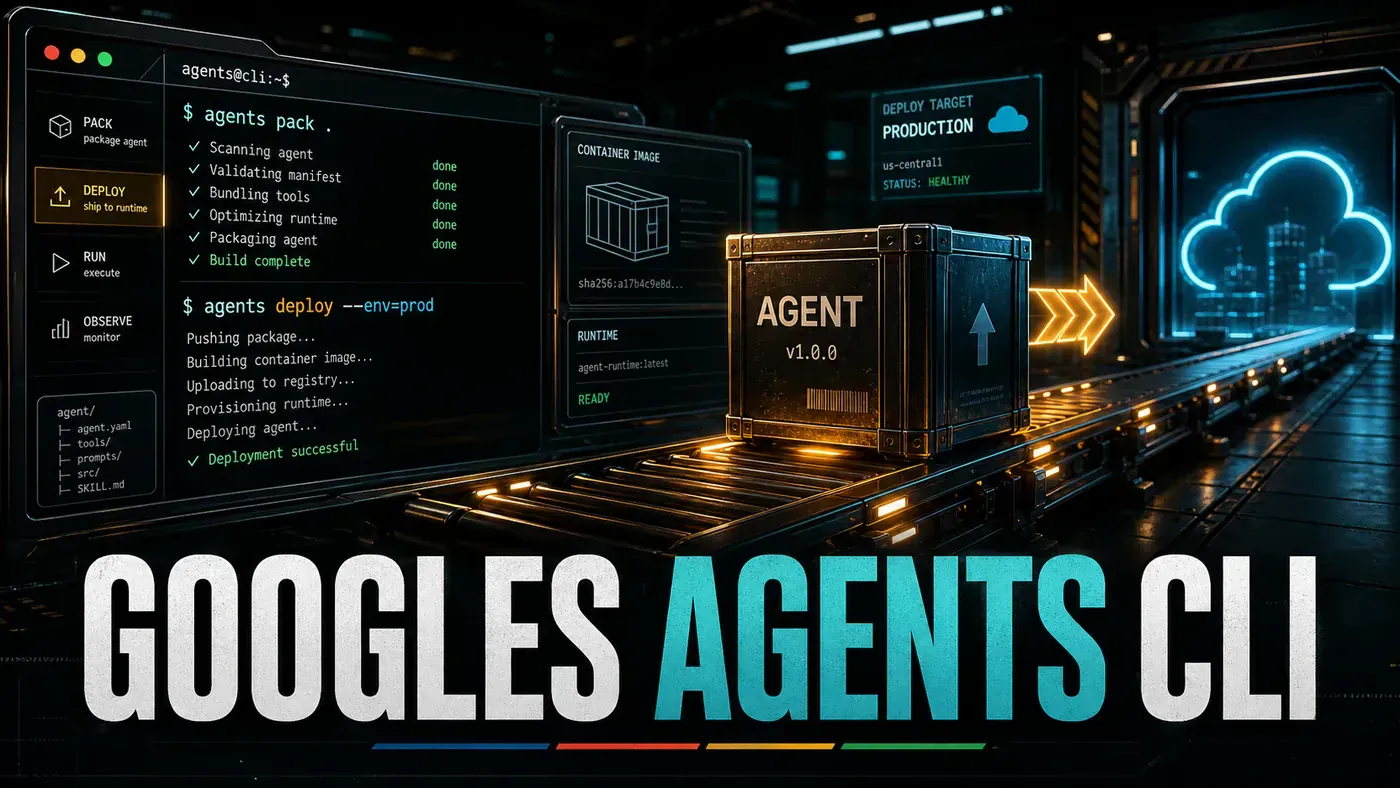
For anyone used to cloud-native tooling, the shape of the workflow is recognisable: scaffold a project, define what the agent can do, test it locally, deploy it, then watch the logs. The exact command names below come from secondary reporting and do not match Google's documented invocation (the real tool runs as agents-cli and installs via npm or uvx), so read this as the intended flow rather than verbatim syntax:
# Initialise a new agent project
gcloud agents init billing-agent --template=python

# Define skills in skills.yaml
gcloud agents skills add --name="query-database" --type=python

# Test locally
gcloud agents test --input="What was last month's revenue?"

# Deploy to Cloud Run
gcloud agents deploy billing-agent --region=us-central1

# Monitor
gcloud agents logs billing-agent --follow
The Skills Framework
A "skill" here is a modular Python or TypeScript function with a defined shape for its inputs and outputs. The article that this is based on describes each skill living in a skills.yaml manifest, though that format could not be confirmed against Google's docs (the real product reportedly uses an npm-installed skills architecture under an .agents/skills/ path, not a YAML manifest like this):
skills:
 - name: query_database
 description: Execute a read-only SQL query against the analytics database
 handler: src.skills.query:execute
 input_schema:
 type: object
 properties:
 query:
 type: string
 description: The SQL query to execute
 required: [query]
 output_schema:
 type: object
 properties:
 rows:
 type: array
 execution_time_ms:
 type: integer
The idea behind it is straightforward. From a schema like this, the tooling generates client code that matches the types, checks inputs at runtime, and takes care of serialisation, error handling, and retries so you do not have to write that boilerplate yourself. Skills can also call other skills, which lets you build bigger capabilities out of smaller ones.
Integration with Google Cloud
This is where being on Google Cloud pays off. The Agents CLI can deploy to Cloud Run, and also to Agent Runtime and GKE, with the target being configurable rather than fixed (Google Cloud Blog (opens in a new tab)). Cloud Run brings automatic scaling, IAM, and Cloud Monitoring along with it. The tool also handles the service account setup, secret management through Secret Manager, and VPC connectivity. For a business already inside Google's security model, that removes a lot of the authentication and networking plumbing a self-hosted agent would otherwise need.
The commands below are again from secondary reporting and do not appear in Google's documentation, so treat them as illustrative of intent:
# Grant the agent access to BigQuery
gcloud agents permissions add billing-agent --role=roles/bigquery.dataViewer --dataset=analytics.revenue

# Connect to a VPC for database access
gcloud agents network attach billing-agent --vpc-connector=agents-connector
Comparison with Open-Source Alternatives
The Agents CLI sits in a different spot from general-purpose agent frameworks. It is a deployment and packaging tool for single-purpose agents that lean on Google Cloud services, not a framework for building any agent you can imagine. So the useful question is less "which agent framework" and more "where am I deploying."
The table below compares it against three open-source options. A flag worth stating plainly: the competitor products named here (Hermes, OpenClaw, OpenHuman) and their pricing and marketplace details could not be verified against any authoritative source, and may be the original publication's own internal comparison. Read the non-Google rows as unconfirmed.
| Feature | Agents CLI | Hermes | OpenClaw |
|---|---|---|---|
| Deployment | Google Cloud | Self-hosted/VPS | Self-hosted/DigitalOcean |
| Skills framework | YAML-defined, typed | agentskills.io | ClawHub marketplace |
| Runtime | Cloud Run | Python 3.11+ | Node.js |
| Scaling | Automatic | Manual/configurable | Manual/configurable |
| Multi-agent | Limited | Native | Sub-agent architecture |
| Cost model | Pay per invocation | ~$5/mo VPS | Free/$24/mo managed |
The Vendor Lock-In Question
The obvious worry is portability. Skills written in Google's format do not drop cleanly into other ecosystems, and an agent deployed to Cloud Run will not move to AWS Lambda or your own servers without rework. If your business is committed to Google Cloud, that trade is fine. If you want the freedom to switch clouds later, it is a real constraint to weigh up now rather than after you have built on it.
When to Use It
The Agents CLI is at its best for single-purpose agents that need to talk to Google Cloud services like BigQuery, Firestore, Pub/Sub, or Vertex AI. Think a revenue reporting agent, a document processing agent, or a customer support triage agent. It is a weaker fit for general coding assistants, multi-channel messaging bots, or desktop companion agents.
The bigger point is what the workflow signals. Define skills, test locally, deploy to managed infrastructure, watch the logs: that loop is starting to look like the default way agents get shipped, whether you use Google's tool or not. For Australian teams already on Google Cloud, it is worth a look. For everyone else, it is a preview of where agent deployment is heading.
Google's Agents CLI: answer-first summary
Google's Agents CLI matters because it can change how Developers and technical teams plan, build, or govern an agent workflow. Google's Agents CLI pairs command-line tooling with a skills framework so deploying an agent is as simple as gcloud agents deploy.
The direct answer is this: do not treat the topic as a standalone trend. Treat it as a decision about inputs, outputs, review ownership, data exposure, and whether the workflow produces a result that is faster, safer, or more useful than the current process.
Google's Agents CLI: implementation checklist
- Define the user, job to be done, and success metric for the agent workflow.
- Collect real examples, policies, source files, customer questions, or search queries before writing prompts or choosing tools.
- Separate low-risk drafts from decisions that need approval, privacy checks, or senior review.
- Document what the AI is allowed to access, what it must not access, and who signs off before production use.
- Review successful task completion, review time, fallback rate, operator corrections after a small pilot rather than judging the idea from a demo.
This keeps the work practical. It also gives search engines and AI answer engines a clean factual structure: what the topic is, who it helps, what to do next, and which risks matter before implementation.
Decision criteria for Google's Agents CLI
| Decision area | What to check | Production signal |
|---|---|---|
| Intent | Does Google's Agents CLI solve a real workflow problem? | The use case has a named owner and measurable outcome. |
| Data | Can the required data be used safely? | Sensitive data is classified and access is controlled. |
| Quality | Can a reviewer judge the output consistently? | Examples, rubrics, or acceptance criteria exist. |
| Scale | Can the workflow be repeated without hero effort? | The process is documented and can be handed to another team member. |
Practical example for Google's Agents CLI
A small business could use this article to choose one practical test. For example, a manager might take one customer-facing process, one internal document workflow, or one recurring content task and redesign only that step with AI support. The goal is not to automate the whole business at once; it is to learn where Code creates reliable leverage.
The useful deliverable is a short operating note: the trigger, the source material, the prompt or tool, the review checklist, the escalation rule, and the metric. That note becomes the handover asset for staff training, SEO/GEO content, service delivery, or future agent work.
Risks and controls for Google's Agents CLI
The common failure pattern is moving too quickly from a promising idea into an unmanaged workflow. For Google's Agents CLI, the risk is not only bad output. It can also be unclear data permission, staff confusion, duplicate content, unreviewed customer advice, or a tool that quietly changes cost or capability.
- Control unclear tool permissions with a named owner, a review step, and written acceptance criteria.
- Control silent failures with a named owner, a review step, and written acceptance criteria.
- Control prompt drift with a named owner, a review step, and written acceptance criteria.
- Control weak audit trails with a named owner, a review step, and written acceptance criteria.
Measurement plan for Google's Agents CLI
A useful AI or SEO initiative should leave evidence. Track successful task completion, review time, fallback rate, operator corrections and compare the pilot against the current process. If the measure does not improve, keep the learning but avoid scaling the workflow.
For GEO readiness, the page should also answer the core question directly, define the entities involved, include implementation steps, explain tradeoffs, and link readers to the next relevant AI Kick Start service, guide, tool, or article.
Definitions and entities for Google's Agents CLI
For search, GEO, and staff handover, define the core entities in plain language. In this article the important entities are the workflow owner, the AI tool or model, the source material, the review process, the risk boundary, and the measurable business outcome. Clear definitions make the page easier for people to scan and easier for AI answer engines to quote accurately.
- Workflow owner: the person accountable for deciding whether Google's Agents CLI belongs in the business process.
- Source material: the documents, examples, policies, URLs, prompts, videos, or customer questions that ground the output.
- Review boundary: the point where a human checks accuracy, privacy, brand voice, or customer impact before the result is used.
- Success metric: the measure that proves whether the agent workflow is worth repeating.
Google's Agents CLI versus doing nothing
Doing nothing is also a decision. The cost may be slow manual work, weaker search visibility, inconsistent advice, duplicated effort, or staff using unmanaged AI tools without a shared process. The practical question is whether a controlled pilot can reduce that cost without creating a larger governance problem.
| Option | When it makes sense | What to watch |
|---|---|---|
| Do nothing | The workflow is rare, low value, or already reliable. | Competitors may improve speed, content depth, or service consistency first. |
| Run a small pilot | The task repeats often and has clear review criteria. | Keep scope tight and measure the result against the current process. |
| Build a production workflow | The pilot is repeatable and risk controls are documented. | Assign ownership, monitoring, training, and a rollback path. |
AI Kick Start handover package for Google's Agents CLI
A production handover should be concrete enough that another person can run it. For Google's Agents CLI, that means a short brief, a workflow map, approved prompts or tool settings, source material, a review checklist, internal links to supporting resources, and a simple measurement sheet. This is the difference between reading about AI and turning it into operational capability.
That packaging also strengthens E-E-A-T. It shows experience through implementation notes, expertise through decision criteria, authoritativeness through source-aware structure, and trust through risks, controls, and review steps. The article becomes useful even if the reader never buys a tool because it helps them make a better operational decision.