





Briefing
Getting an AI agent to run on your laptop is the easy part. The hard part starts the moment you want it to run somewhere other people depend on. That is when reliability, security, observability and plain old maintenance stop being abstract and start being the thing that wakes you at 3am.
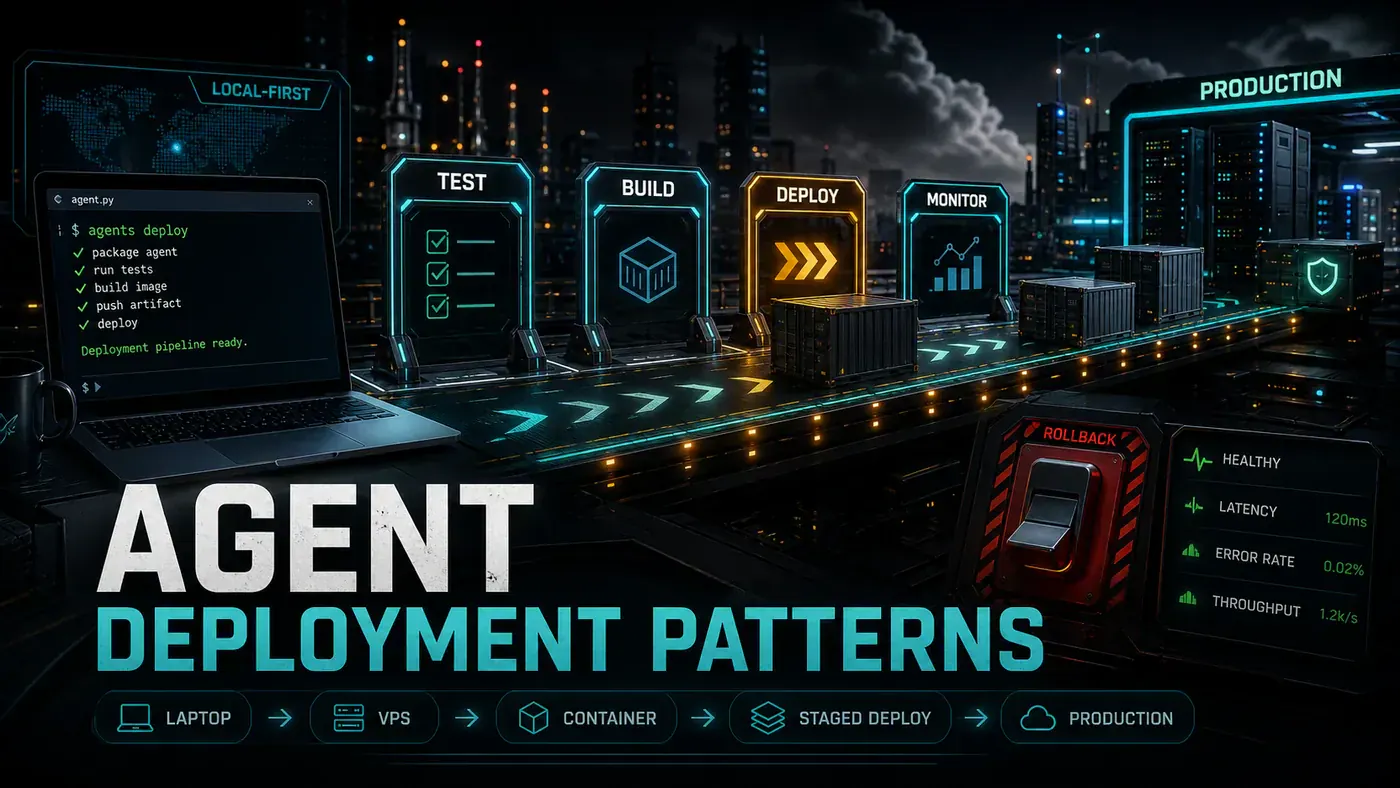
There is a quiet shift happening in how teams ship agents. A year ago the question was "can we build one". In June 2026 the question is "where does it live, who can call it, and what happens when it falls over". The tooling has caught up enough that you now have real choices, from an app that never leaves your machine to a multi-region setup with failover. Each choice trades cost against control against effort, and picking the wrong one is expensive in a way that is hard to undo later.
This piece walks through six deployment patterns that hold up in practice, what each is good for, and where each one bites. Then it covers the checklist and the CI/CD wiring that separate a demo from something you can put your name on.
Pattern 1: Local-First (OpenHuman Model)
The agent runs entirely on the developer's machine. No server, no cloud, no deployment to speak of. OpenHuman (opens in a new tab) from TinyHumans AI is the clearest example: an open-source desktop agent packaged as a native Tauri app, where everything happens locally by default.
Best for: personal productivity, privacy-sensitive work, individual developers. Setup: install the Tauri app (macOS DMG or Windows EXE) and configure your integrations. Pros: maximum privacy, no network latency, full control. Cons: no team sharing, it lives and dies with the machine, and there is no high availability.
Pattern 2: VPS Self-Hosted (Hermes Model)
The agent runs on a virtual private server, so you can reach it from anywhere. Hermes Agent (opens in a new tab) installs with pip and pairs with Honcho (opens in a new tab) for persistent memory across sessions.
# VPS setup (Hetzner, DigitalOcean, etc.)
# 2 vCPU, 4GB RAM, ~$5/month
sudo apt update && sudo apt install -y python3.11 python3-pip docker
pip install hermes-agent
hermes init --with-honcho
hermes start --daemon
One caveat on the price. That ~$5/month figure holds for Hetzner-class providers (a Hetzner CX23 with 2 vCPU and 4GB RAM was about $4.59/month as of June 2026, per Hetzner Cloud pricing (opens in a new tab)). The same 2 vCPU / 4GB spec on DigitalOcean runs closer to $24/month, so do not assume the cheap number applies everywhere. The exact --with-honcho flag is consistent with how the tools fit together but is not confirmed verbatim in the docs, so treat the command above as a working sketch rather than gospel. The Hermes plus Honcho integration docs (opens in a new tab) are the source to check.
Best for: small teams, cost-sensitive organisations, privacy-conscious deployments. Pros: cheap, controllable, works with any VPS provider. Cons: you manage it yourself, it is a single point of failure, and updates are manual.
Pattern 3: Managed Service (OpenClaw Model)
DigitalOcean's managed OpenClaw service (opens in a new tab) handles deployment, updates and scaling for you.
# DigitalOcean managed OpenClaw
doctl apps create --spec openclaw.yaml
# $24/month, includes automatic updates and monitoring
The price is in the right neighbourhood but worth pinning down: the minimum for stable single-agent operation on DigitalOcean's App Platform is the apps-s-1vcpu-2gb tier at $25/month, while a 1-Click Droplet starts at $12/month. The doctl apps create --spec pattern is the standard App Platform deploy command.
Best for: teams that want managed infrastructure without vendor lock-in. Pros: no maintenance, automatic updates, monitoring built in. Cons: higher cost, less room to customise, and you depend on the provider.
Pattern 4: Cloud-Native (Google Agents CLI Model)
Deploy agents to managed cloud infrastructure that scales on its own. Google's Agents CLI (opens in a new tab), announced in April 2026, deploys to managed environments such as Cloud Run with automatic scaling, IAM integration and observability.
# Google's Agents CLI
gcloud agents init billing-agent --template=python
gcloud agents deploy billing-agent --region=us-central1
# Pay per invocation, automatic scaling
A correction on that snippet. The capability is real, but the command syntax above is not. Google's tool is the standalone agents-cli, used like agents-cli deploy --project ... --region us-east1, rather than a gcloud agents subcommand. If you are wiring this up for real, follow the official CLI, not the lines shown here.
Best for: enterprise teams already on Google Cloud, variable workloads, event-driven agents. Pros: automatic scaling, IAM integration, managed security. Cons: vendor lock-in, per-invocation costs that can surprise you, and you are tied to GCP.
Pattern 5: Multi-Region Orchestrated
When you need high availability, you run agents in more than one region behind a load balancer.
# docker-compose.yml for multi-region
services:
 hermes-primary:
 image: hermes:latest
 environment:
 - HERMES_REGION=us-east
 - HERMES_ROLE=primary
 hermes-secondary:
 image: hermes:latest
 environment:
 - HERMES_REGION=eu-west
 - HERMES_ROLE=secondary
Best for: mission-critical agents, compliance requirements, global teams. Pros: high availability, disaster recovery, geographic distribution. Cons: complex setup, data consistency headaches, and reportedly somewhere in the order of 3-5x the cost of a single region (that multiplier is a rule of thumb rather than a published figure, so plan against your own numbers).
Pattern 6: Hybrid: Local Agent + Cloud Gateway
The agent runs locally for sensitive work but reaches out to cloud services for model inference and integrations. OpenRouter (opens in a new tab) is a common choice for the inference gateway in this setup.
[Local Agent] <-- encrypted --> [Cloud Gateway] <-- --> [OpenRouter]Best for: privacy-sensitive organisations that still need team features. Pros: local data stays local, the cloud handles scale, you get some of each. Cons: a more complicated architecture, latency on the cloud calls, and a security model split across two places.
Deployment Checklist
Before you put any agent into production:
- Sandboxing configured (container or VM-based)
- Approval gates enabled for high-risk operations
- Secrets management (no API keys sitting in environment variables)
- Logging and monitoring configured
- Backup and recovery tested
- Rollback procedure documented
- Rate limiting enabled
- Health check endpoint configured
- TLS/SSL for all external communication
- Access controls (who is allowed to invoke the agent)
- Cost alerts and budgets set
- Documentation for whoever operates it
CI/CD for Agents
Agents deserve their own CI/CD pipelines, same as any other service you ship.
# .github/workflows/agent-ci.yml
name: Agent CI
on: [push]
jobs:
 test:
 runs-on: ubuntu-latest
 steps:
 - uses: actions/checkout@v4
 - name: Test agent skills
 run: hermes skills test --all
 - name: Validate harness
 run: omnigent validate
 - name: Integration tests
 run: pytest tests/integration/
That omnigent validate step leans on Omnigent (opens in a new tab), the agent framework Databricks open-sourced in June 2026, which treats validation and test flows as first-class workflow artifacts. The exact omnigent validate and hermes skills test --all subcommands match how the tools work but were not confirmed word for word in the docs, so check before you copy.
Deploying an agent is not a single step. It is a loop: develop, test, deploy, monitor, update, repeat. The patterns above give you the infrastructure. The discipline you bring to that loop is what decides whether the thing stays up.
Agent Deployment Patterns: answer-first summary
Agent Deployment Patterns matters because it can change how Developers and technical teams plan, build, or govern an agent workflow. Six proven deployment patterns for agentic systems, from local-first to multi-region orchestrated, plus the checklist every production agent must pass.
The direct answer is this: do not treat the topic as a standalone trend. Treat it as a decision about inputs, outputs, review ownership, data exposure, and whether the workflow produces a result that is faster, safer, or more useful than the current process.
Agent Deployment Patterns: implementation checklist
- Define the user, job to be done, and success metric for the agent workflow.
- Collect real examples, policies, source files, customer questions, or search queries before writing prompts or choosing tools.
- Separate low-risk drafts from decisions that need approval, privacy checks, or senior review.
- Document what the AI is allowed to access, what it must not access, and who signs off before production use.
- Review successful task completion, review time, fallback rate, operator corrections after a small pilot rather than judging the idea from a demo.
This keeps the work practical. It also gives search engines and AI answer engines a clean factual structure: what the topic is, who it helps, what to do next, and which risks matter before implementation.
Decision criteria for Agent Deployment Patterns
| Decision area | What to check | Production signal |
|---|---|---|
| Intent | Does Agent Deployment Patterns solve a real workflow problem? | The use case has a named owner and measurable outcome. |
| Data | Can the required data be used safely? | Sensitive data is classified and access is controlled. |
| Quality | Can a reviewer judge the output consistently? | Examples, rubrics, or acceptance criteria exist. |
| Scale | Can the workflow be repeated without hero effort? | The process is documented and can be handed to another team member. |
Practical example for Agent Deployment Patterns
A small business could use this article to choose one practical test. For example, a manager might take one customer-facing process, one internal document workflow, or one recurring content task and redesign only that step with AI support. The goal is not to automate the whole business at once; it is to learn where Code creates reliable leverage.
The useful deliverable is a short operating note: the trigger, the source material, the prompt or tool, the review checklist, the escalation rule, and the metric. That note becomes the handover asset for staff training, SEO/GEO content, service delivery, or future agent work.
Risks and controls for Agent Deployment Patterns
The common failure pattern is moving too quickly from a promising idea into an unmanaged workflow. For Agent Deployment Patterns, the risk is not only bad output. It can also be unclear data permission, staff confusion, duplicate content, unreviewed customer advice, or a tool that quietly changes cost or capability.
- Control unclear tool permissions with a named owner, a review step, and written acceptance criteria.
- Control silent failures with a named owner, a review step, and written acceptance criteria.
- Control prompt drift with a named owner, a review step, and written acceptance criteria.
- Control weak audit trails with a named owner, a review step, and written acceptance criteria.
Measurement plan for Agent Deployment Patterns
A useful AI or SEO initiative should leave evidence. Track successful task completion, review time, fallback rate, operator corrections and compare the pilot against the current process. If the measure does not improve, keep the learning but avoid scaling the workflow.
For GEO readiness, the page should also answer the core question directly, define the entities involved, include implementation steps, explain tradeoffs, and link readers to the next relevant AI Kick Start service, guide, tool, or article.
Definitions and entities for Agent Deployment Patterns
For search, GEO, and staff handover, define the core entities in plain language. In this article the important entities are the workflow owner, the AI tool or model, the source material, the review process, the risk boundary, and the measurable business outcome. Clear definitions make the page easier for people to scan and easier for AI answer engines to quote accurately.
- Workflow owner: the person accountable for deciding whether Agent Deployment Patterns belongs in the business process.
- Source material: the documents, examples, policies, URLs, prompts, videos, or customer questions that ground the output.
- Review boundary: the point where a human checks accuracy, privacy, brand voice, or customer impact before the result is used.
- Success metric: the measure that proves whether the agent workflow is worth repeating.
Agent Deployment Patterns versus doing nothing
Doing nothing is also a decision. The cost may be slow manual work, weaker search visibility, inconsistent advice, duplicated effort, or staff using unmanaged AI tools without a shared process. The practical question is whether a controlled pilot can reduce that cost without creating a larger governance problem.
| Option | When it makes sense | What to watch |
|---|---|---|
| Do nothing | The workflow is rare, low value, or already reliable. | Competitors may improve speed, content depth, or service consistency first. |
| Run a small pilot | The task repeats often and has clear review criteria. | Keep scope tight and measure the result against the current process. |
| Build a production workflow | The pilot is repeatable and risk controls are documented. | Assign ownership, monitoring, training, and a rollback path. |
AI Kick Start handover package for Agent Deployment Patterns
A production handover should be concrete enough that another person can run it. For Agent Deployment Patterns, that means a short brief, a workflow map, approved prompts or tool settings, source material, a review checklist, internal links to supporting resources, and a simple measurement sheet. This is the difference between reading about AI and turning it into operational capability.
That packaging also strengthens E-E-A-T. It shows experience through implementation notes, expertise through decision criteria, authoritativeness through source-aware structure, and trust through risks, controls, and review steps. The article becomes useful even if the reader never buys a tool because it helps them make a better operational decision.