

Analysis
There is a quiet shift happening in how Australian businesses approach AI. For two years, the default move was to wire your app into someone else's API and pay per token. That still works. But a second option has matured: take a model whose weights you can actually download, train it on your own examples, and run it yourself. No usage meter, no data leaving your control, and a model that answers in your domain's vocabulary instead of generic chatbot prose.
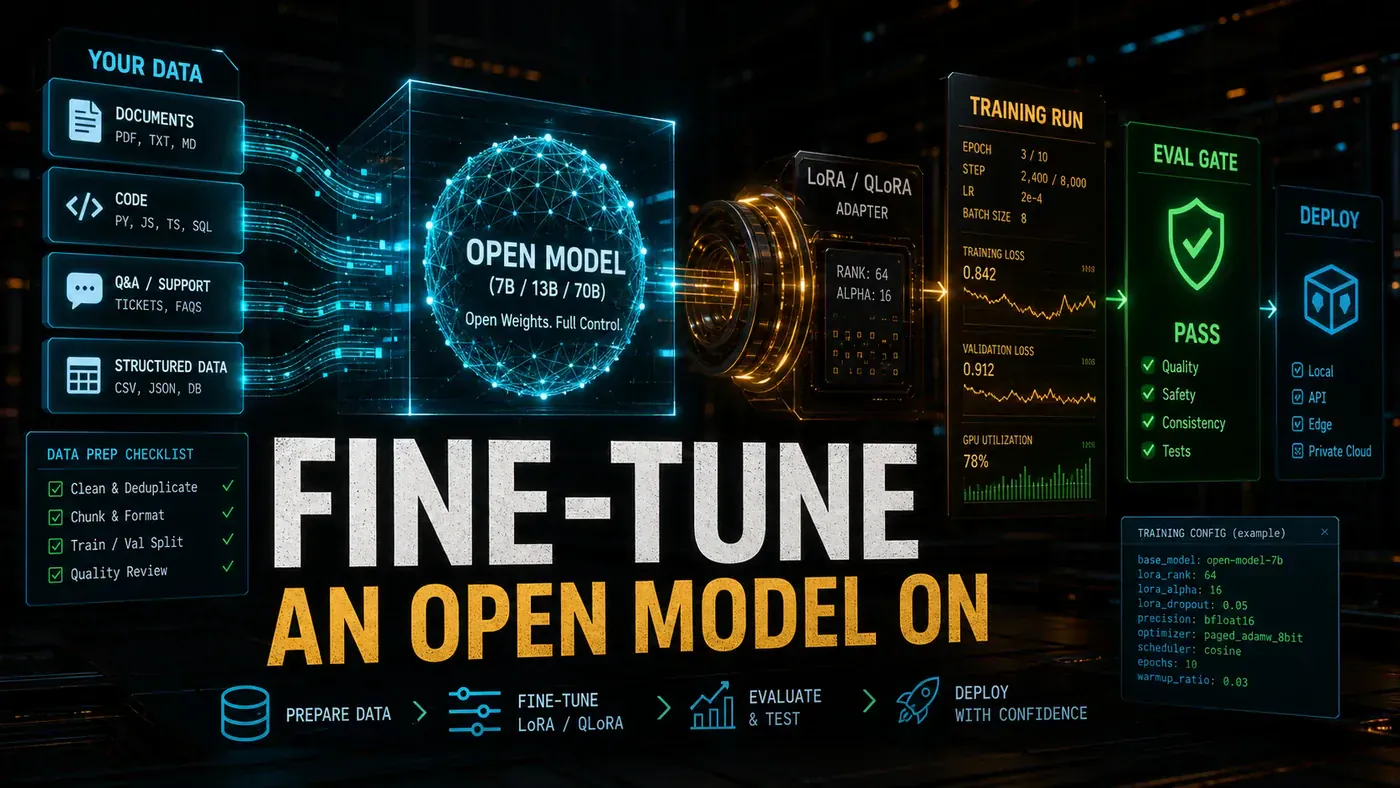
The reason this is suddenly worth a business owner's attention is hardware. Techniques like QLoRA let you fine-tune a large model on a single 24GB consumer card such as an RTX 4090, keeping most of the quality of a full fine-tune (Introl's fine-tuning guide (opens in a new tab) covers the maths). What used to need a rack of datacentre GPUs now fits on a machine under a desk.
A word of caution before you get excited about the numbers in this guide. The biggest open models released in mid-2026 are enormous: MiniMax M3 is around 427 billion parameters (MiniMax on Hugging Face (opens in a new tab)), and GLM-5.2 is a 744-billion-class mixture-of-experts model (zai-org on Hugging Face (opens in a new tab)). Models that size do not fit on a single 4090, full stop. The workflow below is sound, and it works beautifully on smaller open models. Treat the specific VRAM and timing figures for the frontier models as illustrations of the method, not promises you can hit on consumer hardware.
The payoff, when the model size matches your hardware, is real: a specialist model that speaks your language at a fraction of the cost of API calls. Here is how to build one.
Analysis
Prerequisites
- NVIDIA GPU with 16GB+ VRAM (24GB for QLoRA; 48GB for full fine-tuning)
- Python 3.10+, PyTorch 2.3+, CUDA 12.1+
- 10GB+ free disk space
- Training dataset (JSONL format)
These are standard requirements for a current PEFT and transformers stack, and the VRAM tiers line up with the usual LoRA and QLoRA guidance (Introl (opens in a new tab)).
Step-by-Step Framework
Step 1: Prepare Your Training Data
Your data format follows your task. This template covers most jobs:
{"instruction": "Classify this support ticket", "input": "My payment failed twice but I was still charged", "output": "{\"category\": "billing_issue\", \"urgency\": "high\", \"team\": \"finance\"}"}
{"instruction": "Refactor this function to use async/await", "input": "function fetchData() { return fetch('/api').then(r => r.json()); }", "output": "async function fetchData() { const response = await fetch('/api'); return await response.json(); }"}
{"instruction": "Generate a product description", "input": "Smart water bottle with temperature display and hydration reminders", "output": "Stay perfectly hydrated with our Smart Water Bottle..."}
# prepare_data.py
import json
import random
from datasets import Dataset
def load_and_split(path: str, val_ratio=0.1):
with open(path, 'r') as f:
examples = [json.loads(line) for line in f]
random.seed(42)
random.shuffle(examples)
split_idx = int(len(examples) * (1 - val_ratio))
train = examples[:split_idx]
val = examples[split_idx:]
return Dataset.from_list(train), Dataset.from_list(val)
train_ds, val_ds = load_and_split("training-data.jsonl")
print(f"Train: {len(train_ds)}, Val: {len(val_ds)}")Step 2: Choose Your Fine-Tuning Method
| Method | VRAM Required | Quality | Speed | Use Case |
|---|---|---|---|---|
| LoRA | 16GB | High | Fast | Most adaptation tasks |
| QLoRA (4-bit) | 12GB | Good | Fastest | Consumer GPUs |
| Full Fine-tune | 48GB+ | Highest | Slow | New capabilities |
QLoRA is the one to reach for if you are on a single consumer card. It pairs 4-bit NF4 quantisation with LoRA and keeps roughly 80 to 90 percent of full fine-tune quality on a 24GB 4090 (Introl (opens in a new tab)).
Step 3: Configure LoRA Training
A note on the model paths in the code below. The Hugging Face repo paths shown here are not all correct as written: MiniMax M3 actually lives at MiniMaxAI/MiniMax-M3 (not minimax/MiniMax-M3), and GLM-5.2 lives at zai-org/GLM-5.2 (not THUDM/GLM-5.2). The from_pretrained calls will fail with a 404 until you swap in the real paths. The "DeepSeek V3.5" reference (deepseek-ai/DeepSeek-V3.5) appears to be made up entirely, there is no such release. Verified DeepSeek open-weights models are V3.2 (December 2025) and the V4 family (BentoML's DeepSeek guide (opens in a new tab)). Substitute a model that exists and fits your GPU.
# train_lora.py
import torch
from transformers import AutoModelForCausalLM, AutoTokenizer, TrainingArguments
from peft import LoraConfig, get_peft_model, prepare_model_for_kbit_training
from trl import SFTTrainer

MODEL_NAME = "minimax/MiniMax-M3" # or "THUDM/GLM-5.2", "deepseek-ai/DeepSeek-V3.5"
OUTPUT_DIR = "./lora-output"

# Load tokenizer
tokenizer = AutoTokenizer.from_pretrained(MODEL_NAME, trust_remote_code=True)
tokenizer.pad_token = tokenizer.eos_token

# Load model in 4-bit for QLoRA
model = AutoModelForCausalLM.from_pretrained(
 MODEL_NAME,
 load_in_4bit=True,
 torch_dtype=torch.float16,
 device_map="auto",
 trust_remote_code=True
)

# Prepare for training
model = prepare_model_for_kbit_training(model)

# LoRA configuration
lora_config = LoraConfig(
 r=16, # Rank: 8 for quick tests, 16-32 for production
 lora_alpha=32, # Scaling: typically 2x rank
 target_modules=[ # Layers to adapt (model-specific)
 "q_proj", "v_proj", "k_proj", "o_proj",
 "gate_proj", "up_proj", "down_proj"
 ],
 lora_dropout=0.05,
 bias="none",
 task_type="CAUSAL_LM"
)

model = get_peft_model(model, lora_config)
model.print_trainable_parameters() # Should show ~1-5% of parameters trainable
These are the standard PEFT and LoRA settings: rank, lora_alpha, target_modules, and lora_dropout, with the 4-bit load handled by BitsAndBytes. A trainable share of a few percent is what you should expect from LoRA (Introl (opens in a new tab)).
Step 4: Configure Training Arguments
# Continuing train_lora.py

training_args = TrainingArguments(
 output_dir=OUTPUT_DIR,
 num_train_epochs=3, # 1-2 for quick iteration; 3-5 for final
 per_device_train_batch_size=4, # Reduce if OOM
 per_device_eval_batch_size=4,
 gradient_accumulation_steps=4, # Effective batch = 4 * 4 = 16
 learning_rate=2e-4, # LoRA: 1e-4 to 5e-4
 max_grad_norm=0.3,
 warmup_ratio=0.03,
 lr_scheduler_type="cosine",
 logging_steps=10,
 eval_strategy="steps",
 eval_steps=100,
 save_strategy="steps",
 save_steps=100,
 save_total_limit=2,
 bf16=True, # Use fp16 if bf16 not supported
 tf32=True,
 report_to="none"
)
Step 5: Format Data and Train
# Continuing train_lora.py

def format_example(example):
 """Format instruction-following examples for training."""
 if example.get('input'):
 text = f"### Instruction:\n{example['instruction']}\n\n### Input:\n{example['input']}\n\n### Response:\n{example['output']}"
 else:
 text = f"### Instruction:\n{example['instruction']}\n\n### Response:\
{example['output']}"
 return {"text": text}

# Apply formatting
train_ds = train_ds.map(format_example)
val_ds = val_ds.map(format_example)

# Training
trainer = SFTTrainer(
 model=model,
 tokenizer=tokenizer,
 train_dataset=train_ds,
 eval_dataset=val_ds,
 args=training_args,
 max_seq_length=2048, # Adjust to your data
 dataset_text_field="text"
)

print("Starting training...")
trainer.train()

# Save
trainer.save_model(OUTPUT_DIR)
tokenizer.save_pretrained(OUTPUT_DIR)
print(f"Model saved to {OUTPUT_DIR}")
Run training:
CUDA_VISIBLE_DEVICES=0 python train_lora.pyStep 6: Evaluate the Fine-Tuned Model
# evaluate.py
from peft import PeftModel
from transformers import AutoModelForCausalLM, AutoTokenizer
import json

BASE_MODEL = "minimax/MiniMax-M3"
ADAPTER_PATH = "./lora-output"

# Load base + adapter
model = AutoModelForCausalLM.from_pretrained(
 BASE_MODEL,
 torch_dtype=torch.float16,
 device_map="auto",
 trust_remote_code=True
)
model = PeftModel.from_pretrained(model, ADAPTER_PATH)
model = model.merge_and_unload() # Merge for faster inference
tokenizer = AutoTokenizer.from_pretrained(BASE_MODEL, trust_remote_code=True)

def generate(instruction, input_text=""):
 if input_text:
 prompt = f"### Instruction:\n{instruction}\n\n### Input:\n{input_text}\n\n### Response:\n"
 else:
 prompt = f"### Instruction:\n{instruction}\n\n### Response:\n"

 inputs = tokenizer(prompt, return_tensors="pt").to(model.device)
 outputs = model.generate(
 **inputs,
 max_new_tokens=256,
 temperature=0.7,
 top_p=0.9,
 do_sample=True
 )
 return tokenizer.decode(outputs[0], skip_special_tokens=True)

# Evaluate on validation set
correct = 0
total = 0
for ex in val_ds:
 predicted = generate(ex["instruction"], ex.get("input", ""))
 # Add your evaluation logic here
 print(f"Input: {ex.get('input', '')[:50]}...")
 print(f"Expected: {ex['output'][:100]}...")
 print(f"Predicted: {predicted[-200:]}...")
 print("-" * 50)
Do not skip this step. Run the model against the 10 percent of data you held back before it goes anywhere near production. Merging the adapter with merge_and_unload() also speeds up inference.
Step 7: Deploy the Fine-Tuned Model
Option A: Ollama
# Convert to GGUF and load in Ollama
# Use llama.cpp for conversion
python convert-lora-to-gguf.py --base minimax/MiniMax-M3 --lora ./lora-output --out ./fine-tuned.gguf

# Create Modelfile
cat > Modelfile << 'EOF'
FROM ./fine-tuned.gguf
PARAMETER temperature 0.5
PARAMETER top_p 0.9
SYSTEM "You are a specialised assistant trained on company-specific data."
EOF

ollama create my-fine-tuned -f Modelfile
ollama run my-fine-tuned
Converting a merged model to GGUF with llama.cpp and loading it in Ollama through a Modelfile (using FROM, PARAMETER, and SYSTEM) is the standard route (Pockit's QLoRA guide (opens in a new tab)). The exact convert-lora-to-gguf.py invocation here is illustrative, check the current llama.cpp conversion scripts for the real flags.
Option B: vLLM (Production)
# Install vLLM
pip install vllm

# Serve with OpenAI-compatible API
python -m vllm.entrypoints.openai.api_server \
 --model ./lora-output \
 --base-model minimax/MiniMax-M3 \
 --port 8000 \
 --tensor-parallel-size 1 \
 --gpu-memory-utilization 0.9
One correction worth making before you run this: vLLM does serve LoRA adapters through its OpenAI-compatible server, but the flags shown above are not real. The actual syntax uses --enable-lora and --lora-modules name=path, not --base-model and --model ./lora-output. Check the vLLM LoRA Adapters documentation (opens in a new tab) (and the vllm-project/vllm repo (opens in a new tab)) for the current invocation.
Step 8: Monitor and Iterate
Track these across training runs:
| Metric | Target | Action if Low |
|---|---|---|
| Train loss | < 1.5 | Increase epochs or data |
| Eval loss | Close to train loss | Check for overfitting |
| BLEU/ROUGE | > 0.3 | Increase data quality |
| Inference speed | > 20 tok/s | Quantise to Q4 |
Do/Don't
| Do | Don't |
|---|---|
| Start with QLoRA on a small dataset | Attempt full fine-tuning without 48GB+ VRAM |
| Hold out 10% for validation | Train on your entire dataset |
| Use rank 16 for most tasks | Use rank 64+ without more data |
| Evaluate before deploying | Deploy un-tested models to production |
| Save checkpoints every 100 steps | Only save at the end |
Cost and Time Estimates (RTX 4090)
| Model | Method | Data Size | Time | VRAM Used |
|---|---|---|---|---|
| MiniMax M3 | QLoRA | 500 examples | 1.5h | 18GB |
| GLM-5.2 | LoRA | 1,000 examples | 3h | 22GB |
| DeepSeek V3.5 | QLoRA | 2,000 examples | 4h | 20GB |
Read this table as rough order-of-magnitude figures for the method, not measured benchmarks (SurferCloud has comparable RTX 40-series numbers (opens in a new tab)). The per-model rows are projections rather than runs anyone has timed. And to be blunt: the MiniMax M3 (~427B) and GLM-5.2 (~744B MoE) figures do not hold up. Models that size will not LoRA-fit in 18 to 22GB on a single 4090, so treat those two rows as aspirational. The "DeepSeek V3.5" row references a model that does not exist. For real consumer-hardware runs, use a smaller open model and expect the timings to look roughly like the table's shape, not its exact numbers.
Conclusion
Fine-tuning open-weights models on consumer hardware is genuinely within reach now, as long as you match the model to the GPU. Start with QLoRA, 100 to 500 examples, and one to three epochs. Test against held-out data, merge the adapter for deployment, and serve through vLLM or Ollama. Pick a base model that actually fits your card, and double-check its real Hugging Face path before you train. Get that right and you end up with a model that speaks your domain's language, without paying per token to do it.