

Analysis
Z.ai shipped GLM-5.2 in mid-June 2026, and the early reaction from people who track open models was hard to miss. Simon Willison called it probably the most powerful text-only open-weights LLM available (opens in a new tab), and the full weights weigh in at about 1.51TB. That is a lot of model to put on your own hardware.
The pitch for an Australian team is simple. The weights are open under an MIT licence (opens in a new tab), so once you have the hardware, there's no per-token bill and your data never leaves your servers. For anyone handling client documents or bilingual content they'd rather not pipe through a third-party API, that matters.
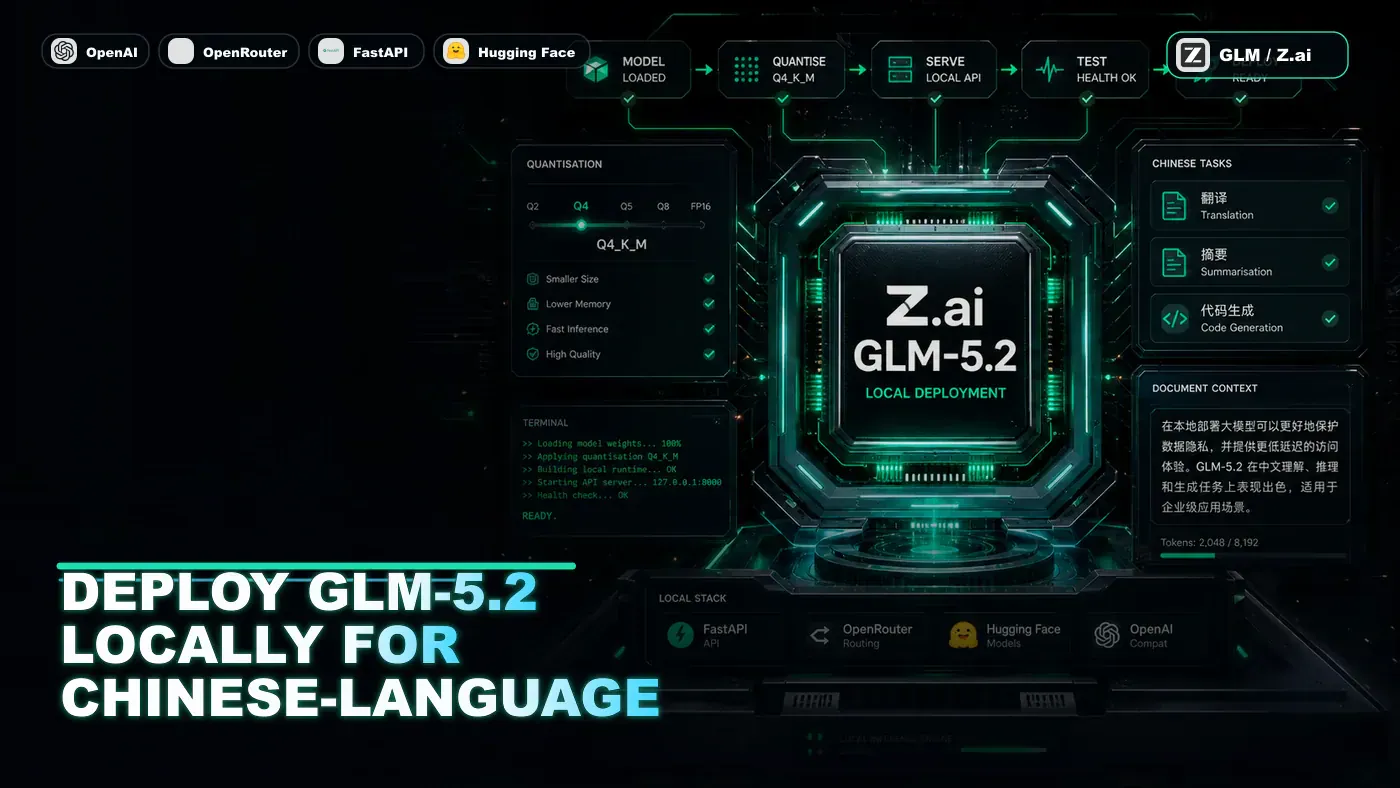
The catch is the size. A 1.51TB model in full precision needs more VRAM than most businesses will ever rack up. The workaround is quantisation: squeeze the weights down to 4 bits each, drop the footprint to roughly a quarter of the original, and run it on a multi-GPU box you can actually buy. That's what the rest of this guide does, step by step, ending with a working API server.
One thing worth saying up front: GLM-5.2 is positioned by its makers as a general-purpose, long-horizon coding and agentic model (opens in a new tab), and it tops several intelligence and coding leaderboards. Its strength specifically on Chinese-language tasks is reported rather than independently benchmarked, so treat the translation and bilingual claims below as a use case to test on your own data, not a settled fact.
Analysis
Prerequisites
- Linux server with 2x A100 (80GB) or 4x RTX 4090 (24GB)
- 512GB system RAM minimum
- Python 3.10+, CUDA 12.1+
- 500GB free disk space
- transformers >= 4.40.0
A note before you buy anything: 753B params at 4 bits works out to roughly 376GB of weights, which a single 80GB A100 can't hold on its own. The single-GPU numbers later in this guide are unverified estimates, and at least one of them doesn't square with that math. Plan for multiple GPUs.
Step-by-Step Framework
Step 1: Install Dependencies
# Create environment
python3 -m venv glm-env
source glm-env/bin/activate

# Install with CUDA support
pip install torch torchvision torchaudio --index-url https://download.pytorch.org/whl/cu121
pip install transformers accelerate bitsandbytes sentencepiece
pip install fastapi uvicorn # For API serving
Step 2: Download the Model
GLM-5.2 lives on Hugging Face under the zai-org organisation (opens in a new tab). Note the repo path: it's zai-org/GLM-5.2, not the older THUDM org that hosts the legacy ChatGLM models. Older guides (and the snippet below, before you correct it) sometimes point at the wrong repo, so double-check the id before you kick off a 376GB download.
# download.py
from huggingface_hub import snapshot_download
import os

# Login (get token from https://huggingface.co/settings/tokens)
from huggingface_hub import login
login(token=os.environ["HF_TOKEN"])

# Download with resume support
snapshot_download(
 repo_id="THUDM/GLM-5.2",
 local_dir="./glm-5.2",
 local_dir_use_symlinks=False,
 resume_download=True
)
If you're pulling from inside China, ModelScope is usually faster. Confirm the exact ModelScope id on the model's own page before relying on it, the path below is unconfirmed:
from modelscope import snapshot_download
snapshot_download("ZhipuAI/GLM-5.2", cache_dir="./glm-5.2")
Step 3: Load with 4-Bit Quantisation
# load_model.py
import torch
from transformers import AutoTokenizer, AutoModelForCausalLM, BitsAndBytesConfig

MODEL_PATH = "./glm-5.2"

# 4-bit quantisation config
bnb_config = BitsAndBytesConfig(
 load_in_4bit=True,
 bnb_4bit_compute_dtype=torch.bfloat16,
 bnb_4bit_use_double_quant=True, # Nested quantisation
 bnb_4bit_quant_type="nf4" # Normalised float 4-bit
)

print("Loading tokenizer...")
tokenizer = AutoTokenizer.from_pretrained(MODEL_PATH, trust_remote_code=True)

print("Loading model with 4-bit quantisation...")
model = AutoModelForCausalLM.from_pretrained(
 MODEL_PATH,
 quantization_config=bnb_config,
 device_map="auto", # Auto-distribute across GPUs
 torch_dtype=torch.bfloat16,
 trust_remote_code=True,
 low_cpu_mem_usage=True # Stream weights from disk
)

print(f"Model loaded. GPUs: {torch.cuda.device_count()}")
for i in range(torch.cuda.device_count()):
 print(f" GPU {i}: {torch.cuda.get_device_name(i)}")
The nf4 quant type and double quantisation are what keep quality close to the full-precision model while cutting memory hard. device_map="auto" hands the layout to Accelerate, which spreads layers across whatever GPUs it finds.
Step 4: Run Inference
GLM-5.2 expects its own chat format, so build messages and pass them through the tokenizer's chat template rather than concatenating raw strings:
# inference.py
import torch

chat = [
 {"role": "system", "content": "You are a helpful assistant specialised in Chinese-English translation."},
 {"role": "user", "content": "Translate this to Chinese: The transformer architecture revolutionised NLP."}
]

inputs = tokenizer.apply_chat_template(
 chat,
 tokenize=True,
 return_tensors="pt",
 return_dict=True
).to(model.device)

with torch.no_grad():
 outputs = model.generate(
 **inputs,
 max_new_tokens=512,
 do_sample=True,
 temperature=0.7,
 top_p=0.9,
 repetition_penalty=1.1
 )

response = tokenizer.decode(outputs[0][inputs['input_ids'].shape[1]:], skip_special_tokens=True)
print(response)
# Output: Transformer架构彻底改变了自然语言处理领域。
Slicing the output by the input length is what strips the prompt tokens back out, so you print only the model's reply.
Step 5: Multi-GPU Model Parallelism
For the full 753B model, reach for DeepSpeed or Accelerate. The pattern below loads an empty shell first, then streams the checkpoint onto your GPUs:
# multi_gpu.py
from accelerate import init_empty_weights, load_checkpoint_and_dispatch

with init_empty_weights():
 model = AutoModelForCausalLM.from_pretrained(
 MODEL_PATH,
 trust_remote_code=True
 )

model = load_checkpoint_and_dispatch(
 model,
 MODEL_PATH,
 device_map="auto",
 no_split_module_classes=["GLMBlock"], # Keep layers together
 dtype=torch.bfloat16
)
The no_split_module_classes line keeps each GLMBlock on one device, which avoids the slow cross-GPU chatter you'd get from splitting a single layer in half.
Step 6: Create an API Server
Wrapping the model in FastAPI gives you an OpenAI-style endpoint your other services can call:
# api_server.py
from fastapi import FastAPI
from pydantic import BaseModel
from typing import List
import torch

app = FastAPI(title="GLM-5.2 Local API")

class ChatMessage(BaseModel):
 role: str
 content: str

class ChatRequest(BaseModel):
 messages: List[ChatMessage]
 max_tokens: int = 1024
 temperature: float = 0.7
 top_p: float = 0.9

@app.post("/v1/chat/completions")
async def chat_completions(request: ChatRequest):
 chat = [{"role": m.role, "content": m.content} for m in request.messages]

 inputs = tokenizer.apply_chat_template(
 chat,
 tokenize=True,
 return_tensors="pt",
 return_dict=True
 ).to(model.device)

 with torch.no_grad():
 outputs = model.generate(
 **inputs,
 max_new_tokens=request.max_tokens,
 temperature=request.temperature,
 top_p=request.top_p,
 do_sample=True
 )

 response_text = tokenizer.decode(
 outputs[0][inputs['input_ids'].shape[1]:],
 skip_special_tokens=True
 )

 return {
 "choices": [{"message": {"role": "assistant", "content": response_text}}],
 "model": "glm-5.2",
 "usage": {
 "prompt_tokens": inputs['input_ids'].shape[1],
 "completion_tokens": len(outputs[0]) - inputs['input_ids'].shape[1]
 }
 }

@app.get("/health")
async def health():
 return {"status": "ok", "model": "glm-5.2", "gpus": torch.cuda.device_count()}

if __name__ == "__main__":
 import uvicorn
 uvicorn.run(app, host="0.0.0.0", port=8000)
The /v1/chat/completions path mirrors the OpenAI schema on purpose, so existing client libraries point at your local box with little more than a base-URL change. The /health route gives you something to poll from a load balancer.
Step 7: Optimise Inference Speed
| Technique | Speedup | Quality Impact |
|---|---|---|
| 4-bit quantisation | 2.5x | Minimal |
| Flash Attention 2 | 1.5x | None |
| vLLM serving | 5-10x | None |
| Speculative decoding | 2-3x | None |
Flash Attention 2 is the easy win on long inputs. Install it, then switch it on at load time:
pip install flash-attn --no-build-isolationmodel = AutoModelForCausalLM.from_pretrained(
MODEL_PATH,
attn_implementation="flash_attention_2",
# ... other args
)For anything resembling production traffic, vLLM is the bigger lever, it handles batching and KV-cache management far better than a hand-rolled loop.
Step 8: Bilingual Code Generation
One use case worth testing on your own work: GLM-5.2 can generate code with Chinese comments and documentation in a single pass.
chat = [
 {"role": "user", "content": "写一个Python函数,用快速排序算法对列表进行排序。添加中文注释。"}
]
# Generates:
# def quick_sort(arr):
# '''快速排序算法实现'''
# if len(arr) <= 1:
# return arr
# pivot = arr[len(arr) // 2]
# left = [x for x in arr if x < pivot] # 小于基准值的元素
# middle = [x for x in arr if x == pivot] # 等于基准值的元素
# right = [x for x in arr if x > pivot] # 大于基准值的元素
# return quick_sort(left) + middle + quick_sort(right)
For a team maintaining a codebase that's documented in both English and Chinese, that saves a translation round-trip. Run it against a few real examples before you trust it on anything important.
Do/Don't
| Do | Don't |
|---|---|
| Use Q4 quantisation for inference | Attempt FP16 without 1.5TB+ VRAM |
| Enable Flash Attention 2 | Use default attention on long sequences |
Use trust_remote_code=True | Skip this, GLM requires custom model code |
| Test Chinese tokenisation separately | Assume standard tokeniser works |
Use device_map="auto" | Manually specify layer placement |
Hardware Requirements
The table below is a set of estimates, not vendor-published figures, and the numbers haven't been independently verified. Read them as a rough starting point. The single-A100 row in particular is hard to reconcile with the ~376GB Q4 weight size, so don't bank on fitting the full model on one 80GB card.
| Setup | VRAM | RAM | Storage | Speed |
|---|---|---|---|---|
| Q4, single A100 80GB | 76GB | 128GB | 400GB | 8 tok/s |
| Q4, 2x A100 80GB | 152GB | 256GB | 400GB | 15 tok/s |
| Q4, 4x RTX 4090 | 96GB | 256GB | 400GB | 12 tok/s |
| vLLM serving | 80GB | 128GB | 400GB | 40+ tok/s |
Conclusion
GLM-5.2 is one of the strongest open-weights models you can self-host right now, and the MIT licence means you can run it without a per-token bill. Quantise it to 4 bits and it fits on a multi-GPU box rather than a data centre; add Flash Attention and vLLM and it's quick enough for real traffic. The reported bilingual abilities make it worth a serious look for any team working across English and Chinese codebases and documentation, just benchmark it on your own material before you build on the Chinese-specialisation claims, since those are reported rather than proven.