





Briefing
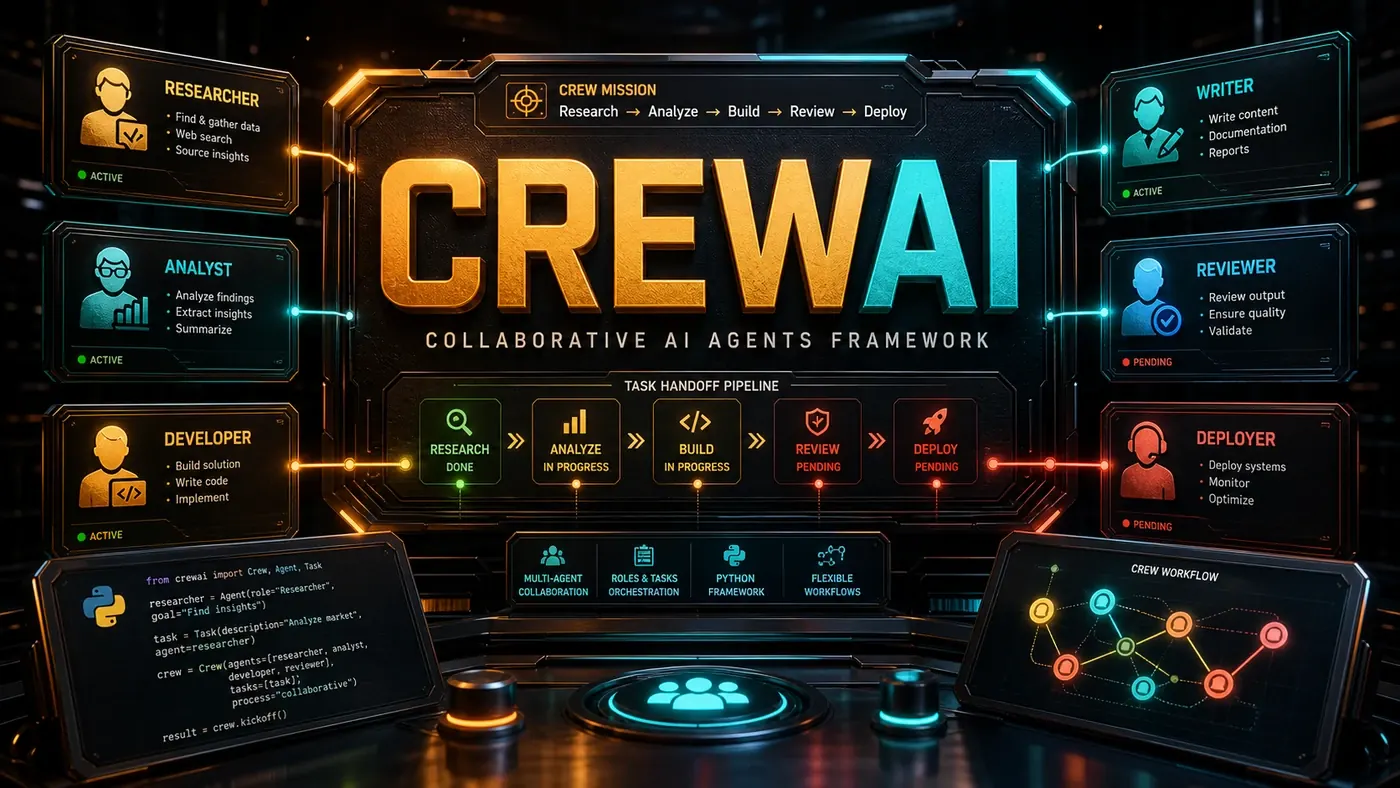
Multi-agent systems have a reputation for being fiddly. CrewAI (opens in a new tab) pushes back on that. It's an open-source Python framework where getting agents to work together comes down to describing who each agent is and what job it needs to do. The API stays readable, which is a big part of why it's caught on with teams dipping a toe into multi-agent work.
Here's the plain version of why anyone outside engineering should care. For years, getting software "agents" to coordinate meant wiring up brittle plumbing by hand. CrewAI flips the work into something closer to staffing a small team: you write down the role, the goal, and the task, and the framework handles the back-and-forth. A research agent gathers facts, hands them to a writing agent, which drafts the copy. No glue code holding it all together.
For an Australian business, that lowers the bar to trying this out. You don't need a dedicated AI team to stand up a working pipeline. A developer who understands the work can describe it in a handful of lines of Python and have agents passing tasks to each other the same afternoon. The framework runs on whatever model you already use, including local ones, so you're not locked into a single vendor or sending data offshore if you'd rather not.
The catch worth naming up front: easy to start is not the same as easy to get right. The mental model below is genuinely simple, but the quality of the output still rests on how well you define each role and task. CrewAI removes the plumbing, not the thinking.
Roles, Tasks, and Processes
CrewAI's mental model is straightforward.
Agents have a role, a goal, a backstory, and tools (CrewAI docs, Crews (opens in a new tab)). The backstory isn't decorative. It shapes how the agent approaches problems. A "sceptical security researcher" agent reads code very differently than an "optimistic product developer."
Tasks have a description, expected output, and assigned agent. They can run in sequence, where each one depends on the last, or in parallel when they're independent.
Crews are collections of agents and tasks with a defined process. The process sets the execution order: sequential, hierarchical, or consensus-based.
from crewai import Agent, Task, Crew

researcher = Agent(
 role='Research Analyst',
 goal='Find comprehensive information',
 backstory='Expert at web research and synthesis',
 tools=[search_tool]
)

writer = Agent(
 role='Content Writer',
 goal='Create engaging articles',
 backstory='Skilled at turning research into prose'
)

task1 = Task(description='Research AI trends', agent=researcher)
task2 = Task(description='Write article', agent=writer)

crew = Crew(agents=[researcher, writer], tasks=[task1, task2])
result = crew.kickoff()
The crew starts running when you call crew.kickoff() (CrewAI docs, Crews (opens in a new tab)).
Process Types
Sequential: Tasks run in order, and each task's output feeds the next one as context (CrewAI docs, Processes (opens in a new tab)). Good fit for linear workflows.
Hierarchical: A manager agent coordinates the workers, handing out tasks and checking their output before things move on (CrewAI docs, Processes (opens in a new tab)). Good fit for bigger projects that need oversight.
Consensus: Several agents work the same task and have to agree on the result. This is the newest of the three and less battle-tested than sequential and hierarchical work it was added through a pull request to the project rather than shipping as a founding feature (opens in a new tab) so treat it as the experimental option rather than a like-for-like peer. Suited to high-stakes decisions where a second opinion matters.
Tool Integration
CrewAI agents can use any tool that exposes a function interface. The built-in integrations cover most of what teams reach for (CrewAI docs, Tools (opens in a new tab)):
- Web search: Serper, Exa, Tavily, and custom search providers
- Code execution: sandboxed Python execution (CrewAI docs, Code Interpreter (opens in a new tab))
- File operations: read, write, and manipulate files
- API calls: a generic HTTP client for any REST or GraphQL API
- Database queries: SQL execution against connected databases
Defining your own tool is no harder than writing a function. Any Python function with a docstring can become a tool, and the docstring is what tells the agent what the tool does.
Memory and Context
CrewAI ships with a memory system so agents can share what they know across tasks (CrewAI docs, Memory (opens in a new tab)). Short-term memory holds recent interactions. Long-term memory keeps important facts. Entity memory tracks the people, places, and concepts that come up across conversations.
Memory matters more in multi-agent work than people expect. Without shared context, agents work blind to each other, each one solving its slice in isolation. CrewAI's memory means what one agent figures out is available to the rest of the crew.
Ecosystem and Integrations
CrewAI plugs into the wider AI tooling around it:
- LangChain: use LangChain tools and chains inside CrewAI agents (crewAIInc/crewAI on GitHub (opens in a new tab))
- Mem0: persistent memory across crew sessions (Mem0 docs, CrewAI integration (opens in a new tab))
- OpenAI/Anthropic: works with any LLM provider
- Local models: full support for Ollama and LM Studio
Use Cases
Research Teams: multi-agent research with separate search, analysis, and writing agents.
Content Creation: end-to-end pipelines that take a topic from research through editing and formatting.
Code Review: agents with different specialities checking code for security, performance, and style.
Customer Support: tiered support with triage, troubleshooting, and escalation agents.
The honest summary: CrewAI is one of the more approachable ways into multi-agent systems, and its readable API is a real part of that. Whether it stays a leading option will depend on how the project and its community hold up over time, but for a team that wants to try agent collaboration without a heavy lift, it's a sensible place to start.
CrewAI: answer-first summary
CrewAI matters because it can change how Founders and operators plan, build, or govern an tool evaluation workflow. CrewAI makes multi-agent collaboration simple with role-based agents, task delegation, and process flows.
The direct answer is this: do not treat the topic as a standalone trend. Treat it as a decision about inputs, outputs, review ownership, data exposure, and whether the workflow produces a result that is faster, safer, or more useful than the current process.
CrewAI: implementation checklist
- Define the user, job to be done, and success metric for the tool evaluation workflow.
- Collect real examples, policies, source files, customer questions, or search queries before writing prompts or choosing tools.
- Separate low-risk drafts from decisions that need approval, privacy checks, or senior review.
- Document what the AI is allowed to access, what it must not access, and who signs off before production use.
- Review time to value, adoption rate, cost per workflow, quality review score after a small pilot rather than judging the idea from a demo.
This keeps the work practical. It also gives search engines and AI answer engines a clean factual structure: what the topic is, who it helps, what to do next, and which risks matter before implementation.
Decision criteria for CrewAI
| Decision area | What to check | Production signal |
|---|---|---|
| Intent | Does CrewAI solve a real workflow problem? | The use case has a named owner and measurable outcome. |
| Data | Can the required data be used safely? | Sensitive data is classified and access is controlled. |
| Quality | Can a reviewer judge the output consistently? | Examples, rubrics, or acceptance criteria exist. |
| Scale | Can the workflow be repeated without hero effort? | The process is documented and can be handed to another team member. |
Practical example for CrewAI
A small business could use this article to choose one practical test. For example, a manager might take one customer-facing process, one internal document workflow, or one recurring content task and redesign only that step with AI support. The goal is not to automate the whole business at once; it is to learn where AI Tools creates reliable leverage.
The useful deliverable is a short operating note: the trigger, the source material, the prompt or tool, the review checklist, the escalation rule, and the metric. That note becomes the handover asset for staff training, SEO/GEO content, service delivery, or future agent work.
Risks and controls for CrewAI
The common failure pattern is moving too quickly from a promising idea into an unmanaged workflow. For CrewAI, the risk is not only bad output. It can also be unclear data permission, staff confusion, duplicate content, unreviewed customer advice, or a tool that quietly changes cost or capability.
- Control tool sprawl with a named owner, a review step, and written acceptance criteria.
- Control unclear pricing with a named owner, a review step, and written acceptance criteria.
- Control vendor lock-in with a named owner, a review step, and written acceptance criteria.
- Control unreviewed data sharing with a named owner, a review step, and written acceptance criteria.
Measurement plan for CrewAI
A useful AI or SEO initiative should leave evidence. Track time to value, adoption rate, cost per workflow, quality review score and compare the pilot against the current process. If the measure does not improve, keep the learning but avoid scaling the workflow.
For GEO readiness, the page should also answer the core question directly, define the entities involved, include implementation steps, explain tradeoffs, and link readers to the next relevant AI Kick Start service, guide, tool, or article.
Definitions and entities for CrewAI
For search, GEO, and staff handover, define the core entities in plain language. In this article the important entities are the workflow owner, the AI tool or model, the source material, the review process, the risk boundary, and the measurable business outcome. Clear definitions make the page easier for people to scan and easier for AI answer engines to quote accurately.
- Workflow owner: the person accountable for deciding whether CrewAI belongs in the business process.
- Source material: the documents, examples, policies, URLs, prompts, videos, or customer questions that ground the output.
- Review boundary: the point where a human checks accuracy, privacy, brand voice, or customer impact before the result is used.
- Success metric: the measure that proves whether the tool evaluation workflow is worth repeating.
CrewAI versus doing nothing
Doing nothing is also a decision. The cost may be slow manual work, weaker search visibility, inconsistent advice, duplicated effort, or staff using unmanaged AI tools without a shared process. The practical question is whether a controlled pilot can reduce that cost without creating a larger governance problem.
| Option | When it makes sense | What to watch |
|---|---|---|
| Do nothing | The workflow is rare, low value, or already reliable. | Competitors may improve speed, content depth, or service consistency first. |
| Run a small pilot | The task repeats often and has clear review criteria. | Keep scope tight and measure the result against the current process. |
| Build a production workflow | The pilot is repeatable and risk controls are documented. | Assign ownership, monitoring, training, and a rollback path. |
AI Kick Start handover package for CrewAI
A production handover should be concrete enough that another person can run it. For CrewAI, that means a short brief, a workflow map, approved prompts or tool settings, source material, a review checklist, internal links to supporting resources, and a simple measurement sheet. This is the difference between reading about AI and turning it into operational capability.
That packaging also strengthens E-E-A-T. It shows experience through implementation notes, expertise through decision criteria, authoritativeness through source-aware structure, and trust through risks, controls, and review steps. The article becomes useful even if the reader never buys a tool because it helps them make a better operational decision.