


Analysis
Analysis
Every engineering team has a senior developer whose judgement everyone trusts. They know which patterns hold up, which shortcuts come back to bite you, and how the team likes its code reviewed. The problem is that knowledge lives in one head, and it walks out the door at 5pm.
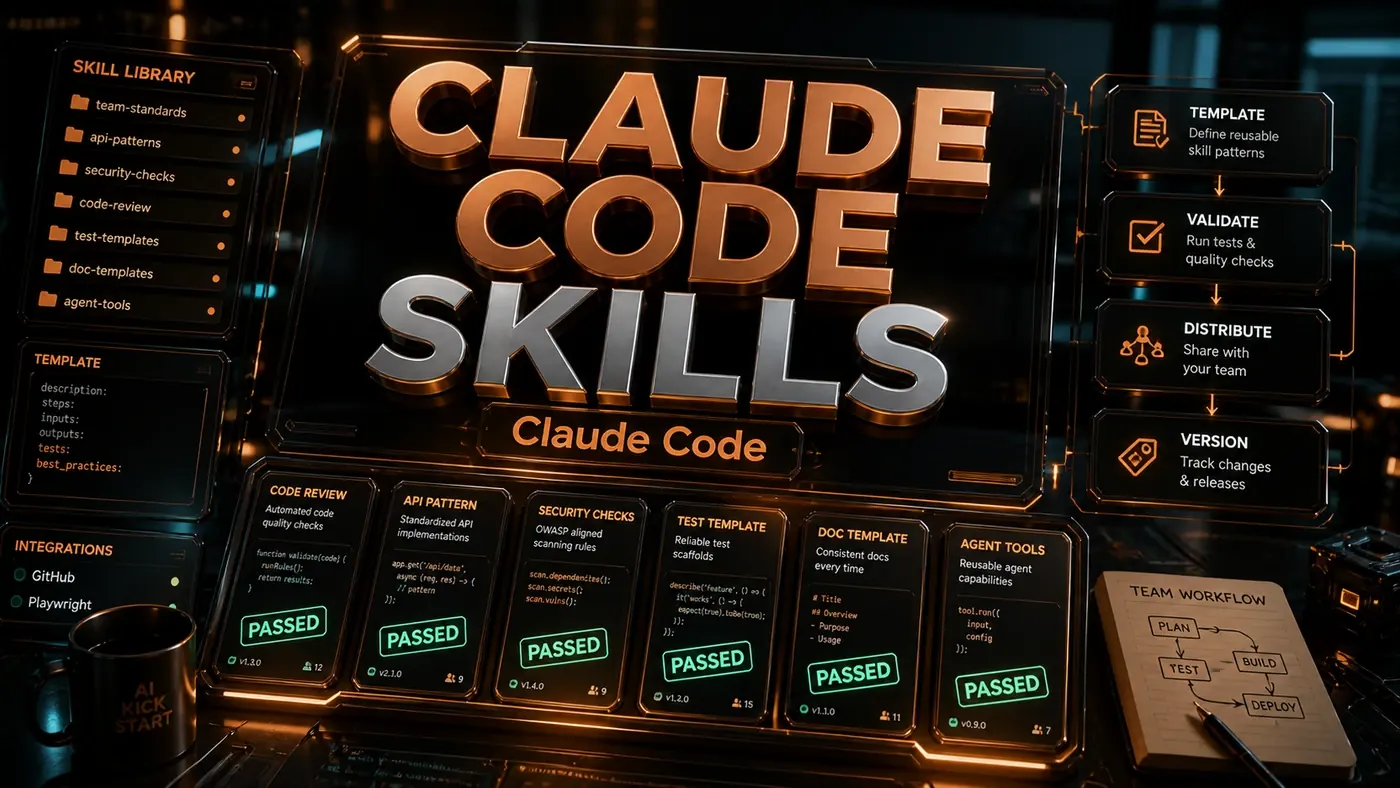
The pitch behind custom Claude Code skills is to capture that judgement once and hand it to everyone. A skill packages up a repeatable job, refactoring before a pull request, scaffolding an API endpoint, writing tests the way your team writes tests, so any engineer can trigger it without relearning the house rules.
A word of caution before you read on. The code in this guide is built around a TypeScript module API that reads cleanly but is not how Anthropic actually ships skills today. Real Claude Code skills are markdown files: a folder with a SKILL.md describing what the skill does and when to use it, which the model reads and decides to apply on its own (anthropics/skills (opens in a new tab)). The design thinking below still holds. The exact function names and CLI commands do not. We've flagged the parts that won't run as written so you can take the ideas without inheriting the mistakes.
So treat this as a blueprint for how to think about team skills, validation, shared conventions, a central registry, versioning, and check the official docs (opens in a new tab) for the syntax that actually works.
Prerequisites
- Claude Code >= 0.35 *(Note: this version number predates Claude Code's current 2.x scheme; check the changelog (opens in a new tab) for the version you're on.)*
- Node.js 20+ *(The Claude Agent SDK (opens in a new tab) documents Node 18+ as its minimum; 20+ is a safe baseline.)*
- A shared git repository for your organisation
- Basic TypeScript knowledge
Step-by-Step Framework
Step 1: Understand the Skill Anatomy
In the model shown here, a skill has three parts: metadata, an input schema, and a handler. (Again, the real format is a SKILL.md markdown file, not a module like this. The structure is useful to think with even so.)
// skills/pr-refactor.ts
import { defineSkill } from '@anthropic/claude-sdk';
import { z } from 'zod';

export default defineSkill({
 // 1. Metadata
 name: 'pr-refactor',
 description: 'Refactor code according to team standards before PR',
 version: '1.2.0',

 // 2. Input schema (Zod)
 input: z.object({
 filePath: z.string().describe('Path to the file to refactor'),
 focus: z.enum(['performance', 'readability', 'types', 'all']).default('all'),
 autoFix: z.boolean().default(false)
 }),

 // 3. Handler
 async execute({ filePath, focus, autoFix }, { claude, fs, git }) {
 // Read file
 const code = await fs.readFile(filePath, 'utf-8');

 // Get team conventions
 const conventions = await fs.readFile('.claude/conventions.md', 'utf-8');

 // Generate refactored code
 const result = await claude.generate({
 prompt: `Refactor this code focusing on ${focus}.
 Team conventions: ${conventions}
 Code: ${code}`,
 outputSchema: z.object({
 refactored: z.string(),
 changes: z.array(z.string()),
 confidence: z.number()
 })
 });

 if (autoFix && result.confidence > 0.8) {
 await fs.writeFile(filePath, result.refactored);
 await git.commit(`refactor(${filePath}): AI-assisted ${focus} improvements`);
 }

 return result;
 }
});
Read the shape, not the syntax. The metadata names the skill and pins a version. The Zod schema declares exactly what inputs it accepts. The handler does the work: read the file, pull in the team's conventions, ask the model to refactor, and optionally write the change back. The import { defineSkill } from '@anthropic/claude-sdk' line is the part to ignore, that package and that function don't exist. Anthropic's real packages are @anthropic-ai/sdk, `@anthropic-ai/claude-agent-sdk` (opens in a new tab), and @anthropic-ai/claude-code, and none of them expose a defineSkill() call. The injected claude.generate(), fs, and git helpers are part of the same imagined API.
Step 2: Create the Skill Registry
A team skill set wants a tidy home. The layout below keeps each skill in its own file and registers them in one place:
.claude/
├── skills/
│ ├── index.ts # Registry
│ ├── pr-refactor.ts # Code quality
│ ├── api-design.ts # API endpoint design
│ ├── test-gen.ts # Test generation
│ ├── doc-sync.ts # Documentation updates
│ └── deploy-check.ts # Pre-deploy validation
├── conventions.md # Team coding standards
└── config.yaml # Skill activation rules
// .claude/skills/index.ts, the registry
import prRefactor from './pr-refactor';
import apiDesign from './api-design';
import testGen from './test-gen';
import docSync from './doc-sync';
import deployCheck from './deploy-check';
export const teamSkills = [
prRefactor,
apiDesign,
testGen,
docSync,
deployCheck
];
// Auto-register based on file patterns
export const activationRules = [
{ skill: 'pr-refactor', pattern: '**/*.{ts,tsx,js,jsx}' },
{ skill: 'api-design', pattern: '**/routes/**, **/api/**' },
{ skill: 'test-gen', pattern: '**/*.test.{ts,js}' },
{ skill: 'deploy-check', pattern: '**/Dockerfile, **/deploy.yaml' }
];One thing to set straight: the activationRules glob-pattern mechanism shown here is not how skills get triggered in real Claude Code. There's no documented array that maps a skill to a file pattern. In practice, the model reads the plain-English description in each skill's SKILL.md and decides on its own whether the skill is relevant to what you're doing (Claude Code skills docs (opens in a new tab)). So the lesson stands, write descriptions that make it obvious when a skill applies, but the file-pattern wiring is invented.
Step 3: Encode Team Conventions
This step is the one worth taking literally. Put your standards in one file and point everything at it:
# Team Coding Conventions

## TypeScript
- Prefer `interface` over `type` for object shapes
- Use strict null checks (no `any`)
- Async/await over raw promises
- Error handling: always use custom error classes

## Naming
- Components: PascalCase (`UserProfile`)
- Functions: camelCase (`fetchUserData`)
- Constants: UPPER_SNAKE_CASE (`MAX_RETRY_COUNT`)
- Files: kebab-case (`user-profile.tsx`)

## Testing
- Every exported function needs a test
- Use `describe` blocks for grouping
- Mock external API calls with MSW

## Performance
- No Lodash, use native methods
- Lazy load components over 100KB
- Debounce inputs at 300ms
A single conventions file beats the same rules scattered across a dozen READMEs. When the rules change, you change them once.
Step 4: Add Input Validation with Zod
Zod (opens in a new tab) is a real schema validation library and a sensible pick for this. The API calls below, z.object, z.enum, z.string().regex(), .default(), are all genuine Zod usage. One caveat: the ^3.23.0 pin shown later is a valid older release, but Zod is now on version 4, so check what's current before you lock it in.
// skills/api-design.ts
import { z } from 'zod';

const HttpMethod = z.enum(['GET', 'POST', 'PUT', 'PATCH', 'DELETE']);

const inputSchema = z.object({
 endpoint: z.string()
 .regex(/^\/[a-z0-9-\/]+$/, 'Must be a valid path starting with /')
 .describe('API endpoint path, e.g. /users/:id'),

 method: HttpMethod.default('GET'),

 auth: z.enum(['jwt', 'api-key', 'none']).default('jwt'),

 requestBody: z.object({
 schema: z.string().optional(),
 example: z.record(z.any()).optional()
 }).optional(),

 responseSchema: z.string().describe('Zod schema for the response'),

 rateLimit: z.object({
 requests: z.number().int().positive(),
 window: z.enum(['1s', '1m', '1h', '1d'])
 }).default({ requests: 100, window: '1m' })
});

export default defineSkill({
 name: 'api-design',
 input: inputSchema,
 async execute(input, { claude, fs }) {
 // Validated input is fully typed
 const { endpoint, method, auth } = input;
 // ... implementation
 }
});
The payoff: once input passes the schema, it's fully typed and you can trust it. Free-form strings going into a skill are how you end up debugging garbage inputs three weeks later.
Step 5: Implement the Test Generation Skill
Same pattern, different job, point it at a source file and have it write the matching tests.
// skills/test-gen.ts
export default defineSkill({
 name: 'test-gen',
 input: z.object({
 sourceFile: z.string(),
 framework: z.enum(['vitest', 'jest', 'playwright']).default('vitest'),
 coverage: z.enum(['basic', 'comprehensive', 'edge-cases']).default('comprehensive')
 }),

 async execute({ sourceFile, framework, coverage }, { claude, fs }) {
 const source = await fs.readFile(sourceFile, 'utf-8');
 const testFile = sourceFile.replace(/\.(ts|tsx|js|jsx)$/, '.test.$1');

 const tests = await claude.generate({
 prompt: `Generate ${coverage} ${framework} tests for this code.
 Follow team conventions from .claude/conventions.md.

 Source code:
 ${source}

 Output the complete test file content.`,
 outputFormat: 'code'
 });

 await fs.writeFile(testFile, tests);

 return {
 testFile,
 testCount: (tests.match(/it\(/g) || []).length,
 coverage
 };
 }
});
Notice it folds in the same conventions.md from Step 3. That's the point of a single source of truth, every skill leans on it, so generated tests follow the same rules a human reviewer would enforce.
Step 6: Package for Distribution
To share skills across projects, package them like any other internal library:
// package.json for @yourco/claude-skills
{
 "name": "@yourco/claude-skills",
 "version": "1.0.0",
 "description": "Official Claude Code skills for YourCo engineering",
 "main": "dist/index.js",
 "types": "dist/index.d.ts",
 "scripts": {
 "build": "tsc",
 "test": "vitest",
 "lint": "eslint src/**/*.ts",
 "validate": "claude skills validate ./src"
 },
 "peerDependencies": {
 "@anthropic/claude-sdk": ">=0.35.0"
 },
 "dependencies": {
 "zod": "^3.23.0"
 },
 "files": ["dist", "templates", "conventions.md"]
}
Two things to fix if you adapt this. The peerDependencies entry points at @anthropic/claude-sdk, which isn't a real package, swap it for whichever Anthropic package you actually use. And claude skills validate is not a real command; validation today is handled by third-party tools rather than a built-in subcommand, so don't expect that script to work as written.
Step 7: Install Team-Wide
# In each project
npm install --save-dev @yourco/claude-skills

# In .claude/config.yaml
skills:
 registry: "@yourco/claude-skills"
 autoActivate: true
 rules:
 - skill: pr-refactor
 on: pre-commit
 - skill: deploy-check
 on: pre-deploy
The config.yaml here, with its autoActivate flag and pre-commit / pre-deploy hooks, describes a configuration model that Claude Code doesn't actually support. Skills aren't wired to git lifecycle events this way. If you want a skill to run on pre-commit, that's a job for your own git hooks, not a skill config. The npm install half is ordinary and fine.
Step 8: Usage Examples
# Refactor a file before PR
claude run skill pr-refactor --filePath src/auth.ts --focus readability

# Design a new API endpoint
claude run skill api-design \
 --endpoint "/webhooks/stripe" \
 --method POST \
 --auth api-key \
 --responseSchema "StripeWebhookEvent"

# Generate tests
claude run skill test-gen --sourceFile src/calculator.ts --coverage comprehensive

# Sync documentation
claude run skill doc-sync --checkLinks true
These claude run skill ... --flags invocations read nicely but aren't how skills get used. There's no documented claude run skill command. In real Claude Code, the model picks a skill up on its own when the work matches the skill's description, you don't call it by name with flags (Claude Code skills docs (opens in a new tab)). So the right mental model is closer to "the assistant notices this is a refactor and reaches for the refactor skill" than "I ran a CLI command."
Do/Don't
| Do | Don't |
|---|---|
| Version skills with semver | Change skill behaviour without bumping version |
| Use Zod for all inputs | Accept free-form string inputs |
| Document conventions in a single file | Scatter conventions across READMEs |
| Test skills before distributing | Push broken skills to the registry |
| Use activation rules to auto-suggest | Force skills on every file operation |
Conclusion
The idea worth keeping is simple: turn the standards your best engineer carries around in their head, review checklists, naming rules, deployment steps, into something the whole team can reuse. Start with one skill, write your conventions down in conventions.md, and share the set through a package everyone installs.
Just build it on the real foundation. Skills are SKILL.md markdown files, not the TypeScript modules sketched out above, and you can see how Anthropic structures its own in the anthropics/skills (opens in a new tab) repository. Read the official skills docs (opens in a new tab) first, take the design thinking from this guide, and you'll end up with team skills that actually run.