







Analysis
Most knowledge workers have a graveyard somewhere on their hard drive. Maybe it's an Obsidian vault, maybe it's a folder of markdown files, maybe it's years of meeting notes nobody has opened twice. The notes went in. They almost never came back out.
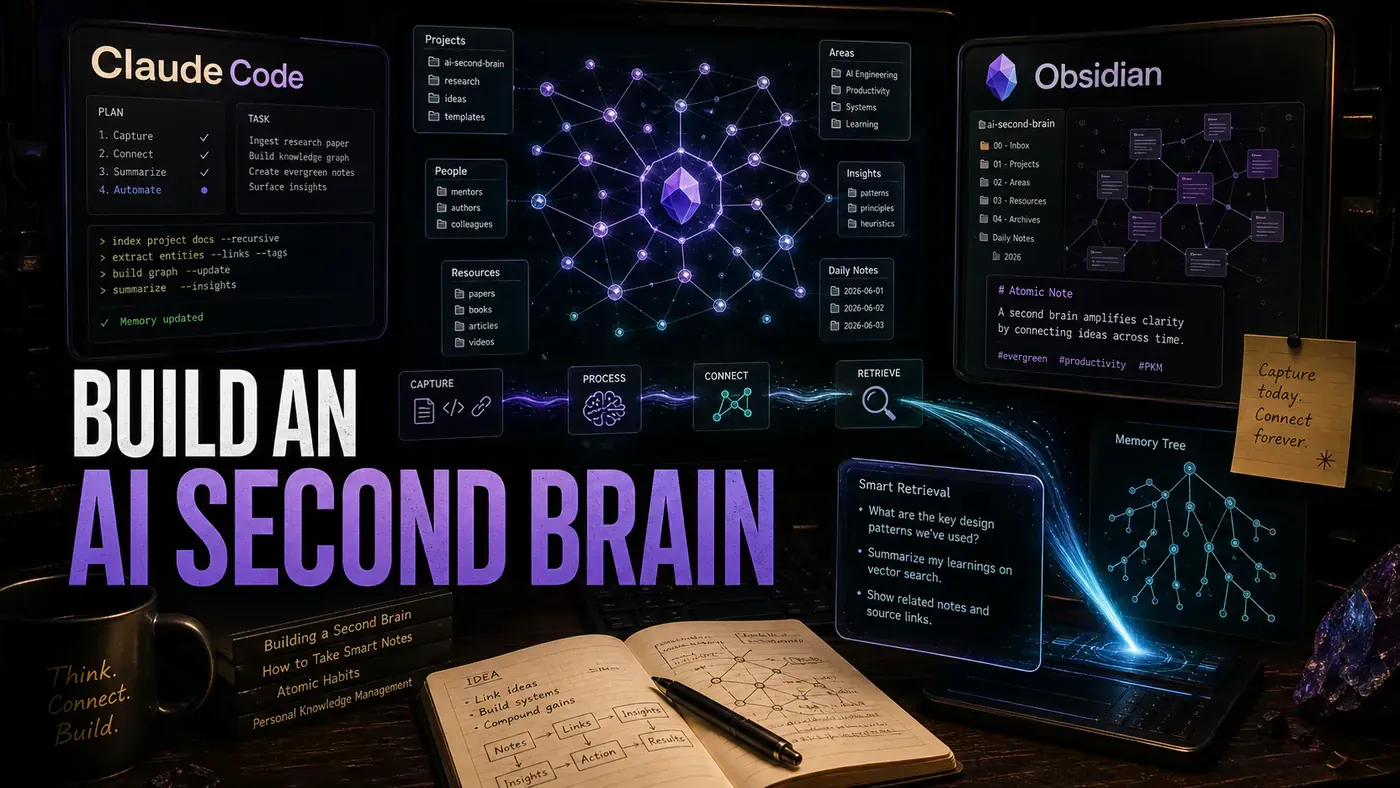
The pitch for an "AI second brain" has been around for a while, and most of it has been hype. What's changed is the plumbing. Claude Code (opens in a new tab), Anthropic's command-line coding agent, can read and write the plain markdown files your notes already live in. That makes your vault something the AI can actually work on, not just chat about.
This guide wires the two together. The result is a system that tags new notes as they land, points out connections you'd never spot by hand, writes you a weekly digest of what you've been thinking about, and answers plain questions across everything you've written. Run on Claude Sonnet 4.6 (opens in a new tab), light personal use reportedly lands somewhere around a few dollars a month, and you can keep the embeddings entirely on your own machine if the contents are sensitive.
A fair warning before the code: the dollar figures here are author estimates, not measured invoices, and a couple of the snippets are illustrative rather than copy-paste-ready SDK calls. They show you the shape of the system. Treat them as a blueprint, not a finished product.
Analysis
Prerequisites
- Obsidian installed with a vault of 50+ notes
- Claude Code (
claudeCLI) - Git installed (for change tracking)
- Optional: ChromaDB or similar vector store
Step-by-Step Framework
Step 1: Structure Your Vault for AI Access
Claude Code works best when it knows where things live. Give your vault a predictable layout:
vault/
├── 00-Inbox/ # Unprocessed notes
├── 01-Daily/ # Daily notes (YYYY-MM-DD.md)
├── 02-Projects/ # Active projects
├── 03-Areas/ # Ongoing areas of responsibility
├── 04-Resources/ # Reference material
├── 05-Archive/ # Completed/inactive
└── .claude/ # Claude Code configuration
 ├── skills/
 └── templates/
cd ~/your-obsidian-vault
mkdir -p {00-Inbox,01-Daily,02-Projects,03-Areas,04-Resources,05-Archive.claude/skills}
git init
echo ".claude/cache/" >> .gitignore
git add . && git commit -m "Initial vault structure"Step 2: Create the Vault Skill for Claude Code
This skill is how Claude reads your notes. It walks the markdown files, pulls out the frontmatter, and hands back a tidy summary of each one. Note the use of gray-matter (opens in a new tab) to parse the YAML frontmatter:
// .claude/skills/vault-manager.ts
import { glob } from 'glob';
import matter from 'gray-matter';

const VAULT_PATH = process.env.OBSIDIAN_VAULT || '.';

export async function listNotes(folder?: string): Promise<Note[]> {
 const pattern = folder
 ? `${VAULT_PATH}/${folder}/**/*.md`
 : `${VAULT_PATH}/**/*.md`;

 const files = await glob(pattern, { ignore: ['**/node_modules/**', '**/.claude/**'] });

 return Promise.all(files.map(async (path) => {
 const content = await fs.readFile(path, 'utf-8');
 const { data: frontmatter, content: body } = matter(content);
 return {
 path,
 title: frontmatter.title || path.split('/').pop()?.replace('.md', ''),
 tags: frontmatter.tags || [],
 created: frontmatter.created,
 modified: frontmatter.modified,
 wordCount: body.split(/\s+/).length,
 links: extractWikiLinks(body),
 body: body.slice(0, 2000) // Truncate for previews
 };
 }));
}

function extractWikiLinks(content: string): string[] {
 const linkRegex = /\[\[(.+?)\]\]/g;
 const matches = [];
 let match;
 while ((match = linkRegex.exec(content)) !== null) {
 matches.push(match[1]);
 }
 return matches;
}
Step 3: Build the Smart Tagging Skill
Untagged notes are the reason most vaults rot. This skill reads a note, checks whether it already has enough tags, and if not, asks Claude to suggest a few from your existing tag vocabulary. It then writes them straight back into the frontmatter:
// .claude/skills/auto-tagger.ts
export async function autoTagNote(notePath: string): Promise<string[]> {
 const content = await fs.readFile(notePath, 'utf-8');
 const { data: frontmatter, content: body } = matter(content);

 // Skip if already well-tagged
 if (frontmatter.tags && frontmatter.tags.length >= 3) {
 return frontmatter.tags;
 }

 const suggestedTags = await claude.generate({
 prompt: `Given this note content, suggest 3-7 relevant tags.
 Existing tags in vault: #ai, #programming, #health, #finance,
 #productivity, #learning, #career, #writing, #systems, #philosophy

 Note content (first 1000 chars): ${body.slice(0, 1000)}

 Return ONLY a JSON array of tag strings.`,
 outputFormat: 'json'
 });

 // Update frontmatter
 frontmatter.tags = [...new Set([...(frontmatter.tags || [])...suggestedTags])];
 frontmatter.modified = new Date().toISOString().split('T')[0];

 const newContent = matter.stringify(body, frontmatter);
 await fs.writeFile(notePath, newContent);

 return suggestedTags;
}
Step 4: Implement Semantic Note Linking
This is where the second brain earns its name. Instead of matching on keywords, it turns each note into a vector and compares meaning. The embeddings run locally through @xenova/transformers (opens in a new tab) using the all-MiniLM-L6-v2 model, so no note content leaves your machine for this step:
// .claude/skills/link-discoverer.ts
import { pipeline } from '@xenova/transformers';

let embedder: any = null;

async function getEmbedder() {
 if (!embedder) {
 embedder = await pipeline('feature-extraction', 'Xenova/all-MiniLM-L6-v2');
 }
 return embedder;
}

export async function findRelatedNotes(notePath: string, topK = 5): Promise<RelatedNote[]> {
 const allNotes = await listNotes();
 const targetNote = allNotes.find(n => n.path === notePath);
 if (!targetNote) throw new Error('Note not found');

 const embedder = await getEmbedder();

 // Embed target note
 const targetEmbedding = await embedder(targetNote.body, { pooling: 'mean', normalize: true });

 // Embed all other notes and compute similarity
 const similarities = await Promise.all(
 allNotes
 .filter(n => n.path !== notePath)
 .map(async (note) => {
 const embedding = await embedder(note.body, { pooling: 'mean', normalize: true });
 const similarity = cosineSimilarity(targetEmbedding.data, embedding.data);
 return { ...note, similarity };
 })
 );

 return similarities
 .sort((a, b) => b.similarity - a.similarity)
 .slice(0, topK);
}

function cosineSimilarity(a: number[], b: number[]): number {
 const dot = a.reduce((sum, val, i) => sum + val * b[i], 0);
 const magA = Math.sqrt(a.reduce((sum, val) => sum + val * val, 0));
 const magB = Math.sqrt(b.reduce((sum, val) => sum + val * val, 0));
 return dot / (magA * magB);
}
Step 5: Create the Weekly Synthesis Command
Once a week, this pulls every note you've touched in the last seven days and asks Claude to write up the themes, the insights, and the connections it found. The digest gets saved back into your daily folder so it becomes part of the vault:
// .claude/skills/weekly-synthesis.ts
export async function generateWeeklyDigest(): Promise<string> {
 const weekAgo = new Date();
 weekAgo.setDate(weekAgo.getDate() - 7);

 const recentNotes = (await listNotes())
 .filter(n => n.modified && new Date(n.modified) >= weekAgo)
 .sort((a, b) => new Date(b.modified).getTime() - new Date(a.modified).getTime());

 const synthesis = await claude.generate({
 prompt: `Write a weekly knowledge digest based on these notes.
 Format: Markdown with sections for Themes, Key Insights, and Connections Found.

 Notes this week (${recentNotes.length}):
 ${recentNotes.map(n => `- ${n.title}: ${n.body.slice(0, 300)}`).join('\n')}`,
 maxTokens: 2000
 });

 const digestPath = `${VAULT_PATH}/01-Daily/weekly-digest-${formatDate(new Date())}.md`;
 await fs.writeFile(digestPath, synthesis);

 return digestPath;
}
Step 6: Set Up the Git Hook for Auto-Processing
Here's the trick that makes the whole thing run itself. Because the vault is a Git repo, a post-commit hook can fire Claude Code every time you save. Tag the changed notes, refresh their link suggestions, done:
# .git/hooks/post-commit (make executable with chmod +x)
#!/bin/bash

# Trigger Claude Code on every commit
echo "Running AI vault processing..."

# Auto-tag new/modified notes
claude run skill auto-tagger --files $(git diff --name-only HEAD~1 HEAD | grep '.md$')

# Update link suggestions for modified notes
claude run skill link-discoverer --files $(git diff --name-only HEAD~1 HEAD | grep '.md$')

echo "Vault processing complete."
Step 7: Query Your Second Brain
This is the payoff most people want first: ask a question in plain English, get an answer grounded in your own notes. It embeds the question, finds the ten closest notes, and tells Claude to answer using only those. If the notes don't cover it, Claude says so rather than making something up:
// .claude/skills/vault-query.ts
export async function queryVault(question: string): Promise<string> {
 const allNotes = await listNotes();

 // Embed the question
 const embedder = await getEmbedder();
 const questionEmbedding = await embedder(question, { pooling: 'mean', normalize: true });

 // Find top 10 relevant notes
 const relevantNotes = (await Promise.all(
 allNotes.map(async (note) => {
 const noteEmbedding = await embedder(note.body, { pooling: 'mean', normalize: true });
 const similarity = cosineSimilarity(questionEmbedding.data, noteEmbedding.data);
 return { ...note, similarity };
 })
 )).sort((a, b) => b.similarity - a.similarity).slice(0, 10);

 // Generate answer with Claude
 return claude.generate({
 prompt: `Answer this question using ONLY the provided notes.
 If the notes don't contain the answer, say so.

 Question: ${question}

 Relevant notes:
 ${relevantNotes.map(n => `## ${n.title}\n${n.body.slice(0, 500)}`).join('\n\n')}`,
 maxTokens: 1500
 });
}
Usage:
claude run skill vault-query --question "What have I written about async patterns?"Step 8: Create the Daily Dashboard
The last piece is a note you read instead of one you write. A template gets filled with vault stats every morning, so you open the same file each day and see what's new, what's been suggested, and what's piling up in your inbox:
<!-- 01-Daily/dashboard.md, auto-generated every morning -->
# Daily Dashboard, {{date}}

## Notes Created This Week
{{recent_notes}}

## Suggested Connections
{{suggested_links}}

## Unprocessed Inbox
{{inbox_count}} notes waiting for review

## Topics Trending
{{trending_tags}}
export async function generateDashboard(): Promise<void> {
// Implementation fills template variables with vault statistics
// Runs via cron: 0 7 * * * cd vault && claude run skill dashboard-gen
}A note on the code above: the claude.generate and claude run skill calls are written as readable pseudocode to show the flow. They aren't a documented Claude Code SDK signature, so you'll need to map them onto the actual CLI and SDK surface when you build this for real. The reference implementation lives at anthropics/claude-code (opens in a new tab).
Do/Don't
| Do | Don't |
|---|---|
| Git-commit your vault for change tracking | Let AI modify notes without version control |
| Start with auto-tagging on new notes only | Retag your entire vault at once (expensive) |
| Use local embeddings for privacy | Send all note content to cloud APIs if sensitive |
| Set token budgets on synthesis tasks | Let the weekly digest consume thousands of tokens |
| Review AI-suggested links before accepting | Blindly accept every connection recommendation |
Cost Estimates
The figures below are illustrative author estimates, not measured runs, and the per-activity numbers don't state an input/output token split. Sonnet 4.6 runs at $3 per million input tokens and $15 per million output (Claude API, Pricing (opens in a new tab)), so treat these as a rough order of magnitude. One caveat worth flagging: the four activities below add up to about $1.98, while the monthly total row claims ~$5.00 at ~1.5M tokens. The two don't reconcile, so use the table as a ballpark only.
| Activity | Notes Processed | Tokens | Cost (Sonnet 4.6) |
|---|---|---|---|
| Auto-tagging | 50 notes | ~100K | $0.45 |
| Weekly synthesis | 30 notes | ~80K | $0.36 |
| Link discovery | 100 notes | ~200K | $0.90 |
| Vault queries | 20 questions | ~60K | $0.27 |
| Monthly total | , | ~1.5M | ~$5.00 |
On privacy: the embeddings in this guide genuinely run locally through @xenova/transformers, so that step never phones home. The "100% local" claim, though, depends on swapping the generation calls over to Ollama as well. The code shown here uses claude.generate, which is a cloud call, so a fully local pipeline is possible in principle but isn't wired up in these examples. You'd need to do that part yourself.
Conclusion
An AI second brain won't think for you. What it does is surface the connections you'd never find by hand, which is a different and more useful job. Wiring Claude Code into your Obsidian vault gives you semantic search, sensible tagging, and weekly synthesis for a few dollars a month rather than a subscription to yet another tool. Start with auto-tagging, add link discovery once that's stable, then layer the query interface on top. Give it a week of real notes and see whether you'd want to go back.