


Analysis
Here is the problem most growing companies hit once a few teams start building with AI agents: everyone reinvents the same thing. The data team writes a tidy database-query helper. Two floors away, finance writes their own version that does roughly the same job, slightly worse. Marketing copies a half-working snippet from a Slack thread. Nobody knows what already exists, so the same wheel gets built three times and patched five.
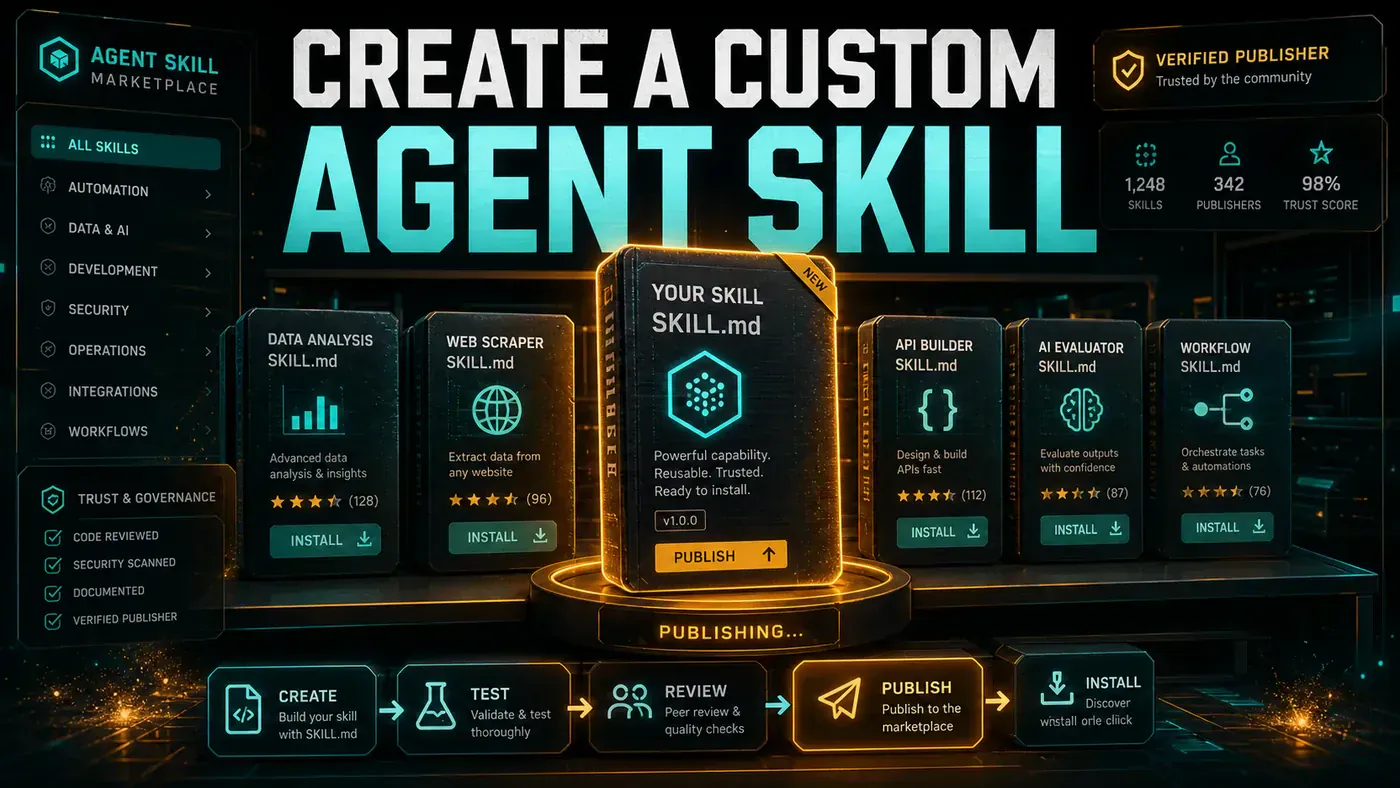
A skill marketplace fixes that. Think of it as an internal app store for the small, reusable abilities your agents perform, query a database, format a report, call a vendor API. One team builds a skill once, tests it, and publishes it. Everyone else finds it, installs it with a single command, and gets on with their actual work.
The pieces aren't exotic. You need somewhere to store and list skills, a way to search them, a one-step install, and a gate that runs each skill's tests before it ever reaches a colleague. Below is how to assemble all four. The code is illustrative rather than production-ready, it uses an in-memory store and simplified checks to keep the moving parts visible, but the shape is the real thing.
Analysis
Prerequisites
- Storage backend (S3-compatible + database)
- Container registry for skill sandboxes
- API server (FastAPI/Express)
- Authentication system
- CI/CD for test execution
Step-by-Step Framework
Step 1: Skill Package Format
Start with the unit you're shipping. A skill is a directory: the code, its tests, a manifest that describes it, and the documentation a colleague reads before installing. Lock the layout down early, because every other part of the marketplace assumes this shape.
skill-package/
├── skill.yaml # Metadata and manifest
├── src/ # Implementation
│ ├── index.ts # Entry point
│ └── lib/ # Supporting files
├── tests/ # Test suite
│ ├── test_cases.json
│ └── validation.py
├── README.md # Documentation
├── schema.json # Input/output schemas
└── icon.png # Marketplace display
The manifest is the contract. It names the skill, pins a version, declares what it needs to run, and spells out exactly what it accepts and returns. Use semantic versioning (opens in a new tab) for the version field and dependency constraints, 2.1.0, sql-parser>=1.2, so installs stay predictable as skills evolve.
# skill.yaml
name: "database-query"
version: "2.1.0"
description: "Execute safe database queries with result formatting"
author: "data-team@company.com"
category: "data-access"
tags: ["sql", "database", "analytics"]
license: "MIT"
requirements:
 runtime: "python3.11"
 memory_mb: 256
 timeout_seconds: 30
dependencies:
 - "sql-parser>=1.2"
 - "result-formatter>=0.5"
permissions:
 - "database:read"
 - "filesystem:tmp"
inputs:
 query:
 type: "string"
 description: "SQL SELECT query"
 required: true
 format:
 type: "string"
 enum: ["json", "csv", "table"]
 default: "json"
outputs:
 results:
 type: "array"
 description: "Query results"
 row_count:
 type: "integer"
 execution_time_ms:
 type: "integer"
The permissions block matters more than it looks. Declaring database:read and filesystem:tmp up front means a reviewer can see a skill's blast radius before anyone runs it.
Step 2: Marketplace API
Now the server. This is the front door for publishing, searching, installing, and rating. The example below uses FastAPI (opens in a new tab), though Express does the same job if your team lives in Node. Four endpoints carry the load.
# marketplace/api.py
from fastapi import FastAPI, UploadFile, File, HTTPException
from pydantic import BaseModel
from typing import List, Optional
import hashlib
import json

app = FastAPI(title="Agent Skill Marketplace")

class SkillMetadata(BaseModel):
 name: str
 version: str
 description: str
 author: str
 category: str
 tags: List[str]
 downloads: int = 0
 rating: float = 0.0
 review_count: int = 0

# In-memory store (use PostgreSQL in production)
skill_registry = {}

@app.post("/skills/publish")
async def publish_skill(
 file: UploadFile = File(...),
 signature: Optional[str] = None
):
 """Publish a new skill to the marketplace."""
 # Validate package
 contents = await file.read()

 # Verify structure
 try:
 manifest = extract_manifest(contents)
 except ValueError as e:
 raise HTTPException(400, f"Invalid package: {e}")

 # Run automated tests
 test_results = await run_skill_tests(contents)
 if test_results["pass_rate"] < 0.8:
 raise HTTPException(400, f"Tests failed: {test_results['details']}")

 # Store
 skill_id = f"{manifest['name']}@{manifest['version']}"
 skill_registry[skill_id] = {
 "metadata": manifest,
 "package_hash": hashlib.sha256(contents).hexdigest(),
 "package": contents,
 "test_results": test_results,
 "published_at": datetime.utcnow().isoformat()
 }

 return {"skill_id": skill_id, "status": "published", "tests": test_results}

@app.get("/skills/search")
async def search_skills(
 query: Optional[str] = None,
 category: Optional[str] = None,
 tags: Optional[List[str]] = None,
 sort_by: str = "relevance"
):
 """Search for skills with filtering."""
 results = list(skill_registry.values())

 if query:
 results = [r for r in results if
 query.lower() in r["metadata"]["name"].lower() or
 query.lower() in r["metadata"]["description"].lower()]

 if category:
 results = [r for r in results if r["metadata"]["category"] == category]

 if tags:
 results = [r for r in results if any(t in r["metadata"]["tags"] for t in tags)]

 if sort_by == "downloads":
 results.sort(key=lambda x: x["metadata"]["downloads"], reverse=True)
 elif sort_by == "rating":
 results.sort(key=lambda x: x["metadata"]["rating"], reverse=True)

 return {"results": [r["metadata"] for r in results], "total": len(results)}

@app.post("/skills/{skill_id}/install")
async def install_skill(skill_id: str, tenant: str):
 """Install a skill for a tenant."""
 if skill_id not in skill_registry:
 raise HTTPException(404, "Skill not found")

 skill = skill_registry[skill_id]

 # Record installation
 skill["metadata"]["downloads"] += 1

 return {
 "skill": skill["metadata"],
 "package_hash": skill["package_hash"],
 "install_script": generate_install_script(skill)
 }

@app.post("/skills/{skill_id}/rate")
async def rate_skill(skill_id: str, rating: int, review: Optional[str] = None):
 """Rate and review a skill."""
 if skill_id not in skill_registry:
 raise HTTPException(404, "Skill not found")

 if not 1 <= rating <= 5:
 raise HTTPException(400, "Rating must be 1-5")

 skill = skill_registry[skill_id]
 current = skill["metadata"]

 # Update running average
 new_count = current["review_count"] + 1
 new_rating = (current["rating"] * current["review_count"] + rating) / new_count

 current["rating"] = round(new_rating, 2)
 current["review_count"] = new_count

 return {"rating": current["rating"], "review_count": new_count}
Two things to call out. The publish endpoint refuses anything that scores below an 80% pass rate, so a broken skill never lands in the catalogue. And the rate endpoint keeps a running average rather than recomputing from stored reviews, cheap, and good enough for ranking. Swap the in-memory skill_registry for PostgreSQL before this leaves your laptop; the dictionary is there to make the logic readable, not to survive a restart.
Step 3: Automated Testing
This is the part that earns trust. Before a skill is published, its tests run inside a throwaway container, never on the host, using the official Docker SDK for Python (opens in a new tab). Memory is capped, a timeout is enforced, and the package is mounted read-only. If the suite passes, the skill is allowed through. If it fails or the container blows up, the publish is rejected and the author sees why.
# marketplace/testing.py
import docker
import tempfile
import os
from pathlib import Path

class SkillTestRunner:
 def __init__(self):
 self.docker = docker.from_env()

 async def run_tests(self, package_bytes: bytes) -> dict:
 with tempfile.TemporaryDirectory() as tmpdir:
 # Extract package
 extract_package(package_bytes, tmpdir)

 manifest_path = Path(tmpdir) / "skill.yaml"
 with open(manifest_path) as f:
 manifest = yaml.safe_load(f)

 # Run tests in sandboxed container
 try:
 container = self.docker.containers.run(
 image=f"python:{manifest['requirements']['runtime']}-slim",
 command="python -m pytest tests/ -v --json-report",
 volumes={tmpdir: {"bind": "/skill", "mode": "ro"}},
 working_dir="/skill",
 mem_limit="256m",
 timeout=60,
 detach=True
 )

 result = container.wait(timeout=60)
 logs = container.logs().decode()
 container.remove()

 return {
 "pass_rate": 1.0 if result["StatusCode"] == 0 else 0.0,
 "exit_code": result["StatusCode"],
 "logs": logs,
 "details": parse_test_results(logs)
 }

 except Exception as e:
 return {
 "pass_rate": 0.0,
 "error": str(e),
 "details": []
 }

 def validate_manifest(self, manifest: dict) -> list[str]:
 """Validate skill manifest. Returns list of errors."""
 errors = []
 required = ["name", "version", "description", "author", "category"]

 for field in required:
 if field not in manifest:
 errors.append(f"Missing required field: {field}")

 if "permissions" in manifest:
 for perm in manifest["permissions"]:
 if not is_valid_permission(perm):
 errors.append(f"Invalid permission: {perm}")

 return errors
One caveat if you copy this directly: the example interpolates requirements.runtime straight into the image tag, which produces python:python3.11-slim, not a real tag. Store the bare version (3.11) in the manifest, or strip the python prefix before you build the tag. It's a small fix, but it'll stop your first test run cold if you miss it.
validate_manifest runs before any of that, catching missing fields and bogus permissions cheaply so you don't spin up a container just to learn the YAML was malformed.
Step 4: CLI Install Command
Last piece: the command a colleague actually types. This is where the whole system pays off, a skill someone else built, tested, and rated arrives in one line. The CLI uses click (opens in a new tab), which keeps argument parsing and help text out of your way.
# marketplace/cli.py
import click
import requests

@click.group()
def cli():
 """Agent Skill Marketplace CLI"""
 pass

@cli.command()
@click.argument("skill_name")
@click.option("--version", default="latest")
@click.option("--registry", default="https://skills.company.com")
def install(skill_name: str, version: str, registry: str):
 """Install a skill from the marketplace."""
 skill_id = f"{skill_name}@{version}"

 click.echo(f"Installing {skill_id}...")

 response = requests.post(f"{registry}/skills/{skill_id}/install")
 if response.status_code != 200:
 click.echo(f"Error: {response.json()['detail']}", err=True)
 return

 data = response.json()

 # Download and extract
 download_and_install(data)

 click.echo(f"✓ {skill_name} installed successfully!")
 click.echo(f" Rating: {data['skill']['rating']}/5 ({data['skill']['review_count']} reviews)")

@cli.command()
@click.argument("query")
@click.option("--category")
@click.option("--sort", type=click.Choice(["relevance", "downloads", "rating"]))
def search(query: str, category: Optional[str], sort: str):
 """Search for skills in the marketplace."""
 response = requests.get(
 "https://skills.company.com/skills/search",
 params={"query": query, "category": category, "sort_by": sort}
 )

 results = response.json()["results"]
 click.echo(f"Found {len(results)} skills:
")

 for skill in results:
 click.echo(f" {skill['name']} v{skill['version']}")
 click.echo(f" {skill['description']}")
 click.echo(f" ★ {skill['rating']} | ↓ {skill['downloads']} | {', '.join(skill['tags'][:3])}")
 click.echo()

if __name__ == "__main__":
 cli()
A note on the headline claude skill install <name> command from the Key Takeaways: treat that as the command for your own self-built marketplace, not as official Claude Code syntax. Claude Code itself ships skills inside plugins, and the real install command is /plugin install <name>@<marketplace> in-app, or claude plugin install <name>@<marketplace> from the CLI, see Anthropic's plugin docs (opens in a new tab) for the current syntax. If you're building the marketplace described here, name your CLI command whatever you like; just don't confuse it with the built-in one.
Do/Don't
| Do | Don't |
|---|---|
| Require automated tests before publishing | Allow untested skills in the marketplace |
| Version skills with semantic versioning | Use arbitrary version numbers |
| Sandbox skill execution during testing | Run skill tests on the host machine |
| Show ratings and review counts | Hide quality signals from users |
| Support skill dependencies | Let skills depend on untrusted packages |
Conclusion
The payoff is simple: build a skill once, and every team gets it. The data team's query helper stops being a private snippet and becomes something finance installs in a line. Untested code never reaches a colleague, because the publish gate runs the tests first. And the catalogue grows on its own, because contributing is easier than rebuilding. That compounding, each team's work quietly available to the next, is what makes an agent platform worth more than the sum of its agents.