

Analysis
An AI agent that has stopped responding looks exactly like one that is hard at work. That is the problem. Both sit there silently, and by the time someone notices the queue isn't moving, you've already lost an hour, a batch of customer requests, or an overnight job that was supposed to be done by morning.
For a single chatbot answering questions, this barely matters. You restart it and move on. But teams are now running fleets of agents that talk to each other, hand off tasks, and chew through real work around the clock. When one of them quietly dies, the failure spreads, and nobody finds out until a person trips over the symptom.
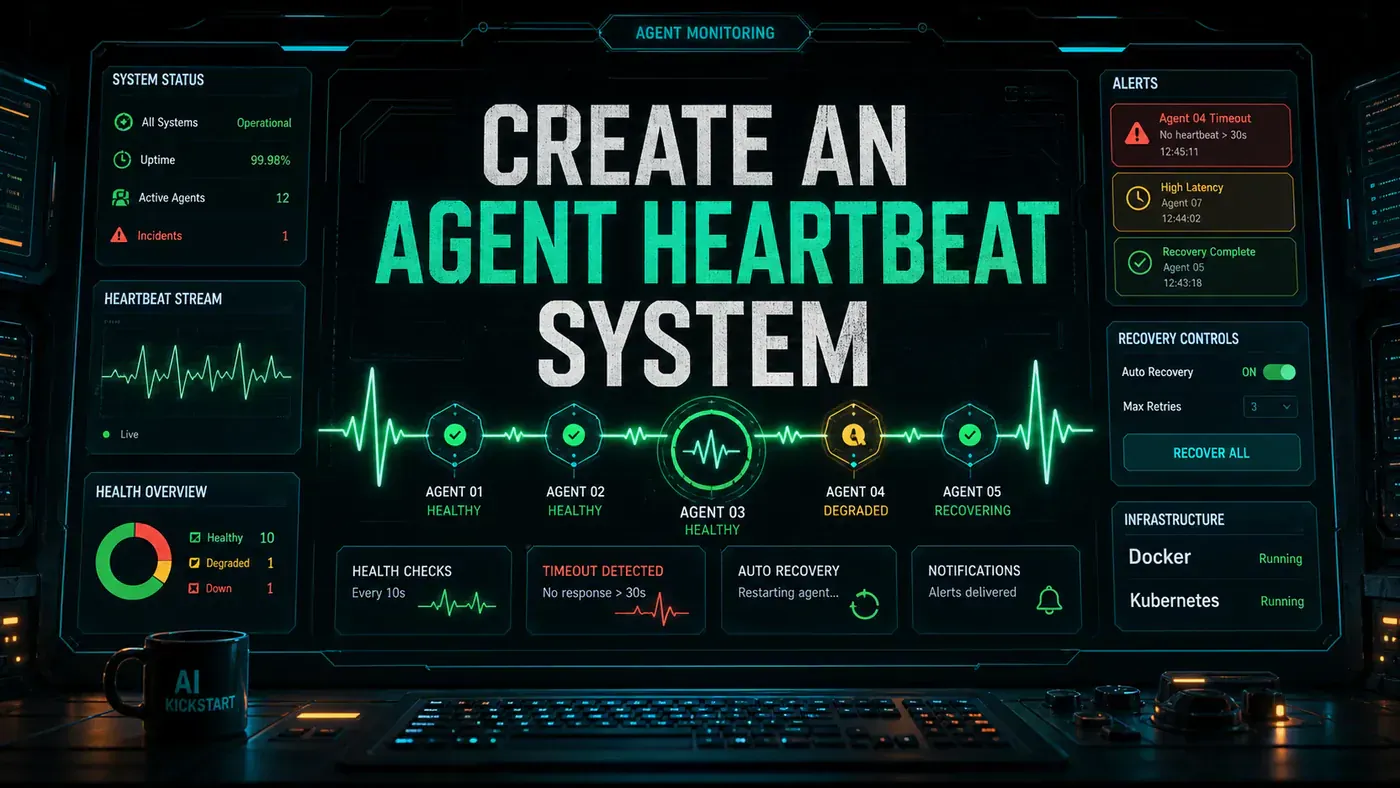
The fix borrows an old idea from how reliable systems have always stayed alive: a heartbeat. Each agent sends a small "I'm still here" signal on a regular beat. A monitor watches for those beats. When one goes quiet for too long, the monitor declares the agent dead and does something about it, all without waking anyone up at 3am for a problem the system could have fixed itself.
This guide walks through building that system end to end, in Node.js with Redis, including the recovery logic and a dashboard so you can see what every agent is doing.
Analysis
Prerequisites
- Node.js 20+ or Python 3.11+
- Redis 7+ for distributed state
- Docker for containerised agents
- A process manager (systemd, PM2, or Kubernetes)
Node.js 20 is the current active LTS, and the official redis/node-redis (opens in a new tab) client works natively with async/await on it. Python 3.11 is fine too if that's your stack. For distributed state you'll want Redis 7+ (opens in a new tab), which added finer control over key expiry that this design leans on.
Step-by-Step Framework
Step 1: Define the Heartbeat Protocol
Start with the shape of the message. A heartbeat isn't just a ping; it carries enough context for the monitor to make a real decision, so it includes the agent's status, what it's working on, and a handful of metrics.
// heartbeat/types.ts
interface HeartbeatMessage {
 agentId: string;
 agentType: string;
 timestamp: number; // Unix timestamp (ms)
 sequence: number; // Incrementing sequence number
 status: 'healthy' | 'degraded' | 'busy' | 'recovering';
 metrics: AgentMetrics;
 currentTask?: string; // What the agent is working on
 taskProgress?: number; // 0-100
}

interface AgentMetrics {
 cpuPercent: number;
 memoryMB: number;
 activeTasks: number;
 queueDepth: number;
 tokensUsedThisHour: number;
 errorsLast5Min: number;
}

interface HealthStatus {
 agentId: string;
 state: 'healthy' | 'missing' | 'failed' | 'stopped';
 lastHeartbeat: number;
 missedBeats: number;
 uptimeSeconds: number;
}
Step 2: Build the Agent Heartbeat Client
This is the piece that lives inside each agent. It registers on startup, fires a heartbeat on a timer, and tidies up after itself when the process is told to stop.
// heartbeat/client.ts
import { createClient, RedisClientType } from 'redis';
import { HeartbeatMessage, AgentMetrics } from './types';
import * as os from 'os';
import * as process from 'process';

export class HeartbeatClient {
 private redis: RedisClientType;
 private agentId: string;
 private agentType: string;
 private intervalMs: number;
 private heartbeatTimer?: NodeJS.Timer;
 private sequence = 0;
 private startTime = Date.now();

 constructor(config: {
 redisUrl: string;
 agentId: string;
 agentType: string;
 intervalMs?: number;
 }) {
 this.redis = createClient({ url: config.redisUrl });
 this.agentId = config.agentId;
 this.agentType = config.agentType;
 this.intervalMs = config.intervalMs || 30000;
 }

 async connect(): Promise<void> {
 await this.redis.connect();

 // Register agent on startup
 await this.redis.hSet(`agent:${this.agentId}`, {
 registeredAt: Date.now().toString(),
 type: this.agentType,
 host: os.hostname(),
 pid: process.pid.toString(),
 status: 'starting'
 });

 // Start heartbeat loop
 this.heartbeatTimer = setInterval(() => this.sendHeartbeat(), this.intervalMs);

 // Graceful shutdown
 process.on('SIGTERM', () => this.shutdown());
 process.on('SIGINT', () => this.shutdown());
 }

 private async sendHeartbeat(): Promise<void> {
 const metrics = await this.collectMetrics();

 const heartbeat: HeartbeatMessage = {
 agentId: this.agentId,
 agentType: this.agentType,
 timestamp: Date.now(),
 sequence: ++this.sequence,
 status: this.determineStatus(metrics),
 metrics,
 currentTask: this.currentTask
 };

 // Publish to Redis
 await this.redis.publish('heartbeats', JSON.stringify(heartbeat));

 // Also store in hash for queries
 await this.redis.hSet(`agent:${this.agentId}`, {
 lastHeartbeat: heartbeat.timestamp.toString(),
 sequence: heartbeat.sequence.toString(),
 status: heartbeat.status,
 cpuPercent: metrics.cpuPercent.toString(),
 memoryMB: metrics.memoryMB.toString()
 });

 // Set expiry, if agent dies, key auto-expires
 await this.redis.expire(`agent:${this.agentId}`, Math.floor(this.intervalMs * 4 / 1000));
 }

 private async collectMetrics(): Promise<AgentMetrics> {
 const usage = process.memoryUsage();

 return {
 cpuPercent: await this.getCPUUsage(),
 memoryMB: Math.round(usage.heapUsed / 1024 / 1024),
 activeTasks: this.activeTasks,
 queueDepth: this.queue.length,
 tokensUsedThisHour: this.hourlyTokenUsage,
 errorsLast5Min: this.recentErrors
 };
 }

 private determineStatus(metrics: AgentMetrics): HeartbeatMessage['status'] {
 if (metrics.errorsLast5Min > 10) return 'recovering';
 if (metrics.memoryMB > 1000) return 'degraded';
 if (metrics.queueDepth > 50) return 'busy';
 return 'healthy';
 }

 private async shutdown(): Promise<void> {
 console.log('Shutting down gracefully...');
 if (this.heartbeatTimer) clearInterval(this.heartbeatTimer);

 await this.redis.hSet(`agent:${this.agentId}`, {
 status: 'stopped',
 stoppedAt: Date.now().toString()
 });

 await this.redis.quit();
 process.exit(0);
 }
}
Two details earn their keep here. The agent both publishes to a pub/sub channel (opens in a new tab) and writes its latest state into a Redis hash, so the monitor gets live updates and anything else can query the current picture on demand. And the expire call sets a TTL on the agent's key: if the process dies outright, Redis deletes the key for you (opens in a new tab), so a dead agent leaves no stale record behind.
Step 3: Build the Heartbeat Monitor
The monitor is the watcher. It subscribes to the heartbeat channel, tracks every agent's last known state, and runs a periodic sweep to catch the ones that have gone quiet.
// heartbeat/monitor.ts
import { createClient, RedisClientType } from 'redis';
import { HealthStatus, HeartbeatMessage } from './types';

interface MonitorConfig {
 redisUrl: string;
 checkIntervalMs: number;
 missedBeatsThreshold: number;
 onAgentFailed: (agentId: string, status: HealthStatus) => void;
 onAgentRecovered: (agentId: string) => void;
}

export class HeartbeatMonitor {
 private redis: RedisClientType;
 private subscriber: RedisClientType;
 private config: MonitorConfig;
 private agentStates: Map<string, HealthStatus> = new Map();

 constructor(config: MonitorConfig) {
 this.config = config;
 this.redis = createClient({ url: config.redisUrl });
 this.subscriber = createClient({ url: config.redisUrl });
 }

 async start(): Promise<void> {
 await this.redis.connect();
 await this.subscriber.connect();

 // Subscribe to heartbeat channel
 await this.subscriber.subscribe('heartbeats', (message) => {
 const heartbeat: HeartbeatMessage = JSON.parse(message);
 this.processHeartbeat(heartbeat);
 });

 // Start periodic check for missed beats
 setInterval(() => this.checkMissedBeats(), this.config.checkIntervalMs);

 console.log('Heartbeat monitor started');
 }

 private processHeartbeat(heartbeat: HeartbeatMessage): void {
 const existing = this.agentStates.get(heartbeat.agentId);

 if (existing && existing.state === 'failed') {
 // Agent recovered
 console.log(`Agent ${heartbeat.agentId} recovered!`);
 this.config.onAgentRecovered(heartbeat.agentId);
 }

 this.agentStates.set(heartbeat.agentId, {
 agentId: heartbeat.agentId,
 state: 'healthy',
 lastHeartbeat: heartbeat.timestamp,
 missedBeats: 0,
 uptimeSeconds: Math.floor((Date.now() - heartbeat.timestamp) / 1000)
 });
 }

 private checkMissedBeats(): void {
 const now = Date.now();

 for (const [agentId, state] of this.agentStates) {
 const timeSinceLastBeat = now - state.lastHeartbeat;
 const expectedInterval = 30000; // 30s

 if (timeSinceLastBeat > expectedInterval * this.config.missedBeatsThreshold) {
 state.missedBeats++;

 if (state.missedBeats >= this.config.missedBeatsThreshold) {
 state.state = 'failed';
 console.error(`Agent ${agentId} declared FAILED after ${state.missedBeats} missed beats`);
 this.config.onAgentFailed(agentId, state);
 } else {
 state.state = 'missing';
 console.warn(`Agent ${agentId} missed ${state.missedBeats} beats`);
 }
 }
 }
 }

 getAgentStates(): HealthStatus[] {
 return Array.from(this.agentStates.values());
 }
}
Notice the two-step escalation. A quiet agent is first marked missing, not failed. Only after it crosses the missed-beats threshold does the monitor call it failed and trigger the onAgentFailed callback. That buffer is what keeps a single dropped packet from setting off your recovery machinery.
Step 4: Implement Recovery Strategies
When the monitor declares an agent dead, this is what runs. It tries the cheapest fix first and only escalates to a human when the automated options have all failed.
// heartbeat/recovery.ts
import { HealthStatus } from './types';
import { execSync } from 'child_process';

export class RecoveryManager {
 async recover(agentId: string, status: HealthStatus): Promise<void> {
 // Strategy 1: Restart via Docker
 try {
 console.log(`Attempting Docker restart for ${agentId}...`);
 execSync(`docker restart ${agentId}`);
 return;
 } catch (e) {
 console.log('Docker restart failed, trying next strategy');
 }

 // Strategy 2: Spawn replacement container
 try {
 console.log(`Spawning replacement for ${agentId}...`);
 execSync(`docker run -d --name ${agentId}-replacement \
 -e AGENT_ID=${agentId} \
 -e REDIS_URL=redis://redis:6379 \
 my-agent-image:latest`);
 return;
 } catch (e) {
 console.log('Container spawn failed');
 }

 // Strategy 3: Alert human
 await this.sendAlert({
 severity: 'critical',
 message: `Agent ${agentId} has failed and automatic recovery was unsuccessful.`,
 lastHeartbeat: new Date(status.lastHeartbeat).toISOString(),
 actionRequired: 'Manual intervention needed'
 });
 }

 private async sendAlert(alert: object): Promise<void> {
 // Send to PagerDuty, Slack, etc.
 await fetch('https://hooks.slack.com/services/YOUR/WEBHOOK/URL', {
 method: 'POST',
 headers: { 'Content-Type': 'application/json' },
 body: JSON.stringify({ text: JSON.stringify(alert, null, 2) })
 });
 }
}
The ladder runs restart, then replace, then alert. Most dead agents come back on a plain docker restart. If the container itself is broken, you spin up a fresh replacement. Only when both fail does a person get paged, which means your on-call team hears about the failures that actually need a human, not the ones the system already handled. Swap the placeholder webhook for your real Slack or PagerDuty endpoint before you ship.
Step 5: Dashboard Endpoint
Last, expose the state over HTTP so you can see the fleet at a glance, one summary view and one per-agent lookup.
// heartbeat/dashboard.ts
import { HeartbeatMonitor } from './monitor';
import { FastifyInstance } from 'fastify';

export function registerDashboardRoutes(
 app: FastifyInstance,
 monitor: HeartbeatMonitor
) {
 app.get('/health/agents', async () => {
 const states = monitor.getAgentStates();
 return {
 total: states.length,
 healthy: states.filter(s => s.state === 'healthy').length,
 missing: states.filter(s => s.state === 'missing').length,
 failed: states.filter(s => s.state === 'failed').length,
 agents: states
 };
 });

 app.get('/health/agents/:id', async (req) => {
 const { id } = req.params as { id: string };
 return monitor.getAgentStates().find(s => s.agentId === id) || { error: 'Agent not found' };
 });
}
Do/Don't
| Do | Don't |
|---|---|
| Use Redis pub/sub for heartbeats | Use polling for heartbeat detection |
| Set 3x multiplier for timeout threshold | Use 1x, network jitter causes false positives |
| Implement graceful shutdown with deregistration | Let agents disappear without cleanup |
| Auto-restart before alerting humans | Wake engineers for recoverable failures |
| Include metrics in every heartbeat | Send just a "ping" with no context |
Conclusion
If you're running agents in production, a heartbeat system isn't optional. The 30-second beat with a 3x timeout gives you about 90 seconds to catch a failure, long enough to ride out ordinary network jitter without crying wolf. Redis pub/sub carries the signal, the monitor keeps the score, and the recovery manager handles restarts before anyone has to. Add the dashboard for visibility, and your agents start behaving like services you can actually trust to run unattended.