

Analysis
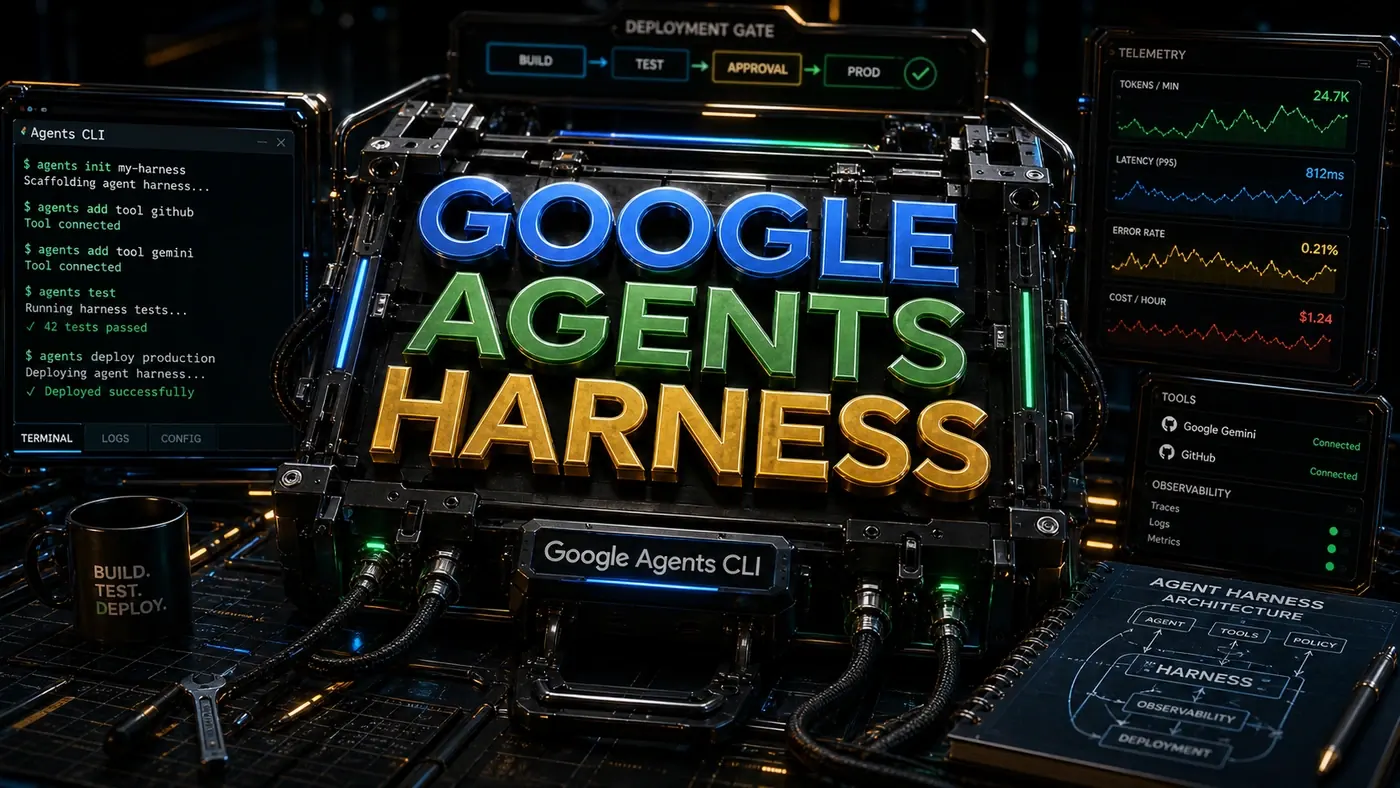
When Google rolled out its Agents CLI in Agent Platform (opens in a new tab) around April 2026, the pitch was simple: get an agent from a blank folder to a running production service without hand-rolling the plumbing yourself. For most business teams, that plumbing is where agent projects quietly die. The model works in a demo, then someone has to figure out testing, observability, deployment, and a dozen other things that have nothing to do with the actual problem.
That's the gap this tool aims at. It scaffolds the project, gives tools a defined interface, bolts on monitoring, and pushes the result to Google Cloud with a single deploy step. The "so what" for a business is timing: less time spent assembling infrastructure means more time spent on the part customers actually feel.
A note before you copy anything below. The walkthrough that follows was written against an earlier mental model of the tool, and the exact command and package names in the code blocks do not match the shipped product. The real CLI is invoked as agents-cli, installed through uvx google-agents-cli or npx skills add google/agents-cli rather than as a gcloud component, and it wraps Google's Agent Development Kit (opens in a new tab) (published as @google/adk) instead of a separate SDK. Treat the snippets as a description of the workflow and the shape of an agent project. For commands you can paste and run, the canonical references are the Agents CLI getting-started guide (opens in a new tab) and the google/agents-cli repository (opens in a new tab).
Analysis
Prerequisites
- Google Cloud SDK (gcloud) installed and authenticated
- Node.js 20+ or Python 3.11+
- A GCP project with billing enabled
- APIs enabled: agents.googleapis.com, run.googleapis.com, monitoring.googleapis.com
A caveat on that last line: run.googleapis.com and monitoring.googleapis.com are real Google Cloud API IDs, but agents.googleapis.com could not be confirmed as a documented requirement. The CLI documentation is built around Agent Platform and Agent Runtime, so check the Agent Platform quickstart (opens in a new tab) for the current enablement list before you turn on APIs you may not need.
Step-by-Step Framework
Step 1: Install the Agents CLI
The shipped tool installs via uvx google-agents-cli (or npx skills add google/agents-cli), not as a gcloud component, and the version shown here does not match the real releases. As of June 2026 the repository (opens in a new tab) lists v0.5.0 as the latest tag. The block below illustrates the install-and-verify pattern, not the literal commands.
# Add the agents component
gcloud components install agents-cli

# Verify installation
gcloud agents --version
# agents-cli 1.4.2

# Authenticate
gcloud auth application-default login
Step 2: Scaffold a New Agent Project
In the released CLI the scaffold command is closer to agents-cli create my-agent --prototype --yes. The flags below (--name, --template, --description) don't map to documented options, so read the structure as "this is roughly what a scaffolded project looks like" rather than a recipe.
# Create project directory
mkdir my-agent && cd my-agent

# Scaffold with TypeScript template
gcloud agents create
 --name="customer-support-agent"
 --template=typescript
 --description="Handles customer support queries with knowledge base access"

# Project structure generated:
# my-agent/
# ├── agent.yaml # Agent configuration
# ├── src/
# │ ├── index.ts # Entry point
# │ ├── agent.ts # Agent definition
# │ ├── tools/ # Tool implementations
# │ │ ├── search-kb.ts
# │ │ ├── create-ticket.ts
# │ │ └── escalate.ts
# │ └── types.ts
# ├── openapi/ # Tool specifications
# │ └── tools.yaml
# ├── tests/
# │ └── agent.test.ts
# ├── package.json
# └── tsconfig.json
Step 3: Define Your Agent
Here's where the agent's behaviour gets pinned down: who it is, what model runs it, what it's allowed to do, and which tools it can reach for. One note on imports, the code below pulls from @google/agents-sdk, but that package isn't documented. Google's actual TypeScript agent SDK is the Agent Development Kit (opens in a new tab), shipped as @google/adk, and the Agents CLI wraps it. Read the structure of the agent definition rather than the import line.
// src/agent.ts
import { Agent, Tool } from '@google/agents-sdk';
import { searchKnowledgeBase } from './tools/search-kb';
import { createTicket } from './tools/create-ticket';
import { escalateToHuman } from './tools/escalate';

export const supportAgent = new Agent({
 name: 'customer-support-agent',
 description: 'Handles tier-1 customer support with knowledge base lookup and ticket creation',

 // System instructions
 instructions: `You are a helpful customer support agent. Your job is to:
1. Search the knowledge base for answers first
2. If no answer is found, create a support ticket
3. For urgent/complex issues, escalate to a human agent
4. Always be polite and empathetic
5. Never make up information, only use knowledge base results`,

 // Model configuration
 model: {
 name: 'gemini-2.5-pro',
 temperature: 0.3,
 maxOutputTokens: 2048
 },

 // Safety settings
 safetySettings: {
 hateSpeech: 'BLOCK_MEDIUM_AND_ABOVE',
 harassment: 'BLOCK_MEDIUM_AND_ABOVE',
 dangerousContent: 'BLOCK_LOW_AND_ABOVE'
 },

 // Registered tools
 tools: [
 searchKnowledgeBase,
 createTicket,
 escalateToHuman
 ]
});
The model field above names gemini-2.5-pro. That's a real Google model and a fine choice, though by mid-2026 Google's ADK guidance (opens in a new tab) leans toward the Gemini 3 line for new agent work, so check what's current when you wire yours up.
Step 4: Define Tools with OpenAPI
The idea here is to describe each tool's interface in OpenAPI first, then write the handler against that contract. ADK does support OpenAPI-based tools, so the principle holds. The specific "drop an openapi/tools.yaml in the project and the CLI generates handlers for you" flow isn't confirmed in the documented layout, so verify the exact mechanism in the ADK TypeScript docs (opens in a new tab) before you build around it.
# openapi/tools.yaml
openapi: 3.0.0
info:
 title: Customer Support Tools
 version: 1.0.0

paths:
 /search-kb:
 post:
 operationId: searchKnowledgeBase
 summary: Search the knowledge base
 requestBody:
 required: true
 content:
 application/json:
 schema:
 type: object
 properties:
 query:
 type: string
 description: The search query
 maxResults:
 type: integer
 default: 5
 description: Maximum results to return
 responses:
 '200':
 description: Search results
 content:
 application/json:
 schema:
 type: object
 properties:
 results:
 type: array
 items:
 type: object
 properties:
 title: { type: string }
 content: { type: string }
 relevance: { type: number }

 /create-ticket:
 post:
 operationId: createTicket
 summary: Create a support ticket
 requestBody:
 required: true
 content:
 application/json:
 schema:
 type: object
 properties:
 customerId: { type: string }
 issue: { type: string }
 priority:
 type: string
 enum: [low, medium, high, critical]
 category:
 type: string
 enum: [billing, technical, account, feature-request]
 responses:
 '201':
 description: Ticket created
 content:
 application/json:
 schema:
 type: object
 properties:
 ticketId: { type: string }
 status: { type: string }
With the contract written, the handler just fulfils it. This one queries whatever knowledge base you run, Algolia, Elasticsearch, or something else, and trims each result so it doesn't blow past the context window.
// src/tools/search-kb.ts
import { Tool } from '@google/agents-sdk';

export const searchKnowledgeBase: Tool = {
 name: 'searchKnowledgeBase',
 description: 'Search the knowledge base for relevant articles',

 async execute({ query, maxResults = 5 }) {
 // Implementation, query your knowledge base (Algolia, Elasticsearch, etc.)
 const results = await knowledgeBase.search(query, { limit: maxResults });

 return {
 results: results.map(r => ({
 title: r.title,
 content: r.content.slice(0, 500), // Truncate for context window
 relevance: r.score
 }))
 };
 }
};
Step 5: Add Telemetry
Telemetry is the difference between an agent you can trust in production and a black box. The pattern below records tool calls, token usage, latency, and errors, then ships them to Cloud Monitoring. One flag: this code imports an OpenTelemetry class from @google/agents-sdk/telemetry, and that module isn't documented anywhere I could confirm. The CLI does integrate with Google Cloud's observability stack, but the exact API shown here is unverified, take the snippet as an illustration of what to capture, not a working import.
// src/telemetry.ts
import { OpenTelemetry } from '@google/agents-sdk/telemetry';

const telemetry = new OpenTelemetry({
 projectId: process.env.GCP_PROJECT_ID,
 serviceName: 'customer-support-agent',
 serviceVersion: '1.0.0'
});

// Auto-instrument agent
export function instrumentAgent(agent: Agent) {
 agent.on('toolCall', ({ tool, input, duration }) => {
 telemetry.recordToolCall({
 toolName: tool.name,
 inputSize: JSON.stringify(input).length,
 durationMs: duration,
 timestamp: new Date()
 });
 });

 agent.on('response', ({ tokens, latency }) => {
 telemetry.recordLLMCall({
 inputTokens: tokens.input,
 outputTokens: tokens.output,
 latencyMs: latency,
 model: agent.config.model.name
 });
 });

 agent.on('error', ({ error, context }) => {
 telemetry.recordError({
 errorType: error.name,
 message: error.message,
 context: context.step,
 severity: 'ERROR'
 });
 });
}
Step 6: Test the Agent
Testing an agent means two things: checking the configuration is sane, and checking the behaviour holds up across real conversations. In the released CLI, evaluation runs through agents-cli eval, which generates and grades evals rather than printing a pass/fail test count. The gcloud agents test invocation and the tidy "9 tests passed" output below are illustrative, invented to show the idea, not copied from the real tool.
# Run the built-in test suite
gcloud agents test

# Output:
# Running agent validation...
# ✓ Agent configuration valid
# ✓ All tools have implementations
# ✓ OpenAPI spec matches tool signatures
# ✓ Safety settings configured
# ✓ System instructions present
#
# Running integration tests...
# ✓ searchKnowledgeBase returns results
# ✓ createTicket creates ticket with valid input
# ✓ createTicket rejects invalid priority
# ✓ Agent handles multi-turn conversation
# ✓ Agent escalates when confidence is low
#
# 9 tests passed, 0 failed
Underneath, the behavioural tests look like ordinary Vitest cases. The two below check the agent searches the knowledge base before opening a ticket, and that it escalates a messy billing complaint to a human instead of trying to handle it alone.
// tests/agent.test.ts
import { supportAgent } from '../src/agent';
import { describe, it, expect } from 'vitest';

describe('Customer Support Agent', () => {
 it('searches knowledge base before creating ticket', async () => {
 const result = await supportAgent.run({
 message: "How do I reset my password?"
 });

 expect(result.toolCalls).toContainEqual(
 expect.objectContaining({ toolName: 'searchKnowledgeBase' })
 );
 expect(result.toolCalls).not.toContainEqual(
 expect.objectContaining({ toolName: 'createTicket' })
 );
 });

 it('escalates complex billing issues', async () => {
 const result = await supportAgent.run({
 message: "I was charged $500 twice for my subscription and I need an immediate refund"
 });

 expect(result.toolCalls).toContainEqual(
 expect.objectContaining({ toolName: 'escalateToHuman' })
 );
 });
});
Step 7: Deploy to Cloud Run
This is the part that genuinely delivers. Single-command deployment to Cloud Run, GKE, or Agent Runtime is a real capability of the CLI per Google's announcement (opens in a new tab). The command name is the catch: the released tool uses agents-cli deploy with flags like --deployment-target cloud_run, not the gcloud agents deploy --platform cloud-run form shown here. The capability is verified; the exact syntax below is not.
# Set project
gcloud config set project YOUR_PROJECT_ID

# Deploy
gcloud agents deploy \
 --name customer-support-agent \
 --region us-central1 \
 --platform cloud-run \
 --min-instances 1 \
 --max-instances 10 \
 --memory 2Gi \
 --concurrency 100

# Get endpoint URL
# Service URL: https://customer-support-agent-xxx.run.app

# Test deployed agent
curl https://customer-support-agent-xxx.run.app/v1/chat \
 -H "Content-Type: application/json" \
 -d '{
 "message": "How do I change my subscription plan?"
 }'
Step 8: Monitor in Production
Once it's live, you watch it. The gcloud logging read, gcloud monitoring dashboards list, and gcloud alpha monitoring policies create commands here are real gcloud commands and work as written. The one piece to double-check is the metric name agents.googleapis.com/error_count, that isn't a confirmed published Cloud Monitoring metric, so swap in whichever metric your deployment actually emits before you build an alert on it.
# View logs
gcloud logging read "resource.type=cloud_run_revision AND resource.labels.service_name=customer-support-agent" --limit=50

# View metrics dashboard
gcloud monitoring dashboards list

# Set up alerts
gcloud alpha monitoring policies create
 --policy="displayName='Agent Error Rate',
 conditions=[{displayName='Error rate > 5%',
 conditionThreshold={filter='resource.type="cloud_run_revision" AND metric.type="agents.googleapis.com/error_count"',comparison=COMPARISON_GT,thresholdValue=0.05,duration=300s}}]"
Do/Don't
| Do | Don't |
|---|---|
| Define tools with OpenAPI specs first | Write tool code before specifying the interface |
| Add telemetry from day one | Deploy without observability |
| Use safety settings appropriate for your domain | Disable all safety filters |
| Test every tool independently | Only test the full agent end-to-end |
| Set memory limits appropriate for your model | Under-provision memory and get OOM kills |
Conclusion
Strip away the command-name details and the shape of this workflow is sound: define tools against a contract, instrument from the start, test behaviour as well as config, and ship with one deploy step. Google's Agents CLI is built around that opinionated path, which suits teams that want a standard to follow without being boxed in.
If you take one thing from this, make it the running order, not the literal snippets. The commands and package names above were written against an outdated picture of the tool, so before you build anything real, anchor to the live sources: the Agents CLI getting-started guide (opens in a new tab), the google/agents-cli repo (opens in a new tab), and the Agent Development Kit docs (opens in a new tab) for the SDK underneath. Get those right and the time you save on observability and deployment is real money back in the budget.