




Analysis
For years, "automate it" meant one of two things for a small Australian business. Either you paid a developer to write scripts you couldn't maintain, or you signed up for a managed tool like Zapier and watched the monthly bill climb as your task count grew.
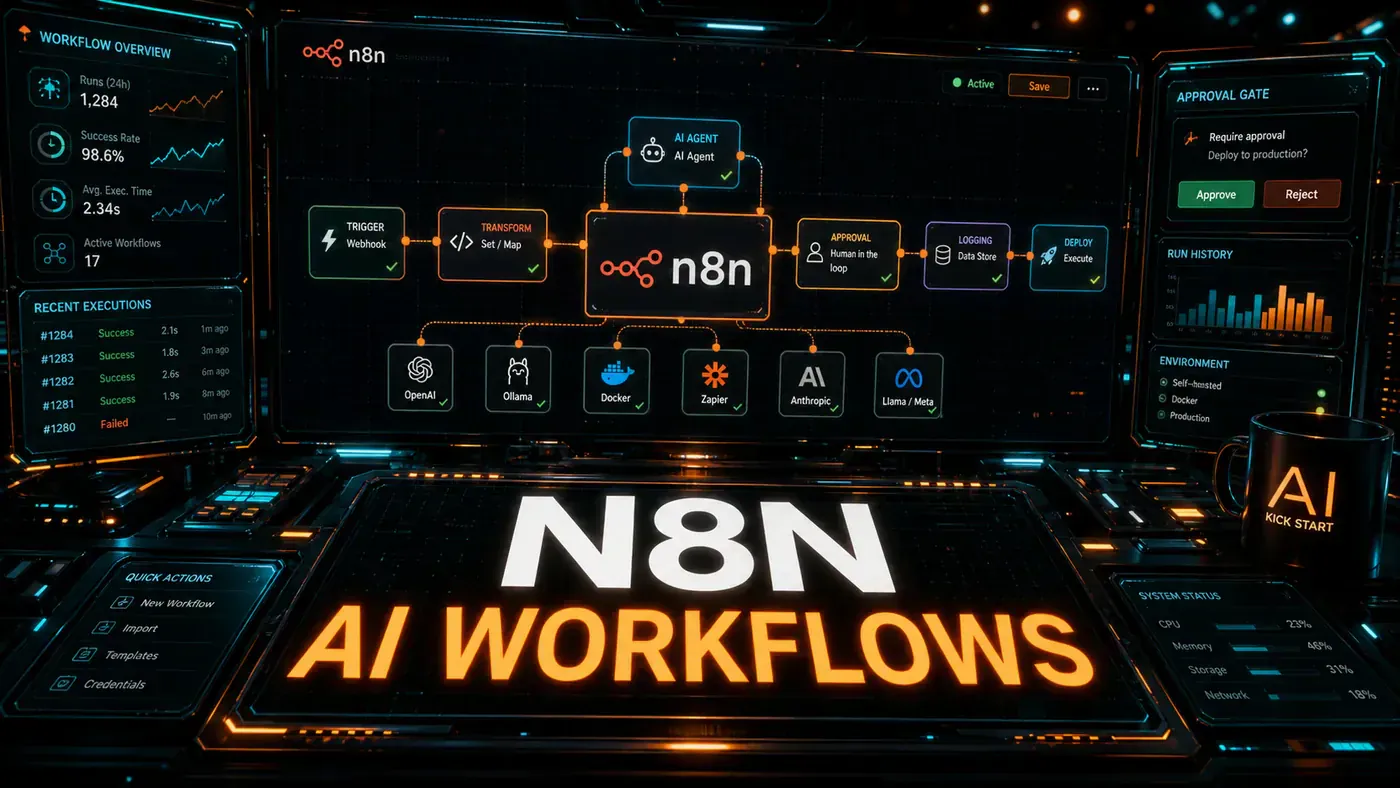
n8n (opens in a new tab) sits in the middle. It's a visual workflow builder you can run on your own server, and unlike the locked-down SaaS options, it doesn't charge per task. Drop an AI model into one of those workflows and the picture changes again. A workflow stops being a dumb pipe that moves data from A to B and starts making judgement calls: reading an email, deciding how urgent it is, writing a reply in your voice.
That's the shift worth paying attention to. The plumbing has been around for a while. What's new is that the boxes in the diagram can now think a little. This guide shows you how to build three of those workflows from scratch, on your own machine, for nothing.
Analysis
Prerequisites
- Node.js 18+ or Docker
- API keys for your chosen LLM provider
- Basic understanding of HTTP and JSON
- 30 minutes
Step-by-Step Framework
Step 1: Install n8n
You've got three ways in, depending on how serious you are. Start with the first.
Option A: npx (quickest)
npx n8n
# Opens at http://localhost:5678
Option B: Docker
docker run -it --rm \
 --name n8n \
 -p 5678:5678 \
 -v ~/.n8n:/home/node/.n8n \
 n8nio/n8n
Option C: Self-hosted with Docker Compose
version: '3.8'
services:
 n8n:
 image: n8nio/n8n:latest
 ports:
 - "5678:5678"
 environment:
 - N8N_BASIC_AUTH_ACTIVE=true
 - N8N_BASIC_AUTH_USER=admin
 - N8N_BASIC_AUTH_PASSWORD=your-secure-password
 - WEBHOOK_URL=https://your-domain.com/
 volumes:
 - n8n_data:/home/node/.n8n
 restart: unless-stopped

volumes:
 n8n_data:
The npx command is documented as the fastest local path, and n8n serves its editor on port 5678 either way (n8n npm/npx installation docs (opens in a new tab)).
Step 2: Configure AI Credentials
n8n stores your API keys encrypted, so you set them once and reference them by name in any workflow.
- Open n8n at http://localhost:5678
- Click the wrench icon → Credentials
- Add credentials for each service:
Anthropic Claude:
- Credential type: Anthropic
- API Key: Your Anthropic API key
- API URL: https://api.anthropic.com (default)
OpenAI:
- Credential type: OpenAI
- API Key: Your OpenAI API key
Ollama (local):
- Credential type: Ollama
- Base URL: http://host.docker.internal:11434 (Docker) or http://localhost:11434 (local)
You can mix providers inside a single workflow, so a paid Claude call for the hard reasoning and a local Ollama model for the cheap stuff is perfectly normal.
Step 3: Build Workflow 1, Lead Enrichment
Here's the first one that earns its keep. A new lead lands in your CRM, n8n grabs their website, pulls out who they are, and hands Claude enough context to write a cold email that doesn't read like a mail merge.
Nodes needed:
- Webhook trigger, Receive new lead
- HTTP Request, Scrape lead's website
- HTML Extract, Pull key info (company name, industry, size)
- Anthropic Chat Model, Generate personalised email
- Slack, Send notification to sales team
Webhook Node:
Method: POST
Path: lead-enrichment
Response: Immediately
HTTP Request Node (Website Scrape):
Method: GET
URL: {{ $json.website }}
Options:
 - Timeout: 10000ms
 - Follow Redirects: true
HTML Extract Node:
Data Property Name: data
Extraction Values:
 - company_name: h1 or .company-name
 - description: meta[name="description"]
 - industry: .industry-tag
Anthropic Node (Email Generation):
Model: claude-sonnet-4.6
System Prompt: You are a sales assistant. Write concise, personalised outreach emails.

Message:
 Write a personalised cold email to {{ $json.lead_name }} at
 {{ $json.company_name }}. They work in {{ $json.industry }}.
 Company description: {{ $json.description }}
 Our product: AI-powered workflow automation.
 Keep it under 150 words. Sign off as Alex.

Max Tokens: 400
Temperature: 0.7
One thing to watch: Anthropic's API expects the model id with hyphens, claude-sonnet-4-6, even though it's written here with a dot. Copy the dotted version straight into n8n and the call may fail, so swap it before you test. Sonnet 4.6 itself landed on 17 February 2026 and is built for exactly this kind of reasoning work (Anthropic, Introducing Sonnet 4.6 (opens in a new tab)).
Slack Node:
Channel: #sales-leads
Text: 🎯 New lead enriched!

Name: {{ $json.lead_name }}
Company: {{ $json.company_name }}
Email draft:
{{ $json.generated_email }}
The draft goes to your sales channel, not straight to the prospect. A human still hits send. That keeps you in control while the boring research is done for you.
Step 4: Build Workflow 2, Support Ticket Triage
Reads every incoming ticket, classifies it, and sends it to the right team without anyone sorting an inbox by hand.
Nodes:
- Webhook, Receive ticket from Zendesk/Intercom
- Anthropic, Classify urgency and category
- Switch, Route based on classification
- Slack/Email, Notify appropriate team
Anthropic Classification Node:
Model: claude-sonnet-4.6
Message:
 Classify this support ticket. Return JSON only.

 Ticket: {{ $json.ticket_body }}

 Categories: bug, feature_request, billing, account_issue, question
 Urgency: critical (down/systems affected), high (paying customer blocked),
 medium (partial impact), low (question/general)

 Return: {"category": "...", "urgency": "...", "summary": "...", "team": "..."}

JSON Output: Enabled (parse the response as JSON)
Asking for JSON only, then parsing it, is the part that makes this reliable. The model's answer becomes structured data the next node can act on, rather than a paragraph someone has to read.
Switch Node:
Rules:
 - If category = "bug" AND urgency = "critical" → Route to Engineering On-call
 - If category = "billing" → Route to Finance team
 - If category = "feature_request" → Route to Product team
 - Default → Route to Support team
Step 5: Build Workflow 3, Daily AI Digest
Pulls together news, Slack activity, and email overnight, then drops a single morning briefing in your inbox before you've had coffee.
Nodes:
- Schedule Trigger, Every weekday at 7:00 AM
- RSS Feed Read, Read tech news feeds
- Slack History, Read yesterday's messages from key channels
- Anthropic, Summarise and prioritise
- Email (SendGrid), Send digest
Schedule Trigger:
Trigger: Cron
Expression: 0 7 * * 1-5
Anthropic Summarisation Node:
Model: claude-sonnet-4.6
System Prompt: You are an executive assistant. Create a concise morning briefing.

Message:
 Create a morning briefing from these sources. Group by:
 1. 🔴 Urgent (needs action today)
 2. 📰 News (industry developments)
 3. 💬 Team updates (Slack highlights)

 News: {{ $json.news_items }}
 Slack: {{ $json.slack_messages }}

 Format as clean markdown. Max 500 words.

Max Tokens: 800
Use n8n's own Schedule trigger for this rather than wiring up an external cron job. Keeping the timing inside the workflow means there's one place to look when something doesn't fire.
Step 6: Error Handling and Retries
A workflow that fails quietly is worse than no workflow, because you'll trust it until the day it lets you down. Build the safety net in from the start.
- Click any node → Settings → On Error
- Set:
- Continue: On expected errors (e.g. website down)
- Retry: 3 attempts with 5-second delay
- Execute Another Workflow: On critical errors → alert admin
Add an Error Workflow:
Trigger: Error Trigger (catches errors from all workflows)
Nodes:
 1. Extract error details
 2. Anthropic: Generate human-readable error summary
 3. Slack: Post to #workflow-alerts
 4. If 3+ errors in 10 minutes → PagerDuty alert
Step 7: Deploy to Production
When you're ready to take it off your laptop, switch to queue mode with a Postgres database and Redis behind it. That's the setup n8n documents for production scaling.
# docker-compose.prod.yml
version: '3.8'
services:
 n8n:
 image: n8nio/n8n:latest
 ports:
 - "5678:5678"
 environment:
 - N8N_BASIC_AUTH_ACTIVE=true
 - N8N_BASIC_AUTH_USER=admin
 - N8N_BASIC_AUTH_PASSWORD=${N8N_PASSWORD}
 - WEBHOOK_URL=https://automation.yourcompany.com/
 - EXECUTIONS_MODE=queue
 - QUEUE_BULL_REDIS_HOST=redis
 - DB_TYPE=postgresdb
 - DB_POSTGRESDB_HOST=postgres
 - DB_POSTGRESDB_DATABASE=n8n
 - DB_POSTGRESDB_USER=n8n
 - DB_POSTGRESDB_PASSWORD=${DB_PASSWORD}
 volumes:
 - n8n_data:/home/node/.n8n
 depends_on:
 - postgres
 - redis
 restart: unless-stopped

 postgres:
 image: postgres:16-alpine
 environment:
 POSTGRES_DB: n8n
 POSTGRES_USER: n8n
 POSTGRES_PASSWORD: ${DB_PASSWORD}
 volumes:
 - postgres_data:/var/lib/postgresql/data

 redis:
 image: redis:7-alpine
 volumes:
 - redis_data:/data

volumes:
 n8n_data:
 postgres_data:
 redis_data:
Do/Don't
| Do | Don't |
|---|---|
| Start with npx for local development | Deploy to production without authentication |
| Use the Anthropic node for complex reasoning | Use GPT-5.5 Instant (opens in a new tab) for tasks needing reasoning |
| Add error handling to every workflow | Let failed workflows fail silently |
| Use Schedule triggers for recurring tasks | Trigger daily tasks via external cron |
| Version your workflows with export/import | Make changes directly in production |
GPT-5.5 Instant, by the way, is OpenAI's fast everyday model from 5 May 2026. It's tuned for quick, short answers, not deep thinking, which is why it's on the "don't" side for reasoning-heavy nodes.
Cost Comparison: n8n vs Coding
The figures below are illustrative rather than exact quotes, but the shape is right: self-hosted n8n carries no licence fee, while managed tools like Zapier charge in the tens-to-low-hundreds per month depending on your task volume.
| Approach | Setup Time | Monthly Cost | Flexibility |
|---|---|---|---|
| n8n no-code | 2 hours | $0 (self-hosted) | Medium |
| n8n + custom nodes | 4 hours | $0 | High |
| Python scripts | 8 hours | $0 (VPS) | Very High |
| Managed Zapier | 1 hour | $50-200 | Low |
Conclusion
n8n fills the gap between IFTTT-style toy automations and full custom-coded systems. Pair it with Claude Sonnet 4.6 for the reasoning, and the three workflows above (lead enrichment, ticket triage, the morning digest) run without you writing a line of code. Start free on your laptop, move to Docker Compose when it matters, and change things by dragging boxes instead of debugging scripts.