

Introduction: Why This One Belongs on the Watchlist
Most knowledge teams still process video by hand. Sales calls, competitor webinars, product demos, and training recordings sit in folders or URLs, searchable only by title. The skill demonstrated by Taoufik is one of the cleaner attempts to close that gap inside Claude Code, a tool many Australian technical teams already use. The reason it matters for AI Kick Start readers is practical: this is not just another launch to admire from a distance. It changes how founders, operators, and technical teams should think about AI Implementation work over the next few months. The source transcript repeatedly centres on Claude Code, claude-watch and video analysis, with the video framing the topic as a practical workflow rather than a detached product announcement. That is the useful lens. The video is worth treating as implementation intelligence: what should be tested, what should be ignored for now, and what should become part of a repeatable operating system. For Australian small businesses and technical teams, the right question is not "is this impressive?" The right question is "where does this reduce friction without creating a larger governance, security, or maintenance problem?"
What the Video Actually Shows
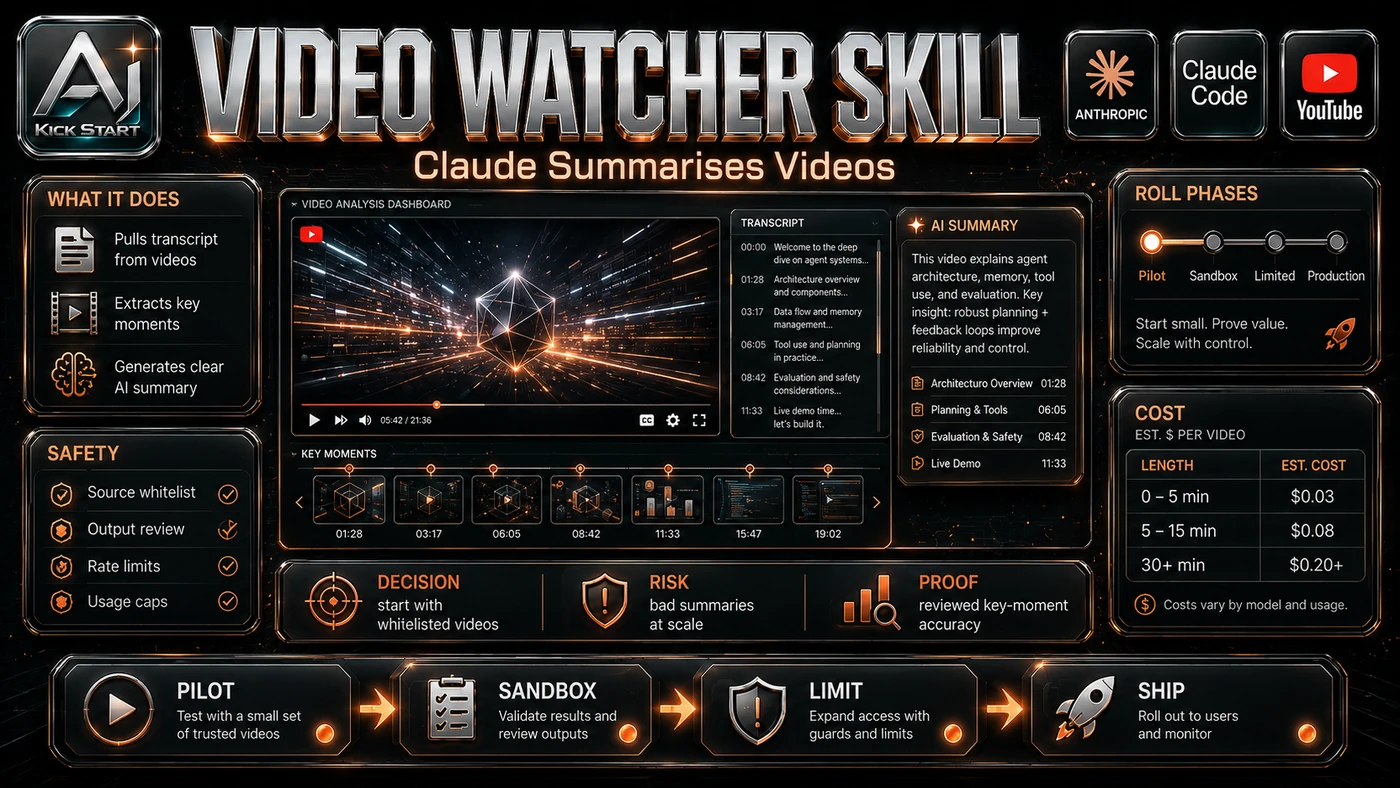
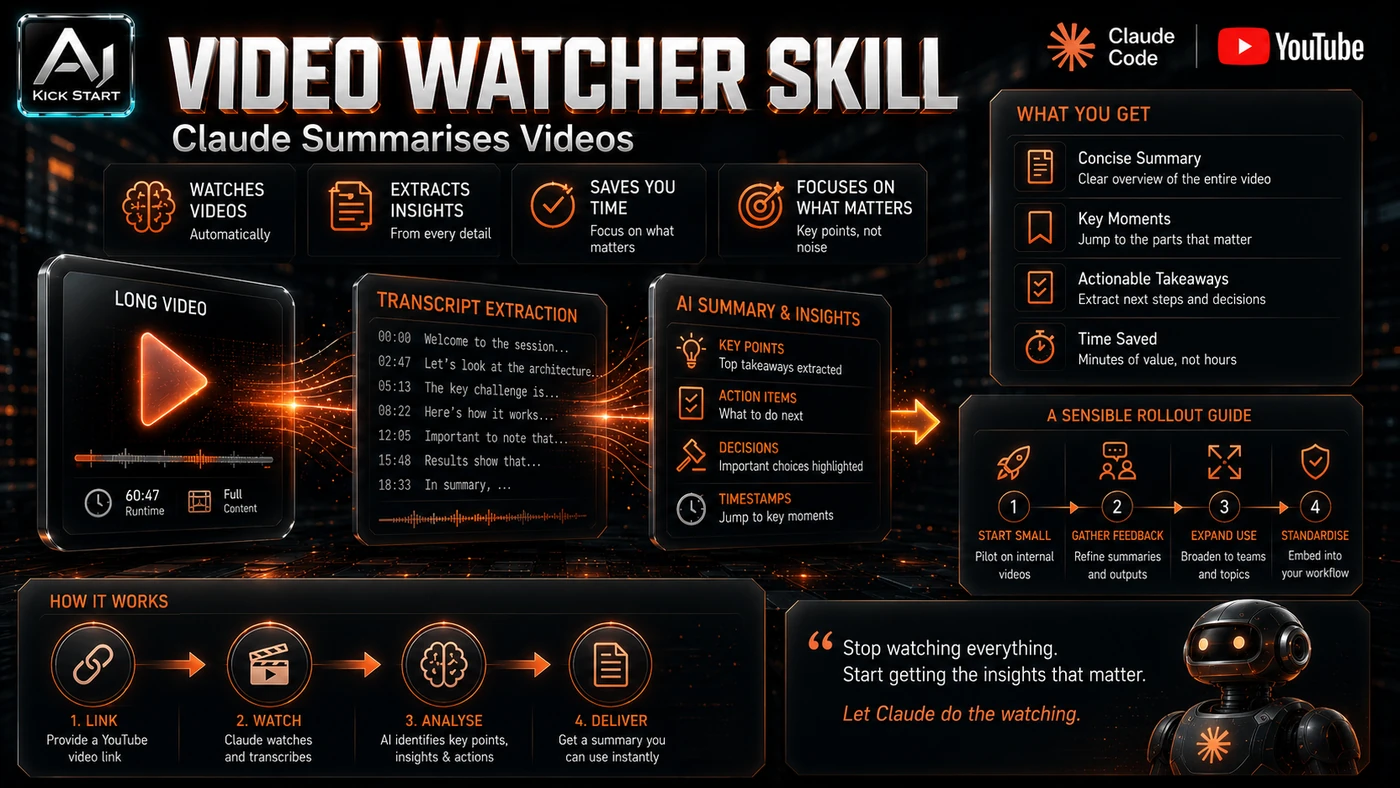
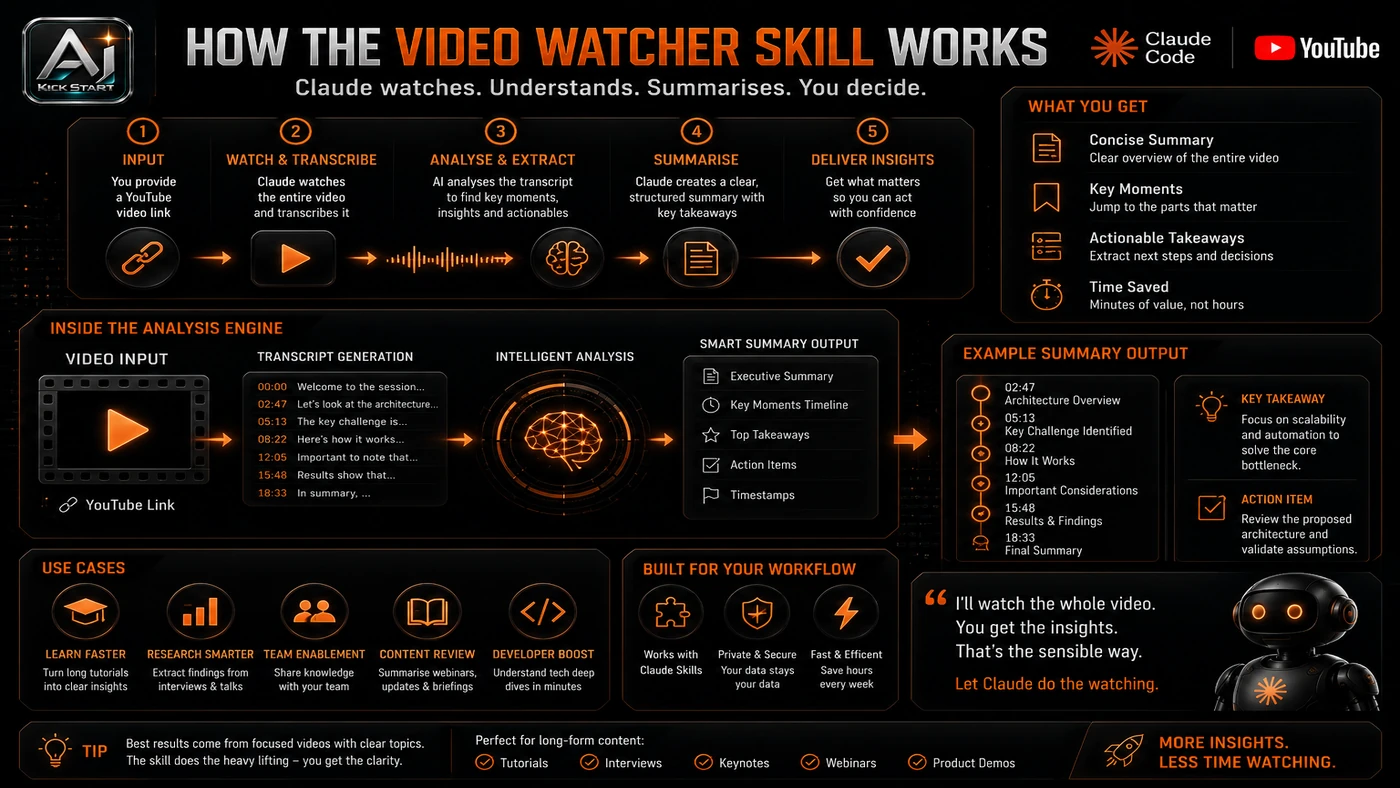
The core pattern is simple: Ingest a public video URL or local file, sample frames only where the scene changes, ask a focused question, and write the structured answer into a report that can be staged into Obsidian. In practice, that means the update sits inside a broader shift from isolated AI prompts to managed systems. A tool, model, or method only becomes valuable when it has clear inputs, a measurable output, a review path, and a way to repeat the result next week. The video's most useful signal is the workflow shape. The moving parts can be summarised as: Video ingest via yt-dlp Scene-change frame extraction Hook microscope pass Focused question and structured report That is the level at which teams should evaluate it. A demo can be entertaining, but a workflow must survive messy source files, staff handoff, data boundaries, and real deadlines.
The Implementation Pattern
The first implementation lesson is to narrow the scope. Start with one narrow use case such as competitor webinar analysis, sales call pre-reads, or training summaries, and keep the first runs short. Broad adoption is usually where AI systems fail first because nobody knows which decision the tool is allowed to make and which decision still belongs to a human. The second lesson is to create a test harness. Track source URL, duration, frame cap, prompt, output quality, and token cost estimate for the first 10 runs. A useful harness does not have to be complicated. It can be a short brief, a fixed sample dataset, a few expected outputs, and one person responsible for judging whether the result is good enough. The third lesson is to capture the process. Document which prompts produce useful results and how the Obsidian staging path is reviewed. When the process is documented, it can become a reusable skill, checklist, prompt pack, repo pattern, or operating procedure. When it is not documented, the team is back to improvising in chat.
Research Update: What To Correct
This update adds a current-source pass rather than treating the original video summary as enough. The important corrections are the product surface, plan or pricing constraints, and what should be verified before a team depends on the workflow. First, "YouTube-DL" is actually yt-dlp. The speaker mentions YouTube-DL, but the repo uses yt-dlp, the actively maintained fork, so cite yt-dlp in any dependency or security review. Second, "Grok" appears to be a misstatement for Groq. The codebase uses Groq's whisper-large-v3 API for the Whisper fallback, not xAI's Grok, so do not send audio to the wrong service. Third, "Claude Cowork" sandbox issues. The skill shells out to yt-dlp and ffmpeg, so it needs the terminal environment Claude Code provides; the web app sandbox cannot run arbitrary downloads and subprocesses. Fourth, "anything with a link" is limited to public URLs and local files. The skill cannot log into private platforms, so authenticated Zoom calls, Looms, or customer portals must be downloaded first and passed as local paths.
Practical Setup and How-To
The useful next step is a controlled pilot with a named owner, fixed inputs, a measurable output, and a review point. Use the sequence below as the first implementation path before expanding the workflow. In Claude Code, add the skill with /plugin marketplace add taoufik123-collab/claude-watch and /plugin install watch@claude-watch, or clone it manually into ~/.claude/skills/watch. On first run the skill checks for ffmpeg and yt-dlp and prints install commands for your OS; macOS users get an automatic brew install, while Windows and Linux users see printed commands. For caption-less videos, add a Groq or OpenAI key to ~/.config/watch/.env. Optionally export WATCH_VAULT_DIR="/path/to/your/obsidian/vault" for Obsidian staging; if the variable is unset, the skill skips that step quietly. A sensible first test command is /watch https://www.youtube.com/watch?v=iYG5tiFfK3E --start 0 --end 60 "analyse the opening hook: what is on screen as each key phrase is spoken?" which keeps the run inside the densest frame budget before you throw a long webinar at it.
Pricing, Access, and Comparison Notes
Pricing and access should be checked at implementation time because AI products change quickly. The safer decision is to compare the tool against the job-to-be-done, not against launch hype. The skill itself is free and MIT-licensed. The real costs sit in three places: the Claude subscription on Pro, Team, or Enterprise plans; token usage, because every extracted frame is an image token and a long 100-frame run can still be expensive; and transcription fallback, where native captions are free but Groq or OpenAI Whisper carry their own API costs. Compared with a dedicated video-analysis SaaS, this skill trades a monthly subscription for variable token costs and maintenance, so it is cheaper for light ad-hoc use and more expensive if it becomes a high-volume pipeline without optimisation. Access Plan, preview status, region, account type, admin controls, and rate limits. Cost Subscription, credits, API tokens, retries, hardware, review time, and support burden. Fit Workflow reliability, data handling, output quality, observability, and human approval needs.
Implementation Notes for Teams
For AI Kick Start readers, this is the production filter: keep the first rollout narrow, make the evidence visible, and do not let the tool cross a business boundary until the review model is clear. Run a narrow pilot with two or three people for two weeks on one use case. Use a test harness and review the first 10 runs as a group before expanding. Set review gates so the Obsidian auto-save does not move notes from raw/watched/ to a trusted team space without human approval. Document prompt patterns and standardise the winners into a team runbook. Stage the rollout by starting with local files and public URLs you have permission to process, then consider authenticated sources only after solving the download step separately.
Screenshot and Visual Guidance
The second inline image for this article should make the implementation concrete: A clean Claude Code terminal showing the /watch progress log, a frame list with t=MM:SS timestamps, a transcript block, Claude's grounded analysis, and the prompt asking whether to save the report. If the team is documenting a real rollout, capture setup screens, before/after outputs, permission settings, cost meters, and review evidence rather than decorative screenshots. If demoing to stakeholders, compare a generic "summarise this" prompt with a specific "what visual is on screen when the speaker says X" prompt; the difference in usefulness is the sell.
Where It Fits for Real Teams
For founders, the opportunity is speed with evidence. This kind of workflow can reduce the time between idea and first useful output, but it should still produce artefacts that a customer, manager, or developer can inspect. For operators, the value is consistency. If the same task is done slightly differently every time, AI can either make the inconsistency worse or help standardise the path. The difference is whether the workflow has rules, examples, and review checkpoints. For technical teams, the value is leverage. A strong setup lets agents, models, or creative systems take on repeatable work while engineers keep control over architecture, security, deployment, and final judgement. The practical fit is strongest when the task has clear source material, a known output format, and a low-cost way to verify quality. It is weaker when the task is vague, politically sensitive, legally risky, or dependent on facts that cannot be checked.
Trade-offs and Risks
The main risk is dependency drift. yt-dlp and ffmpeg break when platforms change, and you will need someone who can update them and pin versions. That risk can be managed, but only if it is named before the workflow becomes normal. A second risk is token cost surprises. AI systems often look better in a screen recording than they feel inside a production workflow. The test is whether the result is repeatable when the source material changes, the operator changes, and the deadline is real. A third risk is hallucination on sparse frames. When the frame budget is stretched thin, Claude may invent connections between visuals and transcript, especially for competitor analysis or customer commitments. This is why AI Kick Start generally recommends a staged rollout: sandbox first, internal use second, customer-facing deployment last.
The Next Sensible Test
The next sensible test is a small controlled implementation. Pick one workflow, one owner, one expected output, and one acceptance check. Run it twice. If the second run is easier than the first, the pattern is worth keeping. Do not judge the workflow by the best possible demo. Judge it by the worst acceptable production case. Ask: what happens when the source file is incomplete, the tool is unavailable, the output is wrong, or a staff member needs to explain the result to a customer? If those answers are clear, this belongs in the roadmap. If they are not, it belongs in the lab until the operating model catches up.