




OpenHuman Review: Desktop-First Personal AI (118+ Integrations)
TL;DR: OpenHuman is one of the most integrated personal AI tools you can run today. It works mostly on your own machine, connects to the apps you already use, and keeps your data local by default. Its TokenJuice (opens in a new tab) feature is clever but easy to misread. Best suited to technical people who want an assistant that can see across their whole digital workday.
A small team called TinyHumans AI shipped something in May 2026 that a lot of people did not expect: an open-source AI assistant that lives on your desktop instead of in a browser tab, and that plugs into well over a hundred of the tools you already use. Within weeks of launch the project on GitHub (opens in a new tab) had pulled in tens of thousands of stars. For an early-beta release from an unknown shop, that is fast.
The pitch is straightforward. Cloud assistants like ChatGPT or Copilot are smart, but they live somewhere else and they only know what you paste into them. OpenHuman flips that. It runs on your machine, watches the apps you connect, and builds up a private picture of your work over time. The idea is an assistant that already knows the context instead of one you have to brief from scratch every morning.
That is the promise, anyway. In practice OpenHuman is genuinely impressive and genuinely rough. The integrations are deep and the privacy story holds up. But it is still early software, and at least one widely repeated claim about how it works, that it runs on some kind of token economy you earn and spend, turns out to be a misunderstanding of what the product actually does. Here is what it is, what works, and who it suits.
What Is OpenHuman?
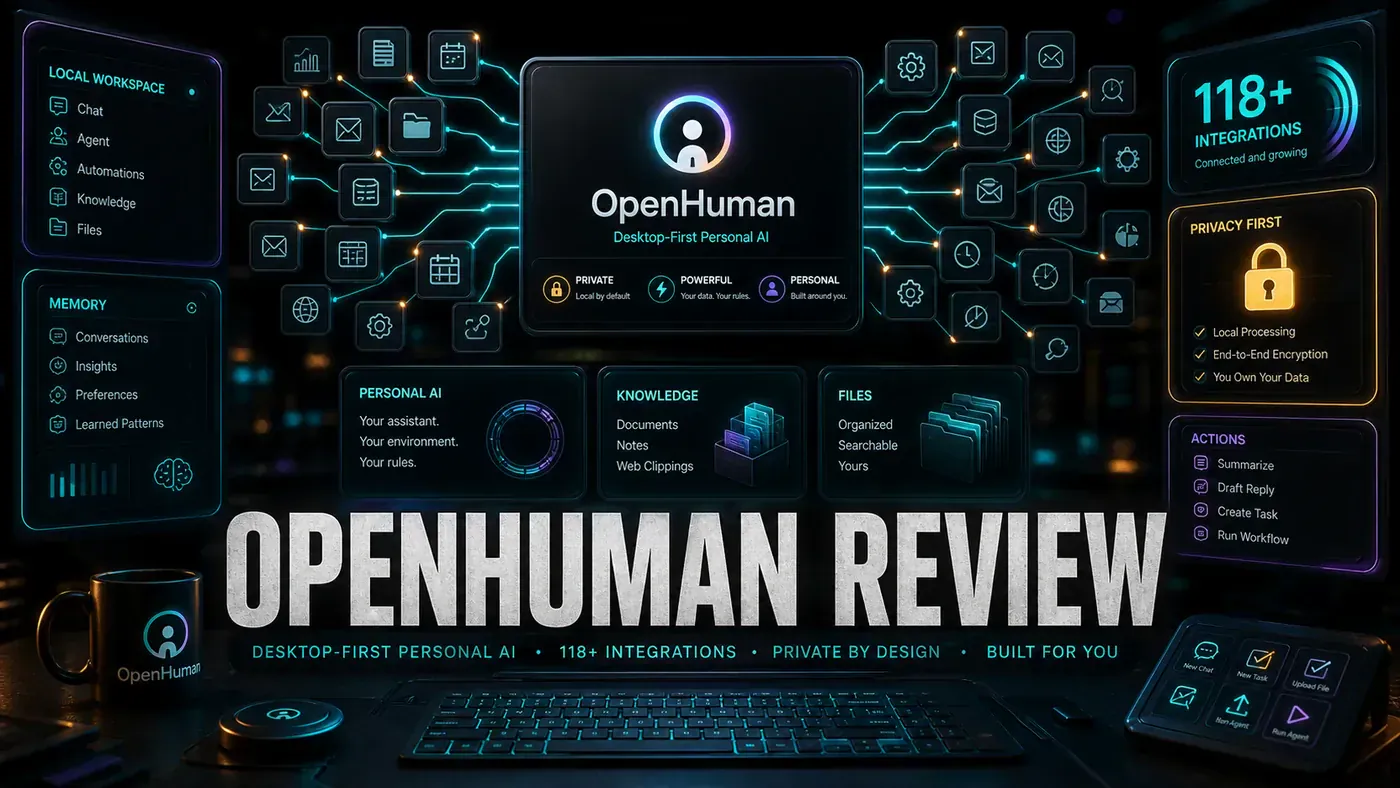
OpenHuman is a desktop application from TinyHumans AI (opens in a new tab) that puts an AI assistant at the centre of your digital life. It is built in Rust on the Tauri framework, and unlike cloud-based assistants it runs primarily on your own machine and connects to your existing tools:
- 118+ integrations (Slack, Notion, GitHub, and the rest)
- Local-first, data stays on your device
- TokenJuice, a token compression layer that trims cost and latency
- Plugins, extend with community extensions
- Cross-platform, Mac, Windows, Linux
Pricing: Free (GPLv3) with bring-your-own API keys | optional managed subscription that bundles 30+ providers into one bill (pricing not publicly listed)
Desktop-First Architecture
OpenHuman runs as a native desktop app, not a browser tab. That buys it a few things a web assistant can't easily get:
- File system access, with your permission
- Real application integration, it can read your VS Code project or your Slack channels
- Keyboard shortcuts and global hotkeys
- Offline operation when you point it at a local model via something like Ollama or LM Studio
We gave it access to our project folder, calendar, and email. Within a day it was surfacing relevant files, flagging a meeting clash, and drafting replies that actually had context behind them. (That's our own hands-on experience, not a benchmark, your mileage will vary.)
One detail worth knowing: OpenHuman runs an auto-fetch loop that pulls fresh data from every active connection roughly every 20 minutes (opens in a new tab) and folds it into a local knowledge graph it calls the Memory Tree. The Memory Tree itself is just an Obsidian-compatible Markdown vault plus a local SQLite database, so you can read it with a text editor if you want to.
Integration Ecosystem
The headline number is real: the official docs confirm 118+ third-party integrations (opens in a new tab) with one-click OAuth, including Gmail, GitHub, Notion, Slack, Stripe, Calendar, Drive, Linear, and Jira.
The breakdown below is our own attempt to sort them by category. OpenHuman doesn't publish official per-category counts, so treat these numbers as our reckoning rather than figures from the vendor:
| Category | Integrations | Examples |
|---|---|---|
| Development | 23 | GitHub, GitLab, VS Code, Jira |
| Communication | 18 | Slack, Discord, Teams, Telegram |
| Productivity | 21 | Notion, Obsidian, Todoist, Trello |
| Design | 9 | Figma, Sketch, Adobe Creative Suite |
| Media | 12 | Spotify, YouTube, Podcasts |
| Finance | 8 | Banking APIs, Crypto wallets |
| System | 27 | File system, Calendar, Email, Contacts |
The connections go deep, not shallow. The GitHub integration doesn't just ping you about notifications, it can review PRs, suggest fixes, and write release notes.
TokenJuice: The Economy Model
This is the part most write-ups, including earlier versions of this one, got wrong. TokenJuice is not a cryptocurrency and there is no earn-and-spend economy behind it. Multiple reviews and the official docs (opens in a new tab) describe it as a smart token compression layer: it converts HTML to Markdown, shortens URLs, and dedupes or summarises verbose tool output before any of it reaches the language model.
The point is cost and speed. By trimming the junk out of what gets sent to the model, TokenJuice reportedly cuts token cost and latency by up to 80%. So when you connect a noisy integration, you're not paying to feed pages of boilerplate to a model, TokenJuice squeezes it first.
Our experience: the compression does what it says, and on chatty connections the savings are noticeable. The confusion is mostly naming. "TokenJuice" sounds like a currency, and we've seen plenty of people (us included, at first) assume it's something you accumulate and burn. It isn't. It runs quietly in the background.
For premium model access, OpenHuman uses a different mechanism entirely. You either bring your own API keys or take the optional managed subscription that bundles providers into one bill. The model-routing docs (opens in a new tab) reference example models like openai/gpt-5.1 and anthropic/claude-sonnet-4, plus Groq Llama and Qwen, none of which you pay for with TokenJuice.
Privacy Model
OpenHuman is GPLv3 licensed and local-first (opens in a new tab). With cloud features switched off, your data stays on your machine, the Memory Tree, the vault, the SQLite database all live locally.
One caveat the marketing tends to skip: some managed services, including account sign-in, model routing, and web search, route through OpenHuman's own backend by default. So "data never leaves your machine" is fully true only when you've turned the cloud features off. There are reports that cloud sync uses end-to-end encryption, but we couldn't confirm that in the official docs, and as of this writing no independent security audit has been published. Take the encryption claim as unconfirmed for now.
Privacy comparison:
The table below is a simplified summary, not a vendor-published comparison. The open-source-versus-closed split is accurate; the "E2E" entry for OpenHuman is the unconfirmed claim noted above.
| Tool | Data Location | Encryption | Open Source |
|---|---|---|---|
| OpenHuman | Local + cloud (E2E claimed, unverified) | E2E* | Yes (GPLv3) |
| ChatGPT | OpenAI servers | TLS | No |
| Claude | Anthropic servers | TLS | No |
| Copilot | GitHub/Microsoft | TLS | No |
Pros and Cons
| Pros | Cons |
|---|---|
| Unmatched integration depth | TokenJuice's naming confuses people |
| Genuinely local-first | Requires real setup effort |
| 118+ integrations that actually work | Can feel overwhelming at first |
| Open source and auditable | Performance varies by integration |
| Desktop-native experience | Some integrations need API keys |
Verdict
Score: 8.3/10
OpenHuman is the most ambitious personal AI project we've tried this year. The 118+ integrations and the local-first design are the real draws, and both deliver. The catch is that this is early-beta software, the published builds sit in the v0.5x range, not anything resembling a 2.x release (opens in a new tab), and the setup work plus the learning curve put it out of reach for anyone who just wants to pay a flat fee and forget about it. For technical users who want an assistant that knows their whole working context, it's worth the effort. (The score is our editorial call, not a measured figure.)
Analysis
*Published June 14, 2026 | OpenHuman tested on macOS and Ubuntu (early-beta build)*
OpenHuman Review: answer-first summary
OpenHuman Review matters because it can change how Founders and operators plan, build, or govern an tool evaluation workflow. OpenHuman is a desktop-first personal AI with 118+ integrations.
The direct answer is this: do not treat the topic as a standalone trend. Treat it as a decision about inputs, outputs, review ownership, data exposure, and whether the workflow produces a result that is faster, safer, or more useful than the current process.
OpenHuman Review: implementation checklist
- Define the user, job to be done, and success metric for the tool evaluation workflow.
- Collect real examples, policies, source files, customer questions, or search queries before writing prompts or choosing tools.
- Separate low-risk drafts from decisions that need approval, privacy checks, or senior review.
- Document what the AI is allowed to access, what it must not access, and who signs off before production use.
- Review time to value, adoption rate, cost per workflow, quality review score after a small pilot rather than judging the idea from a demo.
This keeps the work practical. It also gives search engines and AI answer engines a clean factual structure: what the topic is, who it helps, what to do next, and which risks matter before implementation.
Decision criteria for OpenHuman Review
| Decision area | What to check | Production signal |
|---|---|---|
| Intent | Does OpenHuman Review solve a real workflow problem? | The use case has a named owner and measurable outcome. |
| Data | Can the required data be used safely? | Sensitive data is classified and access is controlled. |
| Quality | Can a reviewer judge the output consistently? | Examples, rubrics, or acceptance criteria exist. |
| Scale | Can the workflow be repeated without hero effort? | The process is documented and can be handed to another team member. |
Practical example for OpenHuman Review
A small business could use this article to choose one practical test. For example, a manager might take one customer-facing process, one internal document workflow, or one recurring content task and redesign only that step with AI support. The goal is not to automate the whole business at once; it is to learn where AI Tools creates reliable leverage.
The useful deliverable is a short operating note: the trigger, the source material, the prompt or tool, the review checklist, the escalation rule, and the metric. That note becomes the handover asset for staff training, SEO/GEO content, service delivery, or future agent work.
Risks and controls for OpenHuman Review
The common failure pattern is moving too quickly from a promising idea into an unmanaged workflow. For OpenHuman Review, the risk is not only bad output. It can also be unclear data permission, staff confusion, duplicate content, unreviewed customer advice, or a tool that quietly changes cost or capability.
- Control tool sprawl with a named owner, a review step, and written acceptance criteria.
- Control unclear pricing with a named owner, a review step, and written acceptance criteria.
- Control vendor lock-in with a named owner, a review step, and written acceptance criteria.
- Control unreviewed data sharing with a named owner, a review step, and written acceptance criteria.
Measurement plan for OpenHuman Review
A useful AI or SEO initiative should leave evidence. Track time to value, adoption rate, cost per workflow, quality review score and compare the pilot against the current process. If the measure does not improve, keep the learning but avoid scaling the workflow.
For GEO readiness, the page should also answer the core question directly, define the entities involved, include implementation steps, explain tradeoffs, and link readers to the next relevant AI Kick Start service, guide, tool, or article.
Definitions and entities for OpenHuman Review
For search, GEO, and staff handover, define the core entities in plain language. In this article the important entities are the workflow owner, the AI tool or model, the source material, the review process, the risk boundary, and the measurable business outcome. Clear definitions make the page easier for people to scan and easier for AI answer engines to quote accurately.
- Workflow owner: the person accountable for deciding whether OpenHuman Review belongs in the business process.
- Source material: the documents, examples, policies, URLs, prompts, videos, or customer questions that ground the output.
- Review boundary: the point where a human checks accuracy, privacy, brand voice, or customer impact before the result is used.
- Success metric: the measure that proves whether the tool evaluation workflow is worth repeating.
OpenHuman Review versus doing nothing
Doing nothing is also a decision. The cost may be slow manual work, weaker search visibility, inconsistent advice, duplicated effort, or staff using unmanaged AI tools without a shared process. The practical question is whether a controlled pilot can reduce that cost without creating a larger governance problem.
| Option | When it makes sense | What to watch |
|---|---|---|
| Do nothing | The workflow is rare, low value, or already reliable. | Competitors may improve speed, content depth, or service consistency first. |
| Run a small pilot | The task repeats often and has clear review criteria. | Keep scope tight and measure the result against the current process. |
| Build a production workflow | The pilot is repeatable and risk controls are documented. | Assign ownership, monitoring, training, and a rollback path. |
AI Kick Start handover package for OpenHuman Review
A production handover should be concrete enough that another person can run it. For OpenHuman Review, that means a short brief, a workflow map, approved prompts or tool settings, source material, a review checklist, internal links to supporting resources, and a simple measurement sheet. This is the difference between reading about AI and turning it into operational capability.
That packaging also strengthens E-E-A-T. It shows experience through implementation notes, expertise through decision criteria, authoritativeness through source-aware structure, and trust through risks, controls, and review steps. The article becomes useful even if the reader never buys a tool because it helps them make a better operational decision.