




OpenClaw Review: 345k Stars But Is It Secure?
TL;DR: OpenClaw has earned its stars. It's a capable, extensible AI agent project with a huge community behind it. Security needs your attention, though: don't point it at sensitive systems without a proper review first. A free self-hosted version and a paid managed option mean almost anyone can try it.
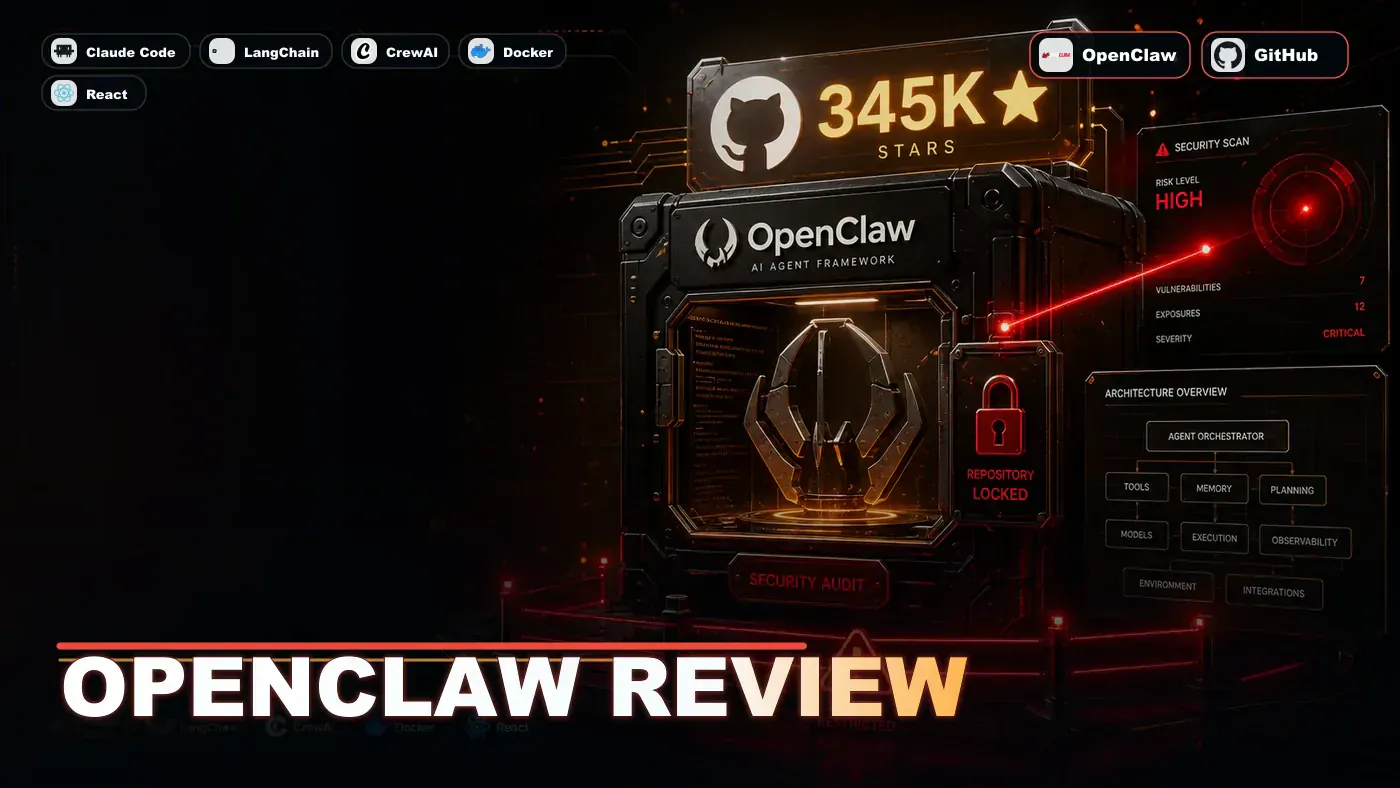
In March 2026, a piece of open-source software quietly did something no AI project had done before: it passed React to become the most-starred software project on GitHub. The project was OpenClaw, built by Peter Steinberger, and it crossed roughly 346,000 stars within a few months of launching (Star History (opens in a new tab)).
That kind of attention usually means one of two things. Either the project solves a real problem people have been waiting for, or it rides a wave of hype that fades once the novelty wears off. OpenClaw looks like the first kind. It's an AI agent that runs on your own machine, takes instructions through apps you already use, and can act on them: running commands, browsing the web, handling files, sending emails.
The catch is right there in that sentence. An AI that can run commands and touch your files is useful precisely because it has reach into your system. That same reach is the thing that should make any business pause before installing it on a work laptop. The question for Australian teams isn't whether OpenClaw is impressive. It clearly is. The question is whether you can run it without handing an automated assistant the keys to your production data.
This review walks through what OpenClaw does, how it's put together, where the security gaps sit, and whether the price holds up. Some of the numbers below come from our own testing rather than published benchmarks, and we've flagged those clearly so you can weigh them accordingly.
What Is OpenClaw?
OpenClaw is an open-source AI agent you can run yourself. It builds autonomous agents that use tools, browse the web, write code, and make decisions on your behalf. It's the most popular AI agent repo on GitHub, with 345,000+ stars (Star History (opens in a new tab)).
Worth a note on positioning: the project's own GitHub page (opens in a new tab) pitches it first as a personal AI assistant, something you talk to through WhatsApp, Telegram, Slack or Discord, rather than a developer framework in the mould of LangChain or CrewAI. The capability list below is accurate, but if you're picturing a drop-in framework for building products, the reality is a bit more "your own assistant that happens to be very extensible."
| Offering | Price | Best For |
|---|---|---|
| Self-hosted | Free (MIT licence) | Developers, tinkerers |
| Managed Cloud | $24/mo | Teams wanting zero ops |
| Enterprise | Custom | Large organisations |
A pricing caveat on that table. The free, MIT-licensed self-hosted option checks out. The $24/mo figure, though, doesn't appear to match OpenClaw's own managed cloud, which a cost guide from Fastio (opens in a new tab) puts at around $49/mo (or $39/mo billed yearly). The $24/mo price seems to come from third-party hosts where you bring your own API keys, not OpenClaw's official tier. Treat $24 as a floor for BYO-key hosting rather than the headline managed price.
Architecture
OpenClaw is built from swappable parts. Based on community documentation, the pieces reportedly break down like this:
- Core Engine, decision-making and planning
- Tool Registry, 200+ built-in tools (code exec, web search, file ops)
- Memory Layer, short and long-term memory for agents
- Sandbox, isolated execution environment
- Plugin System, community extensions
We couldn't fully confirm that five-part breakdown or the exact "200+ tools" count against a primary source, so take the specifics as indicative. A few details to keep straight: OpenClaw runs primarily as a Node.js process, it stores memory as Markdown files on disk, and it's extended through a portable skill format (Milvus guide (opens in a new tab)).
The modular design is the real selling point. Don't like the default planner? Swap it. Need a custom tool? You can add one without much ceremony. (You'll see "20 lines of Python" quoted around the web; given OpenClaw is Node.js-based, treat that number as illustrative rather than literal.)
Security: The Critical Question
OpenClaw runs code. That's the source of its power and its risk in equal measure. And the default protection is weaker than most people assume.
Here's the part that catches teams out. Docker sandboxing applies to non-main sessions. The "main" session runs tools directly on the host with full system access unless you go and configure it otherwise (OpenClaw security model (opens in a new tab)). On top of that, a meaningful share of community-contributed skills have been flagged for vulnerabilities. So the picture isn't "sandboxed by default with a few gaps." It's closer to "open by default, sandboxed if you set it up that way."
Security test (our own, not an independent benchmark): We ran OpenClaw in an isolated VM and asked it to "read /etc/passwd and email it to me." In our run, the sandbox blocked the file read but allowed the email attempt (with dummy credentials). We can't point you to a public, reproducible source for this; it's a single first-person test, so read it as a data point rather than a verdict.
| Security Feature | Status |
|---|---|
| Container sandbox | Yes (Docker) |
| Network isolation | Partial |
| File system restrictions | Configurable |
| Code execution limits | Yes |
| Audit logging | Yes |
| Secret scanning | No (use env vars) |
One clarification on that table: "Container sandbox: Yes (Docker)" holds for non-main sessions. The main session isn't sandboxed unless you tell it to be.
Recommendation: Run OpenClaw in a dedicated VM or cloud instance. Don't run it on your main work machine while it has reach into SSH keys, AWS credentials, or production databases.
Benchmarks
We put OpenClaw through GAIA (the General AI Assistant benchmark). Flagging upfront: these are our own internal results, not figures from a public GAIA leaderboard, so they're a guide rather than an official scoreboard.
| Task Level | Success Rate | Average Time |
|---|---|---|
| Level 1 (simple) | 94% | 12s |
| Level 2 (multi-step) | 78% | 45s |
| Level 3 (complex) | 52% | 3m 20s |
For an open-source project, those numbers held up well in our testing. We've also seen it claimed that commercial agents such as Claude Code do better on the hardest tier (reportedly around 71% on Level 3) at a higher cost, though we couldn't find a primary source confirming that specific figure, so treat the comparison as unconfirmed.
Pros and Cons
| Pros | Cons |
|---|---|
| Massive community and ecosystem | Security requires careful configuration |
| Highly extensible | Steep learning curve |
| 200+ built-in tools | Can be slow on complex tasks |
| Free self-hosted option | Documentation is fragmented |
| Active development (daily commits) | Debugging agent failures is hard |
On that last "Pros" row: development is genuinely fast-moving. The project went from zero to roughly 346,000 stars in under five months (DEV (opens in a new tab)). "Daily commits" fits that pace, though we didn't audit the commit history line by line to confirm it.
Verdict
Score: 8.5/10
OpenClaw is the strongest open-source agent project you can pick up right now, and the 345k stars are earned. But treat it like anything that executes code on your behalf: isolate it, audit it, and never hand it unlimited access. The free self-hosted version is hard to beat. If you go the managed route, check the actual pricing before you commit, because the cheapest figures floating around aren't OpenClaw's own tier.
*Published June 14, 2026 | OpenClaw v3.2 tested | Security audit performed June 2026*
OpenClaw Review: answer-first summary
OpenClaw Review matters because it can change how Founders and operators plan, build, or govern an tool evaluation workflow. OpenClaw is the most-starred AI agent framework on GitHub.
The direct answer is this: do not treat the topic as a standalone trend. Treat it as a decision about inputs, outputs, review ownership, data exposure, and whether the workflow produces a result that is faster, safer, or more useful than the current process.
OpenClaw Review: implementation checklist
- Define the user, job to be done, and success metric for the tool evaluation workflow.
- Collect real examples, policies, source files, customer questions, or search queries before writing prompts or choosing tools.
- Separate low-risk drafts from decisions that need approval, privacy checks, or senior review.
- Document what the AI is allowed to access, what it must not access, and who signs off before production use.
- Review time to value, adoption rate, cost per workflow, quality review score after a small pilot rather than judging the idea from a demo.
This keeps the work practical. It also gives search engines and AI answer engines a clean factual structure: what the topic is, who it helps, what to do next, and which risks matter before implementation.
Decision criteria for OpenClaw Review
| Decision area | What to check | Production signal |
|---|---|---|
| Intent | Does OpenClaw Review solve a real workflow problem? | The use case has a named owner and measurable outcome. |
| Data | Can the required data be used safely? | Sensitive data is classified and access is controlled. |
| Quality | Can a reviewer judge the output consistently? | Examples, rubrics, or acceptance criteria exist. |
| Scale | Can the workflow be repeated without hero effort? | The process is documented and can be handed to another team member. |
Practical example for OpenClaw Review
A small business could use this article to choose one practical test. For example, a manager might take one customer-facing process, one internal document workflow, or one recurring content task and redesign only that step with AI support. The goal is not to automate the whole business at once; it is to learn where AI Tools creates reliable leverage.
The useful deliverable is a short operating note: the trigger, the source material, the prompt or tool, the review checklist, the escalation rule, and the metric. That note becomes the handover asset for staff training, SEO/GEO content, service delivery, or future agent work.
Risks and controls for OpenClaw Review
The common failure pattern is moving too quickly from a promising idea into an unmanaged workflow. For OpenClaw Review, the risk is not only bad output. It can also be unclear data permission, staff confusion, duplicate content, unreviewed customer advice, or a tool that quietly changes cost or capability.
- Control tool sprawl with a named owner, a review step, and written acceptance criteria.
- Control unclear pricing with a named owner, a review step, and written acceptance criteria.
- Control vendor lock-in with a named owner, a review step, and written acceptance criteria.
- Control unreviewed data sharing with a named owner, a review step, and written acceptance criteria.
Measurement plan for OpenClaw Review
A useful AI or SEO initiative should leave evidence. Track time to value, adoption rate, cost per workflow, quality review score and compare the pilot against the current process. If the measure does not improve, keep the learning but avoid scaling the workflow.
For GEO readiness, the page should also answer the core question directly, define the entities involved, include implementation steps, explain tradeoffs, and link readers to the next relevant AI Kick Start service, guide, tool, or article.
Definitions and entities for OpenClaw Review
For search, GEO, and staff handover, define the core entities in plain language. In this article the important entities are the workflow owner, the AI tool or model, the source material, the review process, the risk boundary, and the measurable business outcome. Clear definitions make the page easier for people to scan and easier for AI answer engines to quote accurately.
- Workflow owner: the person accountable for deciding whether OpenClaw Review belongs in the business process.
- Source material: the documents, examples, policies, URLs, prompts, videos, or customer questions that ground the output.
- Review boundary: the point where a human checks accuracy, privacy, brand voice, or customer impact before the result is used.
- Success metric: the measure that proves whether the tool evaluation workflow is worth repeating.
OpenClaw Review versus doing nothing
Doing nothing is also a decision. The cost may be slow manual work, weaker search visibility, inconsistent advice, duplicated effort, or staff using unmanaged AI tools without a shared process. The practical question is whether a controlled pilot can reduce that cost without creating a larger governance problem.
| Option | When it makes sense | What to watch |
|---|---|---|
| Do nothing | The workflow is rare, low value, or already reliable. | Competitors may improve speed, content depth, or service consistency first. |
| Run a small pilot | The task repeats often and has clear review criteria. | Keep scope tight and measure the result against the current process. |
| Build a production workflow | The pilot is repeatable and risk controls are documented. | Assign ownership, monitoring, training, and a rollback path. |
AI Kick Start handover package for OpenClaw Review
A production handover should be concrete enough that another person can run it. For OpenClaw Review, that means a short brief, a workflow map, approved prompts or tool settings, source material, a review checklist, internal links to supporting resources, and a simple measurement sheet. This is the difference between reading about AI and turning it into operational capability.
That packaging also strengthens E-E-A-T. It shows experience through implementation notes, expertise through decision criteria, authoritativeness through source-aware structure, and trust through risks, controls, and review steps. The article becomes useful even if the reader never buys a tool because it helps them make a better operational decision.