




Briefing
A deep dive into MiniMax's M3 model, agent teams, multimodal workspace, and why it might be the most compelling alternative to the fragmented AI toolkit you're currently paying for.
<!-- Banner Image Prompt: A futuristic unified digital workspace hologram merging code editors, video previews, music waveforms, and document panels into one glowing dashboard, neon blue and purple palette, cinematic tech lighting, ultra-modern aesthetic, 16:9 -->
Introduction: The Subscription Sprawl Problem
If you're a developer, creator, or freelancer using AI tools in 2025, your digital life is likely a tangled mess of subscriptions. One tool for coding assistance, another for image generation, a third for video, yet another for music, and something else for voiceovers. By the time you've stitched together a single project, you've jumped between five platforms, imported and exported files half a dozen times, and spent more time on logistics than creative work.
This fragmentation isn't just annoying - it's expensive and fundamentally limits what AI can do for your workflow. The dream of AI as a true collaborative partner gets lost the moment you copy-paste outputs from one siloed tool into another.
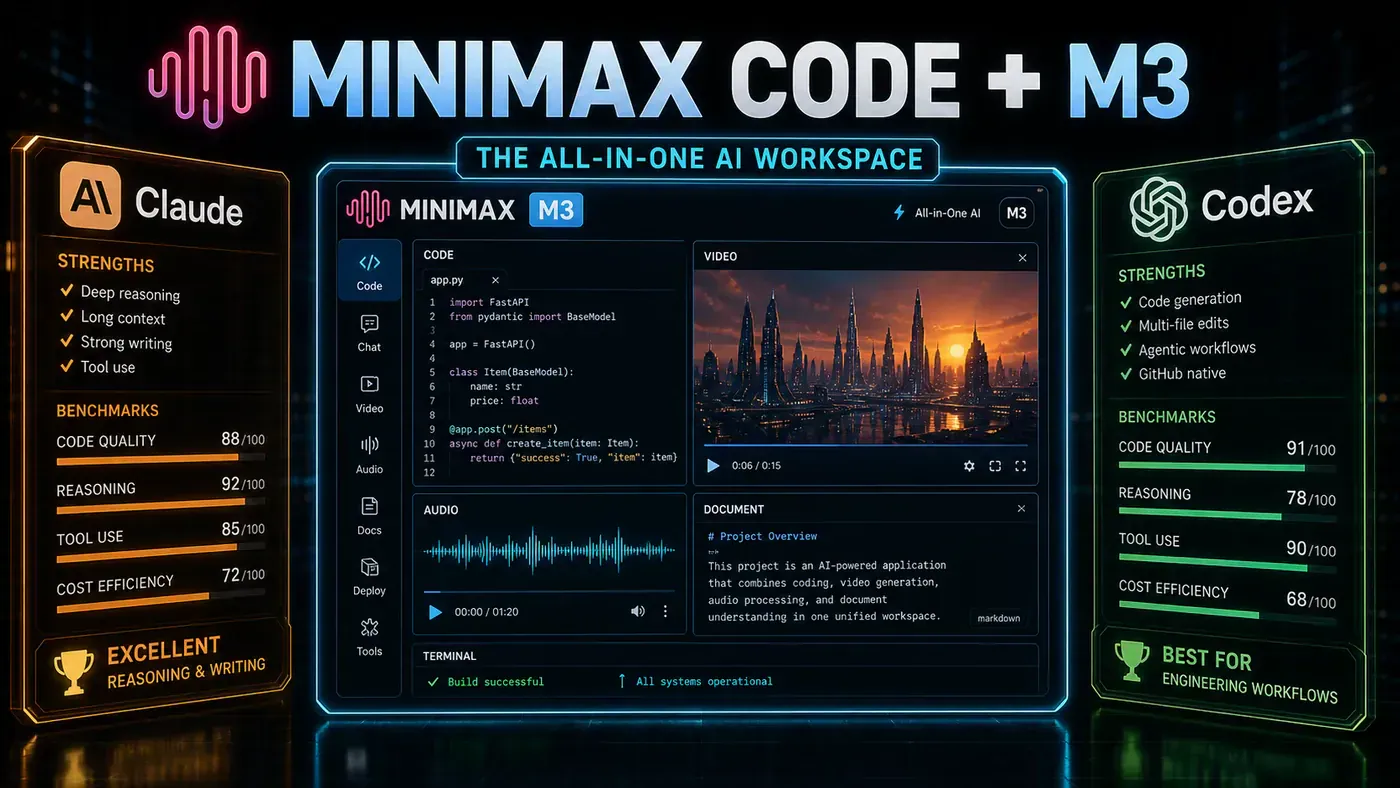
Enter MiniMax. While much of the AI world obsesses over incremental chatbot improvements, MiniMax has been building something far more ambitious: an AI-native workspace combining coding, media generation, document handling, and multi-agent collaboration into a single environment. Their latest offering - centred around the M3 model and the MiniMax Code desktop application - represents one of the most credible attempts yet to unify the capabilities modern knowledge workers actually need.
This deserves serious attention, not because it's perfect, but because it represents a fundamentally different approach - one that prioritises long-horizon agentic work over quick chat replies, and integrated workspaces over isolated features.
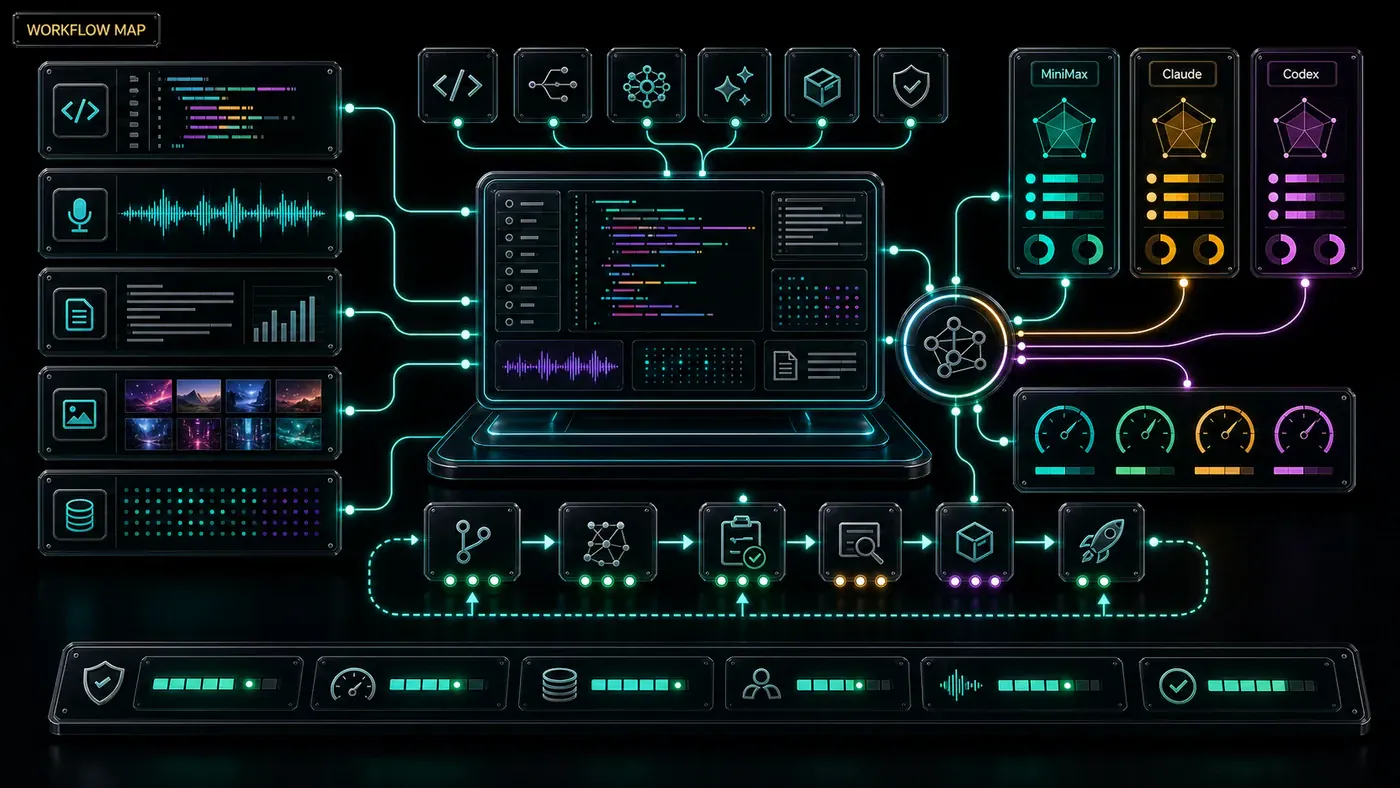
MiniMax M3: A Model Built for Agents, Not Just Chat
The Three Pillars
MiniMax M3 is deliberately not positioned as a general-purpose chat model. Instead, it targets three specific capabilities crucial for professional workflows:
Strong Coding Performance. M3 is marketed as MiniMax's "coding and agentic frontier model." The architecture is optimised for software engineering, tool calling, and code generation across multiple languages. It understands broader project context - dependencies, file structures, and long-range relationships between components - rather than producing syntactically correct but architecturally naive snippets.
Up to 1 Million Token Context Window. The M3 API supports up to one million tokens, with a guaranteed minimum of 512,000 tokens. That's enough to ingest a medium-sized codebase, several lengthy research papers, or hours of video content in a single session. For real-world agentic work, this matters enormously - context window limitations are typically the first thing that breaks the experience when refactoring large applications or analysing complex documents.
Native Multimodality. M3 processes and generates across text, images, audio, and video within a single workflow. This isn't separate models bolted together with API calls - it's one architecture that understands relationships between different media types.
Benchmark Claims and Long-Horizon Tasks
MiniMax reports that M3 scores 83.5 on BrowseComp (autonomous web browsing and information retrieval), placing it ahead of Claude Opus 4.7 in their comparison. They've demonstrated extremely long-running tasks: reproducing an ICLR paper over nearly 12 hours and optimising a CUDA kernel over approximately 24 hours.
Take these self-published benchmarks with healthy scepticism - independent verification is essential. However, the *direction* is exciting. Most current AI tools are optimised for short, synchronous interactions. MiniMax is building for asynchronous, long-horizon agentic work where the AI maintains context and makes progress without constant human hand-holding. That distinction matters enormously. If you want an agent that reads an entire workspace, creates assets, modifies files, calls tools, runs for hours, and delivers a complete result, the underlying model must be architected for sustained, coherent execution. M3 appears designed precisely for this.
MiniMax Code: The Desktop Workspace
Local Files, Persistent Context
The real innovation lies in how MiniMax packages M3 into a desktop app called MiniMax Code. Unlike typical web chatbots where you're constantly uploading files and re-explaining context, MiniMax Code operates directly on your local filesystem. You choose a workspace folder, and the agent gains persistent access to your project files and directory structure. It can organise files, batch-process documents, convert between formats (PDF, DOCX, Excel), and maintain continuity across sessions.
Persistent Memory and Custom Skills
MiniMax Code remembers your habits, preferences, and project structures over time. If you consistently organise components a certain way or prefer specific naming conventions, the agent learns these patterns. Beyond memory, it can generate custom skills around repetitive workflows - encoding sequences of tasks into reusable commands you trigger with a single prompt.
Agent Teams: The Producer-Verifier Pattern
The standout architectural feature is agent teams. For simple tasks, one agent suffices. For complex projects, MiniMax Code assembles specialised agents with distinct responsibilities - one for planning, another for implementation, a third for research, a fourth for verification. MiniMax describes this as a "producer plus verifier harness": one part produces work while another reflects, checks, corrects, and pushes forward.
Crucially, this isn't a static pipeline. The system dynamically adjusts priorities mid-task. If the verifier identifies a fundamental flaw, it triggers replanning. If research uncovers new information, it communicates this to the implementation agent. This addresses a genuine limitation of single-agent systems. Ask one agent to research a company, build a dashboard, verify numbers, design the UI, and produce a presentation in one marathon session, and it will inevitably excel at some parts while neglecting others. Agent teams decompose work into genuine specialisations, with different agents bringing different capabilities to bear on the aspects they're best suited for.
Computer Use: Beyond APIs
Because M3 is natively multimodal, MiniMax Code supports computer use - observing the screen, understanding UI state, clicking, typing, switching applications, handling pop-ups, and working with local software even without a formal API. This bridges the gap between AI-generated outputs and the messy reality of existing software ecosystems. Need data from a legacy GUI-only application? The agent can operate it directly.
Real-World Use Cases: From Concept to Delivery
Use Case 1: Freelancer Landing Page
Suppose you need a functional landing page for an AI-powered résumé screening service - not a mockup, but a responsive site with file upload, skills extraction, candidate comparison tables, and PDF export.
Inside MiniMax Code, you provide a natural language brief and M3 creates a full-stack application - actual functionality, not static HTML. It uses integrated image generation to make the page feel complete rather than delivering generic placeholders. Then you add an agent team task: *"Review this like a real client delivery. Test the upload flow, check mobile layout, find broken states, prepare a launch report."*
You're getting building, editing, and validation in one workspace. For freelancers producing productised landing pages, client dashboards, or SaaS prototypes, this is transformative - you present functional results, not Figma screenshots.
Use Case 2: Creator Launch Kit
Suppose you're launching a mini-course about building AI applications. Traditionally you'd need separate tools for the landing page, thumbnail images, trailer video, background music, and voiceover.
With MiniMax Agent, one project brief triggers everything: the agent generates thumbnail options via image generation, produces a video clip via Hailuo, creates a music backing track, and writes a voiceover script via speech synthesis - all from the same ecosystem. Then: *"Put approved images into the website, rewrite hero copy to match the trailer, generate a PowerPoint deck for partners."* MiniMax Agent handles Word documents, Excel workbooks, PowerPoint decks, and PDFs - creation, templating, data extraction, formatting, charts, and OCR parsing.
This is where multimodality transcends novelty. When image, video, audio, document, and code outputs become components of one deliverable within a unified workspace, efficiency gains are substantial. For creators, agencies, or digital product sellers, this eliminates enormous tool-switching overhead.
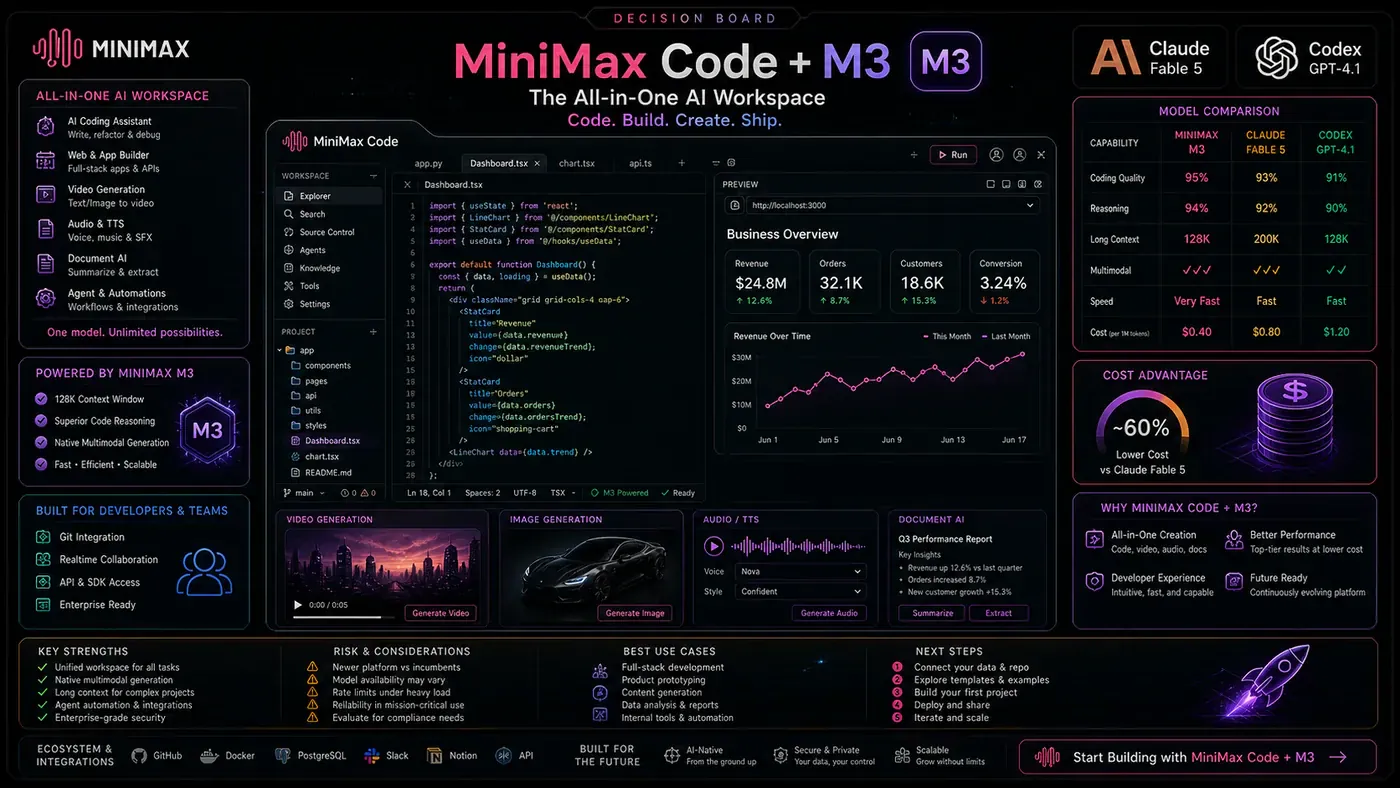
The MiniMax Token Plan: One Subscription, Everything
Pricing Structure
MiniMax offers three token plan tiers:
- Plus: $20/month with ~5.1 billion tokens
- Ultra: $120/month with ~9.8 billion tokens
The billing is transparent: token plan quota is used first, with MiniMax credits covering any overflow. It's subscription-first, credits-as-fallback. Media generation limits (video, image, speech, music) vary by tier, but the core principle holds: coding and multimodal generation sit within one subscription. You no longer choose between a "coding plan" and a "creative plan."
The Economic Case
If you're currently subscribed to a coding assistant ($20/month), image generator ($15/month), video tool ($20/month), music service ($10/month), and voice service ($10/month), you're spending $75/month for siloed capabilities that don't integrate. MiniMax's unified approach offers a compelling alternative - not because each capability is necessarily best-in-class, but because integration and workflow efficiency can outweigh marginal quality differences.
Web and Cloud Options
Not everyone needs a desktop app. MiniMax provides alternatives:
MiniMax Agent Web offers a browser-based experience for general agent tasks - the familiar chat-style interface without deep filesystem integration.
Max Hermes is a cloud-hosted agent fitting MiniMax's broader model direction, providing always-on automation without local setup.
MaxClaw brings an OpenClaw-style personal assistant into the web agent, available through Telegram, Discord, and Slack - useful for teams wanting AI integrated into communication workflows.
While these are valuable, MiniMax Code is the ecosystem's standout for serious work. The combination of agent teams, computer use, persistent memory, local files, and project continuity creates something that feels like a genuine workspace rather than a chat interface.
Critical Assessment: The Honest Trade-offs
I wouldn't recommend cancelling every existing AI subscription immediately. Specialist tools often excel at their specific function - a model optimised purely for code might outperform M3 on certain programming tasks, and dedicated image generators may offer finer artistic control. Complex agent teams also consume more resources than simple prompts, so the economics work best when integration efficiency outweighs increased token usage.
However, if your work genuinely combines coding, document creation, web research, visual generation, audio, video, and repetitive workflows, this is one of the most compelling all-in-one setups available. The question isn't whether each capability is the absolute best in its category - it's whether the integration value exceeds the sum of its parts.
For freelancers building client deliverables, creators producing multimedia content, agencies managing diverse projects, and developers needing AI assistance across code, documentation, and media, the unified workspace model is genuinely transformative.
Conclusion: From Tools to Workspaces
The most significant development at MiniMax isn't any single technical capability - it's the architectural philosophy. They're not building a better chatbot; they're building an AI-native workspace where agents collaborate, persist knowledge, handle diverse media, and operate across local and cloud environments.
This represents a fundamental shift. The future isn't collecting an ever-growing arsenal of single-purpose AI applications. It's designing agent systems that work collaboratively on your behalf, learning your preferences, improving over time, and handling the full spectrum of knowledge work within a unified environment.
MiniMax M3, MiniMax Code, and the surrounding ecosystem represent one of the most credible attempts to realise this vision. The 1-million-token context window enables genuinely large-scale projects. Native multimodality eliminates media silos. Agent teams bring structured collaboration to complex tasks. Desktop integration grounds everything in your actual working environment.
Is it perfect? No. Is it right for every use case? Absolutely not. But it points in the direction AI tooling must go - away from fragmented, single-purpose applications and towards integrated, agentic workspaces matching how modern knowledge workers actually operate.
If you've been waiting for an AI platform that treats your entire creative and technical workflow as one cohesive system rather than a collection of disconnected features, MiniMax deserves your attention. The combination of M3's capabilities, the Code desktop environment, and the unified token plan creates something that is, quite honestly, greater than the sum of its parts. It is one of the most interesting directions in AI tooling right now, and it is absolutely worth trying for yourself.
Helpful Resources
Official MiniMax Links
- MiniMax Agent (Web): https://agent.minimax.io/ (opens in a new tab) - Try MiniMax Agent directly in your browser for general agent tasks and project building.
- MiniMax Code Desktop Download: https://agent.minimax.io/download (opens in a new tab) - Download the MiniMax Code desktop application for macOS and Windows.
- MiniMax Token Plan (12% Discount): https://platform.minimax.io/subscribe/coding-plan?code=7C6sJDULUt&source=link (opens in a new tab) - Subscribe to the Plus or Ultra token plan with a 12% discount.
MiniMax API and Integration
- MiniMax Platform/API: https://platform.minimax.io/ (opens in a new tab) - Access API documentation, manage keys, and explore M3 integration options.
- API Compatibility: M3 supports both Anthropic-compatible and OpenAI-compatible API endpoints for easy integration with existing toolchains.
Compatible Tools
- Claude Code - Configurable to use MiniMax M3 via compatible API endpoints.
- Cursor - AI code editor that works with MiniMax M3.
- OpenCode - Open-source coding agent compatible with M3.
- Roo Code - VS Code extension for AI-assisted coding with custom model support.
- Cline - AI coding assistant that leverages M3's capabilities.
- Kilo Code - Lightweight coding tool with custom AI backend support.
Related MiniMax Services
- Hailuo Video - MiniMax's video generation service, integrated into the agent workspace.
- MiniMax Speech - Text-to-speech and voice synthesis included in the token plan.
- MiniMax Music - AI music generation for background tracks and audio content.
- Max Hermes - Cloud-hosted agent for always-on automation without local setup.
- MaxClaw - OpenClaw-style assistant available through Telegram, Discord, and Slack.
Documentation
- MiniMax API Documentation - Available through the platform dashboard; covers authentication, model parameters, context window configuration, and multimodal input formats.
- MiniMax Blog/Announcements - Follow official channels for updates on M3 improvements and new features.