


Why run AI locally
Running AI on your own infrastructure keeps sensitive data inside an environment you control, rather than sending it to a third-party cloud on every request. For Australian businesses handling personal, health, or financial information, that control is often the difference between an AI workflow you can defend and one you cannot. Local AI has become genuinely practical: capable open-weight models now run on modest hardware, and a well-chosen Australian VPS can host a private inference workflow for a predictable monthly cost. This guide walks the deployment as a numbered process, which is also how we scope a secure AI build for clients.
Step 1: Assess data sensitivity
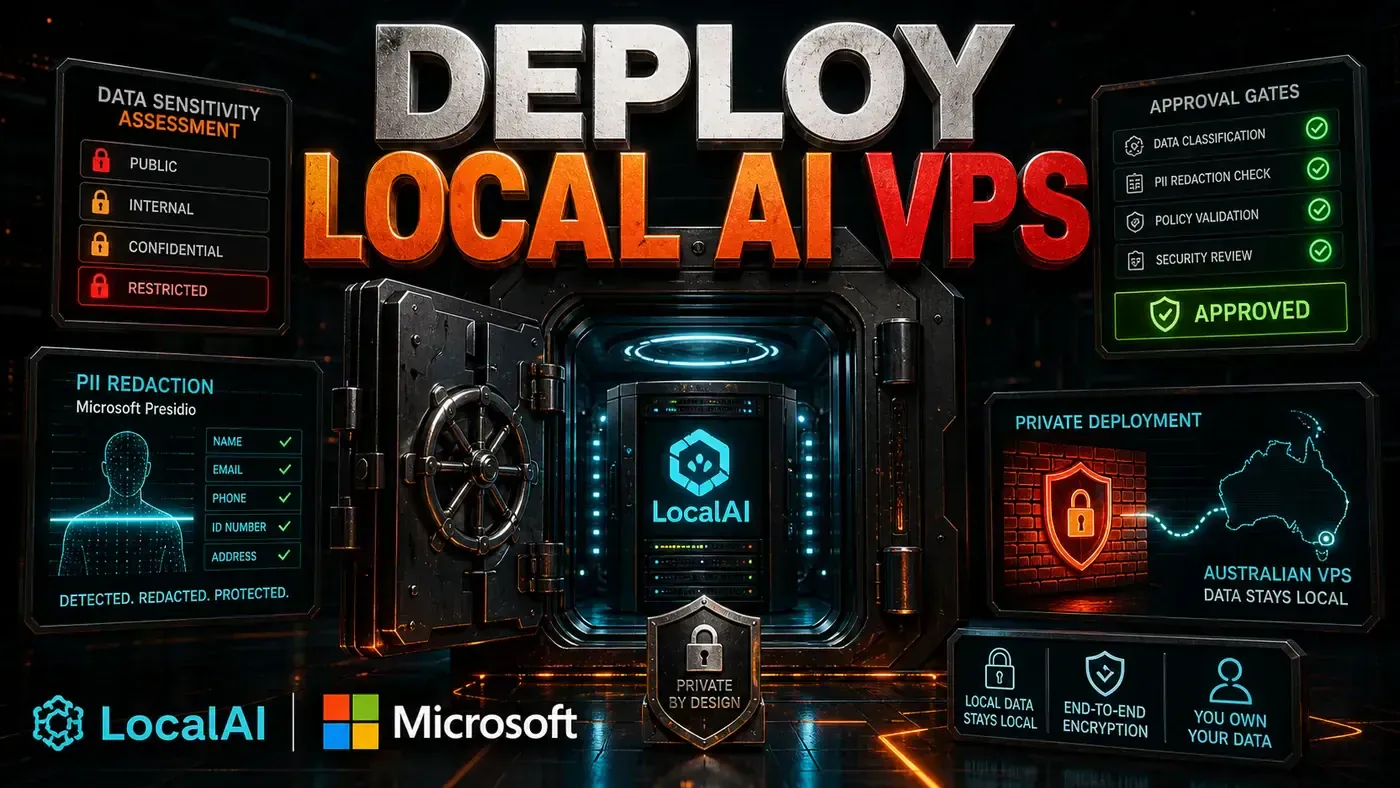
Before any server is provisioned, classify the data the workflow will touch. List the fields, mark which contain personal information, health data, or financial details, and decide for each whether it may leave Australian-controlled infrastructure at all. This assessment sets every later decision: a workflow handling only public marketing copy has very different requirements to one reading client medical records. In Australia, anything containing personal information falls under the Privacy Act, so the OAIC's privacy guidance is the right reference for what obligations attach to each category. Document the classification before building; it is the foundation the rest of the deployment rests on.
Source notes: OAIC privacy guidance
Step 2: Choose the model
Match the model to the job and the hardware, not to the hype. For summarisation, classification, and extraction, a mid-sized open-weight model running locally is often more than enough and avoids sending data offshore. For tasks needing the strongest reasoning, you may decide a hosted frontier model is worth it, but only for data your Step 1 assessment cleared to leave the environment. A common, defensible pattern is hybrid: run a local model over sensitive content, and reserve hosted models for the non-sensitive parts. Whatever you choose, confirm its real capabilities and limits against the source documentation rather than benchmarks alone.
Source notes: OpenAI platform documentation, Anthropic Claude documentation
Step 3: Provision an Australian VPS
Choose a VPS hosted in an Australian data centre so the data stays onshore and latency stays low. Size it to the model: local inference is memory- and sometimes GPU-bound, so check the model's requirements before picking a plan. Harden the server from the start, restrict SSH to keys, enable a firewall, keep the system patched, and never expose the inference endpoint to the open internet without authentication. The Australian Cyber Security Centre publishes practical baselines for securing servers and access that are the right starting checklist for a deployment like this.
Source notes: Australian Cyber Security Centre
Step 4: Add PII redaction with Microsoft Presidio
Even on a local model, redact personal information before it reaches the model where the task allows it. Microsoft Presidio is an open-source tool that detects and anonymises entities like names, addresses, phone numbers, and identifiers in text, and it runs locally so the detection itself never sends data away. Place it in the pipeline as a pre-processing step: text comes in, Presidio replaces the sensitive entities with placeholders, the redacted version goes to the model, and the result is mapped back if needed. This gives you defence in depth, even a local model benefits from not seeing raw identifiers it does not need, and it makes any hybrid step far safer.
Source notes: Microsoft Presidio
Step 5: Build monitoring and approval gates
A local deployment still needs human checkpoints on consequential output. Build an approval gate so that anything customer-facing or record-changing pauses for review before it acts, the same research-prepare-review pattern that governs any safe AI workflow. Add monitoring: log every request, the redaction applied, the model used, the output, and the reviewer's decision. Those logs are both your audit trail and your debugging tool. Watch resource usage too, local inference can saturate a small VPS under load, so set alerts before a queue backs up. The goal is a system you can prove is behaving, not one you hope is.
Step 6: Test, then roll out narrowly
Validate the pipeline on representative but non-production data first: confirm the redaction catches what it should, the model output is accurate, the approval gate holds, and the logs capture what you need. Then roll out to one real workflow with a named owner rather than switching everything across at once. A narrow first deployment keeps the cost of any mistake small and teaches the team the operational habits, reviewing the queue, reading the logs, before the system carries serious volume.
What it costs and who owns it
A modest Australian VPS suitable for local inference typically runs in the low hundreds of dollars a month, far less than the cost of a data breach, and predictable in a way per-token cloud billing is not. The larger investment is ownership: someone has to keep the server patched, watch the logs, and maintain the pipeline. For teams without that capacity in-house, having a specialist deploy and maintain the environment is usually cheaper than building the skill from scratch, and it is exactly what our secure AI service is built to do.
How to deploy local AI on a VPS: answer-first summary
How to deploy local AI on a VPS matters because it can change how Technical leaders handling sensitive data plan, build, or govern an secure AI workflow. A step-by-step guide to running AI on your own Australian VPS, covering data sensitivity assessment, model choice, PII redaction with Microsoft Presidio, and approval gates.
The direct answer is this: do not treat the topic as a standalone trend. Treat it as a decision about inputs, outputs, review ownership, data exposure, and whether the workflow produces a result that is faster, safer, or more useful than the current process.
How to deploy local AI on a VPS: implementation checklist
- Define the user, job to be done, and success metric for the secure AI workflow.
- Collect real examples, policies, source files, customer questions, or search queries before writing prompts or choosing tools.
- Separate low-risk drafts from decisions that need approval, privacy checks, or senior review.
- Document what the AI is allowed to access, what it must not access, and who signs off before production use.
- Review retrieval accuracy, permission failures, review exceptions, time to answer after a small pilot rather than judging the idea from a demo.
This keeps the work practical. It also gives search engines and AI answer engines a clean factual structure: what the topic is, who it helps, what to do next, and which risks matter before implementation.
Decision criteria for How to deploy local AI on a VPS
| Decision area | What to check | Production signal |
|---|---|---|
| Intent | Does How to deploy local AI on a VPS solve a real workflow problem? | The use case has a named owner and measurable outcome. |
| Data | Can the required data be used safely? | Sensitive data is classified and access is controlled. |
| Quality | Can a reviewer judge the output consistently? | Examples, rubrics, or acceptance criteria exist. |
| Scale | Can the workflow be repeated without hero effort? | The process is documented and can be handed to another team member. |
Practical example for How to deploy local AI on a VPS
A small business could use this article to choose one practical test. For example, a manager might take one customer-facing process, one internal document workflow, or one recurring content task and redesign only that step with AI support. The goal is not to automate the whole business at once; it is to learn where Secure AI creates reliable leverage.
The useful deliverable is a short operating note: the trigger, the source material, the prompt or tool, the review checklist, the escalation rule, and the metric. That note becomes the handover asset for staff training, SEO/GEO content, service delivery, or future agent work.
Risks and controls for How to deploy local AI on a VPS
The common failure pattern is moving too quickly from a promising idea into an unmanaged workflow. For How to deploy local AI on a VPS, the risk is not only bad output. It can also be unclear data permission, staff confusion, duplicate content, unreviewed customer advice, or a tool that quietly changes cost or capability.
- Control data leakage with a named owner, a review step, and written acceptance criteria.
- Control weak access control with a named owner, a review step, and written acceptance criteria.
- Control unlogged retrieval with a named owner, a review step, and written acceptance criteria.
- Control unclear retention rules with a named owner, a review step, and written acceptance criteria.
Measurement plan for How to deploy local AI on a VPS
A useful AI or SEO initiative should leave evidence. Track retrieval accuracy, permission failures, review exceptions, time to answer and compare the pilot against the current process. If the measure does not improve, keep the learning but avoid scaling the workflow.
For GEO readiness, the page should also answer the core question directly, define the entities involved, include implementation steps, explain tradeoffs, and link readers to the next relevant AI Kick Start service, guide, tool, or article.
Definitions and entities for How to deploy local AI on a VPS
For search, GEO, and staff handover, define the core entities in plain language. In this article the important entities are the workflow owner, the AI tool or model, the source material, the review process, the risk boundary, and the measurable business outcome. Clear definitions make the page easier for people to scan and easier for AI answer engines to quote accurately.
- Workflow owner: the person accountable for deciding whether How to deploy local AI on a VPS belongs in the business process.
- Source material: the documents, examples, policies, URLs, prompts, videos, or customer questions that ground the output.
- Review boundary: the point where a human checks accuracy, privacy, brand voice, or customer impact before the result is used.
- Success metric: the measure that proves whether the secure AI workflow is worth repeating.
How to deploy local AI on a VPS versus doing nothing
Doing nothing is also a decision. The cost may be slow manual work, weaker search visibility, inconsistent advice, duplicated effort, or staff using unmanaged AI tools without a shared process. The practical question is whether a controlled pilot can reduce that cost without creating a larger governance problem.
| Option | When it makes sense | What to watch |
|---|---|---|
| Do nothing | The workflow is rare, low value, or already reliable. | Competitors may improve speed, content depth, or service consistency first. |
| Run a small pilot | The task repeats often and has clear review criteria. | Keep scope tight and measure the result against the current process. |
| Build a production workflow | The pilot is repeatable and risk controls are documented. | Assign ownership, monitoring, training, and a rollback path. |
AI Kick Start handover package for How to deploy local AI on a VPS
A production handover should be concrete enough that another person can run it. For How to deploy local AI on a VPS, that means a short brief, a workflow map, approved prompts or tool settings, source material, a review checklist, internal links to supporting resources, and a simple measurement sheet. This is the difference between reading about AI and turning it into operational capability.
That packaging also strengthens E-E-A-T. It shows experience through implementation notes, expertise through decision criteria, authoritativeness through source-aware structure, and trust through risks, controls, and review steps. The article becomes useful even if the reader never buys a tool because it helps them make a better operational decision.