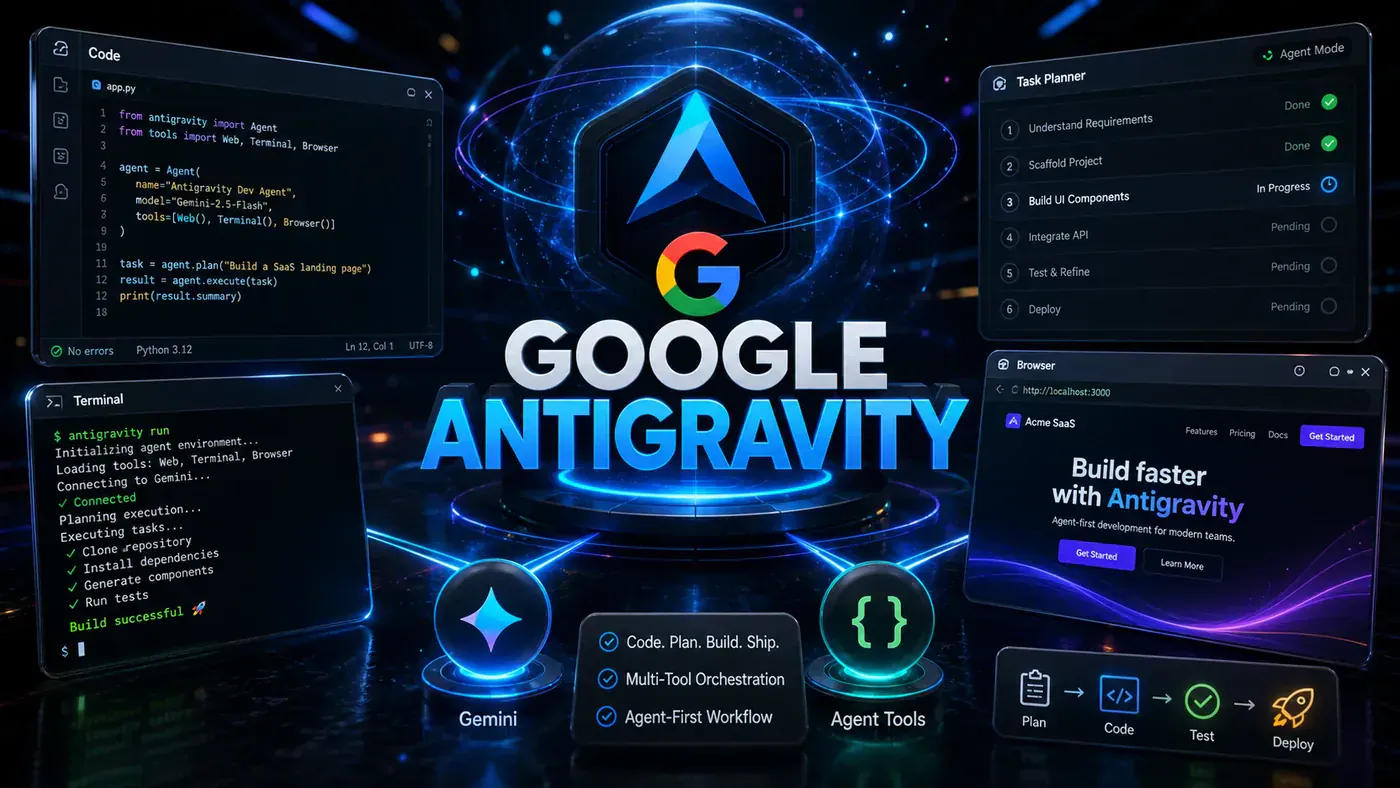







Google Antigravity represents a fundamental shift in how developers build software. This guide explores how to move beyond treating it as a smarter autocomplete and instead leverage its full agent-first architecture for autonomous, parallelised development workflows.
When Google unveiled Antigravity on 18 November 2025 alongside its Gemini 3 model family, most developers approached it the way they had every other AI coding tool: as a slightly more sophisticated autocomplete. That reaction, whilst understandable, represents a catastrophic underutilisation of what is arguably the most ambitious reimagining of the integrated development environment since Visual Studio Code itself.
Antigravity was not built to help you write code faster. It was built to fundamentally change who writes the code. At its core, Antigravity is an agent-first development platform that deploys autonomous AI agents capable of planning, executing, and verifying complex tasks across your entire workflow. The difference between a developer who uses Antigravity as a basic coding helper and one who truly masters it comes down to understanding this architectural philosophy and learning to orchestrate agents rather than simply prompting them.
Released as a free VS Code fork powered primarily by Gemini 3.1 Pro, Antigravity has rapidly evolved. As of mid-2026, it supports multiple models including Claude Sonnet 4.6 and GPT-OSS-120B, boasts a million-plus token context window, and scores an impressive 76.2% on the SWE-bench Verified benchmark. Version 2.0 introduced a standalone desktop application, CLI interface, and SDK for programmatic access.
This article draws on practical insights from Mikey Website's comprehensive tutorial to show you exactly how to use Google Antigravity the way it was designed to be used. We will cover the agent manager for parallel execution, browser integration for automated testing, workspace organisation, and the real workflows that become possible when you stop treating Antigravity like a coding assistant and start treating it like an autonomous development team.
Why Traditional IDE Workflows Fail in Antigravity
Most developers who struggle with Antigravity encounter the same problem within minutes: they open it and treat it like a regular IDE. They write code line by line, manually edit files, and use the agent as though it were merely a smarter autocomplete. This approach feels familiar, which is precisely why it is counterproductive.
Antigravity is not designed for traditional workflows where you control every line. It was built around a different philosophy: instead of you constantly editing code directly, you deploy agents that handle entire workflows whilst you focus on the bigger picture. This misalignment between expectation and design explains why many early adopters report underwhelming experiences. They are driving a Formula One car the same way they would a family saloon.
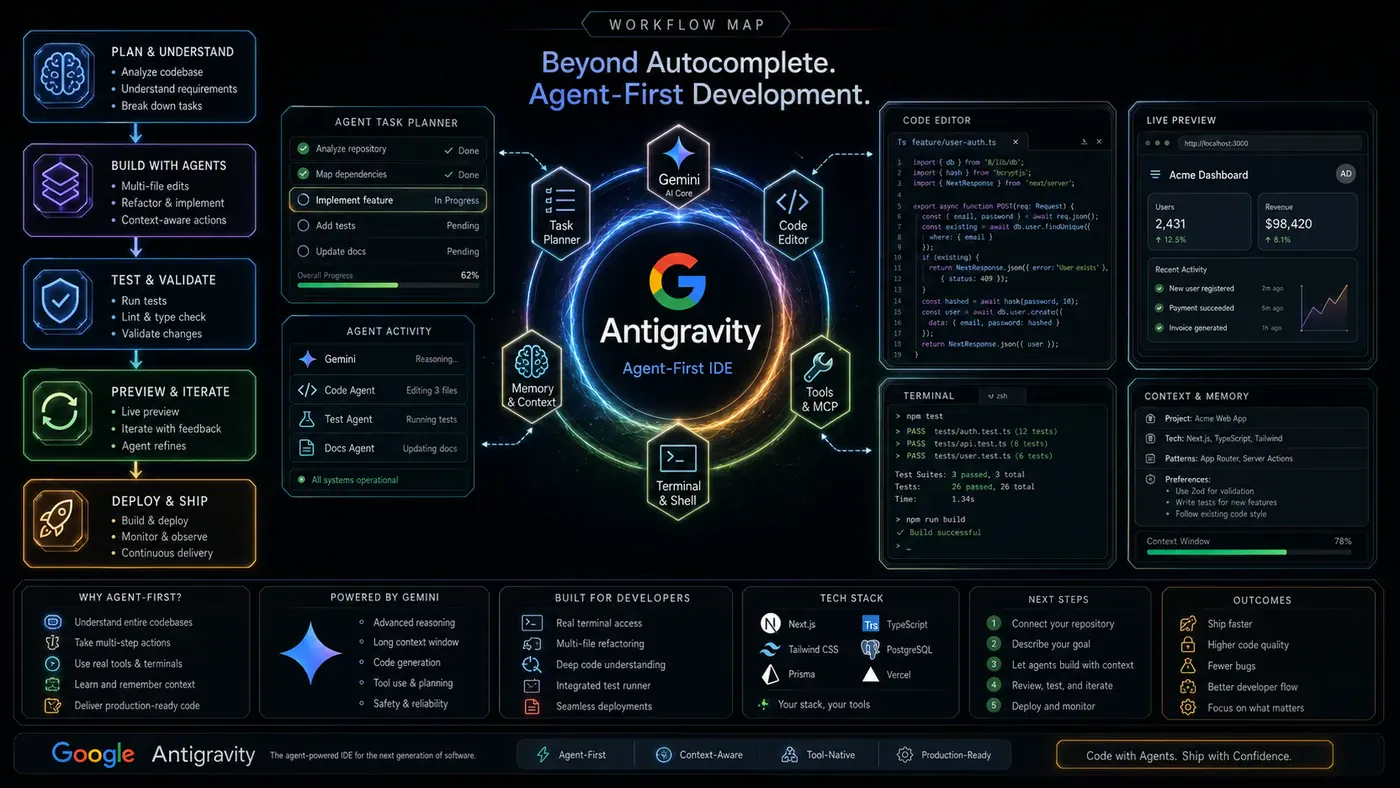
Shifting to Agent-First Development
The transformative moment comes when you move into agent-first development. The focus shifts from writing code manually to defining outcomes. You are no longer thinking about functions or individual files; you are thinking about features, behaviours, and what the final result should look like.
Instead of writing a function yourself, you describe what the feature needs to do. Instead of debugging line by line, you let the agent analyse the issue and propose a fix. Your role changes from doing the work directly to directing how the work gets done.
This paradigm shift also changes how you think about project structure. In traditional development, everything revolves around managing code across multiple files. In Antigravity, that responsibility moves to the agent. What you manage instead are agents across workspaces. Each workspace becomes a focused environment for a specific task, and each agent operates independently. One agent can build a feature whilst another handles fixes elsewhere, all happening simultaneously. Your role becomes coordination: reviewing what each agent is doing, approving changes, and guiding direction.
Mastering the Agent Manager for Parallel Execution
Agent management is one of the core components separating Antigravity from every other AI coding tool. Open the Agent Manager using Command+E and you are presented with a full view of every active agent across all workspaces. You can see what each agent is working on, its current task, progress, and overall status. Everything is centralised.
Instead of handling one task at a time, you can run multiple agents simultaneously. One agent builds a feature whilst another fixes bugs, both running concurrently, all visible and manageable from the same dashboard. Complex features that would traditionally require sequential development can now be parallelised. A full-stack application can have one agent handling database schema design whilst another builds frontend components and a third configures API endpoints.
Workspace Organisation and Permission Settings
Each agent operates inside its own isolated workspace. Keeping workspaces clearly named and tied to specific tasks makes coordination smoother and helps avoid conflicts between parallel agents.
Control comes from permission handling. Starting with review mode is safest because the agent asks before executing terminal commands or making file changes outside its workspace. As you gain confidence, adjust permissions per workspace. Some tasks are safe with fewer restrictions; others need closer control. This balance lets you move faster without risking unwanted changes.
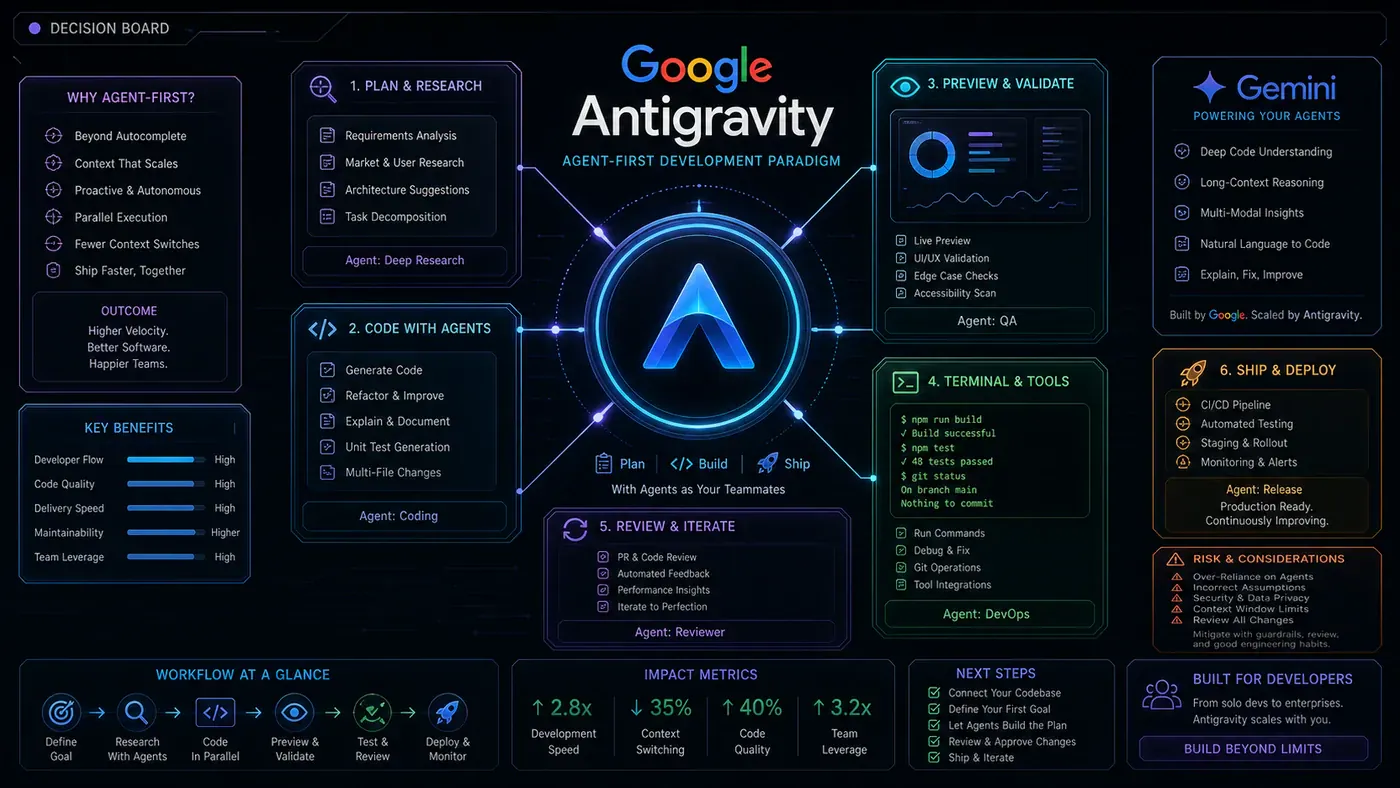
The AI-Powered Editor and Natural Language Commands
The editor feels familiar because it is built on VS Code, but the AI layer built directly into it makes it fundamentally different. The system is aware of your project as a whole, not just the line you are working on. Tab completion suggestions are based on full project context. The agent works in the background, understanding what you are doing in real time and stepping in with relevant suggestions without you prompting it.
Natural language commands are transformative. You can type "@" and reference a file like app.jsx, then describe what you want to change. The agent reads that context and applies the update inline. You are not jumping to a separate chat. Everything happens directly where you are working. The editor becomes a place where you guide the build whilst the agent handles the heavy lifting.
Task Groups, Subtasks, and Artifact Verification
Antigravity uses higher-level abstractions so you do not have to read raw code changes to understand what is happening. Everything is organised into task groups showing work in plain language with clear labels, statuses, and execution plans.
When you send a prompt, the agent breaks work into smaller subtasks. Each step is visible with its current status. You can monitor this in real time and click into any subtask for more detail, including the plan created before starting.
Before changes are fully applied, you review what the agent produced. This checkpoint means you are not blindly accepting updates. Over time, this builds trust and makes the process easier to manage, especially for larger tasks.
Multi-Surface Execution: Editor, Terminal, and Browser
Antigravity agents operate across three surfaces simultaneously: the editor, the terminal, and the browser. A single agent can write code, run commands, and check results without you moving between tools. It can build a feature in the editor, install dependencies through the terminal, start a local server, and open the browser to verify everything works.
When running multiple agents, this becomes even more powerful. Each takes on a different part of the system whilst staying coordinated. One agent focuses on backend logic whilst another works on the frontend and checks it in the browser. Their outputs feed into each other, keeping everything aligned and removing much of the back-and-forth that usually slows development.
Feedback Loops and Iterative Refinement
Feedback in Antigravity works through natural conversation. After the agent generates anything, you simply describe what needs to change, and it updates its work whilst keeping the rest intact. Each follow-up prompt refines previous results without resetting the process.
For example, ask the agent to add an About section with a short bio, then refine it step by step: change the layout to two columns, adjust the bio length, tweak font sizes. Each prompt builds on the last, so results gradually improve without losing what works.
You can also guide how the agent works generally. State your preferred layout style or organisation approach once, and the agent keeps it in mind for future tasks. The process becomes more about refining than rebuilding.
Scaling to Large Projects and Full-Stack Development
Handling large codebases becomes straightforward because the agent has full project context. You do not manually search files; you ask the agent to navigate, refactor, or extend any part using plain language. Coordination matters more at this level: break tasks into independent units, run them in parallel, and monitor through the Agent Manager.
Debugging follows the same pattern. Give the agent full context, including error messages and files involved. It traces the problem across the codebase, identifies the cause, and proposes a fix. What usually takes hours becomes a guided review process.
You can build entire projects end-to-end in a single workspace. Describe the full application scope, and the agent sets up folder structure, creates files, and builds logic. Frontend and backend coordination happens together, API endpoints and UI components connecting from the start. Database management follows the same pattern: ask the agent to create schemas, write queries, and connect everything, all handled in the background.
Browser Sub-Agents for Automated Testing
Browser sub-agents add automated testing capabilities. Install the Chrome extension when prompted, which allows the agent to control your browser: clicking, scrolling, typing, and navigating pages independently.
Use allow lists and deny lists to control which URLs the agent can visit, protecting against prompt injection attacks. Antigravity uses a separate Chrome profile for the agent, keeping it isolated from your personal browsing.
Once configured, the browser sub-agent works like a tester: opening your app, moving through pages, checking layouts, and reporting findings. You can have it verify a portfolio site section by section, adding validation directly into your workflow without manual testing.
Rules, Skills, and MCP Integration
Rules act like always-on guard rails for every agent task. If you want clean code, specific structure, or avoidance of deprecated libraries, add those instructions as rules. They apply automatically across your work.
Skills are instruction sets the agent loads only when relevant, keeping it focused and efficient. MCP (Model Context Protocol) integration, added in early 2026, lets Antigravity connect to external tools and services, giving agents secure access to databases, APIs, and other resources without manual copying.
Fine-tune terminal command auto-execution so trusted commands run automatically whilst sensitive ones still require approval. This granular control lets you move faster on safe tasks without compromising security.
Knowledge Management and Prompting Strategies
Antigravity includes a built-in knowledge base that agents learn from as they work. Clear, structured information upfront, including project requirements and coding conventions, reduces unnecessary back-and-forth. Break documentation into focused sections with clear labels. Short, direct content helps the agent retrieve what it needs.
Speed comes from how you prompt, not how fast you type. A clear, detailed prompt sent once outperforms a vague one needing multiple corrections. Frontload requirements: describe the full scope in a single instruction rather than sending small prompts repeatedly. Treat every response as a draft. Review it, identify adjustments, and send specific follow-up changes. The agent updates what is already there rather than starting over, keeping the process efficient.
Conclusion: Building a Compounding System
Mastering Google Antigravity is not about learning more features. It is about using what you have the right way. Agents, workflows, feedback, and structure all build onto each other. When you approach it like a system instead of isolated tools, results compound.
The agent-first paradigm represents a genuine inflection point in software development. Many developers in 2026 are already combining Antigravity for rapid prototyping with Claude Code for complex reasoning tasks, creating a powerful hybrid workflow at minimal cost. Developers who embrace this shift, learning to orchestrate agents rather than simply prompt them, will operate at productivity levels unimaginable just two years ago. Those who continue treating Antigravity as a fancy autocomplete will wonder what the fuss is about.
The platform is not without its challenges. Agent autonomy introduces real risks: bad migrations, test failures, and the occasional hallucination can all create problems if left unsupervised. Enterprises rightly demand strong governance and reliability. The artifact verification system and review mode are Google's attempts to address these concerns, but human oversight remains essential.
The path forward is straightforward: take one project, apply these principles, and focus on getting the process right. Start with review mode whilst you build trust. Organise workspaces intentionally. Write detailed prompts that frontload context. Use the Agent Manager to parallelise work. Configure rules and skills for consistency. Once that foundation is in place, everything else becomes easier to build, improve, and scale. The future of development is not humans versus AI. It is humans orchestrating AI agents to build things neither could create alone.
Helpful Resources
- Google Antigravity Official Website: antigravity.google (opens in a new tab) - Official hub for downloads, documentation, and account access.
- Official Documentation: antigravity.google/docs/home (opens in a new tab) - Comprehensive guides for getting started and mastering the platform.
- Google Developers Blog Announcement: developers.googleblog.com/build-with-google-antigravity-our-new-agentic-development-platform/ (opens in a new tab) - Original announcement from November 2025.
- Google I/O 2026 Developer Highlights: blog.google/innovation-and-ai/technology/developers-tools/google-io-2026-developer-highlights/ (opens in a new tab) - Covers Antigravity 2.0, CLI, SDK, and managed agents.
- Antigravity IDE Product Page: antigravity.google/product/antigravity-ide (opens in a new tab) - Feature overview and download links.
- Wikipedia Entry: en.wikipedia.org/wiki/Google_Antigravity (opens in a new tab) - Detailed background and technical information.
- Complete Guide: antigravity.im/blog/what-is-google-antigravity-complete-guide (opens in a new tab) - Covers features, benchmarks, and FAQs.
- Mikey Website YouTube Channel: youtube.com/@Mikeywebsite (opens in a new tab) - Creator of the source tutorial video.
- Source Video: youtube.com/watch?v=ff9BXfTlAqo - "How to Use Google Anti Gravity Better than 99% of People"
- Wanderloots' Tutorial: youtube.com/watch?v=MAUpppfg9Go - Alternative tutorial with full app-building workflow.
Related Tools and Alternatives
- Claude Code - Anthropic's terminal-based agent coding tool, often used alongside Antigravity.
- Cursor - VS Code-based AI editor with augmented coding features ($20/month Pro).
- GitHub Copilot - Microsoft's AI coding assistant ($10-19/month).
- Google AI Studio - Browser-based Gemini prototyping; projects exportable to Antigravity.
- Windsurf - AI code editor whose team Google reportedly acquired for Antigravity development.