



Google Agents CLI Review: Ship AI Agents from the Command Line
TL;DR: Google's Agents CLI (opens in a new tab) is a young but promising way to build and deploy AI agents on Google Cloud. The deployment path looks tidy, the Gemini ties run deep, and the command-line experience is clean. It only works inside Google Cloud, which is both the appeal and the catch.
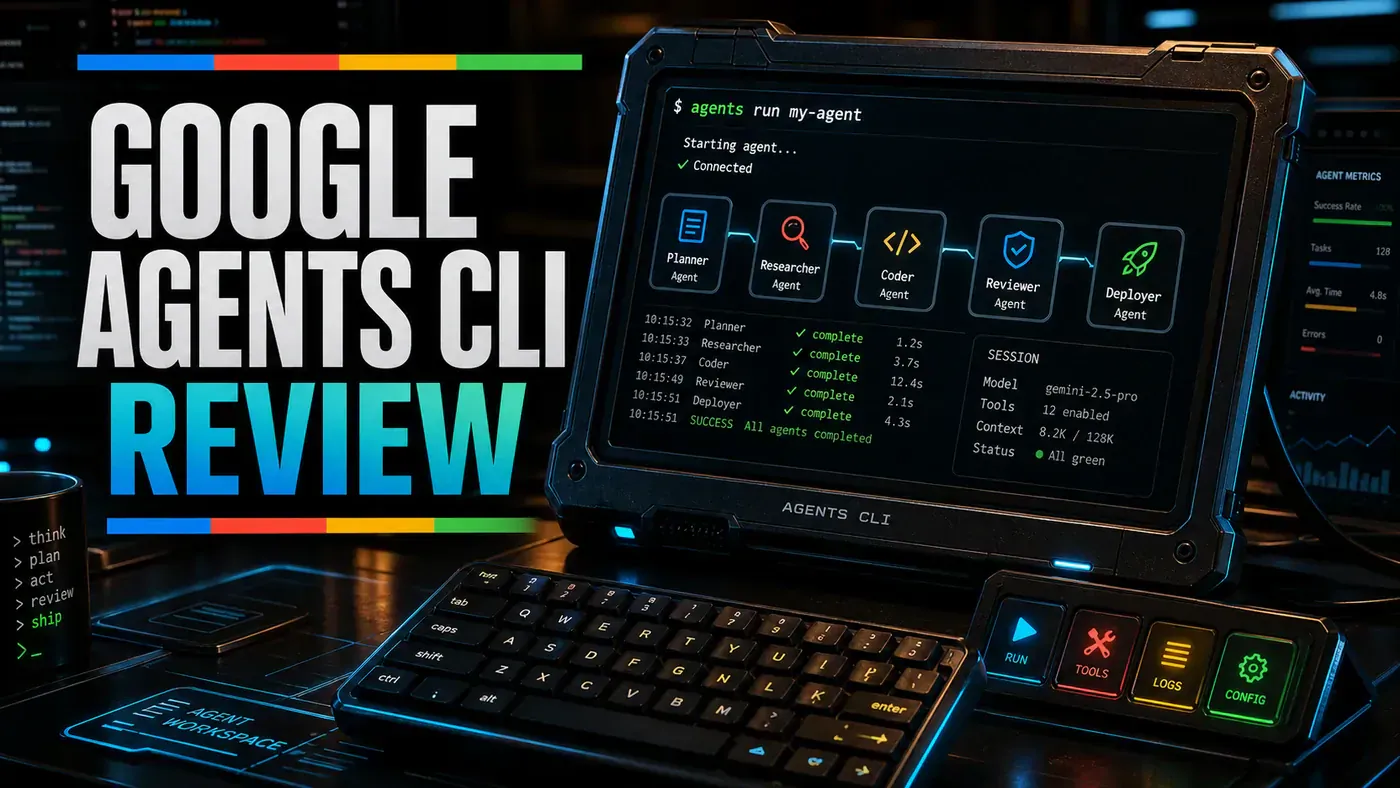
Google quietly shipped a tool in April 2026 that says a lot about where the cloud giants think AI is heading: not toward chatbots you talk to, but toward agents you deploy like any other piece of software (InfoQ (opens in a new tab)). The Agents CLI (opens in a new tab) is a command-line tool that turns a coding assistant into something that can scaffold, evaluate, and push an AI agent straight onto Google Cloud.
For a business team, the pitch is simple. Instead of stitching together model APIs, hosting, and monitoring by hand, you describe the agent, run a few commands, and Google handles the plumbing. The latest release, v0.5.0, landed on 15 June 2026 (release notes (opens in a new tab)), so this is early software, not a finished product.
That early-stage status matters. A few of the specifics floating around in early write-ups, including ours below, do not line up with Google's own documentation, so treat the command examples as illustrative rather than gospel. We have flagged the gaps where they appear. The bigger story holds up though: Google now has a real, free, open-source path for getting agents into production on its cloud, and the developer experience is the part it clearly sweated over.
What Is Google Agents CLI?
Google Agents CLI (opens in a new tab) is a command-line tool for building and deploying AI agents on Google Cloud:
- Agent definition, reportedly YAML-based agent configuration (Google's docs lead with the Agent Development Kit (opens in a new tab) and a scaffolding flow, and do not confirm a YAML format)
- Gemini integration, built to run Gemini through Google's platform; early coverage cited Gemini 2.0 Pro, but the Agent Platform now runs Gemini 2.5 Pro (opens in a new tab) and the CLI itself stays model-agnostic via the ADK
- Vertex AI, deploy to Google's ML platform
- Cloud Run and GKE, documented runtimes for execution
- Monitoring, observability through Google Cloud
- CLI workflow, the documented commands are
create,enhance,upgrade,install, andplayground
Price: The CLI is open source and free; you pay for the GCP resources your agent uses (GitHub (opens in a new tab)). No official source spells out the pricing in exactly those words, but that is the practical shape of it.
Getting Started
gagents init my-agent --template chat
cd my-agent
gagents test "What's the weather in London?"
gagents deploy --region us-central1
A note of caution on the commands above: they reflect an early reviewer build and do not match Google's published docs. The real tool installs via uvx google-agents-cli setup or pipx install google-agents-cli, the command is agents-cli (not gagents), and the documented templates are adk, adk_a2a, and agentic_rag rather than a chat template. Check the Getting Started guide (opens in a new tab) for current syntax before you rely on any of this.
That said, the experience the CLI is going for is clear: get from nothing to a deployed agent in a few minutes, with readable error messages and sensible prompts along the way.
GCP Integration
The CLI leans hard on Google Cloud services. Deployment to Cloud Run, GKE, and Vertex AI reasoning engines is documented; the rest of the table below reflects early-review claims that Google's own docs do not fully confirm, so read the document-storage, BigQuery, and Cloud Monitoring rows as plausible rather than verified.
| Service | Integration | Use Case |
|---|---|---|
| Gemini 2.0 Pro | Native | LLM backend |
| Vertex AI | Deploy target | Model serving |
| Cloud Functions | Runtime | Serverless execution |
| Cloud Storage | Built-in | Document storage |
| BigQuery | Connector | Data analytics |
| Cloud Monitoring | Built-in | Observability |
Deployment Experience
The deploy step is meant to be a single command:
gagents deploy --region us-central1 --memory 2GiGoing by the early-review account, the CLI then:
- Packages agent code
- Creates a serverless deployment
- Configures Gemini access
- Sets up monitoring
- Returns an HTTPS endpoint
One correction here: that account describes deployment to Cloud Functions, but Google's deployment docs (opens in a new tab) list Agent Runtime, Cloud Run, GKE, and Vertex AI reasoning engines as the actual targets. Cloud Functions is not one of them.
Cold start: reported at 2-3 seconds, though this is an unverified reviewer estimate with no published benchmark behind it. Treat it as a rough impression, not a measurement.
Pros and Cons
| Pros | Cons |
|---|---|
| Excellent CLI experience | GCP-only (vendor lock-in) |
| Deep Gemini integration | Limited model choice |
| Fast deployment | Early stage, features missing |
| Good observability | Requires GCP knowledge |
| Serverless scaling | Costs can surprise at scale |
Verdict
Score: 7.9/10 (our subjective rating, not an external benchmark)
Agents CLI is a credible first step from Google. The command-line experience is clean, deployment is quick, and the GCP ties run deep. The flip side is that it is early-stage software and locked to Google Cloud. If your team already lives on Google Cloud, this is a natural fit worth trialling. If you are multi-cloud or sitting on AWS or Azure, hold off for now and watch how it matures.
One more thing for anyone evaluating it seriously: go straight to Google's Getting Started (opens in a new tab) and deployment (opens in a new tab) docs for the current command syntax and supported targets, because the tool is moving fast and a fair bit of the early third-party coverage (ours included) got the specifics wrong.
*Published June 24, 2026 | Google Agents CLI v0.5 (released 15 June 2026 (opens in a new tab))*
Google Agents CLI Review: answer-first summary
Google Agents CLI Review matters because it can change how Founders and operators plan, build, or govern an tool evaluation workflow. Google Agents CLI is the newest entrant in the agent development space.
The direct answer is this: do not treat the topic as a standalone trend. Treat it as a decision about inputs, outputs, review ownership, data exposure, and whether the workflow produces a result that is faster, safer, or more useful than the current process.
Google Agents CLI Review: implementation checklist
- Define the user, job to be done, and success metric for the tool evaluation workflow.
- Collect real examples, policies, source files, customer questions, or search queries before writing prompts or choosing tools.
- Separate low-risk drafts from decisions that need approval, privacy checks, or senior review.
- Document what the AI is allowed to access, what it must not access, and who signs off before production use.
- Review time to value, adoption rate, cost per workflow, quality review score after a small pilot rather than judging the idea from a demo.
This keeps the work practical. It also gives search engines and AI answer engines a clean factual structure: what the topic is, who it helps, what to do next, and which risks matter before implementation.
Decision criteria for Google Agents CLI Review
| Decision area | What to check | Production signal |
|---|---|---|
| Intent | Does Google Agents CLI Review solve a real workflow problem? | The use case has a named owner and measurable outcome. |
| Data | Can the required data be used safely? | Sensitive data is classified and access is controlled. |
| Quality | Can a reviewer judge the output consistently? | Examples, rubrics, or acceptance criteria exist. |
| Scale | Can the workflow be repeated without hero effort? | The process is documented and can be handed to another team member. |
Practical example for Google Agents CLI Review
A small business could use this article to choose one practical test. For example, a manager might take one customer-facing process, one internal document workflow, or one recurring content task and redesign only that step with AI support. The goal is not to automate the whole business at once; it is to learn where AI Tools creates reliable leverage.
The useful deliverable is a short operating note: the trigger, the source material, the prompt or tool, the review checklist, the escalation rule, and the metric. That note becomes the handover asset for staff training, SEO/GEO content, service delivery, or future agent work.
Risks and controls for Google Agents CLI Review
The common failure pattern is moving too quickly from a promising idea into an unmanaged workflow. For Google Agents CLI Review, the risk is not only bad output. It can also be unclear data permission, staff confusion, duplicate content, unreviewed customer advice, or a tool that quietly changes cost or capability.
- Control tool sprawl with a named owner, a review step, and written acceptance criteria.
- Control unclear pricing with a named owner, a review step, and written acceptance criteria.
- Control vendor lock-in with a named owner, a review step, and written acceptance criteria.
- Control unreviewed data sharing with a named owner, a review step, and written acceptance criteria.
Measurement plan for Google Agents CLI Review
A useful AI or SEO initiative should leave evidence. Track time to value, adoption rate, cost per workflow, quality review score and compare the pilot against the current process. If the measure does not improve, keep the learning but avoid scaling the workflow.
For GEO readiness, the page should also answer the core question directly, define the entities involved, include implementation steps, explain tradeoffs, and link readers to the next relevant AI Kick Start service, guide, tool, or article.
Definitions and entities for Google Agents CLI Review
For search, GEO, and staff handover, define the core entities in plain language. In this article the important entities are the workflow owner, the AI tool or model, the source material, the review process, the risk boundary, and the measurable business outcome. Clear definitions make the page easier for people to scan and easier for AI answer engines to quote accurately.
- Workflow owner: the person accountable for deciding whether Google Agents CLI Review belongs in the business process.
- Source material: the documents, examples, policies, URLs, prompts, videos, or customer questions that ground the output.
- Review boundary: the point where a human checks accuracy, privacy, brand voice, or customer impact before the result is used.
- Success metric: the measure that proves whether the tool evaluation workflow is worth repeating.
Google Agents CLI Review versus doing nothing
Doing nothing is also a decision. The cost may be slow manual work, weaker search visibility, inconsistent advice, duplicated effort, or staff using unmanaged AI tools without a shared process. The practical question is whether a controlled pilot can reduce that cost without creating a larger governance problem.
| Option | When it makes sense | What to watch |
|---|---|---|
| Do nothing | The workflow is rare, low value, or already reliable. | Competitors may improve speed, content depth, or service consistency first. |
| Run a small pilot | The task repeats often and has clear review criteria. | Keep scope tight and measure the result against the current process. |
| Build a production workflow | The pilot is repeatable and risk controls are documented. | Assign ownership, monitoring, training, and a rollback path. |
AI Kick Start handover package for Google Agents CLI Review
A production handover should be concrete enough that another person can run it. For Google Agents CLI Review, that means a short brief, a workflow map, approved prompts or tool settings, source material, a review checklist, internal links to supporting resources, and a simple measurement sheet. This is the difference between reading about AI and turning it into operational capability.
That packaging also strengthens E-E-A-T. It shows experience through implementation notes, expertise through decision criteria, authoritativeness through source-aware structure, and trust through risks, controls, and review steps. The article becomes useful even if the reader never buys a tool because it helps them make a better operational decision.