

Introduction: Why This One Belongs on the Watchlist
Polished video usually means managing lights, backgrounds and colour, which takes time and gear. This workflow sits in a useful middle ground: Claude Code orchestrates image editing and video generation through Fal AI's API from the terminal. The reason it matters for AI Kick Start readers is practical: this is not just another launch to admire from a distance. It changes how founders, operators, and technical teams should think about video production work over the next few months. The source transcript repeatedly centres on Relight, Fal AI and Kling O3, with the video framing the topic as a practical workflow rather than a detached product announcement. That is the useful lens. The video is worth treating as implementation intelligence: what should be tested, what should be ignored for now, and what should become part of a repeatable operating system. For Australian small businesses and technical teams, the right question is not "is this impressive?" The right question is "where does this reduce friction without creating a larger governance, security, or maintenance problem?"
What the Video Actually Shows
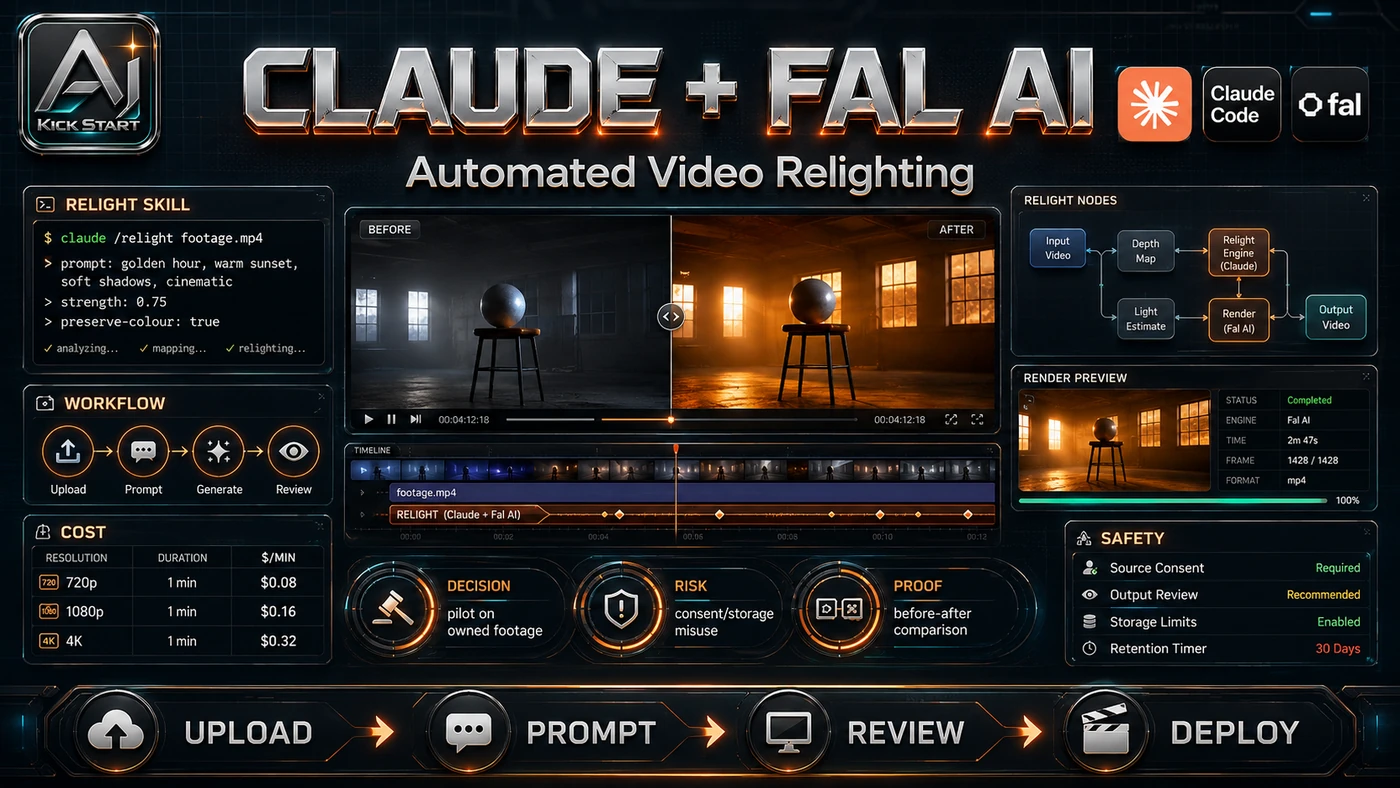
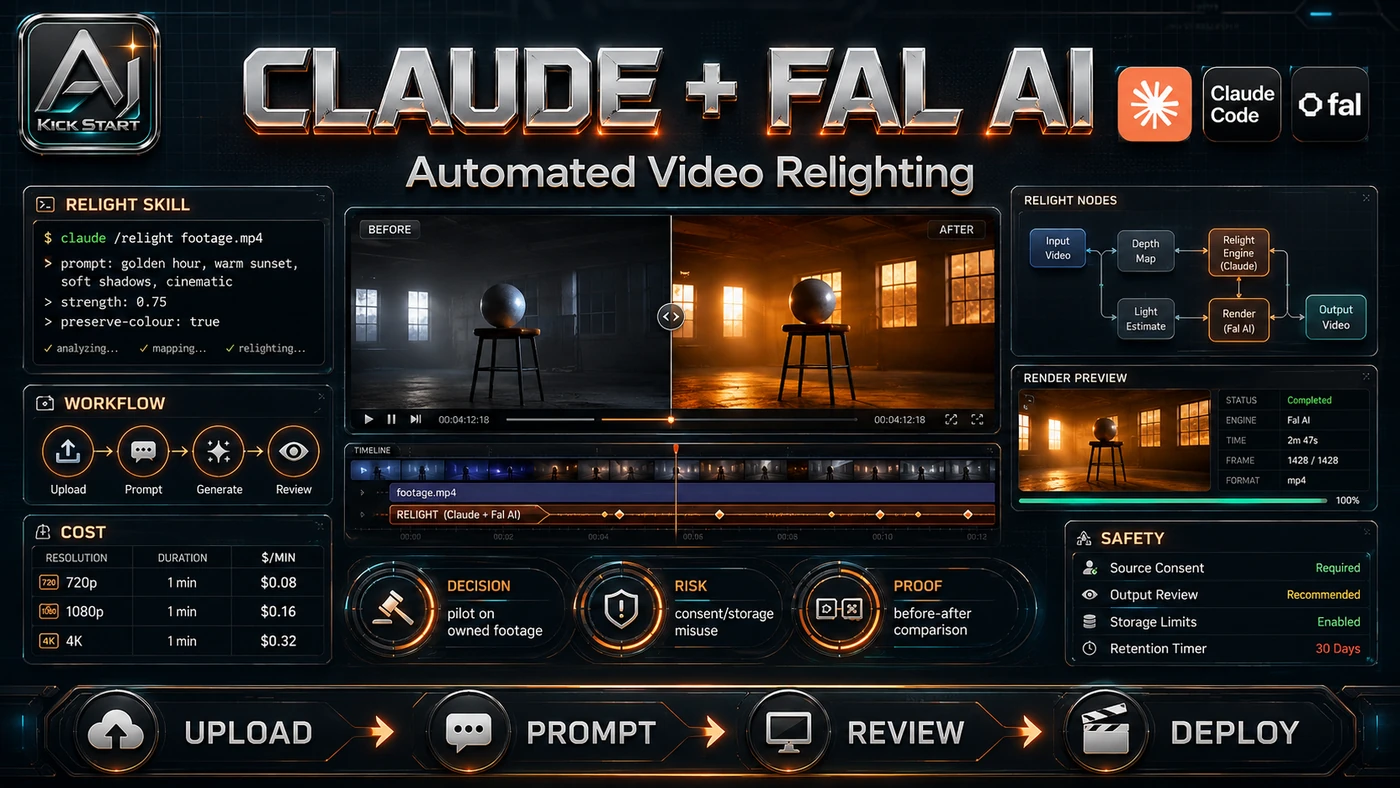
The core pattern is simple: export a short clip and a reference image, let Claude Code call Fal AI to relight a still, approve it, animate it with Kling O3 while preserving audio, then review the final clip. In practice, that means the update sits inside a broader shift from isolated AI prompts to managed systems. A tool, model, or method only becomes valuable when it has clear inputs, a measurable output, a review path, and a way to repeat the result next week. The video's most useful signal is the workflow shape. The moving parts can be summarised as: Source clip Reference image Nano Banana edit Kling O3 render. That is the level at which teams should evaluate it. A demo can be entertaining, but a workflow must survive messy source files, staff handoff, data boundaries, and real deadlines.
The Implementation Pattern
The first implementation lesson is to narrow the scope. Start with one narrow video process rather than every piece of footage the team produces. Broad adoption is usually where AI systems fail first because nobody knows which decision the tool is allowed to make and which decision still belongs to a human. The second lesson is to create a test harness. A useful harness does not have to be complicated. It can be a short brief, a fixed sample dataset, a few expected outputs, and one person responsible for judging whether the result is good enough. The third lesson is to capture the process. Document prompts, reference-image styles and the review checklist. When the process is documented, it can become a reusable skill, checklist, prompt pack, repo pattern, or operating procedure. When it is not documented, the team is back to improvising in chat.
Research Update: What To Correct
This update adds a current-source pass rather than treating the original video summary as enough. The important corrections are the product surface, plan or pricing constraints, and what should be verified before a team depends on the workflow. The platform is Fal AI, not "Fau AI". Nano Banana 2 and Pro are different endpoints at roughly $0.08 and $0.15 per image, so do not assume the same cost or quality tier. The video model is Kling 3.0 O3, and the demo's $0.76 cost aligns with its rate of roughly $0.168 per second for 4.5 seconds, excluding the image-edit call. Claude Code is required because the skill writes files locally and will not run in the web version of Claude. API key handling matters: the skill stores the Fal key in an environment file, so do not paste it into chat. High bitrate is a preference, not a requirement - a clean, well-exposed source with minimal motion blur matters more.
Practical Setup and How-To
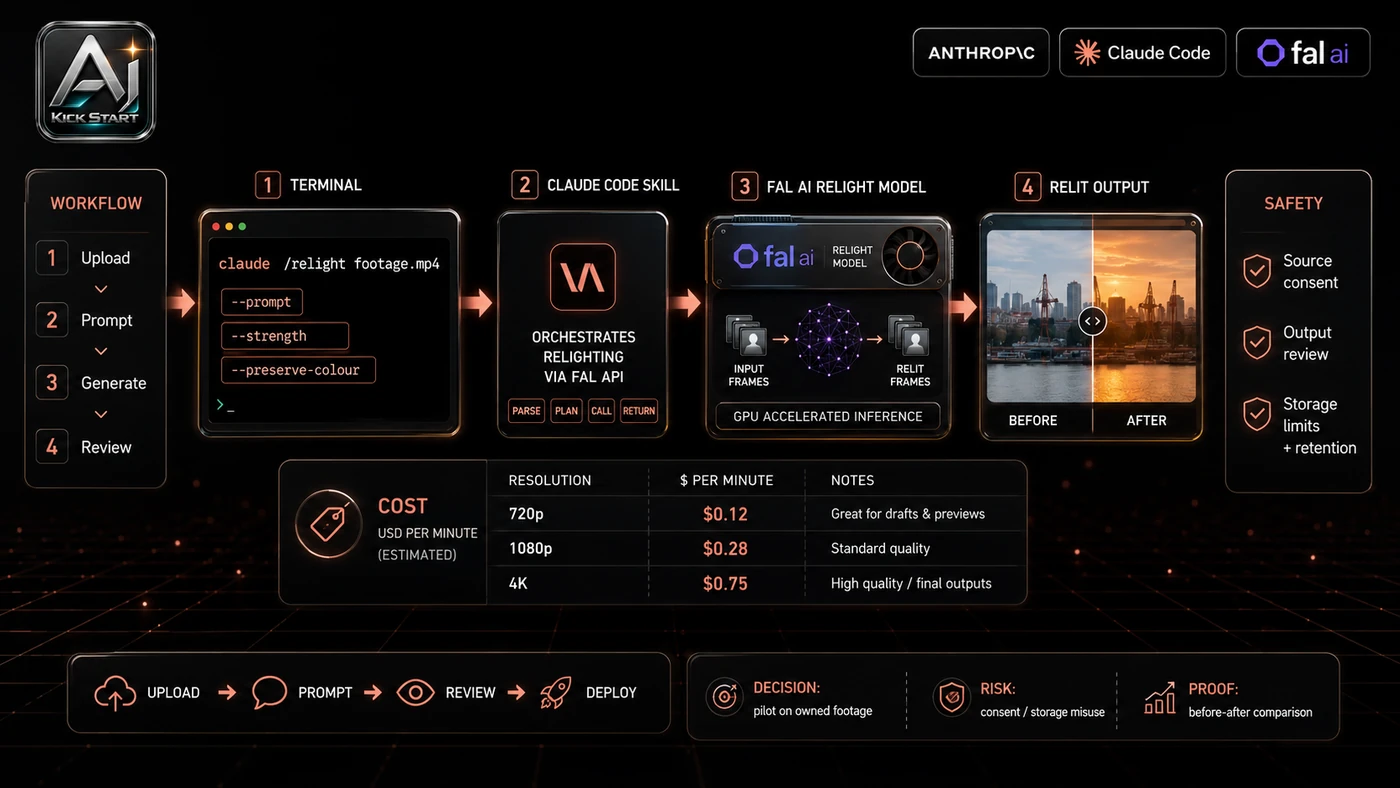
The useful next step is a controlled pilot with a named owner, fixed inputs, a measurable output, and a review point. Use the sequence below as the first implementation path before expanding the workflow. Download the Relight skill zip from Vic's Skool community, drop it into Claude Code, and ask it to install the skill. Add your Fal API key to the environment file the skill specifies, store it locally, and never commit it. Export a 3 to 5-second source clip as H.264 or ProRes with minimal camera movement. Copy the clip's absolute file path into Claude Code - dragging the file does not work - and add a reference image the same way. Prompt clearly, naming the skill, the footage path, the reference path, and the lighting or background goal. Review the generated still image before approving the video render, then check the output folder for the final clip.
Pricing, Access, and Comparison Notes
Pricing and access should be checked at implementation time because AI products change quickly. The safer decision is to compare the tool against the job-to-be-done, not against launch hype. Fal is pay-as-you-go with no subscription floor, though you must add credit before running jobs. Nano Banana 2 edit is roughly $0.08 per image, Nano Banana Pro edit is roughly $0.15 per image, and Kling O3 video-to-video is roughly $0.168 per second, so a 5-second relight costs around $0.92 to $1.00 depending on the image model. That is competitive with a freelance edit or an After Effects licence for a handful of clips, but it scales linearly and a batch of fifty 10-second clips can run past $80 before retries. Compared with Runway, Pika, or the Kling web interface, the Claude Code plus Fal approach trades a polished UI for scriptability and local file handling. Access Plan, preview status, region, account type, admin controls, and rate limits. Cost Subscription, credits, API tokens, retries, hardware, review time, and support burden. Fit Workflow reliability, data handling, output quality, observability, and human approval needs.
Implementation Notes for Teams
For AI Kick Start readers, this is the production filter: keep the first rollout narrow, make the evidence visible, and do not let the tool cross a business boundary until the review model is clear. Scope the pilot to five to ten representative clips, set a hard budget, and nominate one reviewer. Audit the skill before install because it is third-party code - read the files, check what it sends to Fal, and confirm it only writes to an expected folder. Store the Fal key in an environment file or secret manager, never commit it, and rotate it after the pilot. Add review gates before publishing raw generated footage, checking for face drift, hand anomalies, audio sync and flicker. Stage the rollout from still-image edits to 3-second clips, then 10-second clips, because longer clips mean more cost, drift and review time.
Screenshot and Visual Guidance
The second inline image for this article should make the implementation concrete: a three-panel comparison showing the original source frame, the generated still image at the approval step, and the final rendered clip, side by side for quick drift checks. Include the Claude Code skill-installation confirmation, the image-preview approval prompt, and the final file path returned by Claude Code. If the team is documenting a real rollout, capture setup screens, before/after outputs, permission settings, cost meters, and review evidence rather than decorative screenshots. Use filenames such as original_frame.png, relight_approval_still.png, and final_clip.mp4 so outputs are easy to trace back to a prompt and cost log.
Where It Fits for Real Teams
For founders, the opportunity is speed with evidence. This can reduce the time to a first useful output, but the result must still be inspectable by a customer, manager or developer. For operators, the value is consistency. If the same task is done slightly differently every time, AI can either make the inconsistency worse or help standardise the path; the difference is whether the workflow has rules, examples, and review checkpoints. For technical teams, the value is leverage. A strong setup lets creative systems take on repeatable work while engineers keep control over architecture, security, deployment and final judgement. The practical fit is strongest when the task has clear source material, a known output format, and a low-cost way to verify quality. It is weaker when the task is vague, politically sensitive, legally risky, or dependent on facts that cannot be checked. Good fits include founder updates, product demo intros, remote training clips, and social cut-downs. Poor fits include long-form presentations, regulated content, footage with sensitive personal information, and projects where exact facial fidelity is critical.
Trade-offs and Risks
The main risk is subject drift and facial fidelity. That risk can be managed, but only if it is named before the workflow becomes normal. A second risk is unclear ownership, unreviewed third-party skill trust and reference-image rights. AI systems often look better in a screen recording than they feel inside a production workflow. The test is whether the result is repeatable when the source material changes, the operator changes, and the deadline is real. A third risk is cost overruns, audio sync issues and vendor dependency. This is why AI Kick Start generally recommends a staged rollout: sandbox first, internal use second, customer-facing deployment last.
The Next Sensible Test
The next sensible test is a small controlled implementation. Pick one workflow, one owner, one expected output, and one acceptance check. Run it twice. If the second run is easier than the first, the pattern is worth keeping. Do not judge the workflow by the best possible demo. Judge it by the worst acceptable production case. Ask: what happens when the source file is incomplete, the tool is unavailable, the output is wrong, or a staff member needs to explain the result to a customer? If those answers are clear, this belongs in the roadmap. If they are not, it belongs in the lab until the operating model catches up.