








Briefing
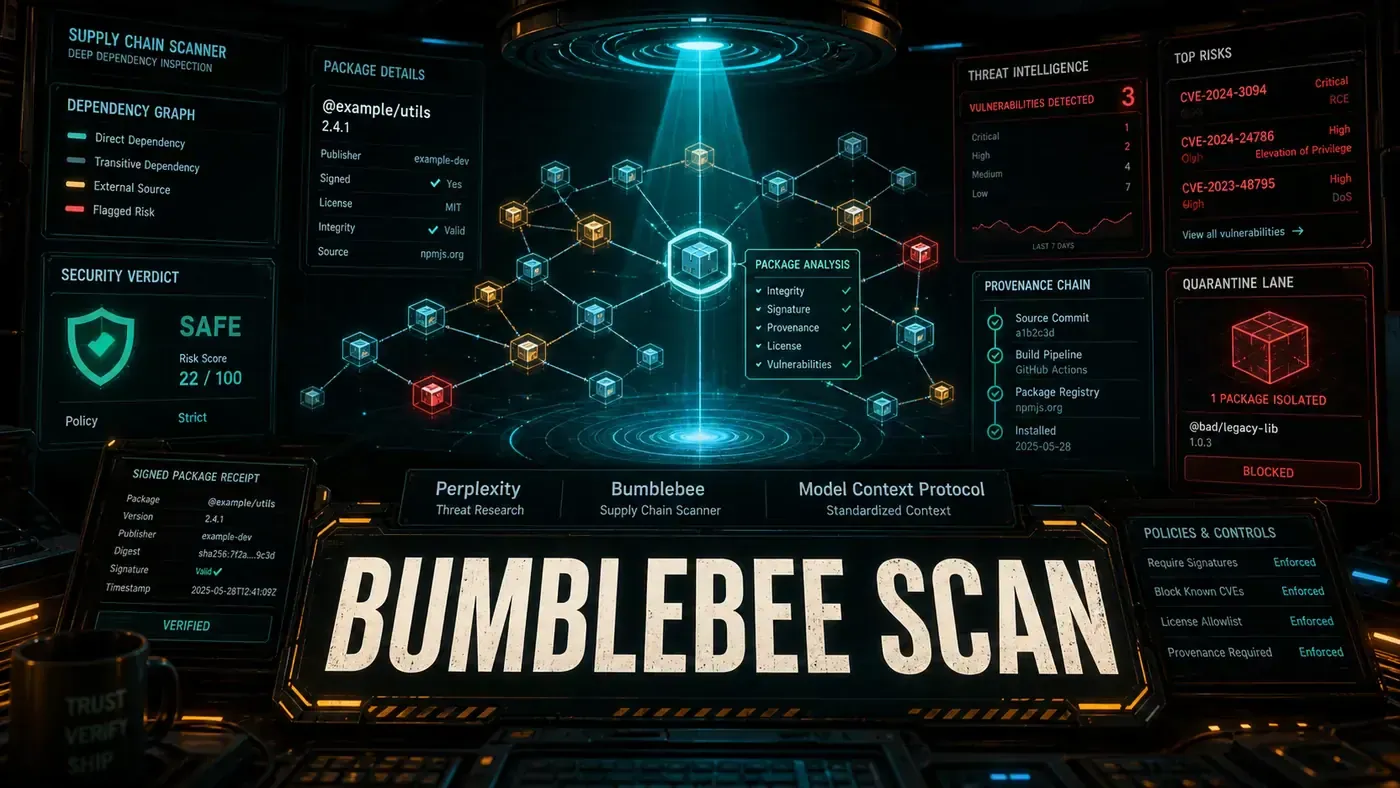
Supply chain attacks on AI tooling keep climbing, and Perplexity (opens in a new tab) has answered with Bumblebee, an open-source scanner that checks a developer's machine for known-compromised packages across the AI stack. It launched at version 0.1.1, so it's early, but the scope is already worth a look.
Analysis
Here's the problem Perplexity is trying to solve. A modern AI project doesn't pull code from one place. It pulls from npm, PyPI, MCP servers, VS Code extensions, browser extensions, and half a dozen other registries. Every one of those is a door someone can walk through. Over the past year, attackers have figured that out, and they've started slipping malicious packages into the places developers least expect.
Bumblebee's pitch is simple: it tells you whether the machines your team codes on are carrying any packages that are already known to be compromised. It doesn't hunt for new vulnerabilities. It checks what's installed against lists of things security teams already know are bad.
Perplexity built it for its own use first. According to the company, the same scanner now helps protect the systems behind Perplexity Search, the Comet browser, and the Computer agent (MarkTechPost (opens in a new tab)). Open-sourcing it means any team can run the same check, which is the part that should interest Australian businesses with developers on staff.
The Supply Chain Problem
A modern AI project pulls code from dozens of sources: npm packages for web interfaces, PyPI libraries for model serving, MCP servers for tool integration, VS Code extensions for development, and browser extensions for user interfaces. Each dependency is a way in for an attacker.
Bumblebee takes a different angle from a typical project scanner. Rather than walking one project's dependency tree, it looks at the developer's machine itself, the global package roots, toolchains, editor and browser extensions, and MCP configs, and reports which endpoints are carrying packages that match a known-compromised list (perplexityai/bumblebee (opens in a new tab)). The point is to find which developer laptops are at risk, not to audit a single folder.
What's Scanned
Bumblebee covers a wide spread of ecosystems. The confirmed coverage runs broader than the five categories below, it also reaches Go modules, RubyGems, Composer, Homebrew, and agent skills, and the package managers include pnpm, Yarn, and Bun alongside npm (perplexityai/bumblebee (opens in a new tab)).
npm packages: The original release notes described checks for known CVEs, suspicious post-install scripts, and excessive permission requests. That framing appears to be inaccurate. Bumblebee does no CVE scanning of its own; security teams supply their own catalogs of known-compromised packages to match against, and the tool never runs package managers or executes install scripts (MarkTechPost (opens in a new tab)).
PyPI libraries: Claims that Bumblebee detects typosquatting, malicious setup.py patterns, and dependency-confusion vulnerabilities are unconfirmed and look to be off the mark. What the documentation describes is read-only inventory of PyPI package metadata, matched against known-compromise catalogs, not heuristic analysis of package contents (perplexityai/bumblebee (opens in a new tab)).
MCP servers: Bumblebee inventories MCP configs and manifests. Reports of live server validation against known-good configurations are unconfirmed; the tool reads the config inventory rather than checking running servers (perplexityai/bumblebee (opens in a new tab)).
VS Code extensions: Editor extensions are in scope, and not just VS Code, Cursor, Windsurf, and VSCodium are covered too. The detailed permission-and-publisher review described in early write-ups is unconfirmed; what's documented is read-only inventory.
Browser extensions: Chromium and Firefox extensions are inventoried. The claim of active malicious-code-pattern analysis is unconfirmed; again, the tool reads what's installed rather than analysing extension code.
How It Works
Bumblebee runs as a CLI tool, and it's written in Go, so you install it with go install rather than through npm. Earlier coverage described an npx @perplexity/bumblebee command, but that's wrong, there is no npm package by that name. The real install pulls the Go binary from the repository:
go install github.com/perplexityai/bumblebee/cmd/bumblebee@latest
bumblebee scan --profile baseline
Profiles control how deep the scan goes (baseline, project, and deep). It runs read-only on macOS and Linux, which is a deliberate choice, read-only means it won't accidentally trigger a harmful script while it's looking around (MarkTechPost (opens in a new tab)).
You'll see claims that a typical scan finishes in under 30 seconds, with local caching and incremental updates. Those numbers are unverified, no primary or secondary source backs them up, so treat them as unconfirmed until Perplexity or independent testing pins down real figures.
Early but Promising
At v0.1.1, Bumblebee is an early release, and the version number says as much. (The repo has since moved to v0.1.2.) There's been talk of a roadmap covering SBOM generation, licence compliance checking, and integration with GitHub Advanced Security, but none of that is confirmed. No published roadmap of those items turned up in the repo or in reporting, so treat it as rumoured rather than planned.
Why This Matters
As AI tooling chains get more tangled, the attack surface grows with them. A compromised npm package or a malicious VS Code extension can expose API keys, training data, or model weights. Bumblebee gives you a way to ask a blunt question, are any of my developers' machines carrying packages we already know are bad?, and get an answer without running anything risky.
Perplexity open-sourcing the tool fits a wider shift: supply chain security is something the whole industry has to share, not solve in private. If you have developers, adding an endpoint scanner like Bumblebee to your security routine is a sensible move. Just go in with clear eyes about what it does, it's a known-compromise matcher for developer machines, not a full vulnerability scanner for your project's dependency tree. The tool lives at perplexityai/bumblebee (opens in a new tab) under Apache 2.0.
Bumblebee: answer-first summary
Bumblebee matters because it can change how Founders and operators plan, build, or govern an tool evaluation workflow. Perplexity open-sourced Bumblebee v0.1.1, a supply chain scanner covering npm, PyPI, MCP servers, VS Code extensions, and browser plugins.
The direct answer is this: do not treat the topic as a standalone trend. Treat it as a decision about inputs, outputs, review ownership, data exposure, and whether the workflow produces a result that is faster, safer, or more useful than the current process.
Bumblebee: implementation checklist
- Define the user, job to be done, and success metric for the tool evaluation workflow.
- Collect real examples, policies, source files, customer questions, or search queries before writing prompts or choosing tools.
- Separate low-risk drafts from decisions that need approval, privacy checks, or senior review.
- Document what the AI is allowed to access, what it must not access, and who signs off before production use.
- Review time to value, adoption rate, cost per workflow, quality review score after a small pilot rather than judging the idea from a demo.
This keeps the work practical. It also gives search engines and AI answer engines a clean factual structure: what the topic is, who it helps, what to do next, and which risks matter before implementation.
Decision criteria for Bumblebee
| Decision area | What to check | Production signal |
|---|---|---|
| Intent | Does Bumblebee solve a real workflow problem? | The use case has a named owner and measurable outcome. |
| Data | Can the required data be used safely? | Sensitive data is classified and access is controlled. |
| Quality | Can a reviewer judge the output consistently? | Examples, rubrics, or acceptance criteria exist. |
| Scale | Can the workflow be repeated without hero effort? | The process is documented and can be handed to another team member. |
Practical example for Bumblebee
A small business could use this article to choose one practical test. For example, a manager might take one customer-facing process, one internal document workflow, or one recurring content task and redesign only that step with AI support. The goal is not to automate the whole business at once; it is to learn where AI Tools creates reliable leverage.
The useful deliverable is a short operating note: the trigger, the source material, the prompt or tool, the review checklist, the escalation rule, and the metric. That note becomes the handover asset for staff training, SEO/GEO content, service delivery, or future agent work.
Risks and controls for Bumblebee
The common failure pattern is moving too quickly from a promising idea into an unmanaged workflow. For Bumblebee, the risk is not only bad output. It can also be unclear data permission, staff confusion, duplicate content, unreviewed customer advice, or a tool that quietly changes cost or capability.
- Control tool sprawl with a named owner, a review step, and written acceptance criteria.
- Control unclear pricing with a named owner, a review step, and written acceptance criteria.
- Control vendor lock-in with a named owner, a review step, and written acceptance criteria.
- Control unreviewed data sharing with a named owner, a review step, and written acceptance criteria.
Measurement plan for Bumblebee
A useful AI or SEO initiative should leave evidence. Track time to value, adoption rate, cost per workflow, quality review score and compare the pilot against the current process. If the measure does not improve, keep the learning but avoid scaling the workflow.
For GEO readiness, the page should also answer the core question directly, define the entities involved, include implementation steps, explain tradeoffs, and link readers to the next relevant AI Kick Start service, guide, tool, or article.
Definitions and entities for Bumblebee
For search, GEO, and staff handover, define the core entities in plain language. In this article the important entities are the workflow owner, the AI tool or model, the source material, the review process, the risk boundary, and the measurable business outcome. Clear definitions make the page easier for people to scan and easier for AI answer engines to quote accurately.
- Workflow owner: the person accountable for deciding whether Bumblebee belongs in the business process.
- Source material: the documents, examples, policies, URLs, prompts, videos, or customer questions that ground the output.
- Review boundary: the point where a human checks accuracy, privacy, brand voice, or customer impact before the result is used.
- Success metric: the measure that proves whether the tool evaluation workflow is worth repeating.
Bumblebee versus doing nothing
Doing nothing is also a decision. The cost may be slow manual work, weaker search visibility, inconsistent advice, duplicated effort, or staff using unmanaged AI tools without a shared process. The practical question is whether a controlled pilot can reduce that cost without creating a larger governance problem.
| Option | When it makes sense | What to watch |
|---|---|---|
| Do nothing | The workflow is rare, low value, or already reliable. | Competitors may improve speed, content depth, or service consistency first. |
| Run a small pilot | The task repeats often and has clear review criteria. | Keep scope tight and measure the result against the current process. |
| Build a production workflow | The pilot is repeatable and risk controls are documented. | Assign ownership, monitoring, training, and a rollback path. |
AI Kick Start handover package for Bumblebee
A production handover should be concrete enough that another person can run it. For Bumblebee, that means a short brief, a workflow map, approved prompts or tool settings, source material, a review checklist, internal links to supporting resources, and a simple measurement sheet. This is the difference between reading about AI and turning it into operational capability.
That packaging also strengthens E-E-A-T. It shows experience through implementation notes, expertise through decision criteria, authoritativeness through source-aware structure, and trust through risks, controls, and review steps. The article becomes useful even if the reader never buys a tool because it helps them make a better operational decision.