
Lesson 02 of 3 · CLI - 10 min
Codex CLI: Config, Permissions, Sandbox, and Features
Set the blast radius before you run: choose a sandbox policy, inspect feature flags, and understand how config controls what the agent may do.
Codex Professional
Before an agent runs a single command, you decide its reach. The CLI makes that explicit through a sandbox policy — read-only, workspace-write, or full access — and through feature flags that change behaviour. Reach is a decision you make first, not a setting you discover after something goes wrong.
What to understand
- The sandbox policy is the single most important safety control: read-only, workspace-write, or danger-full-access.
- Set reach before approvals — a tight sandbox means fewer approval prompts to fatigue you.
- Feature flags expose behaviour changes; you can list them and see each one's stage and effective state.
- Config values load from ~/.codex/config.toml and can be overridden per run with -c key=value.
- Shell completion makes the CLI fast to drive once the safety posture is set.
Deeper dive
Where config lives
Codex reads its settings from config.toml inside CODEX_HOME — ~/.codex unless you point it elsewhere. Every help screen in these CLI lessons shows the same -c/--config <key=value> option, which overrides any value for a single run using a dotted path like shell_environment_policy.inherit=all. --enable X and --disable X are shorthand for -c features.X=true/false, and codex features enable/disable write the change permanently into config.toml. Prefer a per-run -c while experimenting, and when you do make an override permanent, record why — future-you debugging odd behaviour will thank you.
Sandbox versus approvals
These are two separate controls that work together. The sandbox decides what the agent CAN touch; the approval policy decides when it must ASK before acting — you saw its values (untrusted, on-request, never) in codex --help in the previous lesson. Set the sandbox first: a tight sandbox means the agent hits fewer dangerous edges, so you face fewer approval prompts and stay alert for the ones that matter. That is what concept point two means by approval fatigue.
Sandbox policy at a glance
Pick the least powerful policy that still lets the task succeed.
Step by step
Choose a sandbox policy
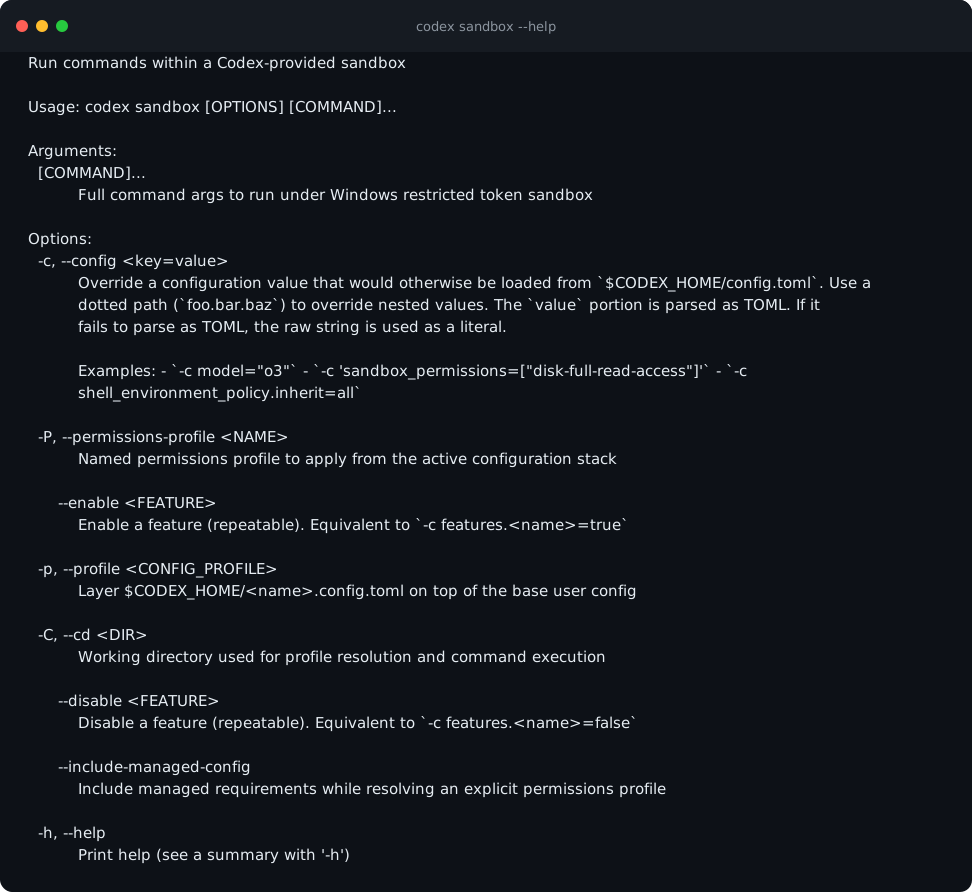
Two surfaces, one mechanism: the -s/--sandbox flag picks the policy for a run — read-only, workspace-write, or danger-full-access — while the codex sandbox subcommand runs a command inside the platform sandbox directly. Run codex sandbox --help and expect three platform subcommands: macos (Seatbelt), linux (bubblewrap), windows (restricted token) — the mechanisms that enforce your chosen policy on each operating system.
HintDefault to the least powerful mode that still gets the job done.
Understand feature flags
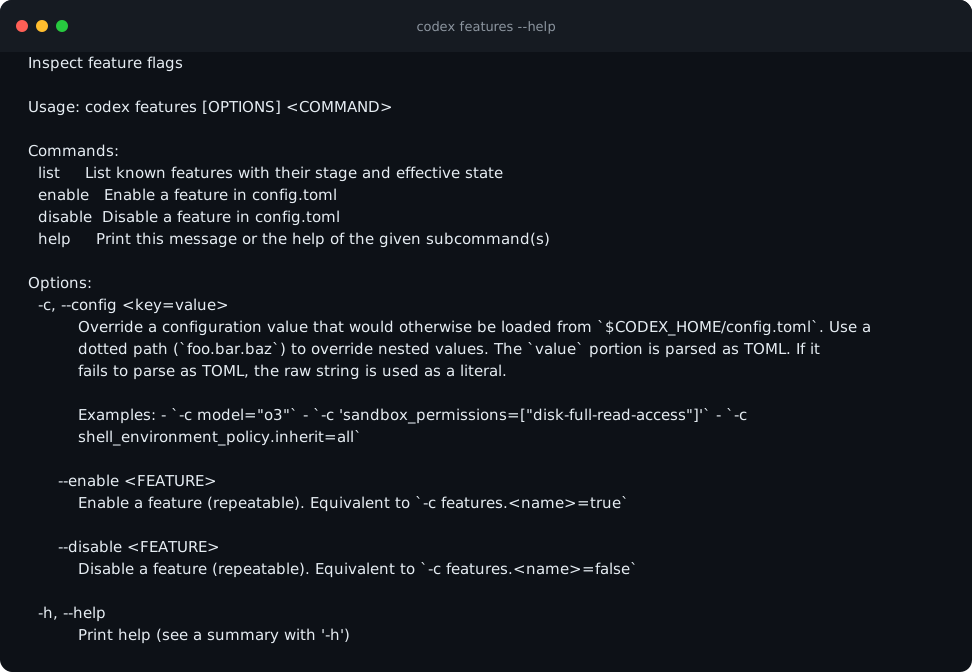
codex features --help covers inspecting and toggling flags that change CLI behaviour. Expect three subcommands: list, enable and disable — enable and disable write the change into config.toml, so they are config edits with a safer interface.
HintFlags are how new behaviour ships behind a switch — know what is on.
List the effective flags
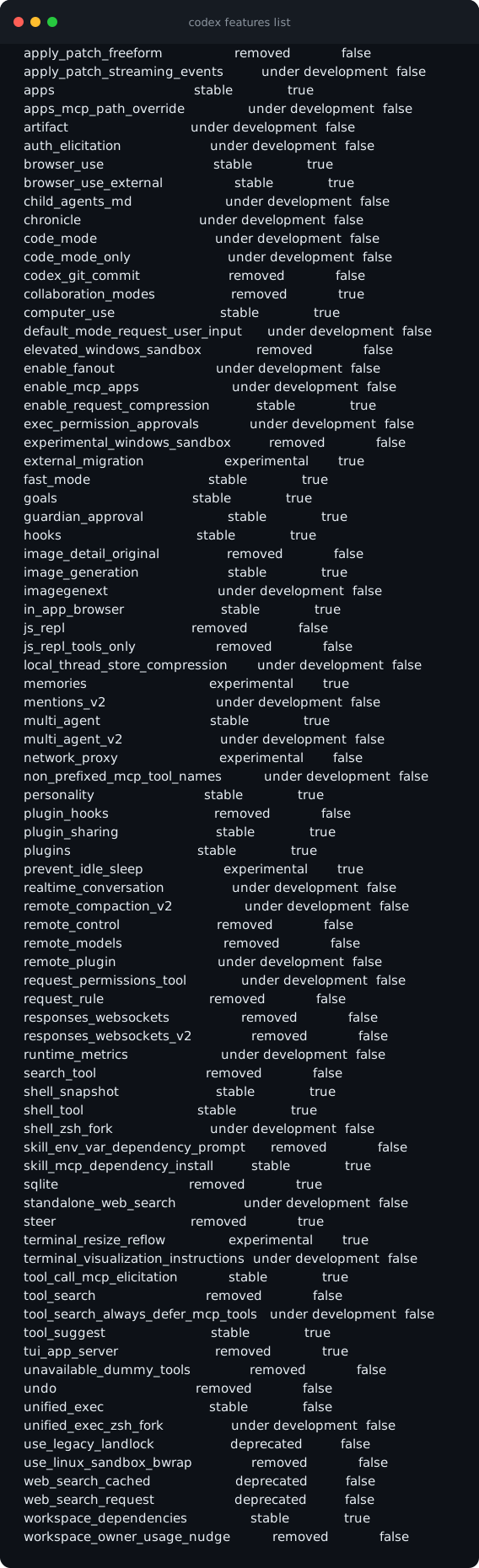
codex features list shows every known feature with its stage and effective on/off state. Each row is name, stage, and on/off. Find the hooks row (stable, on) and the memories row (experimental, on) — the stages run from under development to experimental to stable, with deprecated and removed at end of life.
HintRead this before debugging odd behaviour — a flag may explain it.
Set up shell completion
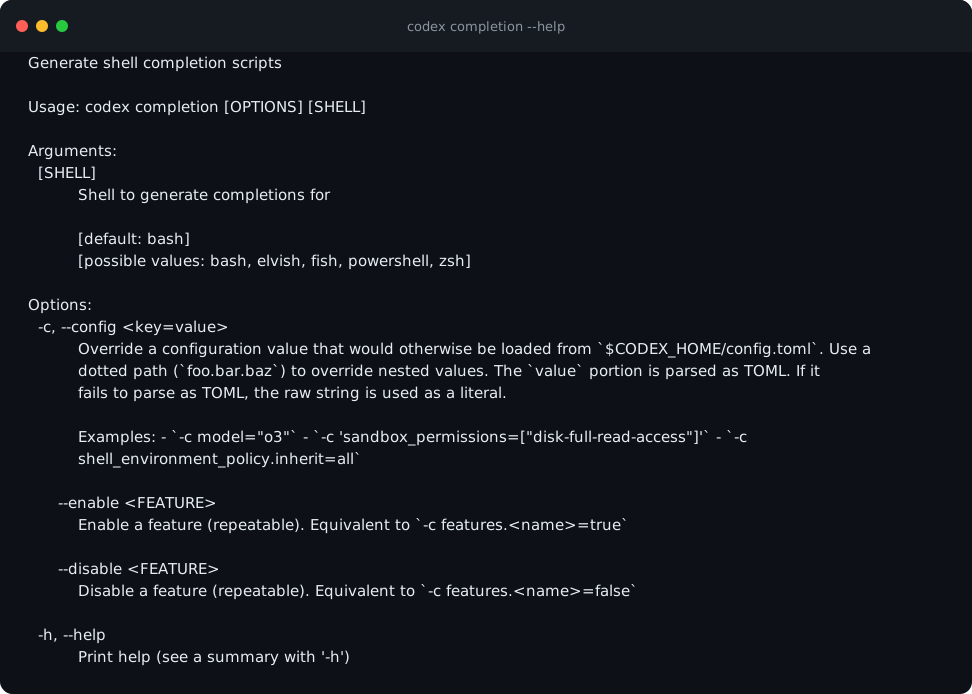
codex completion --help generates completion scripts so the CLI is fast to drive day to day. Expect [possible values: bash, elvish, fish, powershell, zsh] — generate the script for your shell and source it from your shell profile.
HintCompletion reduces typos in permission-sensitive commands.
Run codex sandbox --help and name the mechanism your operating system uses to enforce the sandbox. Then run codex features list and find the hooks and memories rows — note each one's stage and state. Finish with codex --help and confirm the three -s/--sandbox values match the matrix above. You are done when you can name your default policy, your OS enforcement mechanism, and one experimental flag that is on.
A written safety posture: the sandbox policy you will default to, the mechanism your OS uses to enforce it, and a short list of the feature flags currently on that you could not yet explain.
Common mistakes to avoid
- Running with full access when workspace-write would do.
- Debugging strange behaviour without checking which feature flags are on.
- Treating the sandbox policy as a detail instead of the primary safety control.
- Overriding config values without recording why.
Key terms
- sandbox policy
- The reach Codex has when running commands: read-only, workspace-write, or full.
- feature flag
- A switch that changes CLI behaviour, with a stage and effective state.
- config.toml
- The Codex config file at ~/.codex, overridable per run with -c.
- completion
- Generated shell completion that speeds up driving the CLI.
- approval policy
- When the agent must ask before acting: untrusted, on-request, or never. Separate from the sandbox, which limits what it can touch at all.
- stage
- Where a feature flag sits in its lifecycle: under development, experimental, stable, deprecated, or removed.
- CODEX_HOME
- The folder Codex reads config and auth from — ~/.codex unless you point it elsewhere.
Resources
Checkpoint