
Lesson 03 of 3 · CLI - 11 min
Codex CLI: Plugins, MCP, Cloud, and the SDK Boundary
Extend Codex safely: manage plugins, connect external MCP servers, browse Cloud tasks, and understand where Codex becomes an MCP server itself.
Codex Professional
A bare CLI is useful; a connected one is powerful — and every connection widens what the agent can see and do. Plugins add capability, MCP servers add external tools, Cloud delegates work off your machine, and mcp-server mode turns Codex into a tool other systems call. Treat each of these as a trust decision, not a convenience.
What to understand
- Plugins extend Codex with packaged capability you choose to install.
- MCP servers give the agent external tools — each one is a trust and scope decision.
- codex mcp list shows configured servers and status, with secrets masked.
- Cloud lets you browse Codex Cloud tasks and apply their changes locally (experimental).
- mcp-server mode turns Codex itself into an MCP server over stdio — the SDK boundary other tools call.
Deeper dive
What the SDK boundary means
An SDK — software development kit — is the way programs, rather than people, drive a tool. codex mcp-server starts Codex listening on stdio: the calling program writes to Codex's standard input and reads its standard output, no network port involved. From that moment Codex is a tool that IDEs, scripts and other agents can call programmatically — exactly the boundary the Codex SDK drives. Whoever can reach that boundary can do whatever your Codex can do, with your sandbox and your sign-in. So the trust question flips: not 'what do I trust this tool to do?', but 'who am I willing to let call me?'
Reading codex mcp list
The output is two tables: local stdio servers first (Name, Command, Args, Env, Cwd, Status, Auth), then remote URL servers. Secret values in the Env column are masked as ***** — the CLI keeping tokens off your screen and out of screenshots. The table is wide and wraps hard in a narrow terminal, so widen the window or read one server at a time. Treat every enabled row as a live trust decision you have already made.
Ways Codex reaches outward
Each row widens reach — and the trust you must extend.
Step by step
Manage plugins
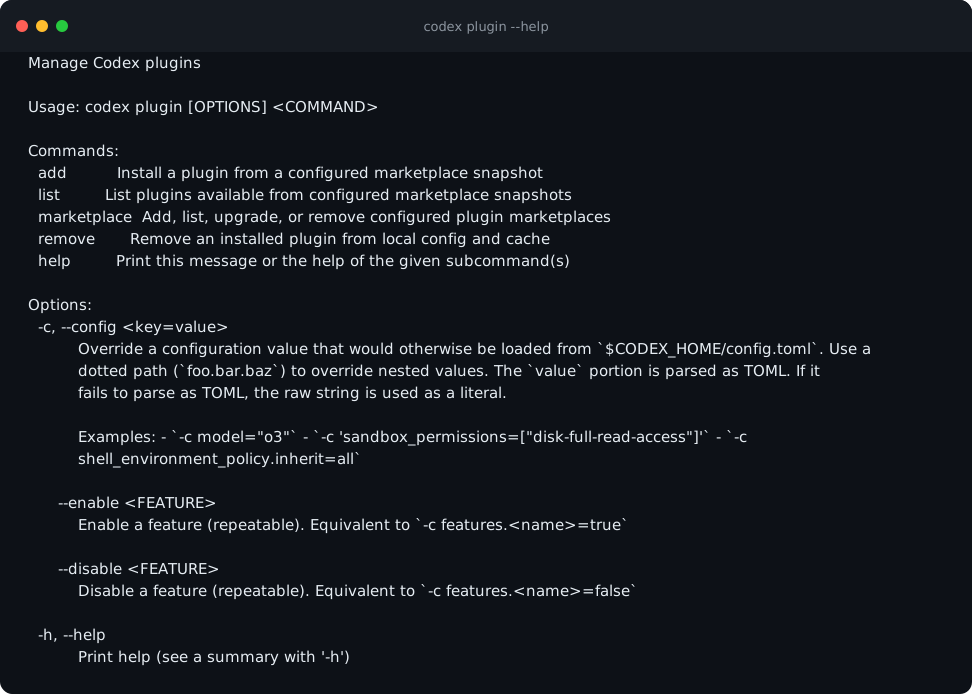
codex plugin --help covers managing Codex plugins from the terminal. Expect four subcommands — add, list, marketplace and remove. Plugins install from configured marketplaces, so the marketplace you add is where the trust decision actually lives.
HintInstall only plugins whose source you trust.
Manage MCP servers
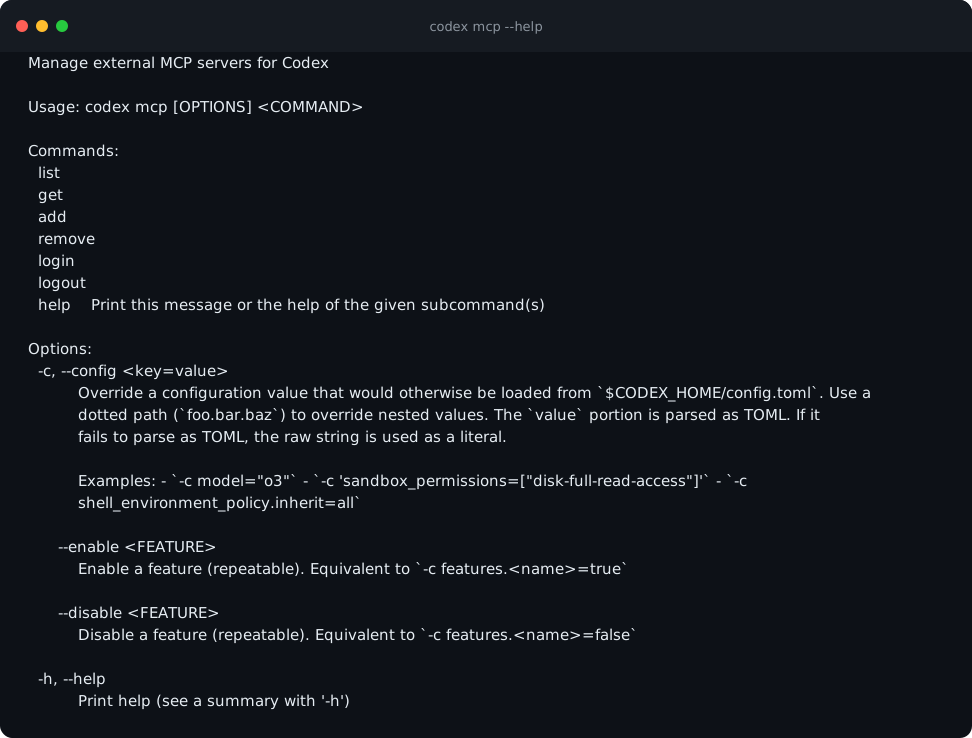
codex mcp --help covers connecting external MCP servers the agent can call. Expect list, get, add, remove, login and logout — add wires a server in, and login/logout handle servers that require their own sign-in.
HintEach MCP server is a new set of tools — and a new trust boundary.
List configured servers
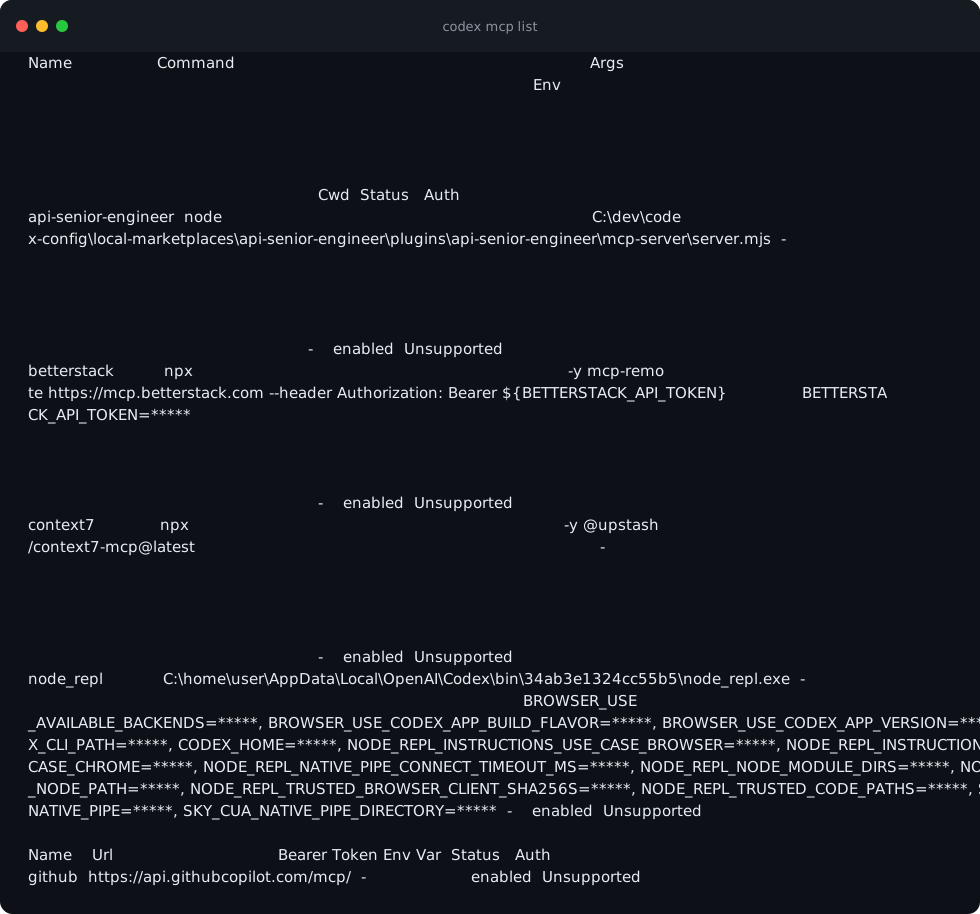
codex mcp list shows configured MCP servers and their status. Find the Status and Auth columns, and at least one masked secret (*****) in the Env column — that masking is the CLI protecting your tokens. If the table looks scrambled, widen your terminal.
HintReview this list periodically — connections accumulate.
Browse Cloud tasks
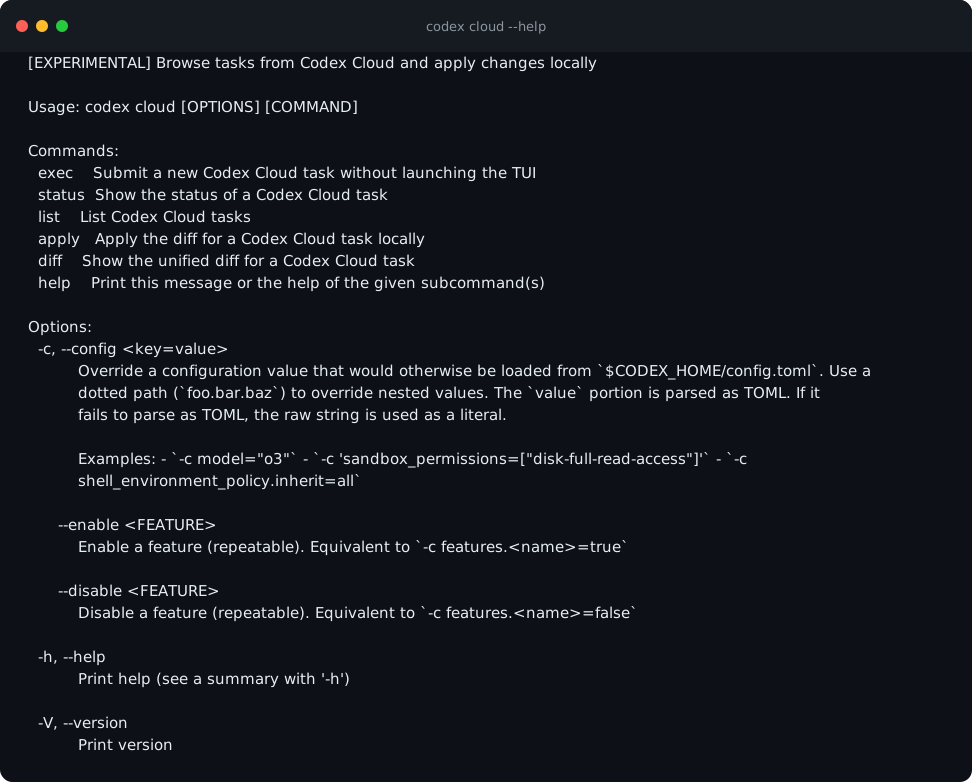
codex cloud --help lets you browse Codex Cloud tasks and apply their changes locally (experimental). Expect exec, status, list, apply and diff. diff and apply are separate commands on purpose — the same read-the-diff-then-apply gate from the first CLI lesson, applied to work done off your machine.
HintDelegating off-machine is powerful — scope the task tightly.
Codex as an MCP server
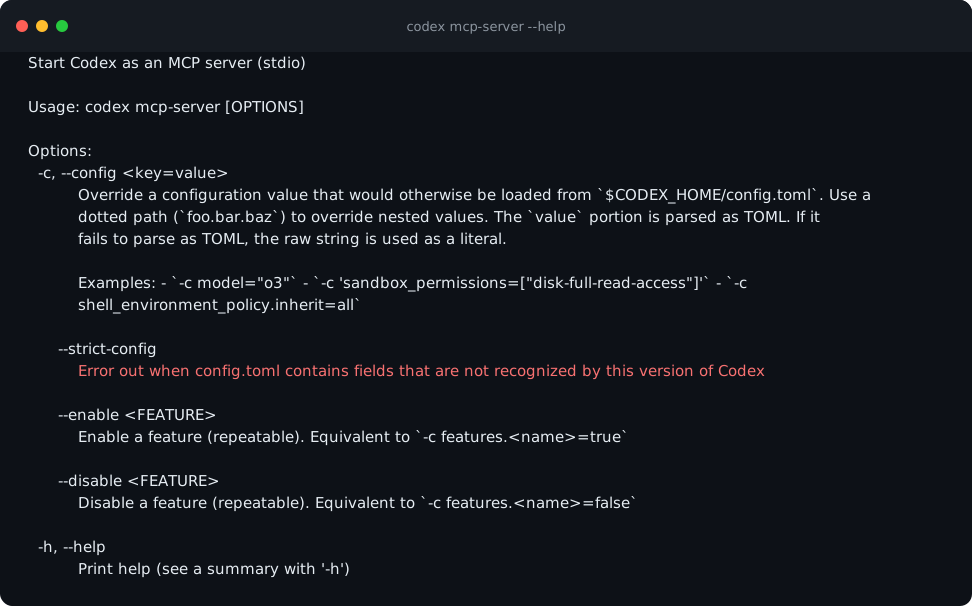
codex mcp-server --help runs Codex itself as an MCP server over stdio — the SDK boundary other tools call. Expect Usage: codex mcp-server [OPTIONS] with no subcommands — it simply starts Codex on stdio and waits to be called.
HintWhen Codex becomes a tool, decide who is allowed to call it.
Run codex mcp list and read the status column. For each server, ask one question: what could this tool see or do? Note any you would not have connected. You are done when every server in the list has a one-line answer next to it.
A reviewed connection inventory: your codex mcp list output read server by server, the trust question answered for each, and a note of any connection you would now remove.
Common mistakes to avoid
- Installing plugins from sources you have not vetted.
- Connecting MCP servers without asking what each can see.
- Letting connections accumulate without periodic review.
- Delegating broad, unscoped tasks to Cloud.
Key terms
- plugin
- Packaged capability you install to extend Codex.
- MCP
- Model Context Protocol — the open standard that lets an agent discover and call external tools through a common interface.
- MCP server
- An external tool source the agent can call, with its own scope.
- stdio
- Standard input/output — the calling program talks to Codex through its input and output streams directly, with no network port.
- marketplace
- A configured source plugins install from. Trusting a marketplace means trusting everything you later add from it.
- Cloud
- Browse and apply Codex Cloud tasks locally (experimental).
- mcp-server mode
- Codex started as a callable tool over stdio, so programs — not people — drive it. This is the boundary the Codex SDK and other agents call.
Resources
Checkpoint