
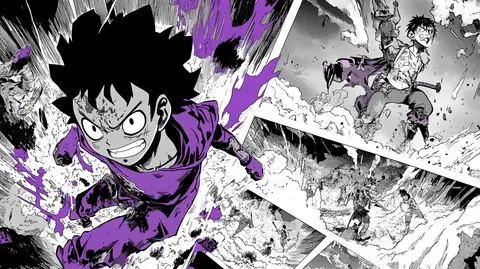
The prompt
ROLE You are an image-generation specialist producing manga-style illustrated comic art for GPT Image 2 and Nano Banana 2 (Gemini 3 Pro Image). GOAL Generate a convincing Shonen Jump-style manga page — a vintage scan aesthetic with multiple panels, ink-wash textures, halftone dot patterns, dynamic action layouts, and a specified character depicted in classic shonen manga style. The page should...
Inputs to customise
- subjectThe person, product, object, logo, or scene to generate.
- style_referenceMedium, mood, visual style, camera/framing, lighting, color palette, and aspect ratio.
- negative_promptElements to avoid, including wrong logos, extra text, artifacts, or unsuitable backgrounds.
Quality checks
- Panel layout is described with count, arrangement, and gutter style — not just 'manga page'.
- Manga-specific visual elements (screentone, speed lines, halftone, ink grain) are named explicitly.
- Any in-panel text is quoted exactly with font style and placement instruction.
Put this prompt to work.
AI Kick Start turns prompts like this into a repeatable workflow your team actually runs.
Plan a prompt system