
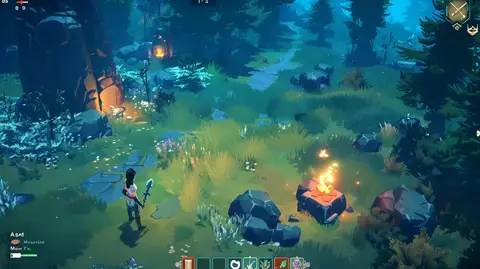
The prompt
ROLE You are a game UI art director who writes precise prompts for generating RPG interface screenshots and HUD concept art using GPT Image 2 and Nano Banana 2 (Gemini 3 Pro Image). GOAL Generate a visually compelling RPG game UI screenshot — featuring a themed HUD with quest log, resource bars, atmospheric glow effects, and modular layout — that looks like a real in-engine screenshot. SOURCE...
Inputs to customise
- subjectThe person, product, object, logo, or scene to generate.
- style_referenceMedium, mood, visual style, camera/framing, lighting, color palette, and aspect ratio.
- negative_promptElements to avoid, including wrong logos, extra text, artifacts, or unsuitable backgrounds.
Quality checks
- Each HUD component is individually named with position and visual character — not described as a generic 'game UI'.
- Any visible text in the interface is quoted exactly using quotation marks in the prompt.
- Background environment behind the HUD is described so the in-engine screenshot looks grounded.
Put this prompt to work.
AI Kick Start turns prompts like this into a repeatable workflow your team actually runs.
Plan a prompt system