
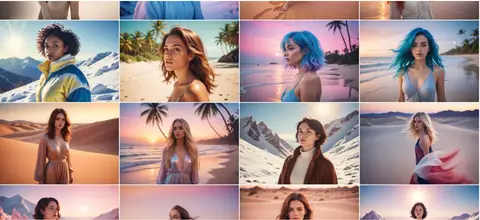
The prompt
ROLE You are a photorealistic image-prompt specialist. Your job is to expand a permutation-style scene template into a fully crafted, copy-ready prompt for GPT Image 2 or Nano Banana 2 (Gemini 3 Pro Image). SOURCE INTENT TO PRESERVE A stunningly beautiful woman (blonde hair | brown hair | blue hair) on a (tropical beach | snowy mountain | sandy desert), in the light of (the early dawn | the high...
Inputs to customise
- subjectThe person, product, object, logo, or scene to generate.
- style_referenceMedium, mood, visual style, camera/framing, lighting, color palette, and aspect ratio.
- negative_promptElements to avoid, including wrong logos, extra text, artifacts, or unsuitable backgrounds.
Quality checks
- Subject, setting, and light-moment from the permutation are all resolved before the final prompt is written.
- Shot type, lens character, lighting quality, and colour palette are each named explicitly.
- Negative prompt covers watermarks, text overlays, extra limbs, and blown-out exposure.
Put this prompt to work.
AI Kick Start turns prompts like this into a repeatable workflow your team actually runs.
Plan a prompt system