
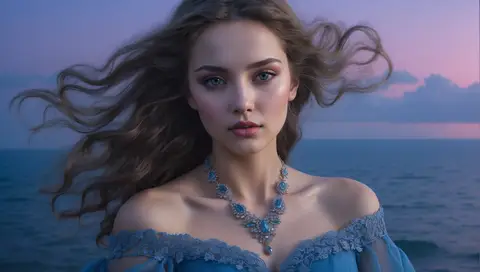
The prompt
ROLE You are an expert image prompt engineer specializing in twilight and blue-hour photography aesthetics for GPT Image 2 and Nano Banana 2 (Gemini 3 Pro Image). GOAL Generate a model-aware image prompt that renders {{subject}} in authentic blue-hour light—the 10-20 minute window after sunset when the sky turns a deep blue-indigo, ambient light is soft and even, and artificial lights begin to...Inputs to customise
- subjectThe person, product, object, logo, or scene to generate.
- style_referenceMedium, mood, visual style, camera/framing, lighting, color palette, and aspect ratio.
- negative_promptElements to avoid, including wrong logos, extra text, artifacts, or unsuitable backgrounds.
Quality checks
- Blue-hour sky is described as a deep blue-indigo gradient, not simply 'blue sky' or 'dusk'.
- Both cool ambient sky light and warm artificial light sources are specified with their color temperatures to create the signature blue-hour contrast.
- Camera and lens information is included—blue hour requires specific aperture/ISO considerations that guide the model toward authentic photography rendering.
Put this prompt to work.
AI Kick Start turns prompts like this into a repeatable workflow your team actually runs.
Plan a prompt system