








Briefing
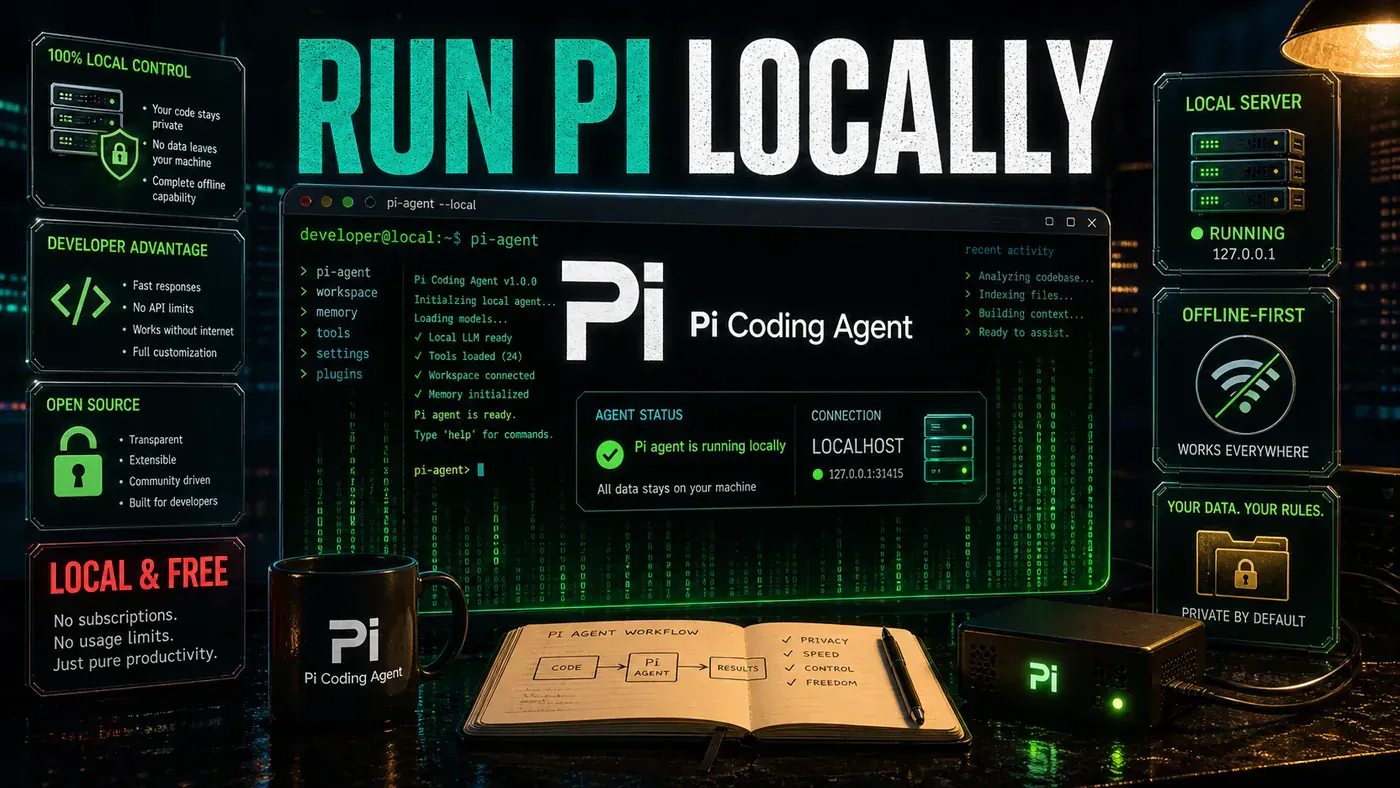
David Ondrej's definitive guide to setting up Pi - the lightweight, open-source coding agent that runs entirely on your machine, costs nothing, and keeps your code private.

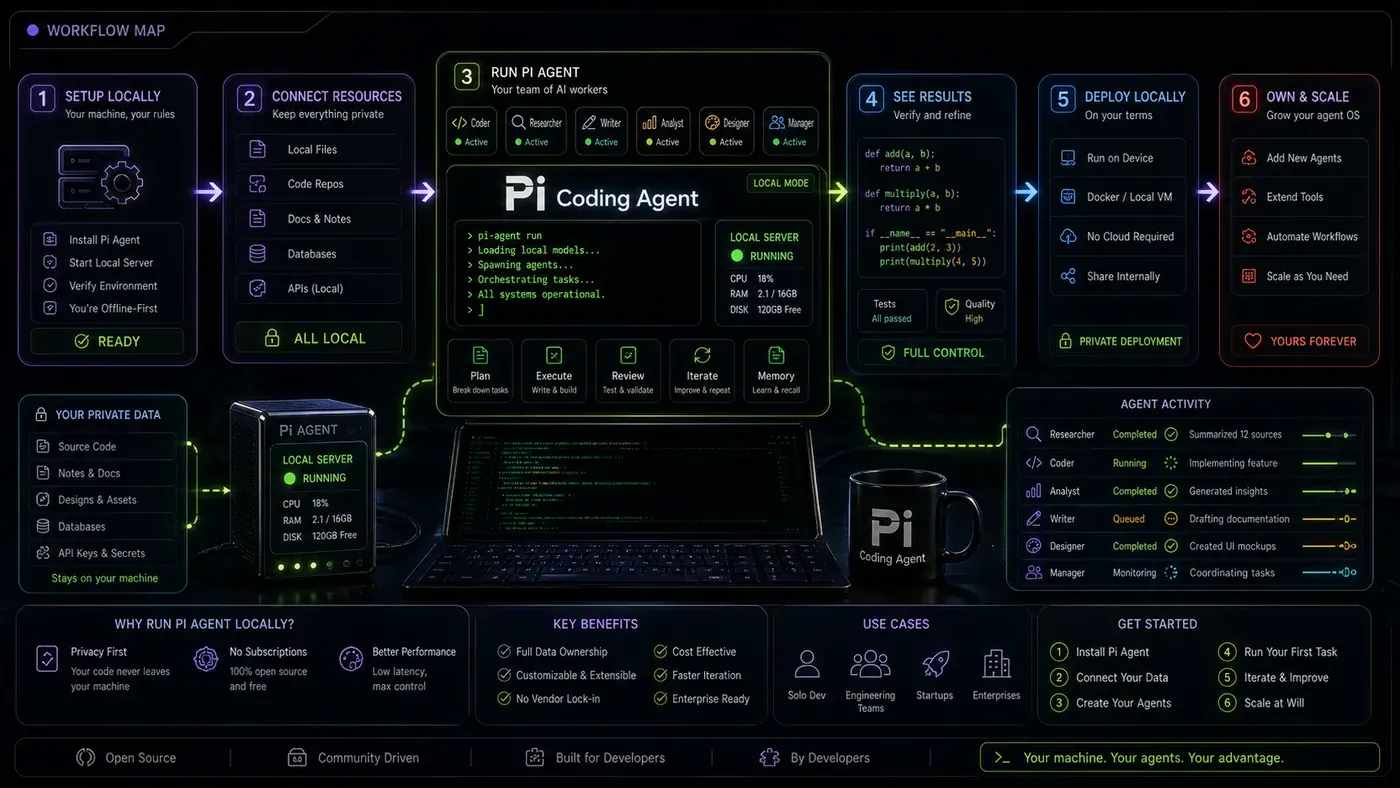
Introduction: The Local-First Revolution Is Here
The AI coding agent landscape has shifted dramatically in 2026. What started as a cloud-dominated race - with developers feeding proprietary code into remote APIs and racking up subscription bills - has pivoted hard toward local, private, and free alternatives. Leading this charge is Pi, an open-source terminal coding agent that is redefining what developers should expect from their AI tooling.
In his viral 47-minute tutorial *"If you don't run Pi locally you're falling behind…"*, tech educator David Ondrej makes a compelling case that every serious developer should run Pi on their own hardware. With over 33,000 views and 1,100+ likes in just six days, the video has clearly struck a nerve. The message is simple: you do not need subscription fees, third-party servers, or vendor lock-in to get world-class AI coding assistance.
Pi, created by developer Mario Zechner, represents a fundamentally different approach. Unlike bloated alternatives that ship with every feature enabled by default, Pi starts with just four core tools - read, write, edit, and bash - and lets you build outward. This minimalist philosophy, combined with the ability to run entirely on local hardware, makes Pi not just a tool but a movement toward developer sovereignty.
In this article, we break down everything you need to know about running Pi locally: what makes it different, how to set it up, which local models work best, and why this is the most important tooling shift of 2026.
What Is Pi? Understanding the Minimalist Coding Agent
The Anti-Bloat Philosophy
Pi was designed with a clear principle: do one thing well, then let users extend it. Where other agents ship with built-in plan modes, sub-agents, MCP servers, and permission popups, Pi starts bare. You get four tools. That is it.
By keeping the system prompt under a thousand tokens, Pi leaves enormous headroom for context. When running local models with finite context windows (128K–256K tokens), every token counts. A bloated system prompt eats into the space available for your actual code and conversation history. Pi's token efficiency means more of your context budget goes toward solving problems, not managing the agent itself.
Multi-Provider by Design
One of Pi's standout features is its genuine multi-provider support. Most coding agents are tightly coupled to a single model provider. Pi normalises access across Anthropic, OpenAI, Google Gemini, DeepSeek, Groq, OpenRouter, and - crucially for local operation - any OpenAI-compatible local server such as Ollama or LM Studio.
This means you can start with a cloud API key, then migrate to local models as your hardware allows. The transition is seamless because Pi's configuration simply points at a different endpoint. Your workflows, skills, and extensions continue working unchanged.
First-Class Session Management
Pi treats sessions as first-class objects. You can branch, fork, resume, and browse your session history with a tree-based interface. For long iterative coding sessions - where you refine a solution over hours - this is transformative. Most similar tools handle session management as an afterthought. Pi built it into the core architecture from day one.
Why Run Pi Locally? The Case for Developer Sovereignty
Privacy and Security
When you use cloud-based coding agents, your code leaves your machine. For personal projects this might be acceptable. For proprietary work or anything covered by an NDA, it is a dealbreaker. Running Pi locally means your codebase never touches an external server. Your data stays on your hardware, under your control.
Cost Elimination
Cloud AI coding tools are not cheap. Premium agent subscriptions run $20–$50 per month, with API usage scaling on top. Running models locally via Ollama or LM Studio costs nothing beyond electricity. For developers who code daily, the savings add up quickly - and compound when you factor in the elimination of usage quotas and rate limits.
Latency and Availability
Local models respond as fast as your hardware allows. No network round-trip, no server queue, no "service temporarily unavailable" message. When you are in flow state, every millisecond matters. Local operation eliminates the network as a bottleneck entirely, and lets you work offline without sacrificing your AI assistant.
Context Engineering
Perhaps the most underrated benefit of local operation is real context engineering. With cloud APIs, every token costs money, so you minimise context. With local models, you can be generous - loading entire codebases and documentation into the context window. Pi's small system prompt makes this especially effective, leaving maximum room for what matters: your code.
Setting Up Pi for Local Operation: A Step-by-Step Guide
Prerequisites
Getting started is straightforward. You need Node.js version 20 or later, and a way to serve models locally. For local model serving, the three most popular options are:
- LM Studio - A desktop app with a graphical interface that handles model downloads, quantisation, and exposes a local OpenAI-compatible API server.
- Ollama - A command-line-first tool that simplifies running LLMs locally. Integrates directly with Pi.
- llama.cpp / llama-server - The reference implementation for GGUF model serving. Maximum control, slightly more setup.
All three expose an OpenAI-compatible /v1/chat/completions endpoint, so Pi talks to any of them without changes beyond the base URL.
Installing Pi
Open a terminal and run:
npm install -g @mariozechner/pi-coding-agentNo Docker containers, no Python environments, no build steps. Verify with pi --version.
Configuring Your Local Model
To connect Pi to your local model server, create or edit ~/.pi/agent/models.json:
{
  "providers": {
    "lmstudio": {
      "baseUrl": "http://localhost:1234/v1",
      "api": "openai-completions",
      "apiKey": "lm-studio",
      "models": [
        {
          "id": "google/gemma-4-26b-a4b",
          "input": ["text", "image"]
        }
      ]
    }
  }
}
Launch Pi and select your local model with /model or Ctrl+L. You now have a fully local coding agent running entirely on your own hardware.
Choosing the Right Local Model
Model selection is where local operation gets interesting. The right choice depends on your hardware and use case:
Gemma 4 26B A4B (Recommended) - Google's latest open-weight model features native function calling, system prompt support, and thinking modes. As a Mixture-of-Experts model with 26B total parameters but only 4B activated per token, it delivers large-model quality with small-model speed and a 256K context window.
Qwen3-Coder-Next GGUF - The strongest high-end option, with 80B parameters (3B active) and 262K context. Requires 48GB+ VRAM for optimal performance.
GLM-4.7-Flash - The best practical balance for many users. At ~19GB in Ollama with a 198K context window, it offers strong coding performance on mid-range hardware.
Devstral-Small-2507 - A compact GGUF coding specialist, ideal for limited GPU memory.
Extending Pi: Skills, Extensions, and Customisation
The Skills System
Skills in Pi are on-demand capability packages that extend what the agent can do. They follow the Agent Skills standard and are essentially Markdown files with instructions. When you invoke a skill with /skill:name, the relevant instructions are injected into the context - not before. This lazy-loading approach keeps the system prompt small and only loads what you need.
Community skills can be installed via git:
git clone https://github.com/badlogic/pi-skills ~/.pi/agent/skills/pi-skillsUseful skills include document parsing, frontend slide creation, and specialised framework workflows.
Building Extensions
Where skills add capabilities through instructions, extensions add them through code. Pi's extension system is built on TypeScript, allowing you to add custom tools, slash commands, event handlers, and even custom UI elements. If the built-in read, write, edit, and bash tools do not cover your workflow, you can build exactly what you need.
Extensions can be installed globally in ~/.pi/agent/extensions/ or per-project in .pi/extensions/. The Pi community has already built extensions for permission guards on dangerous commands, custom welcome messages, context workflows, and integrations with external tools.
Themes and Custom Prompts
Pi supports full visual theming of its terminal UI and custom prompt templates. You can create project-specific prompts in .pi/SYSTEM.md or global prompts in ~/.pi/agent/prompts/. This is particularly powerful for teams - you can encode coding standards, architectural decisions, and project conventions directly into the agent's instructions.
How Pi Compares to the Competition
Pi vs. Claude Code
Claude Code is Anthropic's official coding agent and shares a similar terminal-first philosophy. Where Claude Code excels is in its deep Anthropic integration - it is optimised for Claude Sonnet and Opus models with first-class hooks, MCP support, and subagents. However, this is also its limitation: it is heavily optimised for Anthropic models and less flexible for local or alternative providers.
Pi, by contrast, is genuinely provider-agnostic. Its smaller system prompt gives it an edge in token efficiency, and its extension system offers more customisability. Claude Code has more built-in features out of the box; Pi gives you a cleaner slate to build exactly what you need. The choice depends on whether you value convenience or control.
Pi vs. OpenCode
OpenCode has emerged as the most popular open-source coding harness in 2026, crossing 165,000 GitHub stars. It offers a Plan agent for analysis and a Build agent for changes, plus AGENTS.md support, MCP integration, and a headless server mode. OpenCode is excellent for supervised local autonomy with a more feature-rich default setup.
Pi's advantage is its lighter weight and more customisable architecture. If you want a tool that works brilliantly out of the box with minimal configuration, OpenCode is compelling. If you want a tool that you can mould precisely to your workflow, Pi is the better choice.
Pi vs. Hermes Agent
Hermes Agent (referenced in David Ondrej's previous videos) is another powerful option that has gained significant traction. However, as one commenter on the video astutely noted: *"Last week this guy was talking same things about Hermes."* The rapid evolution of AI coding agents means the "best" tool changes frequently. Pi's minimal architecture and extension system make it more adaptable to these shifts - you are not locked into a monolithic tool that might become obsolete.
The Full Local Stack: Building a Complete Development Environment
Running Pi locally works best as part of a complete local-first development stack. Based on community recommendations and David Ondrej's ecosystem, the optimal setup looks like this:
Model Serving: LM Studio or Ollama for local LLM inference Agent Shell: Pi for interactive coding assistance Database: Supabase local (Postgres with auth, storage, and vector embeddings) Framework: Next.js 16 (best-in-class official agent support with AGENTS.md and MCP) Styling: Tailwind CSS 4 + shadcn/ui (component libraries agents can navigate easily) Testing: Playwright for browser automation and end-to-end testing Version Control: Git with GitHub MCP for repository intelligence
This stack gives you a fully functional development environment where every component runs locally, costs nothing, and integrates seamlessly. Supabase - the video's sponsor - provides the backend layer, giving you Postgres, authentication, and storage that can run locally during development and deploy to the cloud when you are ready.
Real-World Performance: What to Expect
Running a local coding agent is not without trade-offs. The quality of results depends heavily on your hardware and model choice.
With Gemma 4 26B A4B on a modern GPU (RTX 4090 or equivalent), Pi can handle code generation, refactoring, and debugging tasks with quality approaching cloud-based alternatives. The experience is responsive enough for interactive use, and the 256K context window handles most real-world codebases comfortably.
With smaller models on consumer hardware, expectations need adjustment. A 7B-parameter model will struggle with complex multi-file refactoring but can still handle code completion, simple edits, and documentation tasks effectively. The key is matching your model choice to your hardware and use case.
Context management is critical. Ollama defaults to 4K context under 24GB VRAM, 32K for 24–48GB, and 256K for 48GB+. For agentic coding work, you want at least 64K context - so budget your hardware accordingly.
The Bigger Picture: Why Local AI Agents Matter
The shift toward local AI coding agents is part of a broader movement. Developers are increasingly wary of vendor lock-in, subscription fatigue, and the privacy implications of sending proprietary code to cloud services. Tools like Pi represent a future where AI assistance is a commodity - available to everyone, on their own terms, without ongoing costs.
David Ondrej's video captures this zeitgeist perfectly. As local models improve and tools like Pi mature, the gap between cloud and local AI assistance is narrowing rapidly. Developers who build local-first workflows today are investing in skills and infrastructure that will serve them well as the technology evolves.
The comment section reveals a community already converted. One user writes: *"Been using pi now for a few months and it's genuinely the greatest agentic coding experience I've ever had. The extensions are limitless."* Another notes: *"I found a really solid rewrite of pi in rust - built my own harness - 24mbs with all the same features."* This is the power of open source: not just a tool, but a philosophy developers can adapt, extend, and make their own.
Conclusion
Pi represents the best of what open-source developer tooling can be: minimal where it counts, extensible where it matters, and free in every sense. David Ondrej's tutorial makes a compelling case that running Pi locally is not just a viable alternative to cloud-based agents - in many scenarios, it is the superior choice.
The setup is genuinely simple: install Node.js, install Pi via npm, configure your local model endpoint, and start coding. Within minutes, you have a powerful AI coding assistant running on your own hardware, with no subscription fees, no usage quotas, and no code leaving your machine.
For developers who value privacy, control, and cost efficiency, the local-first approach is a no-brainer. With models like Gemma 4 delivering impressive coding performance on consumer hardware, the old excuses about local models being inadequate no longer hold water.
The future of AI-assisted development is not cloud-exclusive. It is a hybrid world where developers choose the right tool for the job - and increasingly, that choice points toward local, open-source, and developer-controlled solutions like Pi.
Helpful Resources
Official Pi Resources
- Pi Official Website: pi.dev (opens in a new tab)
- Pi Source Code (pi-mono): github.com/block/pi-mono (opens in a new tab)
- Pi Source Code (earendil-works): github.com/earendil-works/pi (opens in a new tab)
- Pi Documentation: pt-act-pi-mono.mintlify.app (opens in a new tab)
David Ondrej's Resources
- This Video: youtube.com/watch?v=jcUqsNpDDDk
- Pi Agent Course: davidondrej.com/pi-agent-course (opens in a new tab)
- David's YouTube Channel: youtube.com/@DavidOndrej (opens in a new tab)
- David on X/Twitter: x.com/DavidOndrej1 (opens in a new tab)
- David on Instagram: instagram.com/davidondrej1 (opens in a new tab)
Sponsored Resources
- Supabase (Postgres Development Platform): supabase.plug.dev/F2BkjFC (opens in a new tab)
Related Tools and Services
- Glaido Voice Tool: get.glaido.com/david-ondrej (opens in a new tab)
- LM Studio (Local Model Serving): lmstudio.ai (opens in a new tab)
- Ollama (Local LLM Runner): ollama.ai (opens in a new tab)
- OpenRouter (Unified AI API): openrouter.ai (opens in a new tab)
Related Learning Resources
- David's AI Coding Community: skool.com/new-society (opens in a new tab)
- Scale Software (Hiring): scalesoftware.ai (opens in a new tab)
Related Videos and Tutorials
- Pi Agent Crash Course by Alejandro AO: youtube.com/watch?v=N30XGyPrr6I
- Pi Coding Agent Free Course by Owain Lewis: youtube.com/watch?v=BZ0w0JhPQ9o
- Learn 90% of Pi Agent in Under 17 Minutes: youtube.com/watch?v=... (opens in a new tab)
- Hermes Agent Tutorial: youtube.com/watch?v=u6L9aedHqZc (David's previous video on Hermes)
Related Links
- Pi Agent Official Documentation (opens in a new tab)
- Pi Agent GitHub Repository (opens in a new tab)
- Pi Skills Repository (opens in a new tab)
- Running Pi with Gemma 4 Locally - Patrick Loeber's Guide (opens in a new tab)
- Pi Agent Python Tutorial - Stackademic (opens in a new tab)
- Pi: The Open-Source AI Coding Agent - Arsh Tech Pro (opens in a new tab)
- Setting Up and Using the Pi Coding Agent - Deepakness (opens in a new tab)
- Best AI Coding Assistants for the Terminal in 2026 - Dev.to (opens in a new tab)
- AI Agent Frameworks 2026: Production-Tested Ranking - Alicelabs (opens in a new tab)
- Supabase Official Website (opens in a new tab)