

Briefing
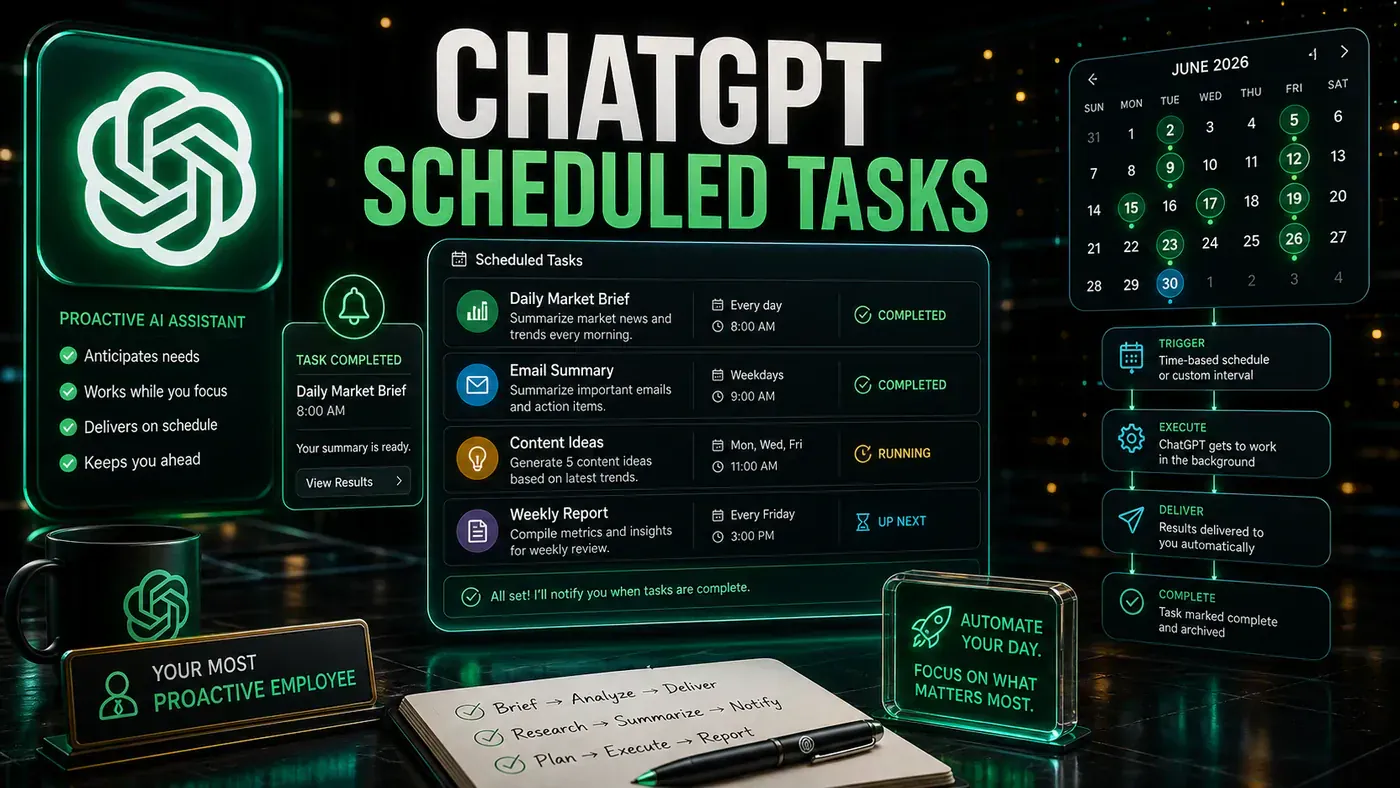
If you have been treating ChatGPT as little more than a sophisticated search engine that happens to write decent prose, OpenAI's latest update demands your attention. In mid-June 2026, the company rolled out a completely redesigned Scheduled Tasks system that replaces the exclusive Pulse feature and makes proactive, automated AI available to virtually every paid subscriber.
This represents a fundamental repositioning of ChatGPT from a reactive conversational tool into an action-oriented digital assistant capable of independently monitoring information, executing recurring workflows, and delivering personalised briefings without human prompting. For business owners, marketers, SEO professionals, and productivity enthusiasts, the implications are substantial.
Let us break down exactly what has changed, why OpenAI made this move, and how you can leverage the new system to automate your daily workflow.
Why OpenAI Is Shutting Down Pulse
To understand the significance of this update, we need to look at what came before. Pulse launched back in September 2025 as OpenAI's first real experiment in proactive AI assistance. The feature worked quietly in the background, analysing your previous conversations, saved memories, and even connected calendar data while you slept. Each morning, it delivered a curated stack of personalised briefing cards selected specifically for you.
Sam Altman, OpenAI's CEO, publicly called Pulse his favourite ChatGPT feature at launch. The concept was genuinely innovative: an AI that anticipated your needs rather than simply responding to prompts. However, Pulse suffered from critical limitations that severely restricted its utility and adoption.
The exclusivity problem was arguably the most significant barrier. Pulse was locked behind ChatGPT Pro, the platform's most expensive subscription tier at approximately $200 per month. This pricing placed it well beyond the reach of most individual users, small business owners, and even many professional teams. OpenAI was essentially testing its most ambitious feature on its smallest user base.
The platform limitation compounded the issue further. Pulse functioned exclusively on mobile devices. If you primarily worked from a desktop or laptop, you could not access the feature at all, regardless of how much you were willing to pay. For a productivity tool designed to integrate with professional workflows, this restriction was baffling.
OpenAI has now acknowledged these limitations by sunsetting Pulse entirely. The company announced via its official ChatGPT account on X that Pulse would be permanently disabled within 14 days of the new system's launch, with all functionality migrating to the redesigned Scheduled Tasks feature. The message was clear: users who appreciated Pulse's proactive capabilities could recreate and even improve upon the experience using the new, more accessible system.
The Evolution of Scheduled Tasks: What Is New
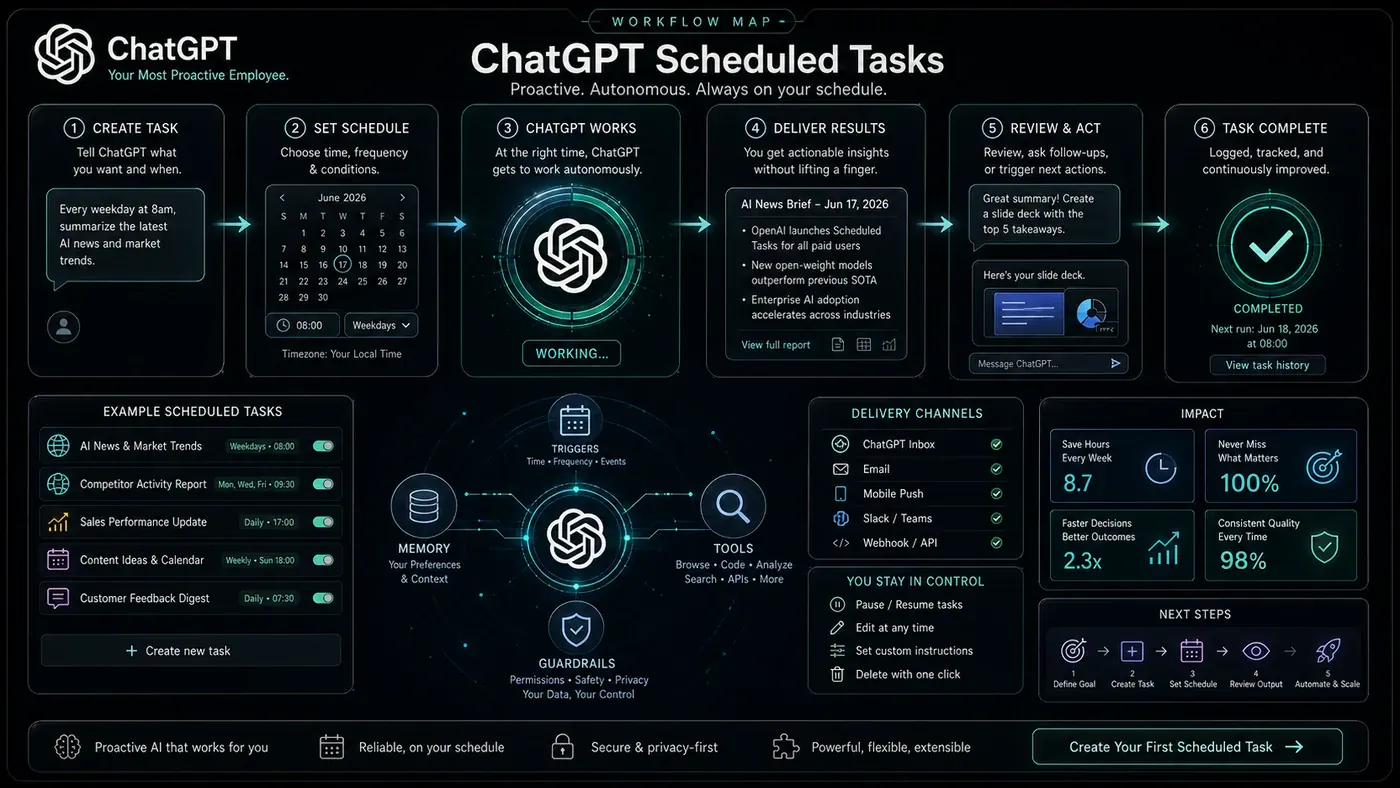
Scheduled Tasks are not entirely new, but the June 2026 update represents a comprehensive overhaul. OpenAI has rebuilt the feature from the ground up, adding a dedicated management interface, improving reliability, expanding scheduling flexibility, and widening access across subscription tiers.
The New Scheduled Page
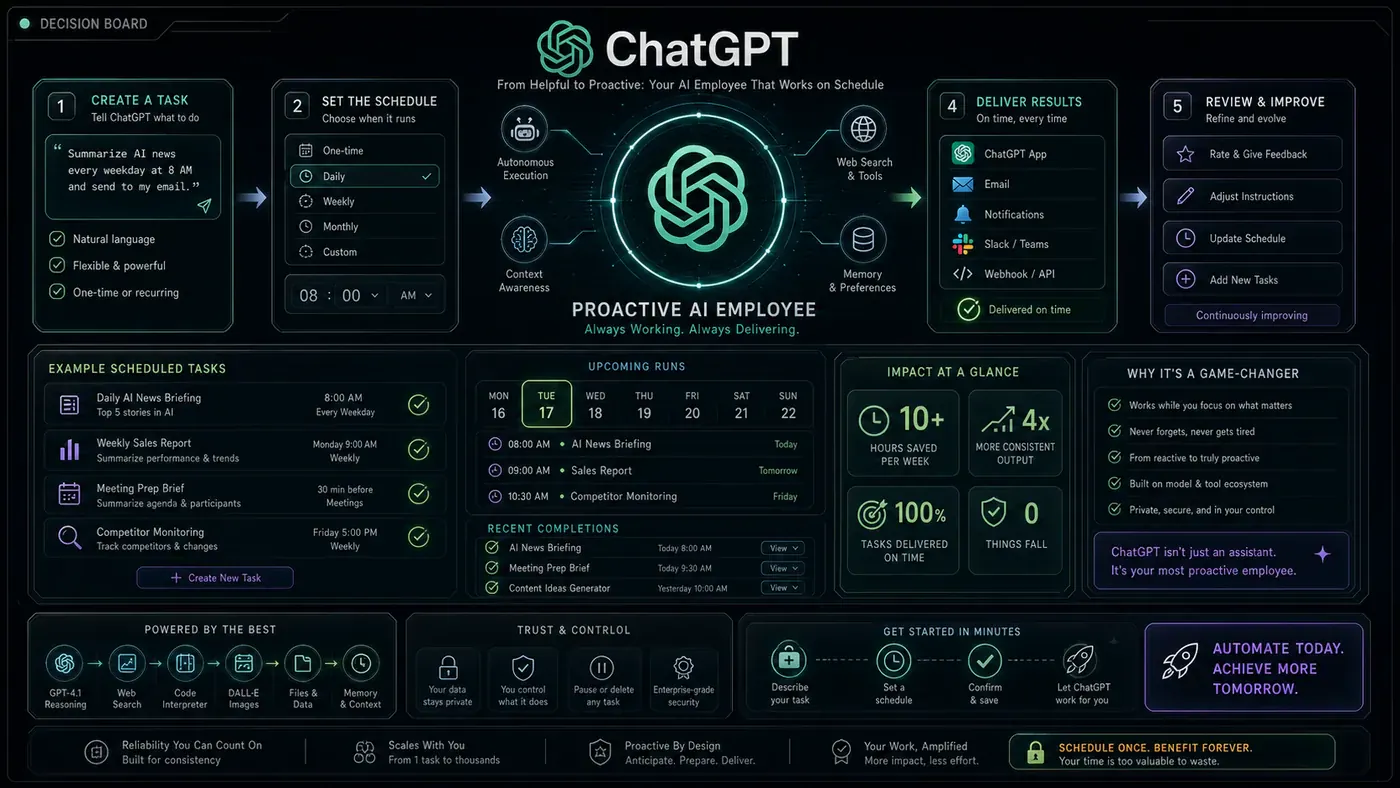
The centrepiece of this update is the Scheduled page, accessible directly from the ChatGPT sidebar on web and mobile. This provides a centralised command centre displaying every active task, its next execution time, and complete history.
From this interface, users can create, pause, resume, edit, or delete tasks -- a significant improvement over the previous scattered approach. The page also introduces better organisation for users running multiple automations simultaneously.
Enhanced Scheduling Flexibility
Users can now schedule tasks for specific times or broader windows such as "morning," "afternoon," or "evening." A daily briefing might arrive anytime between 8:00 and 10:00 AM, while a weekly report reminder can trigger at a precise hour. The new system accommodates both scenarios.
Faster, More Reliable Execution
OpenAI has explicitly stated that the redesigned task system is "faster and more reliable" than its predecessor. This addresses one of the most common complaints about the previous implementation: inconsistent execution timing and occasional missed tasks. For users relying on ChatGPT for time-sensitive reminders or monitoring critical information sources, this reliability improvement is essential.
Merging Research with Simplicity: How Monitoring Tasks Work
The most powerful addition to the system is monitoring tasks, which transform ChatGPT from a passive assistant into an active intelligence gatherer.
What Monitoring Tasks Can Do
With monitoring tasks, you instruct ChatGPT to periodically check information sources and notify you only when it detects meaningful changes. The system can search the web, check connected applications, and compare findings against previous runs to avoid redundant notifications.
Practical applications include:
- Competitor monitoring: Track changes to competitor websites, pricing, or product offerings
- Industry news tracking: Receive notifications for significant developments in your sector
- Content monitoring: Watch for new publications, research papers, or thought leadership
- Market intelligence: Track stock movements, cryptocurrency prices, or economic indicators
- Personal productivity: Monitor project management tools, email, or calendar changes
ChatGPT only alerts you when something genuinely worth reporting occurs, and can stop monitoring once a specific end condition is met.
Natural Language Task Creation
One of OpenAI's strengths with this update is the continued emphasis on natural language interaction. Users can create complex scheduled and monitoring tasks simply by describing what they want in conversational language. There is no need to learn specialised syntax or navigate complex configuration menus.
For instance, saying "Remind me every weekday morning to review my sales pipeline" or "Let me know if any of my competitors change their pricing this week" is sufficient for ChatGPT to create appropriately configured automations. This accessibility dramatically lowers the barrier to entry for users who might otherwise be intimidated by automation tools.
Model Upgrades and Reliability Improvements
OpenAI has upgraded the underlying infrastructure powering scheduled tasks, with the official announcement emphasising speed and reliability improvements across the board. This matters because reliable automation requires consistent execution -- a system that occasionally misses scheduled runs undermines user trust and limits utility for professional applications.
This update also strategically positions OpenAI toward "agentic AI" -- systems that autonomously plan, execute, and complete multi-step tasks. The enhanced Scheduled Tasks system represents a foundational layer for these capabilities, establishing infrastructure for an AI that works independently toward user-defined goals.
Key Limits and Platform Quirks You Need to Know
Despite the impressive scope of this update, several important limitations apply.
Task Frequency and Volume Limits
The most significant restriction: tasks cannot run more than once per hour. For most use cases -- daily briefings, weekly reports, periodic monitoring -- this is manageable. Users requiring real-time monitoring will need alternative tools.
Active task limits by subscription tier:
- Go plan: Up to 3 active tasks
- Plus plan: Up to 5 active tasks
- Business and Edu plans: Up to 10 active tasks
- Pro and Enterprise plans: Up to 15 active tasks
Power users and teams will need to be strategic about which automations they prioritise.
Automatic Pausing and Platform Gaps
Unattended tasks may automatically pause after a period of inactivity, requiring manual resumption. The feature is available on ChatGPT web, iOS, and Android, but not on the desktop app or Codex app.
Scheduled tasks cannot access project files, and voice chats and custom GPTs are not supported. Webhooks are not available, but notifications can be delivered via push alerts, email, or both.
Data Privacy and Memory Control: What the Update Means for Your Information
Buried within OpenAI's announcement was an important detail about how ChatGPT manages what it remembers about you -- critical for business professionals handling sensitive information.
Enhanced Memory Management
ChatGPT can now automatically manage saved memories, keeping the most relevant details prioritised while moving less important information to the background. This prevents memory capacity from being reached and avoids the frustrating "memory full" state.
The system considers recency and conversation frequency when prioritising. Users retain full control: automatic memory management can be disabled, you can manually prioritise or deprioritise memories, and you can search and sort saved memories by newest or oldest.
Privacy Implications
For Business and Enterprise users, customer data is not used for training models by default. Individual Plus and Pro users must actively opt out to prevent their conversations from contributing to model improvement -- a critical distinction for organisations handling confidential information.
In the European Economic Area, Switzerland, Norway, Iceland, and Liechtenstein, memory features are off by default and must be enabled in Settings under Personalisation. If you previously opted out, ChatGPT will not reference past conversations unless you opt back in.
Reviewing your memory and privacy settings should be a priority following this update. The convenience of personalisation must be balanced against your data protection requirements.
Your 3-Week Automation Roadmap: Getting Started with Scheduled Tasks
New to ChatGPT automation? Here is a practical roadmap for integrating scheduled tasks over three weeks.
Week 1: Foundation and Exploration
Set up two to three simple recurring tasks:
- A daily morning briefing covering AI industry news tailored to your interests
- A weekly summary that reviews your calendar and flags upcoming deadlines
- A reminder for routine administrative tasks you frequently forget
This week is about building the habit of checking your Scheduled page and verifying timing accuracy.
Week 2: Add Monitoring
Introduce your first monitoring task. Useful options include:
- Monitor competitor websites for pricing or product changes
- Track industry publications for relevant news
- Watch for new research papers or thought leadership in your field
Test notification settings to find the right balance between staying informed and avoiding alert fatigue.
Week 3: Optimise and Expand
Review which tasks deliver genuine value and pause any that create noise. Consider upgrading your plan if you are consistently hitting task limits. Experiment with more sophisticated combinations -- a daily briefing might incorporate insights from multiple monitoring tasks, or a weekly planning session could synthesise information from various sources.
The Bigger Picture: ChatGPT's Move Toward Agentic AI
The Scheduled Tasks overhaul is best understood as a strategic step toward agentic artificial intelligence -- systems that autonomously plan, execute, and complete complex multi-step tasks. By giving ChatGPT the ability to proactively monitor information and execute recurring workflows, OpenAI is building foundational infrastructure for truly autonomous AI agents.
The current implementation remains constrained -- hourly frequency caps, modest limits, incomplete platform support -- but the trajectory is unmistakable. For businesses, the opportunity lies in progressively delegating routine cognitive work to AI, freeing human attention for higher-value thinking. The challenge is developing judgment about what should be automated versus what requires human oversight.
Replacing Pulse with a broadly accessible scheduled task system signals OpenAI's recognition that proactive AI assistance should be a core capability, not a luxury reserved for the highest-paying subscribers.
Conclusion
OpenAI's June 2026 Scheduled Tasks update represents one of the most significant practical improvements to ChatGPT's professional utility since the platform's launch. By retiring the exclusive Pulse feature and replacing it with a faster, more reliable, and broadly accessible task automation system, the company has taken a meaningful step toward transforming ChatGPT from a conversational tool into a genuine digital assistant.
The new dedicated Scheduled page, enhanced monitoring capabilities, flexible scheduling options, and expanded plan availability combine to create a feature set that will genuinely improve daily workflows for business owners, marketers, SEO professionals, and productivity-focused users. The tiered task limits provide reasonable capacity for casual users while rewarding higher-paying subscribers with substantially more automation headroom.
The accompanying memory and privacy improvements demonstrate OpenAI's awareness that personalisation must be balanced with user control, particularly for professionals handling sensitive information. The off-by-default approach in European jurisdictions shows appropriate regulatory sensitivity.
For anyone currently paying for ChatGPT but not yet using scheduled tasks, the message is simple: you are leaving significant productivity gains on the table. Start with a daily briefing. Add a monitoring task for something that matters to your work. Build from there. The infrastructure is now robust enough to trust with genuinely important workflows, and it will only improve from here.
Helpful Resources
Official OpenAI Documentation
- Scheduled Tasks in ChatGPT -- Official help centre guide covering task creation, management, monitoring tasks, and FAQ: help.openai.com/en/articles/10291617-scheduled-tasks-in-chatgpt (opens in a new tab)
- ChatGPT Release Notes -- Official changelog with all recent updates including memory management improvements: help.openai.com/en/articles/6825453-chatgpt-release-notes (opens in a new tab)
OpenAI Plans and Pricing
- ChatGPT Plans Overview -- Detailed comparison of Free, Go ($8/month), Plus ($20/month), Pro ($200/month), Business ($25/user/month), and Enterprise plans: openai.com/chatgpt/pricing (opens in a new tab)
- ChatGPT Memory FAQ -- Detailed information about how memory works, privacy implications, and user controls
Creator Resources (Julian Goldie SEO)
- ChatGPT Masterclass -- Comprehensive AI training community and course: skool.com/ai-profit-lab-7462/about (opens in a new tab)
- Free AI Course + Community + 1,000 AI Agents: skool.com/ai-seo-with-julian-goldie-1553/about (opens in a new tab)
- Free AI SEO Strategy Session: go.juliangoldie.com/strategy-session (opens in a new tab)
- 200+ Free AI SEO Prompts: go.juliangoldie.com/chat-gpt- (opens in a new tab)
- SEO Link Building Book: go.juliangoldie.com/opt-in (opens in a new tab)
Related Tools and Alternatives
- Google Gemini -- Google's AI assistant with similar scheduling and research capabilities
- Microsoft Copilot -- Integrated AI assistant with task automation features for Microsoft 365 users
- Claude (Anthropic) -- Alternative AI assistant with strong research and analysis capabilities
- Perplexity AI -- AI-powered search with real-time information monitoring and alerts
- Zapier -- Workflow automation platform that connects ChatGPT with thousands of other applications
- n8n -- Open-source workflow automation tool for self-hosted AI integrations
Official Announcements
- OpenAI's Scheduled Tasks Launch Post on X: x.com/ChatGPTapp/status/ChatGPT (opens in a new tab) (June 17, 2026)
- OpenAI Pulse Sunset Announcement: Pulse will be permanently disabled within 14 days of the scheduled tasks launch
Related Links
- Original video: NEW ChatGPT Update Is INSANE! by Julian Goldie SEO
- Julian Goldie SEO YouTube channel: youtube.com/@JulianGoldieSEO (opens in a new tab)
- OpenAI Help Centre: help.openai.com (opens in a new tab)
- OpenAI Blog: openai.com/blog (opens in a new tab)