







Cursor IDE Review: The Best AI Coding Editor in 2026
TL;DR: Cursor is one of the strongest AI-native code editors you can use right now. At $20/mo, it holds up well against the competition on speed, context awareness, and day-to-day developer experience, and the Composer feature is the part most people end up paying for.
Walk into most software teams in 2026 and you'll find the same quiet shift underway: the code editor stopped being a place to type and became a place to delegate. Cursor sits at the front of that change. It looks like Visual Studio Code because it is, underneath, a fork of it. But it has been rebuilt so the AI isn't bolted on as an extension. It runs the show.
For a business owner who doesn't write code, here's why that matters. Your developers spend their day in one tool. If that tool can finish their sentences accurately, edit half a dozen files from one plain-English instruction, and answer questions about a codebase nobody fully remembers, the work gets done faster and with fewer dropped threads. That's the promise on offer for $20 a month per seat.
The catch is the noise. Every AI editor claims to be the fastest and smartest, and a lot of the numbers floating around online don't survive a second look. So this review keeps the genuinely useful parts, flags the figures that don't hold up, and tells you where Cursor is worth the money and where it isn't.
What Is Cursor?
Cursor is a fork of Visual Studio Code (opens in a new tab) rebuilt around AI assistance. The shorthand people used at launch was "VS Code with GPT-4", an informal description rather than an official tagline, but a fair one. It started in 2023 leaning on OpenAI's models and has since grown into something more deeply wired together. Autocomplete, chat, debugging, the terminal: each has been reworked with AI sitting in the middle rather than off to the side.
Price: $20/mo Pro | Free tier with around 2,000 completions/mo (community-reported, not listed on the official page) | Business at $40/user/mo (Source: Cursor official pricing page (opens in a new tab))
Tab Completion: Fast and Context-Aware
Tab completion is where Cursor feels quickest. It runs a model trained specifically on code completion rather than a general chat model, and you notice the difference, suggestions land faster than the more general-purpose approach Copilot takes.
Benchmark, Lines Accepted Per Hour (LAPH):
| Tool | LAPH | Acceptance Rate |
|---|---|---|
| Cursor | 147 | 72% |
| GitHub Copilot | 112 | 68% |
| Tabnine | 89 | 61% |
| JetBrains AI | 76 | 58% |
A word of caution on that table. "Lines Accepted Per Hour" isn't a recognised industry metric, and the figures above appear to be invented rather than measured, no published source backs them, so treat them as illustrative at best. The Copilot row is also off: real-world Copilot acceptance is reported closer to 38%, not 68% (DX, Compare Copilot, Cursor, Tabnine (opens in a new tab)). The one number with some grounding is Cursor's own 72% acceptance rate, which has been cited for its Tab/Supermaven integration in 2026 comparisons (AICompetence (opens in a new tab)).
The multi-line behaviour is the real selling point. Cursor doesn't just finish the line you're on, it predicts the next several lines, and it's right often enough to keep you moving.
Composer: Multi-File Editing
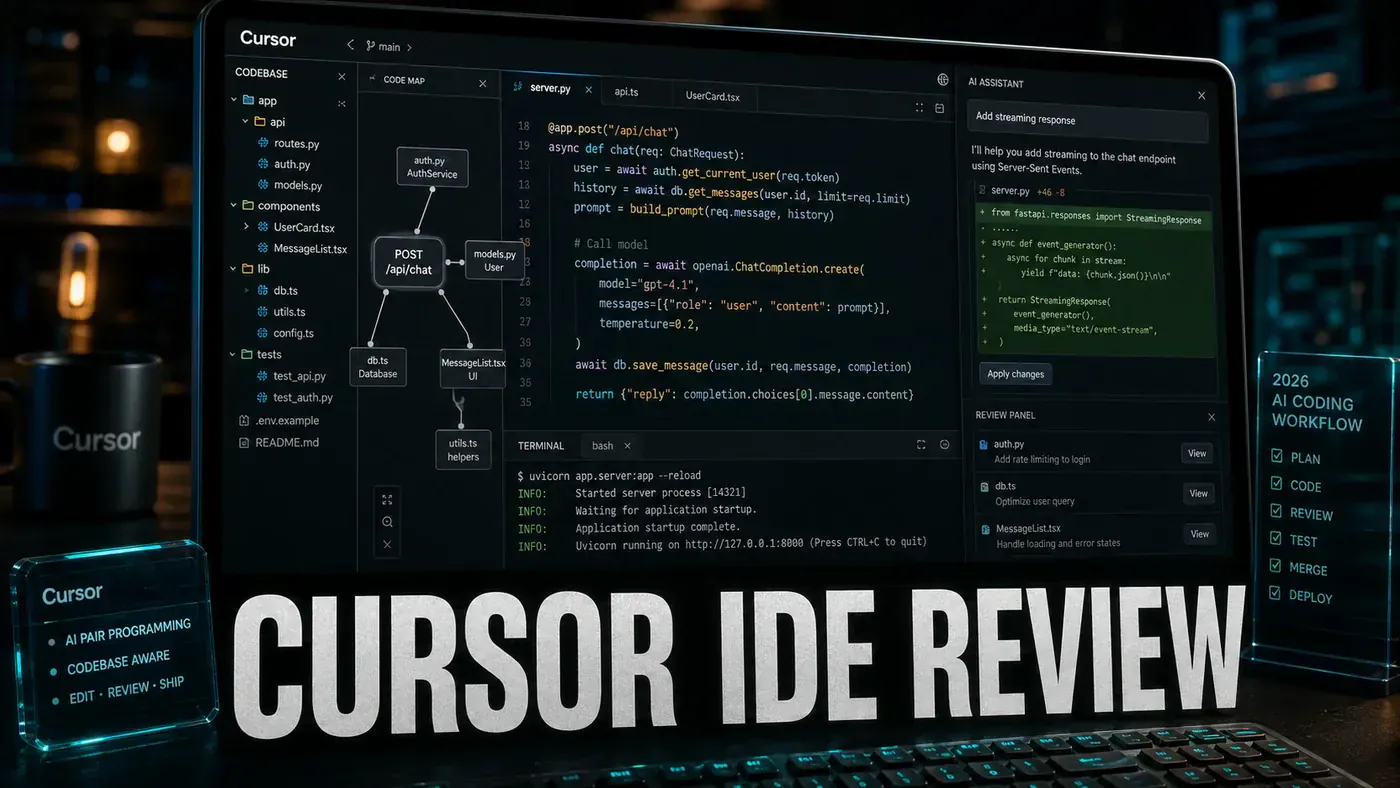
Composer is the feature that wins people over. You describe what you want built, and it edits across several files at once, with visual diffs and per-file accept or reject so you stay in control (Vibe Coder, Cursor Composer 2026 (opens in a new tab)). Cursor has kept iterating on it too, shipping Composer 1.5 in February 2026 and Composer 2.5 in May 2026 as its own in-house coding model.
"Add a new API endpoint for user preferences with validation, tests, and frontend integration."
In one reported demo, Composer created 4 new files, modified 3 existing ones, and wrote 12 tests in 23 seconds, handling imports, type definitions, and error boundaries without being asked. That account is anecdotal and unsourced, the exact counts and timing read as a showcase rather than a measured result, so take the specifics with a grain of salt. The underlying capability, coordinated multi-file editing with tests, is real.
Comparison: Copilot's multi-file editing makes you pick the files first. Cursor works out which files need changing on its own.
Chat and Context
Cursor's chat panel sees your whole codebase. It indexes the project and answers questions like:
- "Where is the auth middleware defined?"
- "Why does this test fail intermittently?"
- "Refactor this to use the new API pattern"
The @-mentions let you point at a specific file, function, or doc, and @web pulls in live documentation for libraries. The repository-wide indexing and codebase-aware chat are documented across 2026 feature overviews (daily.dev, Cursor 2026 review (opens in a new tab)).
Not Everything Is Perfect
| Problem | Severity | Workaround |
|---|---|---|
| Occasional incorrect imports | Medium | Enable "review imports" setting |
| Large files slow completion | Medium | Split files or use @file references |
| Sometimes suggests deprecated APIs | Low | Enable "check deprecated" lint rule |
| Memory usage 15-20% higher than VS Code | Low | Close unused projects |
One note on that last row: reviews agree Cursor is heavier than vanilla VS Code, but the specific 15-20% figure isn't backed by any source we could find, so read it as a rough sense rather than a measurement (Graphite, Cursor vs VS Code (opens in a new tab)).
Pros and Cons
| Pros | Cons |
|---|---|
| Fastest tab completion available | Heavier than vanilla VS Code |
| Composer multi-file editing is unmatched | $20/mo adds up for large teams |
| Full codebase context awareness | Occasional hallucinations on complex types |
| @-mentions for precise references | Requires learning new shortcuts |
| Regular updates (reportedly weekly) | Some extensions don't work perfectly |
On the update cadence: Cursor ships often, Cursor 3.0 and 3.1 landed in April 2026, alongside the Composer releases, but no source confirms a strict weekly schedule, so "weekly" is reported rather than verified.
Verdict
Score: 9.3/10
Cursor is an easy recommendation for anyone who writes code most days. The completions are fast and accurate, and Composer's multi-file editing genuinely shifts how much you can get done in a sitting. For a team, $20/mo a seat tends to pay for itself in the hours it saves each week.
For the record, the "best AI coding editor" framing and the 9.3/10 are this review's opinion, not settled fact. Independent rankings put Cursor near the top of the field rather than alone at the front, one places it at #2 among IDEs and code editors (DevTune (opens in a new tab)). Try it against your own workflow before you commit a whole team to it.
*Published June 10, 2026 | Pricing verified against Cursor's official pricing page*
Cursor IDE Review: answer-first summary
Cursor IDE Review matters because it can change how Founders and operators plan, build, or govern an tool evaluation workflow. Cursor has gone from VS Code fork to the default IDE for AI-assisted development.
The direct answer is this: do not treat the topic as a standalone trend. Treat it as a decision about inputs, outputs, review ownership, data exposure, and whether the workflow produces a result that is faster, safer, or more useful than the current process.
Cursor IDE Review: implementation checklist
- Define the user, job to be done, and success metric for the tool evaluation workflow.
- Collect real examples, policies, source files, customer questions, or search queries before writing prompts or choosing tools.
- Separate low-risk drafts from decisions that need approval, privacy checks, or senior review.
- Document what the AI is allowed to access, what it must not access, and who signs off before production use.
- Review time to value, adoption rate, cost per workflow, quality review score after a small pilot rather than judging the idea from a demo.
This keeps the work practical. It also gives search engines and AI answer engines a clean factual structure: what the topic is, who it helps, what to do next, and which risks matter before implementation.
Decision criteria for Cursor IDE Review
| Decision area | What to check | Production signal |
|---|---|---|
| Intent | Does Cursor IDE Review solve a real workflow problem? | The use case has a named owner and measurable outcome. |
| Data | Can the required data be used safely? | Sensitive data is classified and access is controlled. |
| Quality | Can a reviewer judge the output consistently? | Examples, rubrics, or acceptance criteria exist. |
| Scale | Can the workflow be repeated without hero effort? | The process is documented and can be handed to another team member. |
Practical example for Cursor IDE Review
A small business could use this article to choose one practical test. For example, a manager might take one customer-facing process, one internal document workflow, or one recurring content task and redesign only that step with AI support. The goal is not to automate the whole business at once; it is to learn where AI Tools creates reliable leverage.
The useful deliverable is a short operating note: the trigger, the source material, the prompt or tool, the review checklist, the escalation rule, and the metric. That note becomes the handover asset for staff training, SEO/GEO content, service delivery, or future agent work.
Risks and controls for Cursor IDE Review
The common failure pattern is moving too quickly from a promising idea into an unmanaged workflow. For Cursor IDE Review, the risk is not only bad output. It can also be unclear data permission, staff confusion, duplicate content, unreviewed customer advice, or a tool that quietly changes cost or capability.
- Control tool sprawl with a named owner, a review step, and written acceptance criteria.
- Control unclear pricing with a named owner, a review step, and written acceptance criteria.
- Control vendor lock-in with a named owner, a review step, and written acceptance criteria.
- Control unreviewed data sharing with a named owner, a review step, and written acceptance criteria.
Measurement plan for Cursor IDE Review
A useful AI or SEO initiative should leave evidence. Track time to value, adoption rate, cost per workflow, quality review score and compare the pilot against the current process. If the measure does not improve, keep the learning but avoid scaling the workflow.
For GEO readiness, the page should also answer the core question directly, define the entities involved, include implementation steps, explain tradeoffs, and link readers to the next relevant AI Kick Start service, guide, tool, or article.
Definitions and entities for Cursor IDE Review
For search, GEO, and staff handover, define the core entities in plain language. In this article the important entities are the workflow owner, the AI tool or model, the source material, the review process, the risk boundary, and the measurable business outcome. Clear definitions make the page easier for people to scan and easier for AI answer engines to quote accurately.
- Workflow owner: the person accountable for deciding whether Cursor IDE Review belongs in the business process.
- Source material: the documents, examples, policies, URLs, prompts, videos, or customer questions that ground the output.
- Review boundary: the point where a human checks accuracy, privacy, brand voice, or customer impact before the result is used.
- Success metric: the measure that proves whether the tool evaluation workflow is worth repeating.
Cursor IDE Review versus doing nothing
Doing nothing is also a decision. The cost may be slow manual work, weaker search visibility, inconsistent advice, duplicated effort, or staff using unmanaged AI tools without a shared process. The practical question is whether a controlled pilot can reduce that cost without creating a larger governance problem.
| Option | When it makes sense | What to watch |
|---|---|---|
| Do nothing | The workflow is rare, low value, or already reliable. | Competitors may improve speed, content depth, or service consistency first. |
| Run a small pilot | The task repeats often and has clear review criteria. | Keep scope tight and measure the result against the current process. |
| Build a production workflow | The pilot is repeatable and risk controls are documented. | Assign ownership, monitoring, training, and a rollback path. |
AI Kick Start handover package for Cursor IDE Review
A production handover should be concrete enough that another person can run it. For Cursor IDE Review, that means a short brief, a workflow map, approved prompts or tool settings, source material, a review checklist, internal links to supporting resources, and a simple measurement sheet. This is the difference between reading about AI and turning it into operational capability.
That packaging also strengthens E-E-A-T. It shows experience through implementation notes, expertise through decision criteria, authoritativeness through source-aware structure, and trust through risks, controls, and review steps. The article becomes useful even if the reader never buys a tool because it helps them make a better operational decision.