
Lesson 02 of 38 · Basics - 8 min
AI Basics: ChatGPT, Claude, and Codex
Know the simple difference between ChatGPT, Claude, and Codex before choosing which one to open.
AI Basics: Start Here
You may hear the names ChatGPT, Claude, and Codex. They are all AI tools, but they are not exactly the same. ChatGPT and Claude are usually places where you chat with AI. Codex is built for work inside projects, especially when files or code are involved. You do not need to master all of them today. You only need to know which door to open first.
ChatGPT, Claude, and Codex, simple tool chooser
Use the tool that matches the job: chat, reading and rewriting, or project-file work.

What to understand
- ChatGPT is an AI chat tool from OpenAI. You can ask questions, draft writing, plan work, and learn new topics.
- Claude is an AI chat tool from Anthropic. It is also useful for writing, reading, planning, and explaining.
- Codex is an AI tool from OpenAI for project work. It can help inspect files, suggest changes, and explain code or a project folder.
- These tools can overlap. More than one tool may be able to help with the same job.
- For beginners, the best tool is the one that matches the task and feels safe to use.
Simple tool chooser
This is a starter map. It is enough for the first day.
Step by step
Match the tool to the job
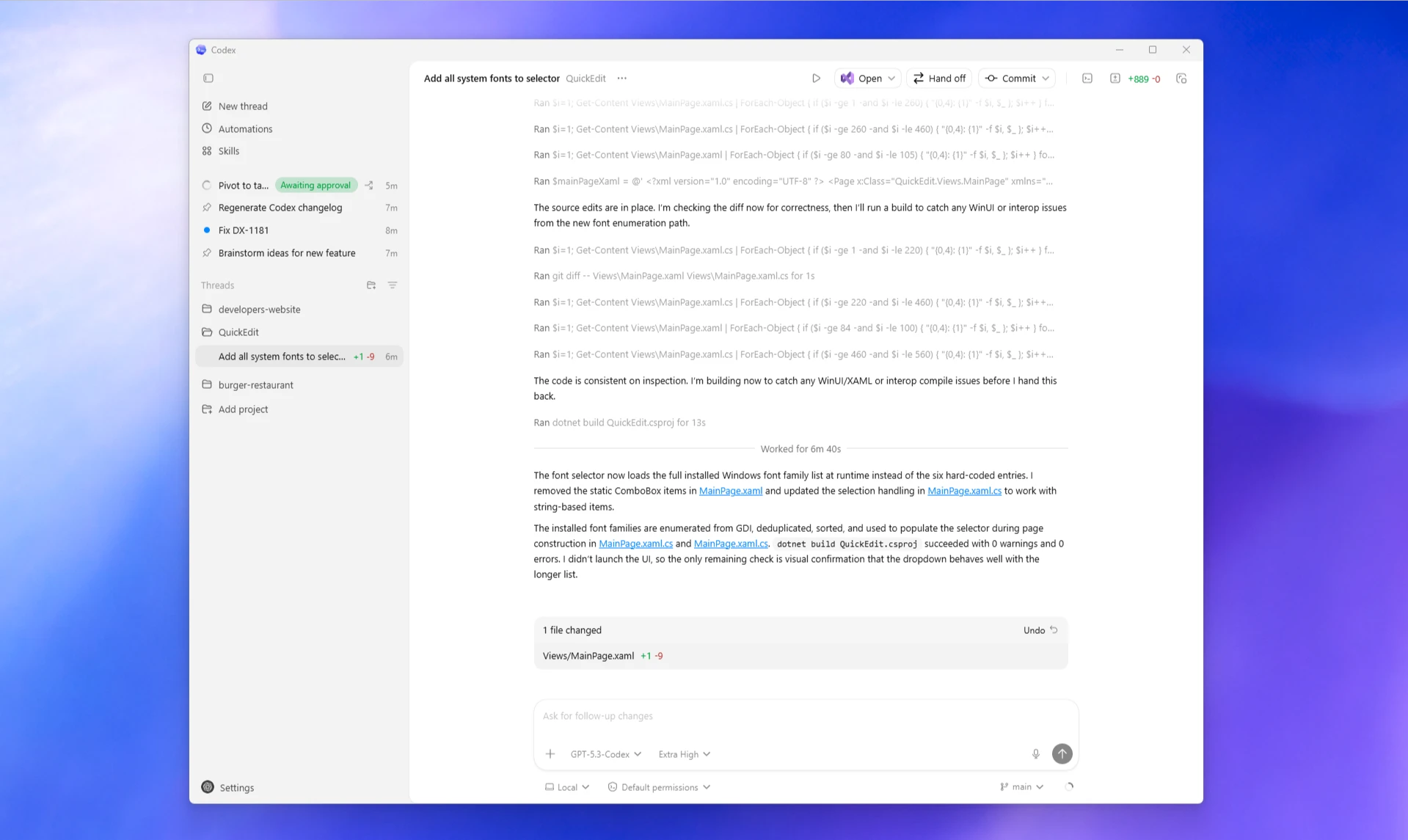
Write three jobs: explain a word, rewrite an email, and explain a project folder. Next to each one, write the tool you would try first. Then look at the Codex screenshot in the Reference screens at the bottom of this lesson - the project folders down the left side are what make it the right door for project jobs.
HintThere is not always one perfect answer. The goal is to make a safe first choice. You are done when each job has one tool name next to it.
Use the plain names
Say the tool names out loud: ChatGPT, Claude, Codex. Then say one simple job for each.
HintIf a learner cannot say what a tool is for, the course has moved too fast. You are done when you can say one job per tool without checking your notes.
Do not connect anything yet
For this lesson, do not connect email, calendar, files, or other accounts. We are only learning what each tool is for.
HintConnection and permission lessons come later.
Reference screens
Course screenshots and visual references for the lesson flow. Re-check the live product before paid delivery or public launch.
Fill in this sentence three times: I would use [tool name] when I want to [simple job].
A simple tool-choice note for three common jobs.
Common mistakes to avoid
- Thinking you must use every AI tool at once.
- Opening Codex for a simple writing question when a chat tool is easier.
- Connecting accounts before you understand what the tool can see.
- Thinking the tool name matters more than the task.
Key terms
- Chat tool
- A place where you type messages to AI and it replies.
- Project
- A folder or set of files that belong to one piece of work.
- Tool
- A piece of software that helps you do a job.
- Overlap
- When two tools can do some of the same work.
Resources
Checkpoint